> ## Documentation Index
> Fetch the complete documentation index at: https://docs.userplane.io/llms.txt
> Use this file to discover all available pages before exploring further.
# Create API Key
> Create a new API key from the Userplane dashboard
Create an API key to start accessing the Userplane API programmatically. Each user can have up to 3 API keys.
Navigate to [Account Settings](https://dash.userplane.io/_/account?tab=developers) and select the **Developers** tab.
If you don't have any keys yet, you'll see the empty state:
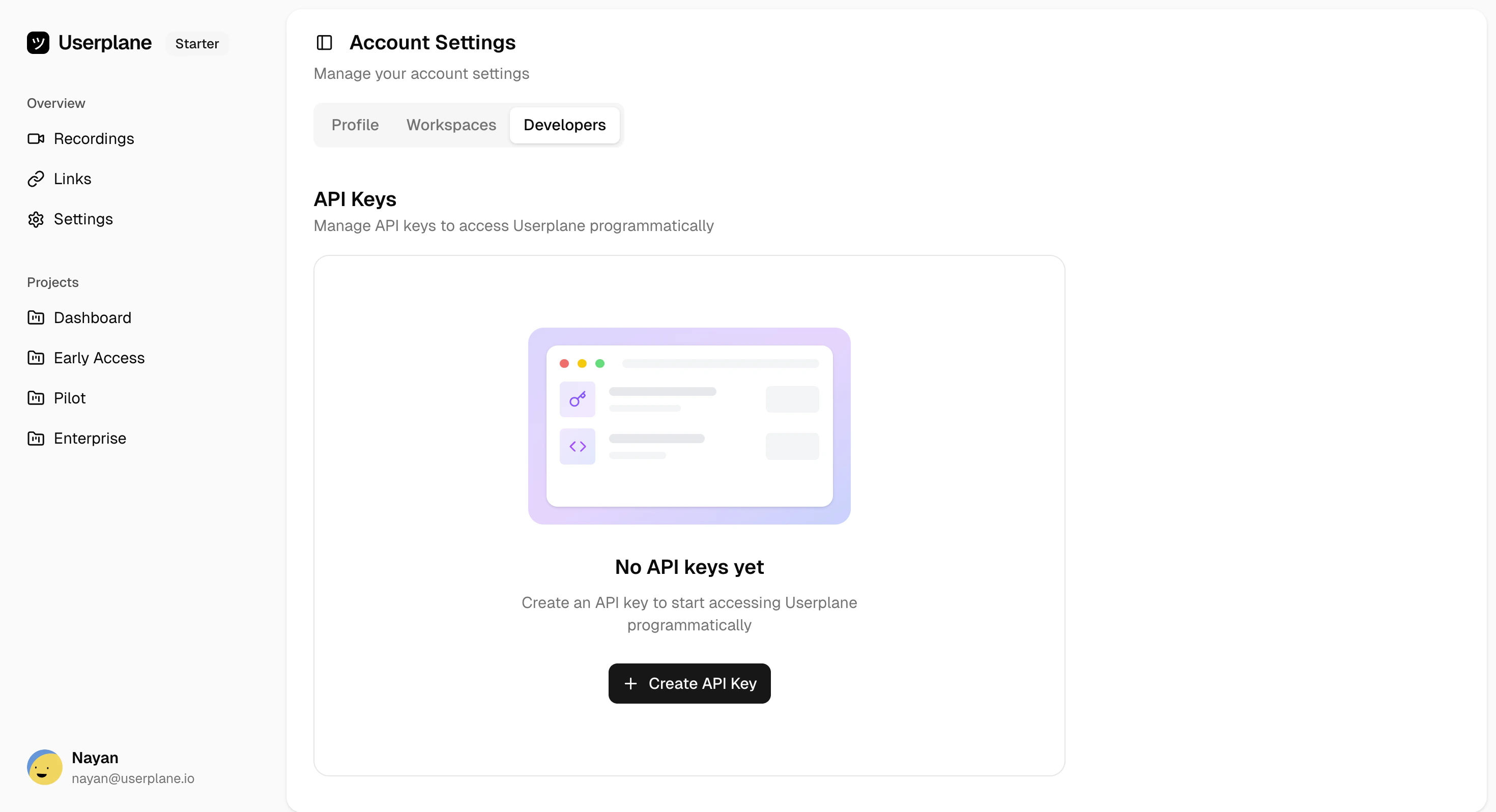 Click the **+ Create API Key** button. You'll be prompted to configure your key:
* **Name** (optional) — A label to identify the key (e.g., "CI Pipeline", "Production API")
* **Expiration** — Choose from: No expiration, 7 days, 30 days, 60 days, or 90 days
After creation, the full API key is displayed. Copy it and store it securely.
The full API key is only shown once. If you lose it, you'll need to create a new key or [rotate](/api/api-keys/rotate-api-key) the existing one.
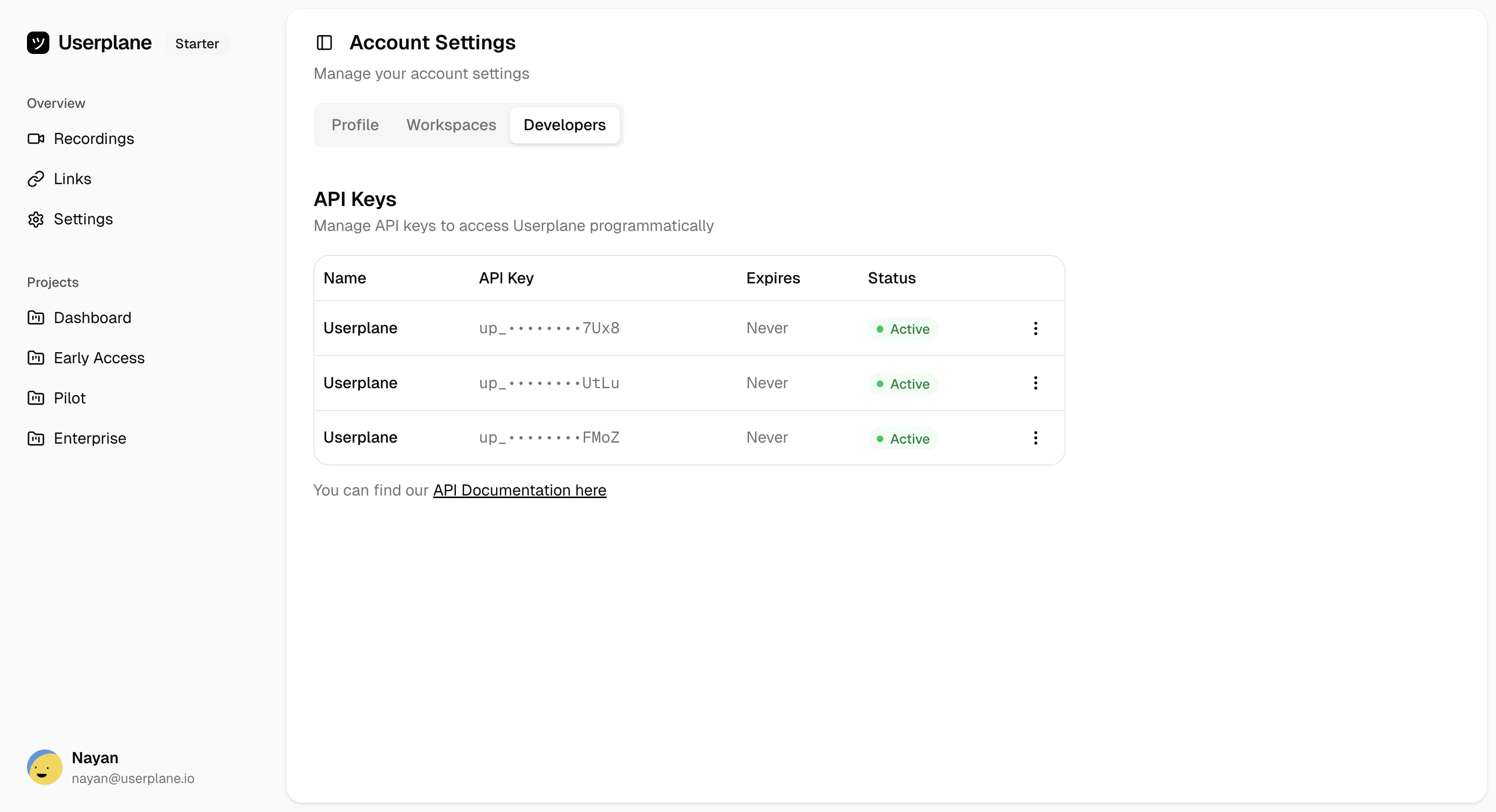
Your new key will appear in the keys list:
Click the **+ Create API Key** button. You'll be prompted to configure your key:
* **Name** (optional) — A label to identify the key (e.g., "CI Pipeline", "Production API")
* **Expiration** — Choose from: No expiration, 7 days, 30 days, 60 days, or 90 days
After creation, the full API key is displayed. Copy it and store it securely.
The full API key is only shown once. If you lose it, you'll need to create a new key or [rotate](/api/api-keys/rotate-api-key) the existing one.
Your new key will appear in the keys list:
 ## Key limits
| Limit | Value |
| --------------------- | ------- |
| Maximum keys per user | 3 |
| Maximum expiration | 90 days |
## Expiration options
| Option | Duration |
| ------------- | ------------------- |
| No expiration | Key does not expire |
| 7 days | 604,800 seconds |
| 30 days | 2,592,000 seconds |
| 60 days | 5,184,000 seconds |
| 90 days | 7,776,000 seconds |
## Next steps
Once you have your key, authenticate API requests by including it as a Bearer token:
```bash theme={null}
curl https://api.userplane.io/api/v1/public/me \
-H "Authorization: Bearer uspl_your_api_key"
```
See the [Quickstart](/api/quickstart) to make your first API call.
## Related
View and manage your existing keys
Replace a key without losing your slot
Make your first API call with your new key
How to use your key in API requests
## Key limits
| Limit | Value |
| --------------------- | ------- |
| Maximum keys per user | 3 |
| Maximum expiration | 90 days |
## Expiration options
| Option | Duration |
| ------------- | ------------------- |
| No expiration | Key does not expire |
| 7 days | 604,800 seconds |
| 30 days | 2,592,000 seconds |
| 60 days | 5,184,000 seconds |
| 90 days | 7,776,000 seconds |
## Next steps
Once you have your key, authenticate API requests by including it as a Bearer token:
```bash theme={null}
curl https://api.userplane.io/api/v1/public/me \
-H "Authorization: Bearer uspl_your_api_key"
```
See the [Quickstart](/api/quickstart) to make your first API call.
## Related
View and manage your existing keys
Replace a key without losing your slot
Make your first API call with your new key
How to use your key in API requests