> ## Documentation Index
> Fetch the complete documentation index at: https://docs.userplane.io/llms.txt
> Use this file to discover all available pages before exploring further.
# Manage API Keys
> View and manage your API keys from the Userplane dashboard
View all your API keys, check their status, and access key management actions from the Developers tab.
## Viewing your keys
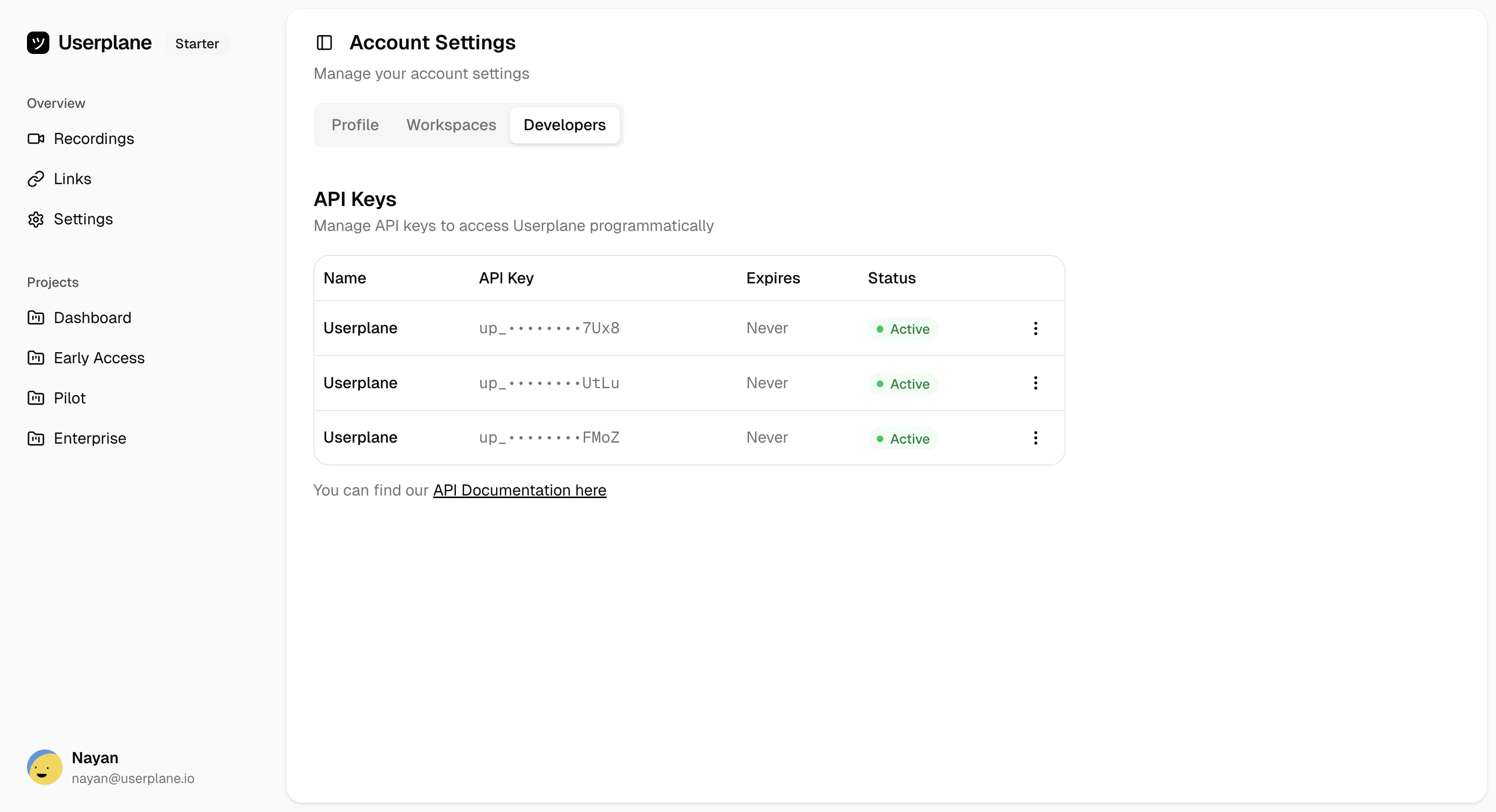
Navigate to [Account Settings](https://dash.userplane.io/_/account?tab=developers) and select the **Developers** tab. Your keys are listed in a table showing:
| Column | Description |
| ----------- | ------------------------------------------------------------- |
| **Name** | The label you assigned when creating the key |
| **API Key** | Masked key showing the `uspl_` prefix and last few characters |
| **Expires** | Expiration date, or "Never" for keys with no expiration |
| **Status** | Current status (Active or Disabled) |
 ## Key actions
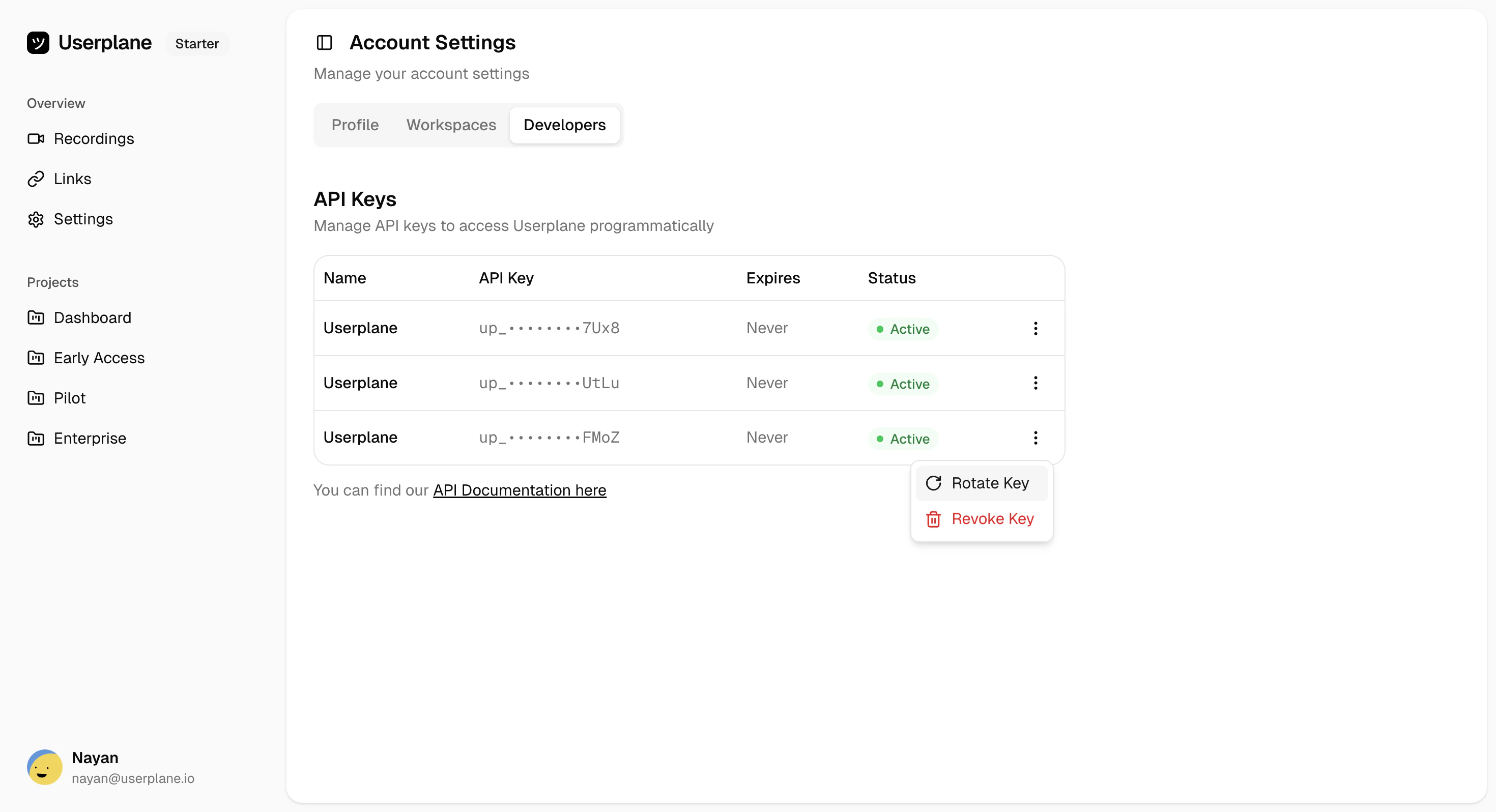
Click the three-dot menu next to any key to access management actions:
## Key actions
Click the three-dot menu next to any key to access management actions:
 | Action | Description |
| -------------- | ------------------------------------------------------------------------------------------------------ |
| **Rotate Key** | Invalidate the current key and generate a new one. See [Rotate API Key](/api/api-keys/rotate-api-key). |
| **Revoke Key** | Permanently delete the key. See [Revoke API Key](/api/api-keys/revoke-api-key). |
API keys are masked for security. You cannot view the full key after creation. If you've lost a
key, [rotate](/api/api-keys/rotate-api-key) it to generate a new one.
## Related
Generate a new API key
Invalidate a key and generate a replacement
Permanently delete a key
Rate limits shared across all your keys
| Action | Description |
| -------------- | ------------------------------------------------------------------------------------------------------ |
| **Rotate Key** | Invalidate the current key and generate a new one. See [Rotate API Key](/api/api-keys/rotate-api-key). |
| **Revoke Key** | Permanently delete the key. See [Revoke API Key](/api/api-keys/revoke-api-key). |
API keys are masked for security. You cannot view the full key after creation. If you've lost a
key, [rotate](/api/api-keys/rotate-api-key) it to generate a new one.
## Related
Generate a new API key
Invalidate a key and generate a replacement
Permanently delete a key
Rate limits shared across all your keys