> ## Documentation Index
> Fetch the complete documentation index at: https://docs.userplane.io/llms.txt
> Use this file to discover all available pages before exploring further.
# Revoke API Key
> Permanently delete an API key
Revoking a key permanently deletes it. Any integrations or scripts using the key will stop working immediately. This action cannot be undone.
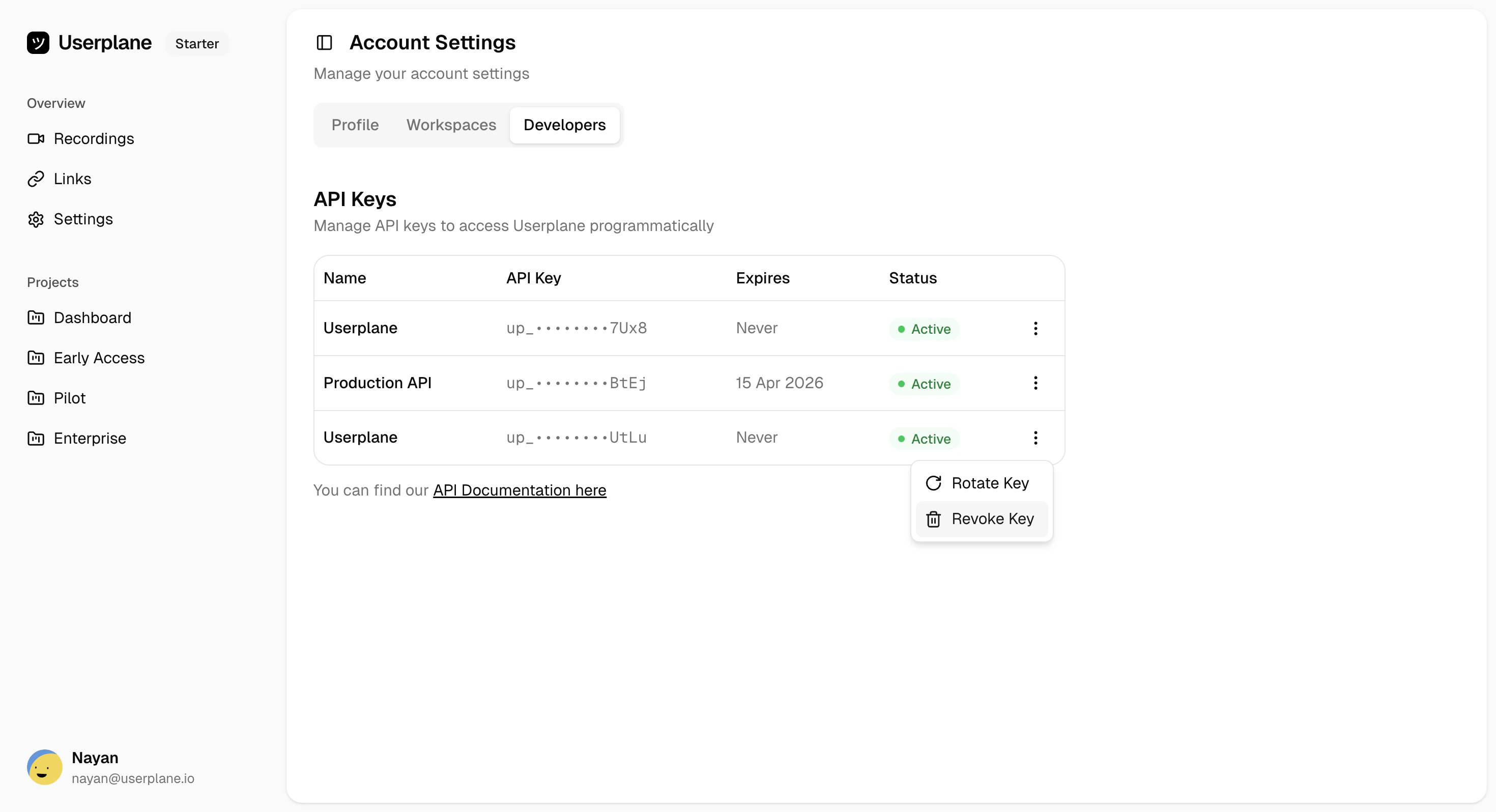
Navigate to [Account Settings](https://dash.userplane.io/_/account?tab=developers), find the key you want to revoke, and click the three-dot menu. Select **Revoke Key**.
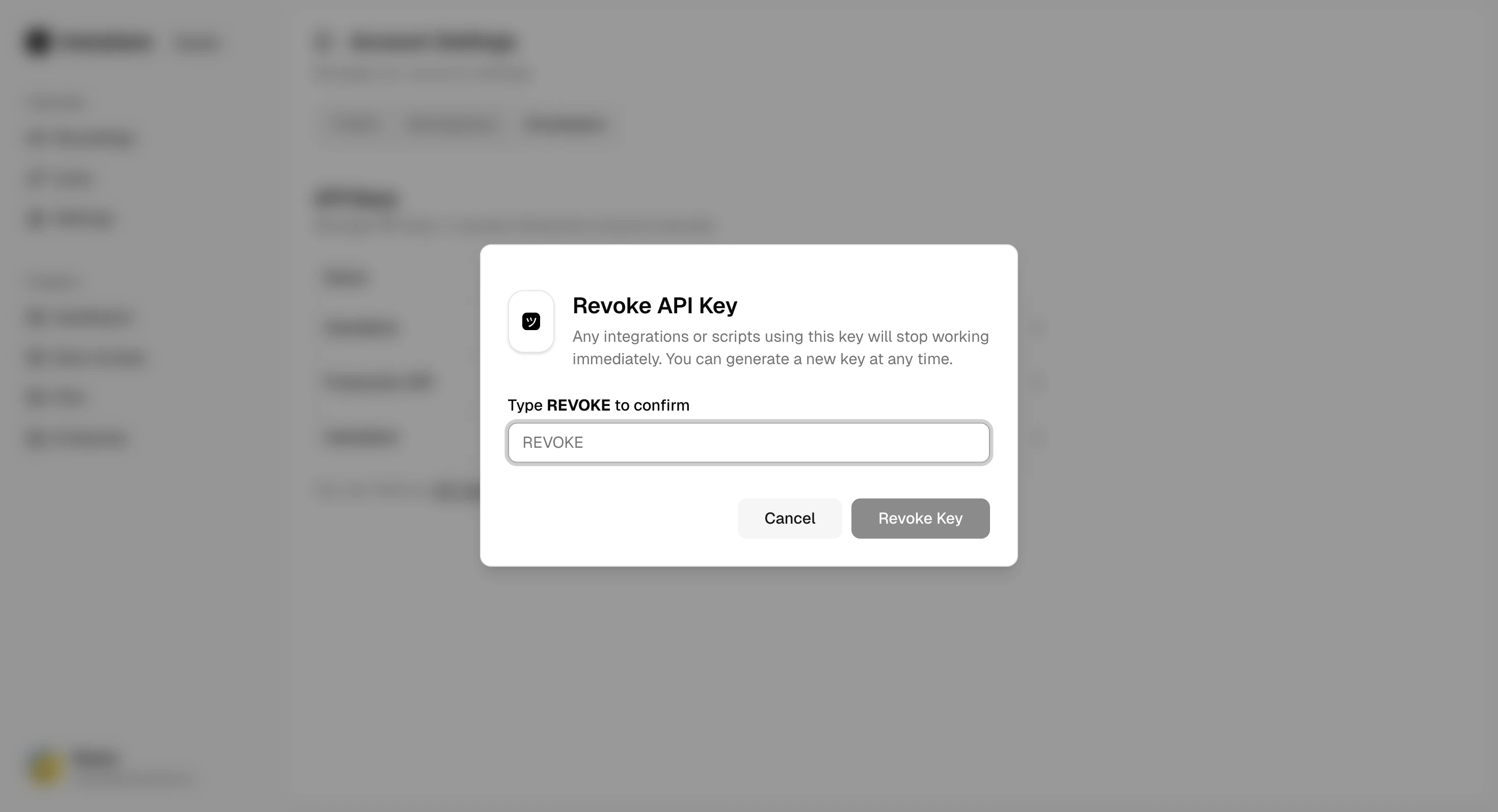
 A confirmation dialog appears. Type **REVOKE** to confirm, then click **Revoke Key**.
 This is permanent. Any requests using this key will immediately return `401 API_KEY_INVALID`.
## When to revoke a key
* The key has been **exposed** in a public repository, log, or client-side code
* The key is **no longer needed** (e.g., decommissioning an integration)
* You want to **free up a slot** to create a new key (maximum 3 keys per user)
If you need to replace a key rather than just delete it, use [Rotate API
Key](/api/api-keys/rotate-api-key) instead. Rotation revokes the old key and generates a new one
in a single step.
## Related
Replace a key instead of just deleting it
Generate a new key after revoking
View all your keys and their status
Secure key storage and rotation strategies
This is permanent. Any requests using this key will immediately return `401 API_KEY_INVALID`.
## When to revoke a key
* The key has been **exposed** in a public repository, log, or client-side code
* The key is **no longer needed** (e.g., decommissioning an integration)
* You want to **free up a slot** to create a new key (maximum 3 keys per user)
If you need to replace a key rather than just delete it, use [Rotate API
Key](/api/api-keys/rotate-api-key) instead. Rotation revokes the old key and generates a new one
in a single step.
## Related
Replace a key instead of just deleting it
Generate a new key after revoking
View all your keys and their status
Secure key storage and rotation strategies