> ## Documentation Index
> Fetch the complete documentation index at: https://docs.userplane.io/llms.txt
> Use this file to discover all available pages before exploring further.
# Subscription Overview
> Understand Userplane plans, pricing, and how to check your current subscription
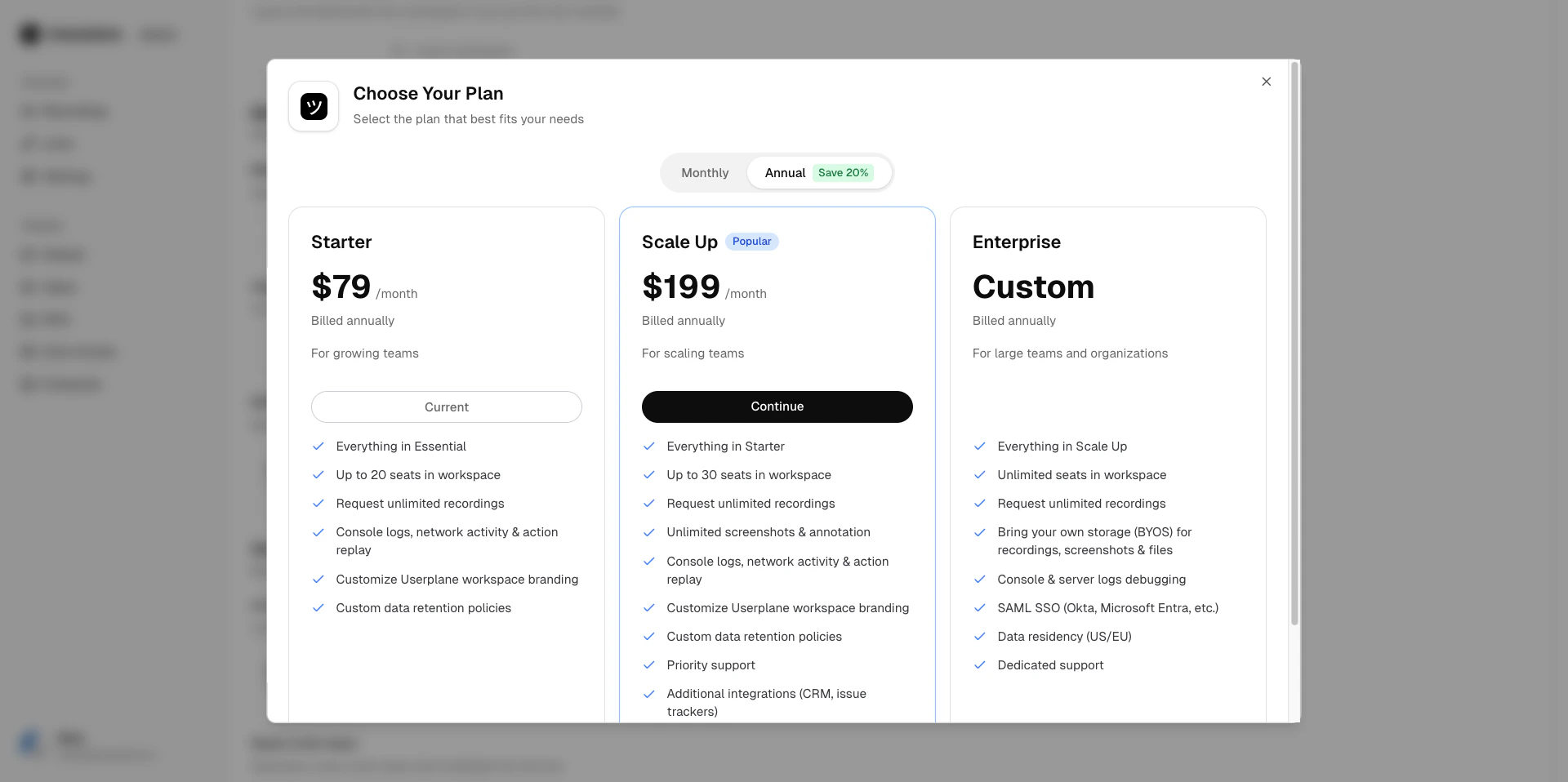
Userplane offers five plan tiers to fit teams of different sizes and needs.
## Plan tiers
| Plan | Monthly | Annual (per month) |
| -------------- | ------- | ------------------ |
| **Free** | \$0 | \$0 |
| **Essential** | \$59 | \$47 |
| **Starter** | \$99 | \$79 |
| **Scale Up** | \$249 | \$199 |
| **Enterprise** | Custom | Custom |
Annual plans are billed yearly at a discounted monthly rate. On annual plans, unused resources
from one month roll over to the next within your billing year. See [Understanding Usage
Limits](/billing/usage-limits) for details on rollover.
New accounts start with a **14-day trial** that includes full access to all features. See [Trial Plans](/billing/trial) for more information.
For a full comparison of what is included in each plan, visit the [pricing page](https://userplane.io/pricing).
 ## What is included
Each plan includes a set of resources:
* **Seats** — the number of workspace members. Need more? Purchase [seat add-ons](/billing/seat-add-ons).
* **Recording links** — how many recording links you can create per billing period.
* **Recordings** — how many recordings you can receive per billing period.
* **Screenshots** — available on Scale Up and Enterprise plans.
* **Files** — available on Scale Up and Enterprise plans.
See [Understanding Usage Limits](/billing/usage-limits) for detailed per-plan breakdowns.
## Custom plans
If the standard tiers don't fit your needs, we can create a custom plan tailored to your team size and requirements. [Contact support](/support/contact) to discuss options.
## Seat add-ons
Need extra seats without upgrading your entire plan? You can purchase additional seats on any paid plan. See [Seat Add-Ons](/billing/seat-add-ons) for details.
## Flexible credits
If a billing adjustment results in a credit (for example, from a mid-cycle downgrade or a prorated change), the credit is applied automatically to your next invoice. Credits do not expire within your subscription.
## Checking your current plan
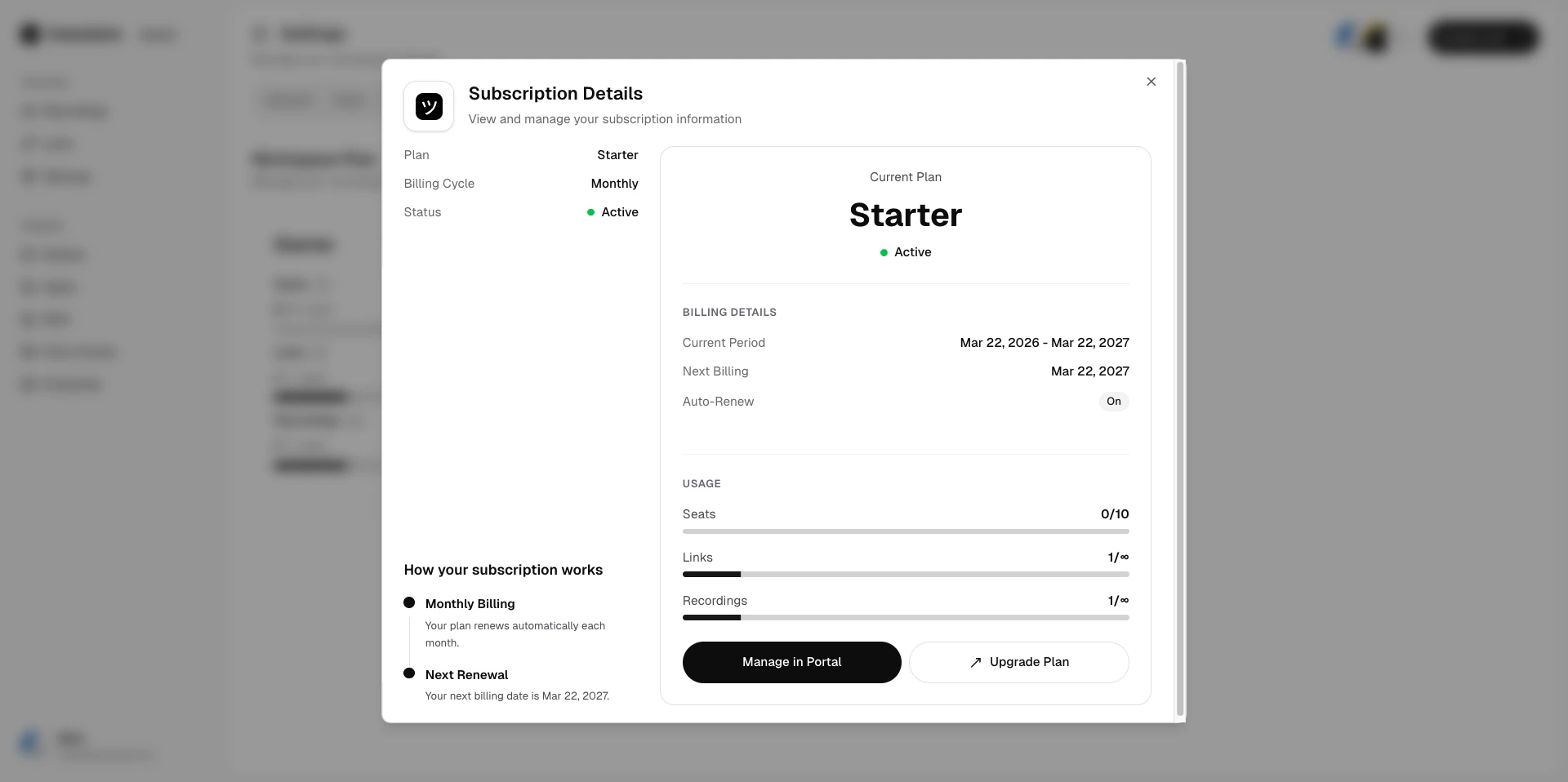
1. Go to [Workspace Settings > Billing](https://dash.userplane.io/_/settings?tab=plan-usage).
2. Your current plan, billing period, and next renewal date are displayed at the top.
## What is included
Each plan includes a set of resources:
* **Seats** — the number of workspace members. Need more? Purchase [seat add-ons](/billing/seat-add-ons).
* **Recording links** — how many recording links you can create per billing period.
* **Recordings** — how many recordings you can receive per billing period.
* **Screenshots** — available on Scale Up and Enterprise plans.
* **Files** — available on Scale Up and Enterprise plans.
See [Understanding Usage Limits](/billing/usage-limits) for detailed per-plan breakdowns.
## Custom plans
If the standard tiers don't fit your needs, we can create a custom plan tailored to your team size and requirements. [Contact support](/support/contact) to discuss options.
## Seat add-ons
Need extra seats without upgrading your entire plan? You can purchase additional seats on any paid plan. See [Seat Add-Ons](/billing/seat-add-ons) for details.
## Flexible credits
If a billing adjustment results in a credit (for example, from a mid-cycle downgrade or a prorated change), the credit is applied automatically to your next invoice. Credits do not expire within your subscription.
## Checking your current plan
1. Go to [Workspace Settings > Billing](https://dash.userplane.io/_/settings?tab=plan-usage).
2. Your current plan, billing period, and next renewal date are displayed at the top.
 ## Changing your plan
* [Upgrading Your Plan](/billing/upgrading) — move to a higher tier.
* [Downgrading Your Plan](/billing/downgrading) — move to a lower tier or cancel.
When changing plans, you can preview the new plan's resources and pricing before confirming. Seat add-ons are retained across plan changes, and any flexible credits are applied to the next invoice.
## Changing your plan
* [Upgrading Your Plan](/billing/upgrading) — move to a higher tier.
* [Downgrading Your Plan](/billing/downgrading) — move to a lower tier or cancel.
When changing plans, you can preview the new plan's resources and pricing before confirming. Seat add-ons are retained across plan changes, and any flexible credits are applied to the next invoice.