> ## Documentation Index
> Fetch the complete documentation index at: https://docs.userplane.io/llms.txt
> Use this file to discover all available pages before exploring further.
# Upgrading Your Plan
> Move to a higher plan tier for more seats, recordings, and features
Upgrading your plan gives your workspace more seats, recording links, recordings, and access to additional features.
## Who can upgrade
The upgrade flow depends on your role:
| Role | What happens |
| ---------- | ------------------------------------------------------------------------------------------- |
| **Owner** | Can upgrade directly through the checkout flow. |
| **Admin** | Can preview plan details and initiate the upgrade flow. |
| **Member** | Can request an upgrade. An email is sent to workspace owners notifying them of the request. |
## Upgrading as an owner
Go to [Workspace Settings > Billing](https://dash.userplane.io/_/settings?tab=plan-usage\&plan-modal=detailed).
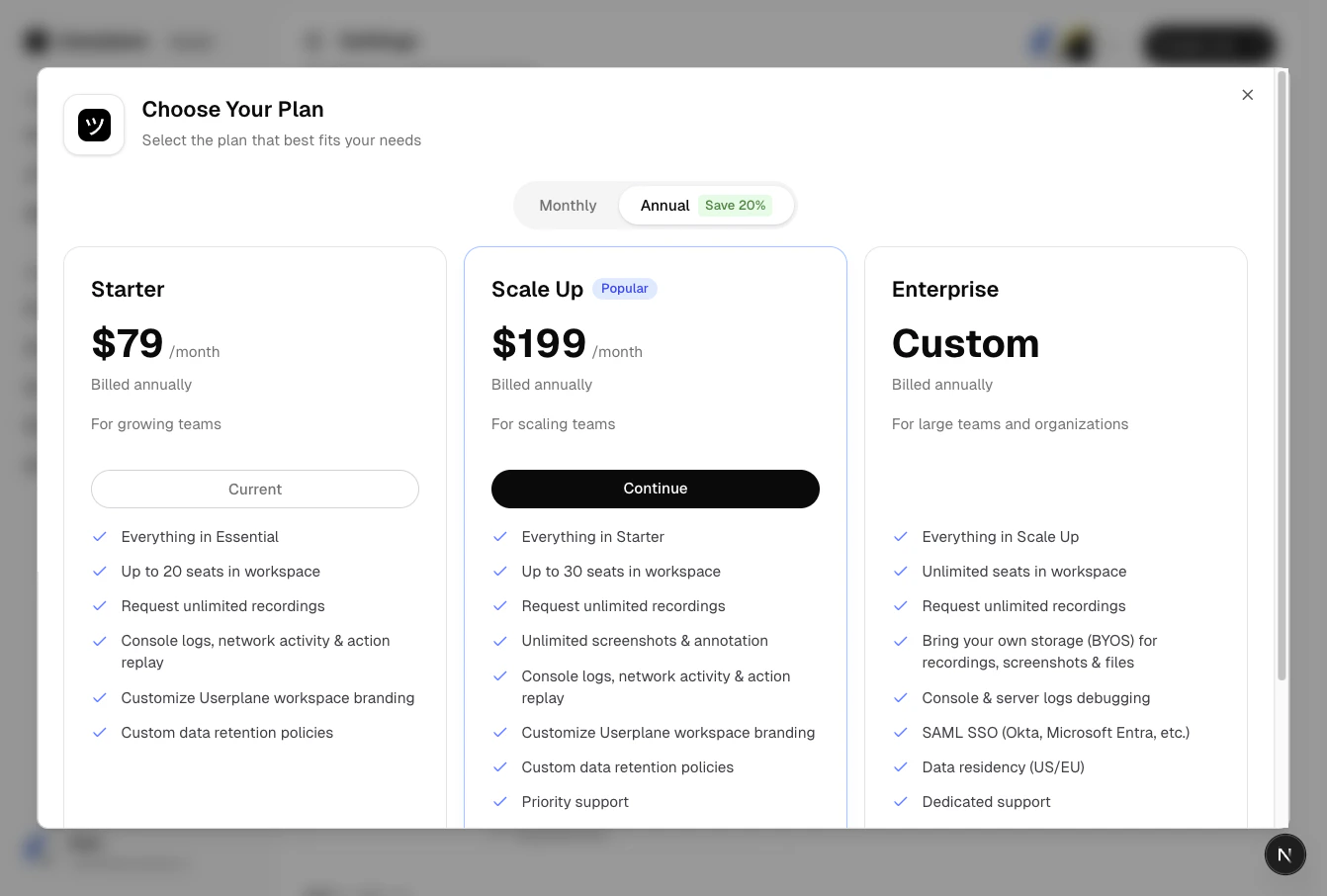
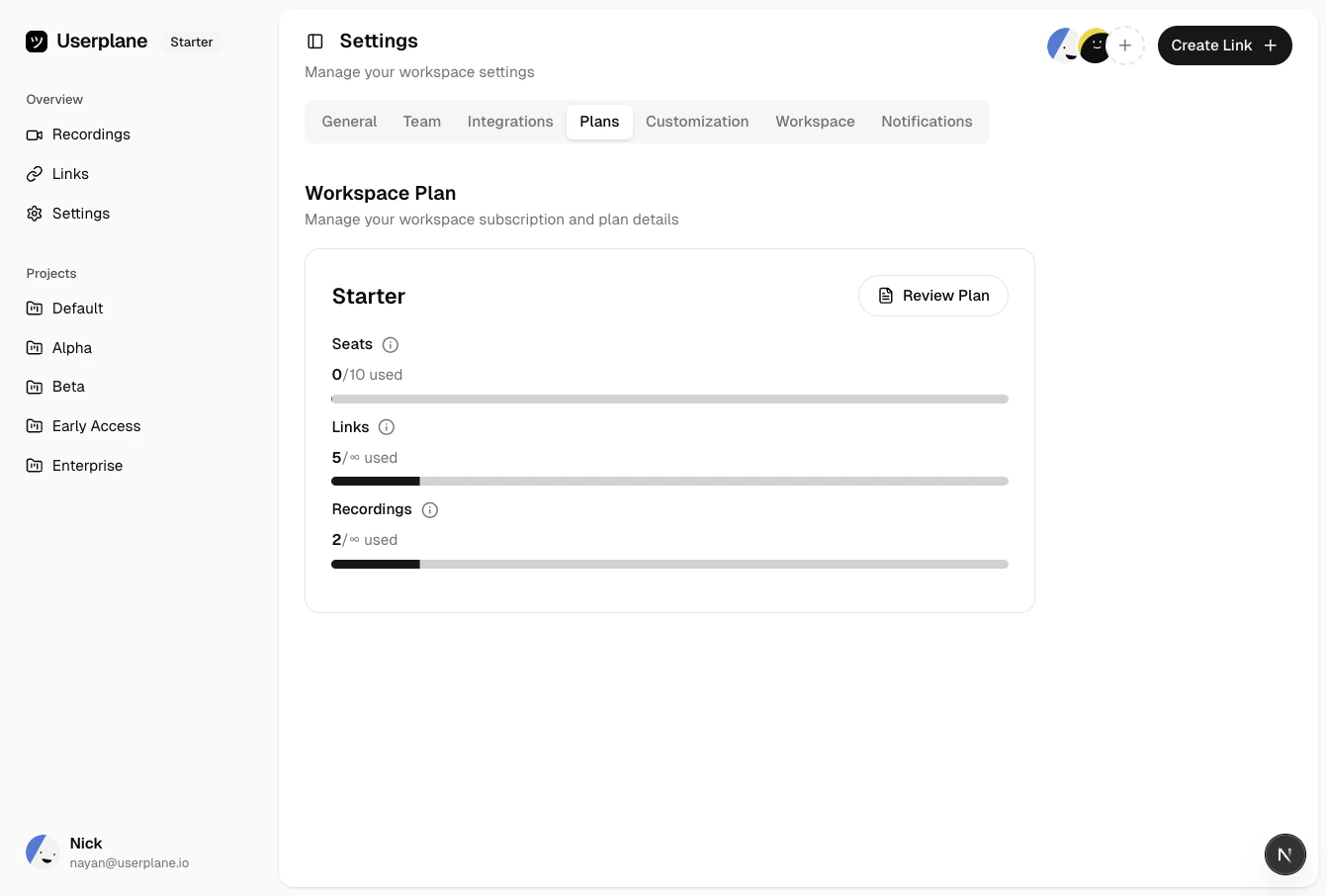 Review the available plans and their resource allocations.
Click **Upgrade** or select a higher plan. You can choose between monthly and annual billing.
Review the available plans and their resource allocations.
Click **Upgrade** or select a higher plan. You can choose between monthly and annual billing.
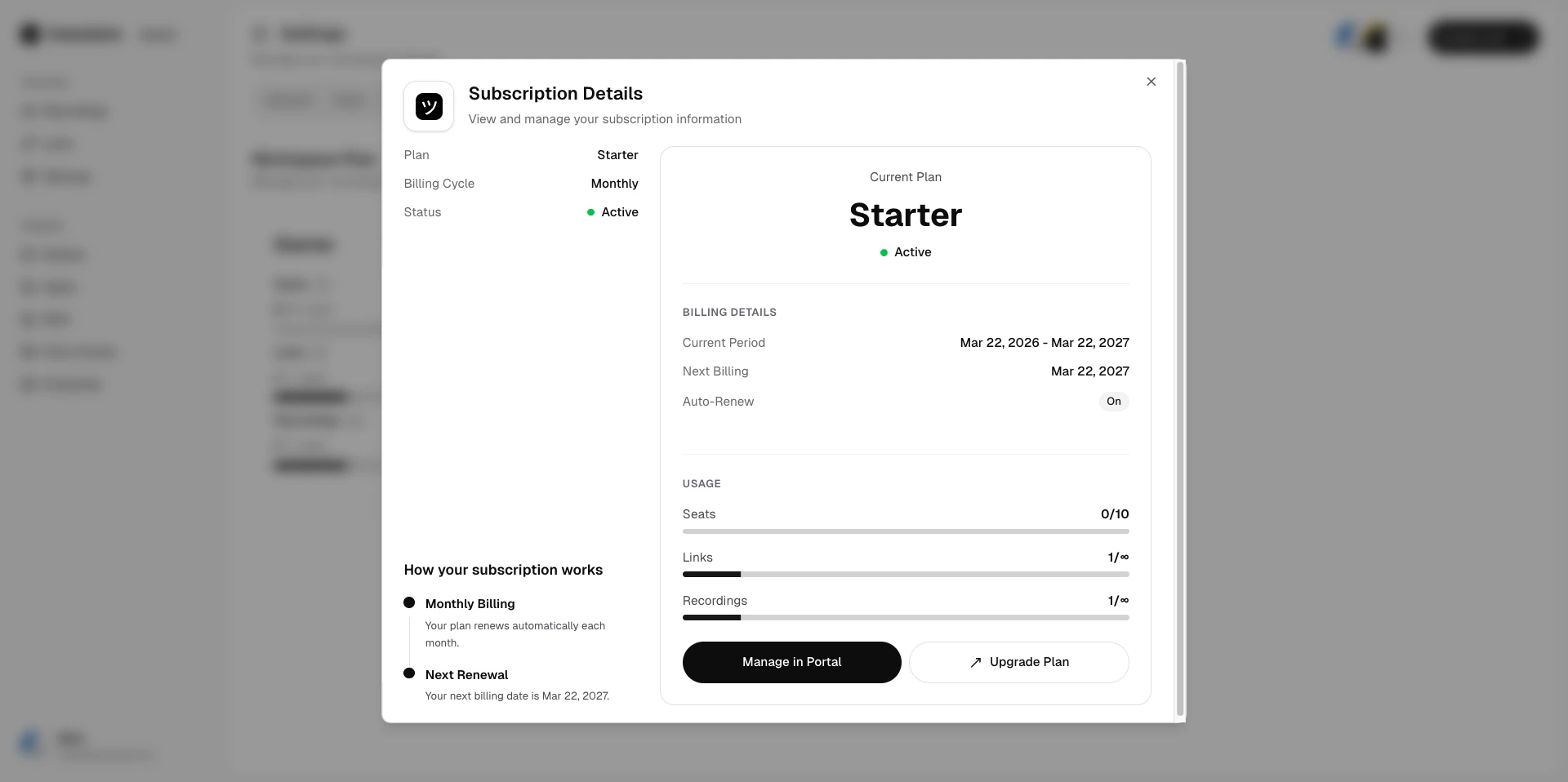
 If this is your first paid subscription, you are redirected to the checkout page
to enter payment details. Complete the checkout. Your workspace is upgraded immediately.
## Previewing as an admin
Admins can view plan details and pricing, including a preview of the new plan's resource allocations and cost. From there, they are redirected to the checkout flow alongside the owner approval process.
If this is your first paid subscription, you are redirected to the checkout page
to enter payment details. Complete the checkout. Your workspace is upgraded immediately.
## Previewing as an admin
Admins can view plan details and pricing, including a preview of the new plan's resource allocations and cost. From there, they are redirected to the checkout flow alongside the owner approval process.
 ## Requesting as a member
Go to [Workspace Settings >
Billing](https://dash.userplane.io/_/settings?tab=plan-usage\&plan-modal=detailed).
Click **Request Upgrade**. An email notification is sent to all workspace owners with details of
the requested plan.
An owner reviews the request and completes the upgrade through the checkout flow.
## Plan changes
When you upgrade:
* The new plan takes effect immediately.
* Existing usage counts carry over to the new plan's limits.
* Billing is adjusted for the remaining time in your current billing period.
* Seat add-ons are retained on the new plan.
* Any flexible credits are applied to the next invoice.
* On annual plans, unused rollover resources carry over.
Upgrades are not available during the trial period. Choose a plan after your trial ends or when
you are ready to commit. See [Trial Plans](/billing/trial) for details.
## Related articles
* [Subscription Overview](/billing/overview) — plan tiers and pricing.
* [Understanding Usage Limits](/billing/usage-limits) — what each plan includes.
* [Trial Plans](/billing/trial) — how the 14-day trial works.
## Requesting as a member
Go to [Workspace Settings >
Billing](https://dash.userplane.io/_/settings?tab=plan-usage\&plan-modal=detailed).
Click **Request Upgrade**. An email notification is sent to all workspace owners with details of
the requested plan.
An owner reviews the request and completes the upgrade through the checkout flow.
## Plan changes
When you upgrade:
* The new plan takes effect immediately.
* Existing usage counts carry over to the new plan's limits.
* Billing is adjusted for the remaining time in your current billing period.
* Seat add-ons are retained on the new plan.
* Any flexible credits are applied to the next invoice.
* On annual plans, unused rollover resources carry over.
Upgrades are not available during the trial period. Choose a plan after your trial ends or when
you are ready to commit. See [Trial Plans](/billing/trial) for details.
## Related articles
* [Subscription Overview](/billing/overview) — plan tiers and pricing.
* [Understanding Usage Limits](/billing/usage-limits) — what each plan includes.
* [Trial Plans](/billing/trial) — how the 14-day trial works.