> ## Documentation Index
> Fetch the complete documentation index at: https://docs.userplane.io/llms.txt
> Use this file to discover all available pages before exploring further.
# Understanding Usage Limits
> Learn how plan resource limits, fair usage, and annual rollover work
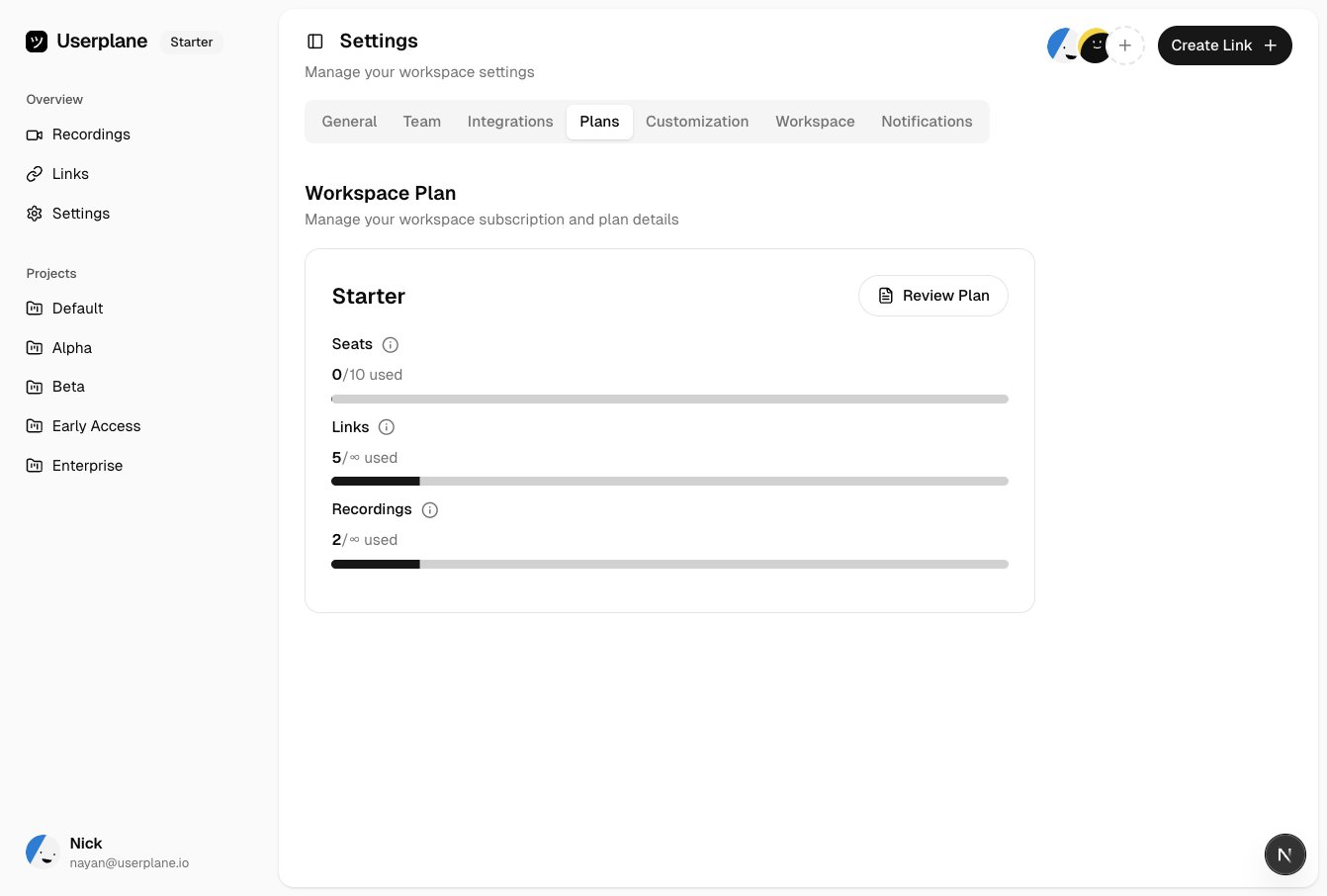
Each Userplane plan includes a set of resources. Understanding how these limits work helps you choose the right plan and avoid unexpected interruptions.
 ## Resource types
| Resource | Description | Billing |
| ------------------- | ---------------------------------------------------------- | ---------------------------------------- |
| **Seats** | Number of workspace members. | Lifetime (accumulate over subscription). |
| **Recording links** | Number of recording links you can create. | Per billing period (resets each cycle). |
| **Recordings** | Number of recordings you can receive. | Per billing period. |
| **Screenshots** | Number of screenshots (Scale Up and Enterprise only). | Per billing period. |
| **Files** | Number of file attachments (Scale Up and Enterprise only). | Per billing period. |
## How limits work
Each plan includes a set of resources. The numbers on the [pricing page](https://userplane.io/pricing) are your plan limits.
Resources marked "Unlimited" have a fair usage limit to prevent abuse. If you need more, [contact support](/support/contact) to request a higher allocation.
## Per-plan breakdown
### Free
| Resource | Included |
| --------------- | -------- |
| Seats | 3 |
| Recordings | 3 |
| Recording links | 3 |
### Essential ($59/mo or $47/mo annual)
| Resource | Included |
| --------------- | --------- |
| Seats | 5 |
| Recordings | 25 |
| Recording links | Unlimited |
### Starter ($99/mo or $79/mo annual)
| Resource | Included |
| --------------- | --------- |
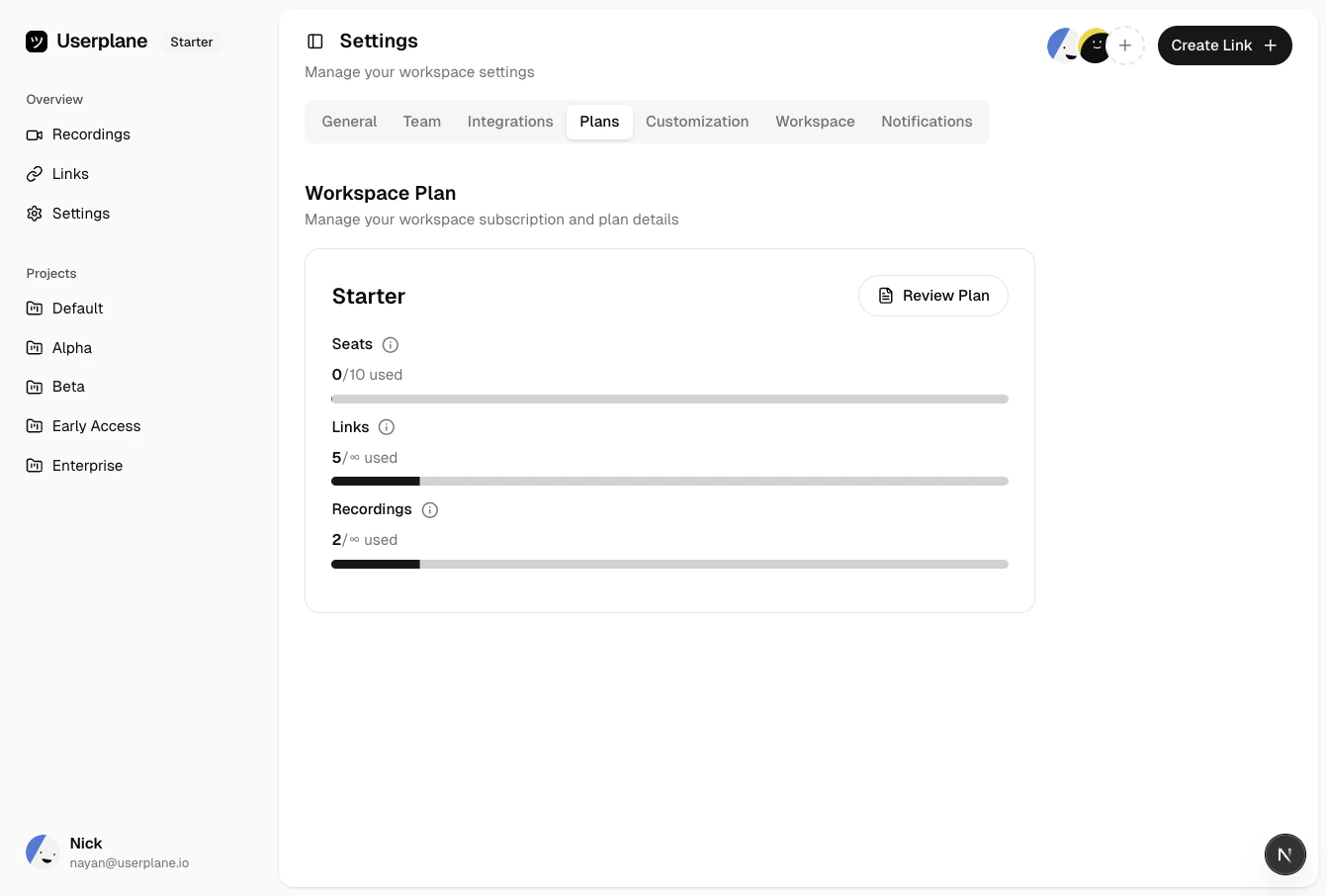
| Seats | 10 |
| Recordings | Unlimited |
| Recording links | Unlimited |
### Scale Up ($249/mo or $199/mo annual)
| Resource | Included |
| --------------- | --------- |
| Seats | 15 |
| Recordings | Unlimited |
| Recording links | Unlimited |
| Screenshots | Unlimited |
| Files | Unlimited |
Enterprise plans have custom allocations for all resources. [Contact support](/support/contact) for details.
## How limits are enforced
* **Below limit** — everything works normally.
* **At limit** — the resource is blocked until the next billing period, until you upgrade, or until you purchase an add-on.
## Resource types
| Resource | Description | Billing |
| ------------------- | ---------------------------------------------------------- | ---------------------------------------- |
| **Seats** | Number of workspace members. | Lifetime (accumulate over subscription). |
| **Recording links** | Number of recording links you can create. | Per billing period (resets each cycle). |
| **Recordings** | Number of recordings you can receive. | Per billing period. |
| **Screenshots** | Number of screenshots (Scale Up and Enterprise only). | Per billing period. |
| **Files** | Number of file attachments (Scale Up and Enterprise only). | Per billing period. |
## How limits work
Each plan includes a set of resources. The numbers on the [pricing page](https://userplane.io/pricing) are your plan limits.
Resources marked "Unlimited" have a fair usage limit to prevent abuse. If you need more, [contact support](/support/contact) to request a higher allocation.
## Per-plan breakdown
### Free
| Resource | Included |
| --------------- | -------- |
| Seats | 3 |
| Recordings | 3 |
| Recording links | 3 |
### Essential ($59/mo or $47/mo annual)
| Resource | Included |
| --------------- | --------- |
| Seats | 5 |
| Recordings | 25 |
| Recording links | Unlimited |
### Starter ($99/mo or $79/mo annual)
| Resource | Included |
| --------------- | --------- |
| Seats | 10 |
| Recordings | Unlimited |
| Recording links | Unlimited |
### Scale Up ($249/mo or $199/mo annual)
| Resource | Included |
| --------------- | --------- |
| Seats | 15 |
| Recordings | Unlimited |
| Recording links | Unlimited |
| Screenshots | Unlimited |
| Files | Unlimited |
Enterprise plans have custom allocations for all resources. [Contact support](/support/contact) for details.
## How limits are enforced
* **Below limit** — everything works normally.
* **At limit** — the resource is blocked until the next billing period, until you upgrade, or until you purchase an add-on.
 ## Annual plans and rollover
Annual subscriptions distribute your yearly allocation across months. Unused resources from one month roll over to the next within your billing year.
For example, if your plan includes 300 recordings per year (25 per month) and you use 15 in
January, the remaining 10 carry forward to February.
## Fair usage
Resources listed as "Unlimited" are subject to a fair usage limit. Most workspaces never approach this limit.
If you need a higher allocation, open a [support ticket](/support/contact) and we will review your account.
## Seat add-ons
Need more seats than your plan includes? You can purchase additional seats without upgrading. See [Seat Add-Ons](/billing/seat-add-ons) for details.
## Related articles
* [Subscription Overview](/billing/overview) — plan tiers and pricing.
* [Monitoring Your Usage](/billing/monitoring-usage) — track consumption in real time.
* [Seat Add-Ons](/billing/seat-add-ons) — purchase additional seats.
## Annual plans and rollover
Annual subscriptions distribute your yearly allocation across months. Unused resources from one month roll over to the next within your billing year.
For example, if your plan includes 300 recordings per year (25 per month) and you use 15 in
January, the remaining 10 carry forward to February.
## Fair usage
Resources listed as "Unlimited" are subject to a fair usage limit. Most workspaces never approach this limit.
If you need a higher allocation, open a [support ticket](/support/contact) and we will review your account.
## Seat add-ons
Need more seats than your plan includes? You can purchase additional seats without upgrading. See [Seat Add-Ons](/billing/seat-add-ons) for details.
## Related articles
* [Subscription Overview](/billing/overview) — plan tiers and pricing.
* [Monitoring Your Usage](/billing/monitoring-usage) — track consumption in real time.
* [Seat Add-Ons](/billing/seat-add-ons) — purchase additional seats.