> ## Documentation Index
> Fetch the complete documentation index at: https://docs.userplane.io/llms.txt
> Use this file to discover all available pages before exploring further.
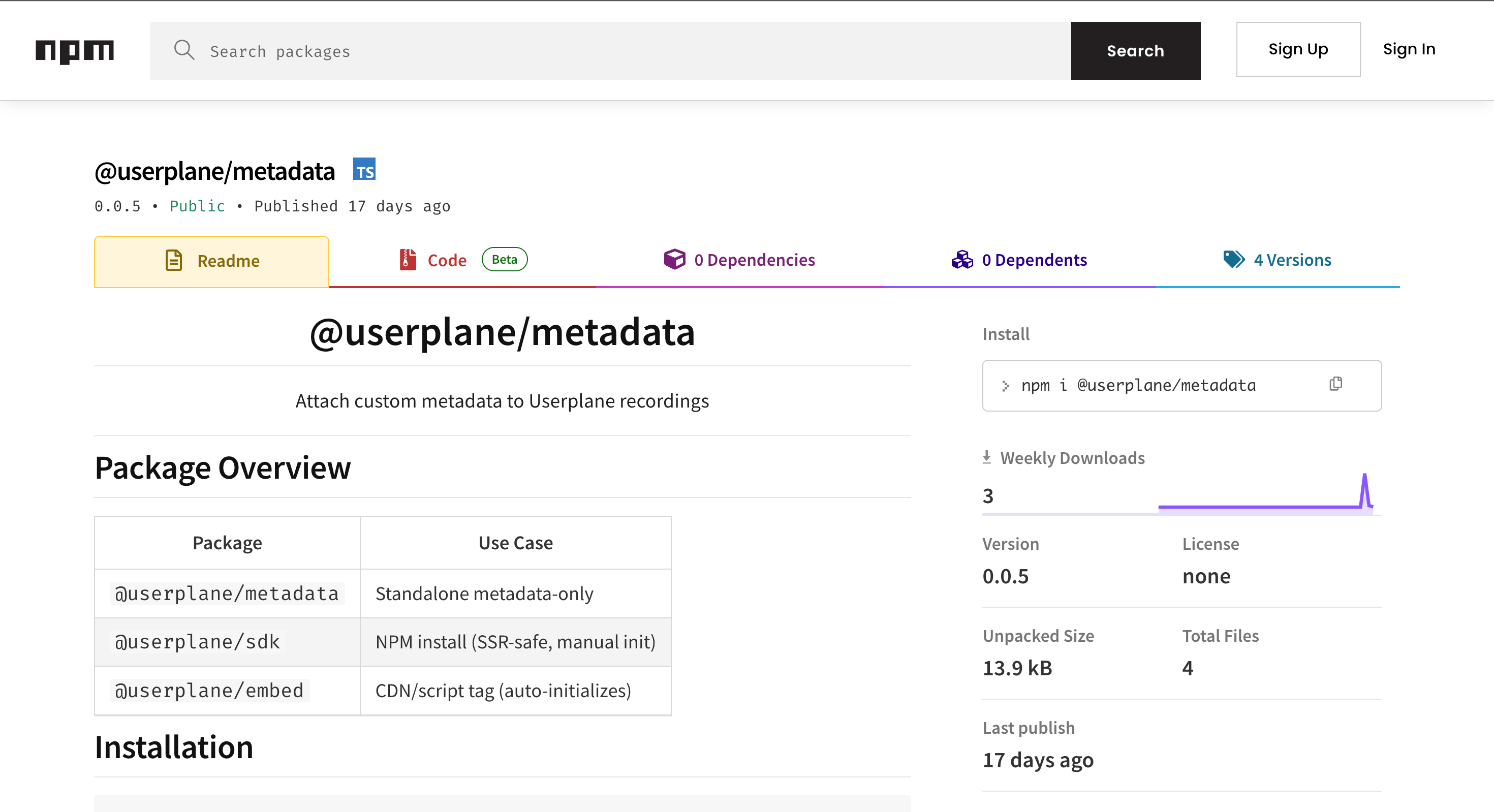
# Metadata SDK
> Attach custom metadata to recordings — user info, feature flags, session context, and more
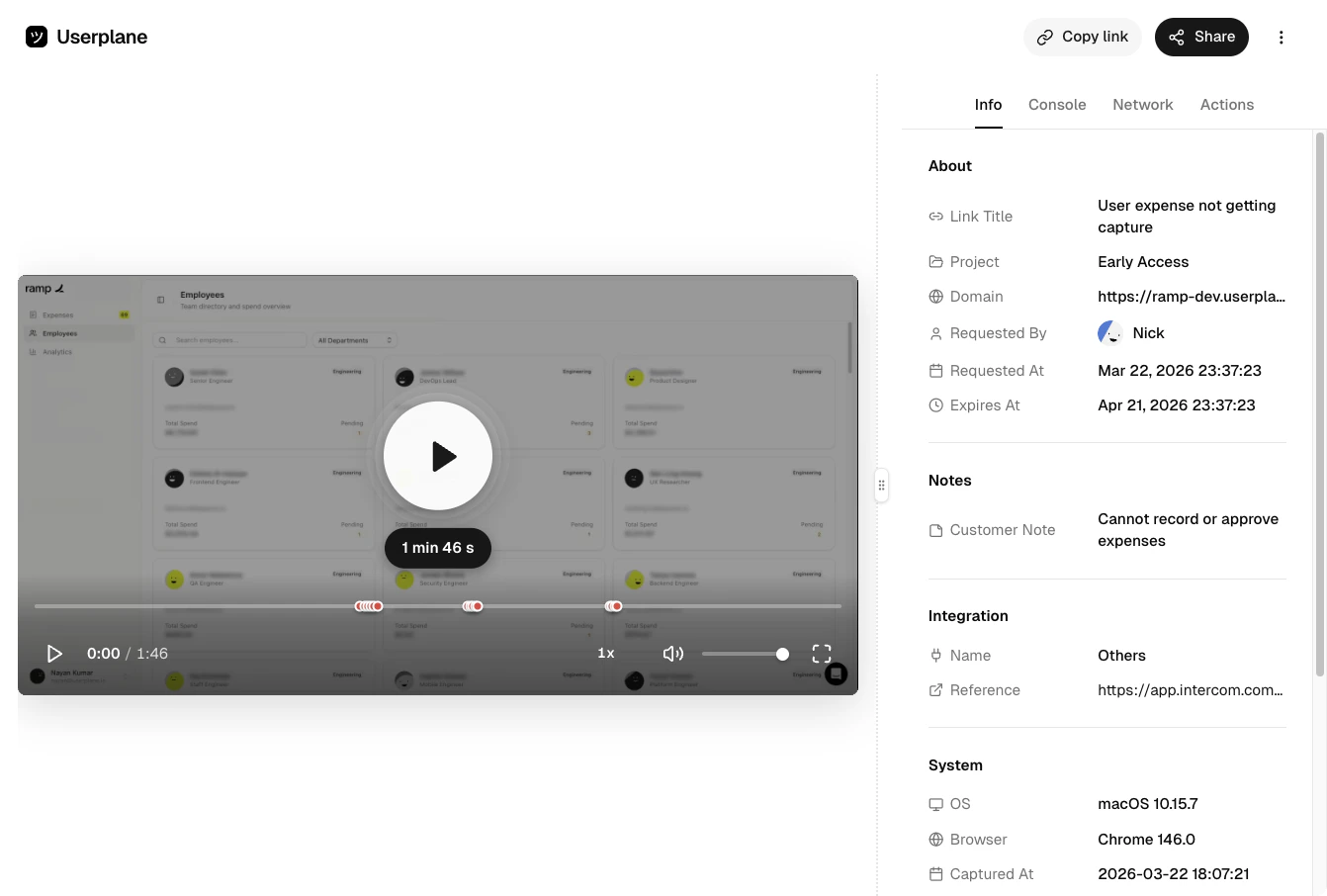
The Userplane SDK includes a metadata API that lets you attach custom key-value data to recordings. This data appears in the Info panel when your support team reviews a recording, giving them additional context about the user and their session without having to ask.
This page covers **recording metadata** — data attached to recordings via the SDK at capture time.
For key-value pairs attached to recording **links**, see [Link
Metadata](/recording-links/link-metadata).
 ## Installation
```bash npm theme={null}
npm install @userplane/sdk
```
```bash yarn theme={null}
yarn add @userplane/sdk
```
```bash pnpm theme={null}
pnpm add @userplane/sdk
```
```bash bun theme={null}
bun add @userplane/sdk
```
## Why attach metadata
When your support team opens a recording, they see what happened on screen. But they often need more context: which user is this? What plan are they on? Which feature flags are active? What environment is this?
Metadata lets you attach this context automatically, so it's there every time a recording is reviewed — no extra back-and-forth needed.
## API reference
### `set(key, value)`
Sets a static metadata key-value pair. Use this for values that are known at initialization and don't change frequently.
| Parameter | Type | Description |
| --------- | -------------- | ----------------------------------------------------------------------------------------------------- |
| `key` | `string` | The metadata key. Appears as a label in the Info Panel. |
| `value` | `Serializable` | The value to associate with the key. Can be a string, number, boolean, null, array, or nested object. |
Returns: `void`
```javascript theme={null}
import { set } from '@userplane/sdk';
set('userId', 'usr_12345');
set('accountId', 'acct_abc123');
set('plan', 'business');
set('environment', 'production');
set('appVersion', '2.4.1');
```
Static metadata provides defaults. If a dynamic metadata function (see below) returns the same key, the function value takes priority.
### `metadata(fn)`
Registers a dynamic metadata function. The function is called when a recording is being submitted, so it captures the most current values at that point in time.
| Parameter | Type | Description |
| --------- | -------------------------- | ------------------------------------------------------------------------------------------ |
| `fn` | `() => SerializableObject` | A function that returns an object of key-value pairs. Called at recording submission time. |
Returns: `void`
```javascript theme={null}
import { metadata } from '@userplane/sdk';
metadata(() => ({
userId: getCurrentUser().id,
plan: getCurrentUser().plan,
page: window.location.pathname,
featureFlags: getActiveFlags(),
}));
```
Calling `metadata()` again overwrites the previous function. Only one metadata function can be registered at a time.
### `clearMetadata(keyOrType?)`
Clears metadata. The behavior depends on what you pass:
| Parameter | Type | Description |
| ----------- | --------------------- | --------------------------------------------------- |
| `keyOrType` | `string \| undefined` | What to clear (optional). See behavior table below. |
Returns: `void`
| Argument | Behavior |
| ---------------- | ----------------------------------------------------------------------------- |
| *(no argument)* | Clears everything — both the metadata function and all static key-value pairs |
| `'function'` | Clears only the registered metadata function |
| `'static'` | Clears all static key-value pairs set via `set()` |
| Any other string | Clears that specific static key |
```javascript theme={null}
import { clearMetadata } from '@userplane/sdk';
// Clear everything
clearMetadata();
// Clear only the metadata function
clearMetadata('function');
// Clear all static metadata
clearMetadata('static');
// Clear a specific key
clearMetadata('userId');
```
### `getCustomMetadata()`
Returns the merged metadata object (static + function), or `null` if no metadata is set. This is primarily used internally by the SDK when the recorder requests metadata, but can be useful for debugging.
Returns: `SerializableObject | null`
```javascript theme={null}
import { getCustomMetadata } from '@userplane/sdk';
const meta = getCustomMetadata();
console.log(meta);
// { userId: 'usr_12345', plan: 'business', page: '/dashboard', ... }
```
When both static metadata and a metadata function are present, the function's return values take priority over static values for the same key.
## Types
### `Serializable`
Values passed to `set()` or returned from metadata functions must be serializable:
```typescript theme={null}
type Serializable =
| string
| number
| boolean
| null
| undefined
| Serializable[]
| { [key: string]: Serializable };
```
This means you can pass strings, numbers, booleans, nulls, arrays, and nested objects — but not functions, Dates, or class instances.
### `SerializableObject`
The return type of a metadata function:
```typescript theme={null}
interface SerializableObject {
[key: string]: Serializable;
}
```
## How metadata appears
Custom metadata is displayed in the **Info Panel** of the recording detail view as a list of key-value pairs, shown below the system metadata section (browser, OS, page URL). Keys appear as labels and values appear as text.
## Installation
```bash npm theme={null}
npm install @userplane/sdk
```
```bash yarn theme={null}
yarn add @userplane/sdk
```
```bash pnpm theme={null}
pnpm add @userplane/sdk
```
```bash bun theme={null}
bun add @userplane/sdk
```
## Why attach metadata
When your support team opens a recording, they see what happened on screen. But they often need more context: which user is this? What plan are they on? Which feature flags are active? What environment is this?
Metadata lets you attach this context automatically, so it's there every time a recording is reviewed — no extra back-and-forth needed.
## API reference
### `set(key, value)`
Sets a static metadata key-value pair. Use this for values that are known at initialization and don't change frequently.
| Parameter | Type | Description |
| --------- | -------------- | ----------------------------------------------------------------------------------------------------- |
| `key` | `string` | The metadata key. Appears as a label in the Info Panel. |
| `value` | `Serializable` | The value to associate with the key. Can be a string, number, boolean, null, array, or nested object. |
Returns: `void`
```javascript theme={null}
import { set } from '@userplane/sdk';
set('userId', 'usr_12345');
set('accountId', 'acct_abc123');
set('plan', 'business');
set('environment', 'production');
set('appVersion', '2.4.1');
```
Static metadata provides defaults. If a dynamic metadata function (see below) returns the same key, the function value takes priority.
### `metadata(fn)`
Registers a dynamic metadata function. The function is called when a recording is being submitted, so it captures the most current values at that point in time.
| Parameter | Type | Description |
| --------- | -------------------------- | ------------------------------------------------------------------------------------------ |
| `fn` | `() => SerializableObject` | A function that returns an object of key-value pairs. Called at recording submission time. |
Returns: `void`
```javascript theme={null}
import { metadata } from '@userplane/sdk';
metadata(() => ({
userId: getCurrentUser().id,
plan: getCurrentUser().plan,
page: window.location.pathname,
featureFlags: getActiveFlags(),
}));
```
Calling `metadata()` again overwrites the previous function. Only one metadata function can be registered at a time.
### `clearMetadata(keyOrType?)`
Clears metadata. The behavior depends on what you pass:
| Parameter | Type | Description |
| ----------- | --------------------- | --------------------------------------------------- |
| `keyOrType` | `string \| undefined` | What to clear (optional). See behavior table below. |
Returns: `void`
| Argument | Behavior |
| ---------------- | ----------------------------------------------------------------------------- |
| *(no argument)* | Clears everything — both the metadata function and all static key-value pairs |
| `'function'` | Clears only the registered metadata function |
| `'static'` | Clears all static key-value pairs set via `set()` |
| Any other string | Clears that specific static key |
```javascript theme={null}
import { clearMetadata } from '@userplane/sdk';
// Clear everything
clearMetadata();
// Clear only the metadata function
clearMetadata('function');
// Clear all static metadata
clearMetadata('static');
// Clear a specific key
clearMetadata('userId');
```
### `getCustomMetadata()`
Returns the merged metadata object (static + function), or `null` if no metadata is set. This is primarily used internally by the SDK when the recorder requests metadata, but can be useful for debugging.
Returns: `SerializableObject | null`
```javascript theme={null}
import { getCustomMetadata } from '@userplane/sdk';
const meta = getCustomMetadata();
console.log(meta);
// { userId: 'usr_12345', plan: 'business', page: '/dashboard', ... }
```
When both static metadata and a metadata function are present, the function's return values take priority over static values for the same key.
## Types
### `Serializable`
Values passed to `set()` or returned from metadata functions must be serializable:
```typescript theme={null}
type Serializable =
| string
| number
| boolean
| null
| undefined
| Serializable[]
| { [key: string]: Serializable };
```
This means you can pass strings, numbers, booleans, nulls, arrays, and nested objects — but not functions, Dates, or class instances.
### `SerializableObject`
The return type of a metadata function:
```typescript theme={null}
interface SerializableObject {
[key: string]: Serializable;
}
```
## How metadata appears
Custom metadata is displayed in the **Info Panel** of the recording detail view as a list of key-value pairs, shown below the system metadata section (browser, OS, page URL). Keys appear as labels and values appear as text.
 ## Common patterns
### Set user context on login
```javascript theme={null}
import { set } from '@userplane/sdk';
function onLogin(user) {
set('userId', user.id);
set('email', user.email);
set('accountName', user.account.name);
set('plan', user.account.plan);
set('role', user.role);
}
```
### Clear metadata on logout
```javascript theme={null}
import { clearMetadata } from '@userplane/sdk';
function onLogout() {
clearMetadata();
}
```
This prevents user data from leaking into recordings from a subsequent session or a different
user.
### Attach feature flags
```javascript theme={null}
import { metadata } from '@userplane/sdk';
metadata(() => ({
featureFlags: {
newCheckout: isFeatureEnabled('new-checkout'),
betaDashboard: isFeatureEnabled('beta-dashboard'),
darkMode: isFeatureEnabled('dark-mode'),
},
}));
```
Feature flags are useful because they tell your support team exactly which version of a feature the customer was using when they recorded the issue.
### Combine static and dynamic metadata
```javascript theme={null}
import { set, metadata } from '@userplane/sdk';
// Static values set once
set('appVersion', '2.4.1');
set('environment', 'production');
set('region', 'us-east-1');
// Dynamic values captured at recording time
metadata(() => ({
page: window.location.pathname,
userId: getCurrentUser()?.id ?? 'anonymous',
cartItems: getCartItemCount(),
activeExperiments: getActiveExperiments(),
}));
```
Static values act as defaults. If the metadata function returns the same key (e.g. `userId`), the function value wins.
### Track page context in a single-page app
```javascript theme={null}
import { set } from '@userplane/sdk';
// Update on each route change
router.afterEach((to) => {
set('currentRoute', to.path);
set('routeName', to.name);
});
```
### Attach error context
```javascript theme={null}
import { set } from '@userplane/sdk';
window.addEventListener('error', (event) => {
set('lastError', event.message);
set('lastErrorSource', `${event.filename}:${event.lineno}`);
});
```
## URL parameter metadata (userplane-meta)
If you cannot use the SDK — for example, in helpdesk macros, server-rendered pages, or third-party tools — you can attach metadata to a recording via a URL query parameter instead.
### Format
Append the `userplane-meta` parameter to any recording link URL:
```
?userplane-meta=key1%3Dval1,key2%3Dval2
```
The value is a comma-separated list of key-value pairs. Each pair uses `=` as the delimiter between key and name, and the entire value must be URL-encoded (so `=` becomes `%3D`).
**Decoded format:** `key1=val1,key2=val2`
### Examples
**Helpdesk macro link:**
```
https://record.userplane.io/r/abc123?userplane-meta=ticketId%3D98765,priority%3Dhigh
```
This attaches `ticketId: 98765` and `priority: high` to the recording.
**Server-rendered page:**
```html theme={null}
Record your screen
```
### How URL metadata appears
Values appear in the Info Panel identically to SDK-set metadata — as key-value pairs in the custom metadata section. There is no visual distinction between URL parameter metadata and SDK metadata.
### Merging with SDK metadata
If both URL parameter metadata and SDK metadata are present, the values are merged. When the same key exists in both sources, the SDK value takes priority.
## Tips
* Use `set()` for stable values that are known at initialization — user ID, account name, plan,
app version, environment. - Use `metadata()` for values that change during the session — current
page, active feature flags, cart contents, form state. - Call `clearMetadata()` on logout to avoid
leaking user data into subsequent recordings. - Keep metadata keys descriptive. Your support team
will see them as-is in the Info Panel. - Avoid attaching large objects. Metadata should be concise
context, not a full state dump. - If you cannot install the SDK, use the `userplane-meta` URL
parameter to pass metadata through recording link URLs. This is especially useful for helpdesk
macros and server-rendered pages.
## Framework guides
For framework-specific installation instructions, see the guide for your stack:
## Related articles
* [Web SDK](/developer/web-sdk) — initialize the SDK and control recordings programmatically.
* [Installation](/developer/installation) — install and configure the embed script.
* [Intercom Macros](/integrations/intercom-macros) — use recording links with URL metadata in Intercom macros.
* [Zendesk Ticket Sidebar](/integrations/zendesk-ticket-sidebar) — create recording links with ticket context in Zendesk.
* [Slack Slash Command](/integrations/slack-commands) — create recording links from Slack with pre-filled references.
## Common patterns
### Set user context on login
```javascript theme={null}
import { set } from '@userplane/sdk';
function onLogin(user) {
set('userId', user.id);
set('email', user.email);
set('accountName', user.account.name);
set('plan', user.account.plan);
set('role', user.role);
}
```
### Clear metadata on logout
```javascript theme={null}
import { clearMetadata } from '@userplane/sdk';
function onLogout() {
clearMetadata();
}
```
This prevents user data from leaking into recordings from a subsequent session or a different
user.
### Attach feature flags
```javascript theme={null}
import { metadata } from '@userplane/sdk';
metadata(() => ({
featureFlags: {
newCheckout: isFeatureEnabled('new-checkout'),
betaDashboard: isFeatureEnabled('beta-dashboard'),
darkMode: isFeatureEnabled('dark-mode'),
},
}));
```
Feature flags are useful because they tell your support team exactly which version of a feature the customer was using when they recorded the issue.
### Combine static and dynamic metadata
```javascript theme={null}
import { set, metadata } from '@userplane/sdk';
// Static values set once
set('appVersion', '2.4.1');
set('environment', 'production');
set('region', 'us-east-1');
// Dynamic values captured at recording time
metadata(() => ({
page: window.location.pathname,
userId: getCurrentUser()?.id ?? 'anonymous',
cartItems: getCartItemCount(),
activeExperiments: getActiveExperiments(),
}));
```
Static values act as defaults. If the metadata function returns the same key (e.g. `userId`), the function value wins.
### Track page context in a single-page app
```javascript theme={null}
import { set } from '@userplane/sdk';
// Update on each route change
router.afterEach((to) => {
set('currentRoute', to.path);
set('routeName', to.name);
});
```
### Attach error context
```javascript theme={null}
import { set } from '@userplane/sdk';
window.addEventListener('error', (event) => {
set('lastError', event.message);
set('lastErrorSource', `${event.filename}:${event.lineno}`);
});
```
## URL parameter metadata (userplane-meta)
If you cannot use the SDK — for example, in helpdesk macros, server-rendered pages, or third-party tools — you can attach metadata to a recording via a URL query parameter instead.
### Format
Append the `userplane-meta` parameter to any recording link URL:
```
?userplane-meta=key1%3Dval1,key2%3Dval2
```
The value is a comma-separated list of key-value pairs. Each pair uses `=` as the delimiter between key and name, and the entire value must be URL-encoded (so `=` becomes `%3D`).
**Decoded format:** `key1=val1,key2=val2`
### Examples
**Helpdesk macro link:**
```
https://record.userplane.io/r/abc123?userplane-meta=ticketId%3D98765,priority%3Dhigh
```
This attaches `ticketId: 98765` and `priority: high` to the recording.
**Server-rendered page:**
```html theme={null}
Record your screen
```
### How URL metadata appears
Values appear in the Info Panel identically to SDK-set metadata — as key-value pairs in the custom metadata section. There is no visual distinction between URL parameter metadata and SDK metadata.
### Merging with SDK metadata
If both URL parameter metadata and SDK metadata are present, the values are merged. When the same key exists in both sources, the SDK value takes priority.
## Tips
* Use `set()` for stable values that are known at initialization — user ID, account name, plan,
app version, environment. - Use `metadata()` for values that change during the session — current
page, active feature flags, cart contents, form state. - Call `clearMetadata()` on logout to avoid
leaking user data into subsequent recordings. - Keep metadata keys descriptive. Your support team
will see them as-is in the Info Panel. - Avoid attaching large objects. Metadata should be concise
context, not a full state dump. - If you cannot install the SDK, use the `userplane-meta` URL
parameter to pass metadata through recording link URLs. This is especially useful for helpdesk
macros and server-rendered pages.
## Framework guides
For framework-specific installation instructions, see the guide for your stack:
## Related articles
* [Web SDK](/developer/web-sdk) — initialize the SDK and control recordings programmatically.
* [Installation](/developer/installation) — install and configure the embed script.
* [Intercom Macros](/integrations/intercom-macros) — use recording links with URL metadata in Intercom macros.
* [Zendesk Ticket Sidebar](/integrations/zendesk-ticket-sidebar) — create recording links with ticket context in Zendesk.
* [Slack Slash Command](/integrations/slack-commands) — create recording links from Slack with pre-filled references.