> ## Documentation Index
> Fetch the complete documentation index at: https://docs.userplane.io/llms.txt
> Use this file to discover all available pages before exploring further.

# Sensitive Data Redaction

> Developer guide for integrating Userplane blur — data attributes, meta tags, CSS classes, and third-party compatibility

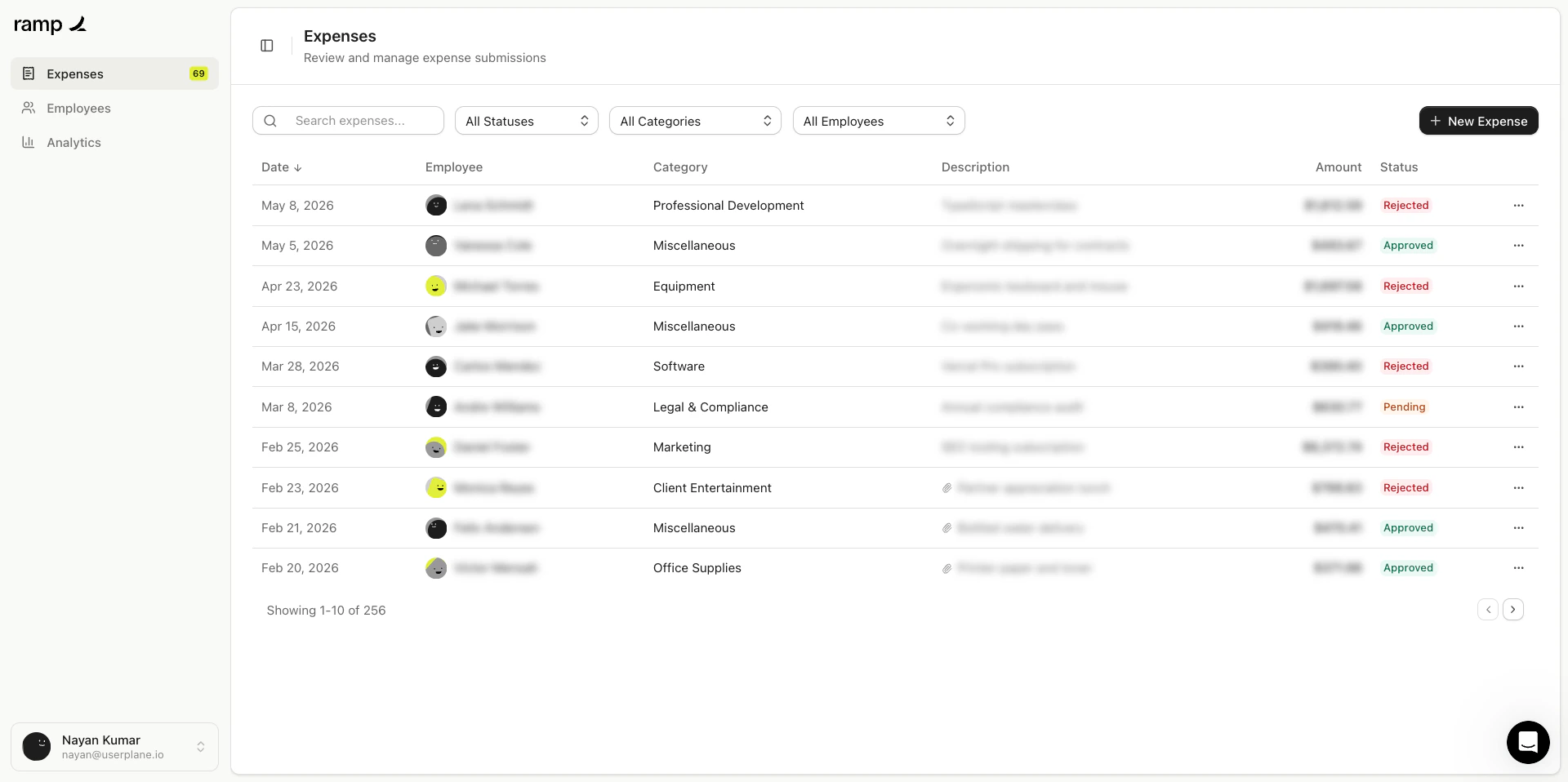
This guide covers how to configure Userplane's blur feature in your application. Blur obscures sensitive content in screen recordings so that private data like passwords, payment details, and personal information is never captured in a readable state.

Blurring is adaptive — the blur intensity adjusts based on the size of the content being obscured, so small text and large images are both properly hidden.

## Prerequisites

The Userplane SDK or embed script must be on the page. See the [Installation](/developer/installation) guide for setup.

## Quick start

Add the `data-userplane-blur` attribute to any element you want blurred in recordings:

```html theme={null}
<div data-userplane-blur>
  <p>This content will be blurred in recordings.</p>
</div>
```

The element and all its children are blurred. That's it — the SDK handles the rest automatically.

## Blur methods

There are three ways to mark elements for blur: data attributes, CSS classes, and meta tags. You can mix and match these across your application.

### Data attribute

Add `data-userplane-blur` to any HTML element. Accepted truthy values are `true`, `1`, `yes`, or just the bare attribute with no value.

```html theme={null}
<!-- All of these mark the element for blur -->
<div data-userplane-blur>...</div>
<div data-userplane-blur="true">...</div>
<div data-userplane-blur="1">...</div>
<div data-userplane-blur="yes">...</div>
```

This is the most straightforward approach when you have direct access to the markup and want to blur specific elements.

### CSS class

Add the `userplane-mask` class to any element:

```html theme={null}
<div class="userplane-mask">
  <p>Blurred in recordings.</p>
</div>
```

This is useful when you prefer class-based styling conventions or need to toggle blur via JavaScript by adding/removing the class.

### Meta tags

Define blur targets using CSS selectors in a `<meta>` tag in the document `<head>`. This lets you blur elements by class, ID, or any valid CSS selector without modifying the elements themselves.

```html theme={null}
<head>
  <meta name="userplane:blur" content=".customer-info, .billing-section" />
  <meta name="userplane:blur" content="#credit-card-form" />
</head>
```

You can use multiple meta tags. All selectors across all tags are collected and applied.

This approach is useful when:

* You want to centralize blur rules in one place rather than scattering attributes across components.
* You need to blur third-party embedded content you don't control.
* You want non-developers (or a CMS) to manage blur targets without touching component code.

### Choosing a method

| Method                  | Best for                                                              |
| ----------------------- | --------------------------------------------------------------------- |
| `data-userplane-blur`   | Specific elements you own and can modify directly                     |
| `.userplane-mask` class | Class-based workflows, toggling blur with JavaScript                  |
| `<meta>` tags           | Centralizing rules, blurring third-party content, CMS-managed targets |

All three methods can be used together. An element that matches any of them will be blurred.

## Excluding elements from blur

To explicitly exclude an element from blur — even if a parent or broader selector would otherwise blur it — set the attribute to a falsy value:

```html theme={null}
<div data-userplane-blur>
  <p>This is blurred.</p>
  <p data-userplane-blur="false">This is NOT blurred.</p>
</div>
```

Accepted falsy values are `false`, `0`, and `no`. Unmask always takes precedence over mask when both match an element.

## Automatic blur

When the **Hide sensitive fields** domain preference is enabled, the SDK automatically detects and blurs common sensitive elements without any code changes:

* Password inputs (`type="password"`)
* Credit card fields (inputs with `autocomplete` values like `cc-number`, `cc-exp`, `cc-csc`)
* Other browser-identified sensitive input types

This is controlled entirely from domain settings in Workspace Settings and requires no HTML changes.

## Third-party tool compatibility

If your application already uses privacy attributes from another session replay or analytics tool, the SDK recognizes and respects those attributes automatically. You do not need to re-tag elements.

### Supported providers and their selectors

| Provider          | Mask selectors                                                                                   |
| ----------------- | ------------------------------------------------------------------------------------------------ |
| FullStory         | `.fs-exclude`, `.fs-block`, `.fs-mask`, `.fs-hide`                                               |
| Hotjar            | `[data-hj-suppress]`, `[data-hj-masked]`, `.hj-suppress`                                         |
| Sentry            | `.sentry-block`, `[data-sentry-mask]`, `[data-sentry-block]`                                     |
| OpenReplay        | `[data-openreplay-obscured]`, `[data-openreplay-block]`, `.openreplay-block`                     |
| Heap              | `[data-heap-redact-text]`, `[data-heap-redact-attributes]`, `[data-heap-ignore]`, `.heap-ignore` |
| Amplitude         | `[data-amp-mask]`, `.amp-mask`                                                                   |
| rrweb             | `.rr-block`, `.rr-mask`, `.rr-ignore`, `[data-rr-mask]`                                          |
| LogRocket         | `[data-logrocket-hidden]`, `.lr-hide`, `.lr-block`                                               |
| Microsoft Clarity | `[data-clarity-mask]`, `.clarity-mask`                                                           |
| ContentSquare     | `[data-cs-mask]`                                                                                 |
| Quantum Metric    | `[data-qm-mask]`                                                                                 |
| Glassbox          | `[data-glassbox-mask]`                                                                           |
| Smartlook         | `[data-recording-disable]`, `[data-recording-ignore]`                                            |
| Mouseflow         | `[data-mouseflow-mask]`, `.mouseflow-mask`                                                       |
| Inspectlet        | `[data-inspectlet-sensitive]`, `.__ipt_sensitive__`                                              |
| Lucky Orange      | `[data-lo-mask]`, `.lo-mask`                                                                     |

Generic privacy attributes are also recognized: `[data-private]`, `.private`, `[data-sensitive]`, `.sensitive`.

### Third-party unmask selectors

Some providers define unmask selectors, which the SDK also respects:

| Provider          | Unmask selectors        |
| ----------------- | ----------------------- |
| FullStory         | `.fs-unmask`            |
| Microsoft Clarity | `[data-clarity-unmask]` |
| ContentSquare     | `[data-cs-capture]`     |
| Amplitude         | `[data-amp-unmask]`     |

## Dynamic content

Blur automatically handles content that is added to the page after initial load. This includes elements rendered by client-side frameworks (React, Vue, Angular, etc.), lazy-loaded content, and dynamically injected HTML.

If a new element matches any active blur selector — whether from a data attribute, CSS class, meta tag, or third-party attribute — it is blurred as soon as it appears in the DOM. No additional setup is needed.

## Common patterns

### Blur a form section

```html theme={null}
<form>
  <div data-userplane-blur>
    <label>Card number</label>
    <input type="text" autocomplete="cc-number" />
    <label>Expiry</label>
    <input type="text" autocomplete="cc-exp" />
  </div>
  <div>
    <label>Shipping address</label>
    <input type="text" />
  </div>
</form>
```

Only the card section is blurred. The shipping address remains visible in the recording.

### Blur with exceptions

```html theme={null}
<div data-userplane-blur>
  <p>Account balance: $4,200.00</p>
  <p>Account type: <span data-userplane-blur="false">Business</span></p>
</div>
```

The balance is blurred, but the account type label remains readable.

### Centralized blur via meta tags

```html theme={null}
<head>
  <meta name="userplane:blur" content=".pii, .financial-data, .health-info" />
</head>
```

Then anywhere in your app:

```html theme={null}
<span class="pii">john.doe@example.com</span>
<div class="financial-data">Revenue: $120,000</div>
```

Both elements are blurred without needing individual attributes.

### Blur in a React component

```jsx theme={null}
function PatientRecord({ patient }) {
  return (
    <div>
      <h2>{patient.name}</h2>
      <div data-userplane-blur>
        <p>DOB: {patient.dateOfBirth}</p>
        <p>SSN: {patient.ssn}</p>
        <p>Diagnosis: {patient.diagnosis}</p>
      </div>
      <p>Appointment: {patient.nextAppointment}</p>
    </div>
  );
}
```

The patient name and appointment date remain visible. Personal health information is blurred.

## Verifying blur

To confirm blur is working correctly:

1. Add a `data-userplane-blur` attribute to a test element.
2. Create a recording using a recording link on the same domain.
3. Play back the recording and verify the element is obscured.

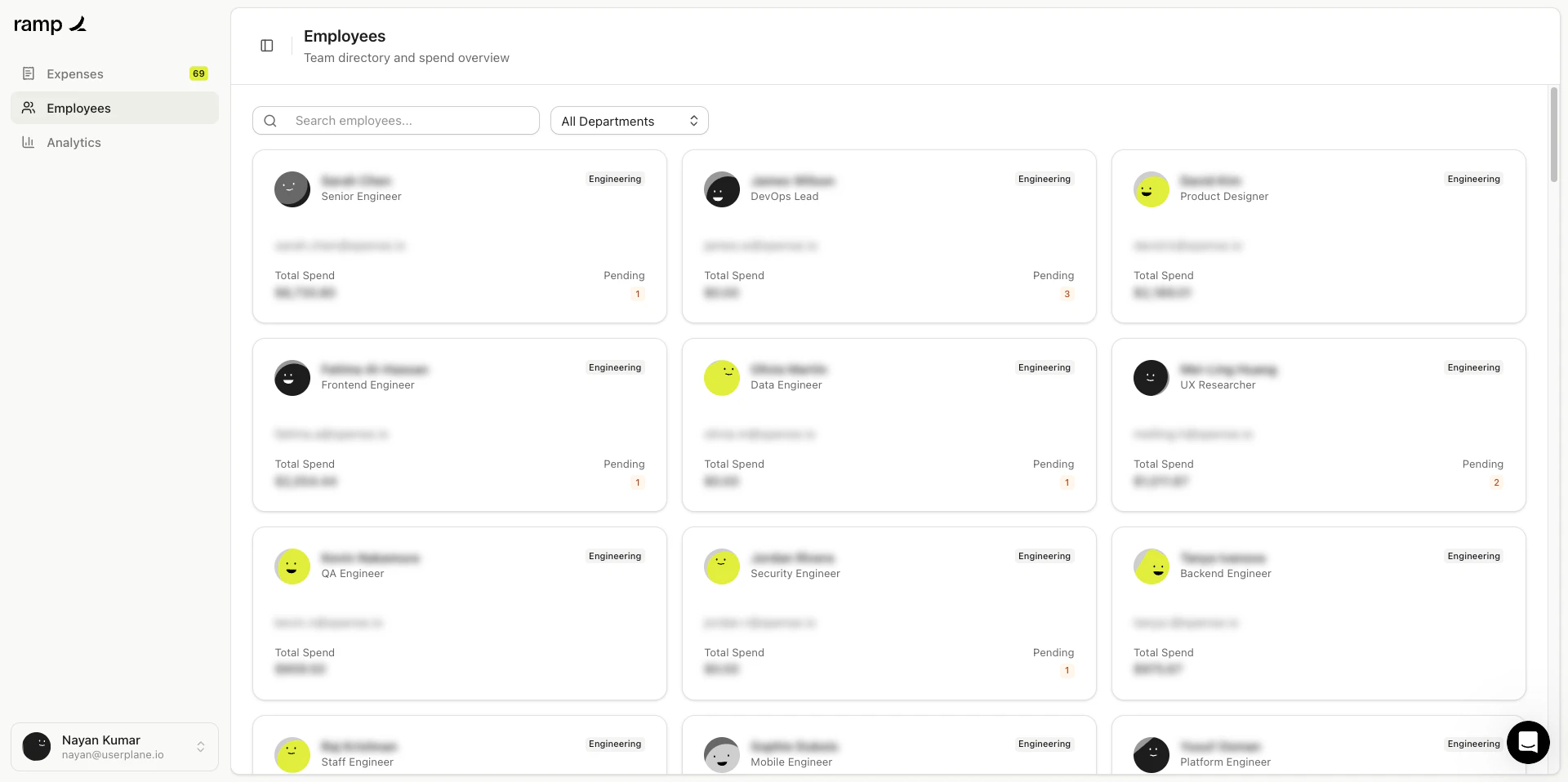
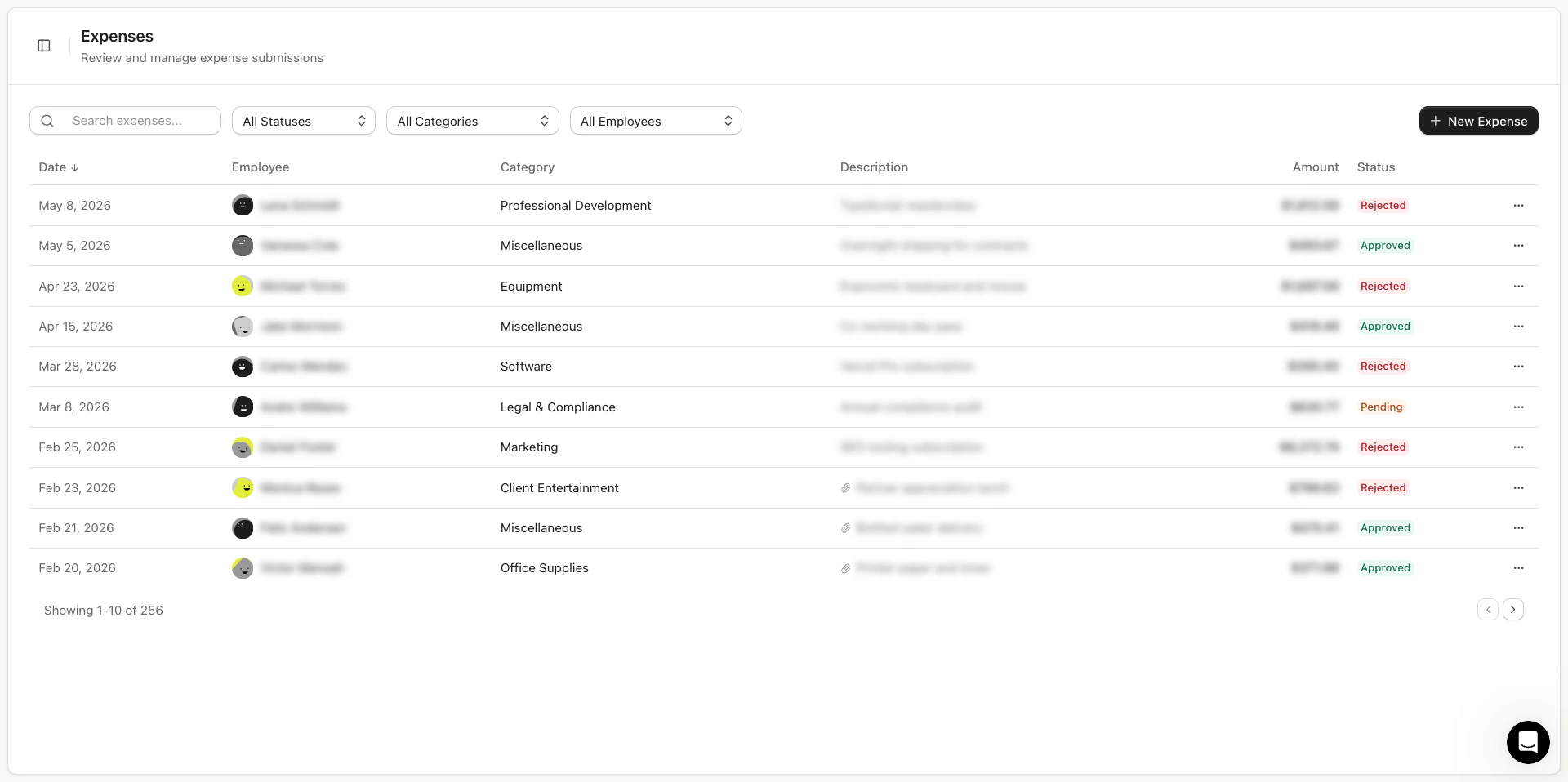
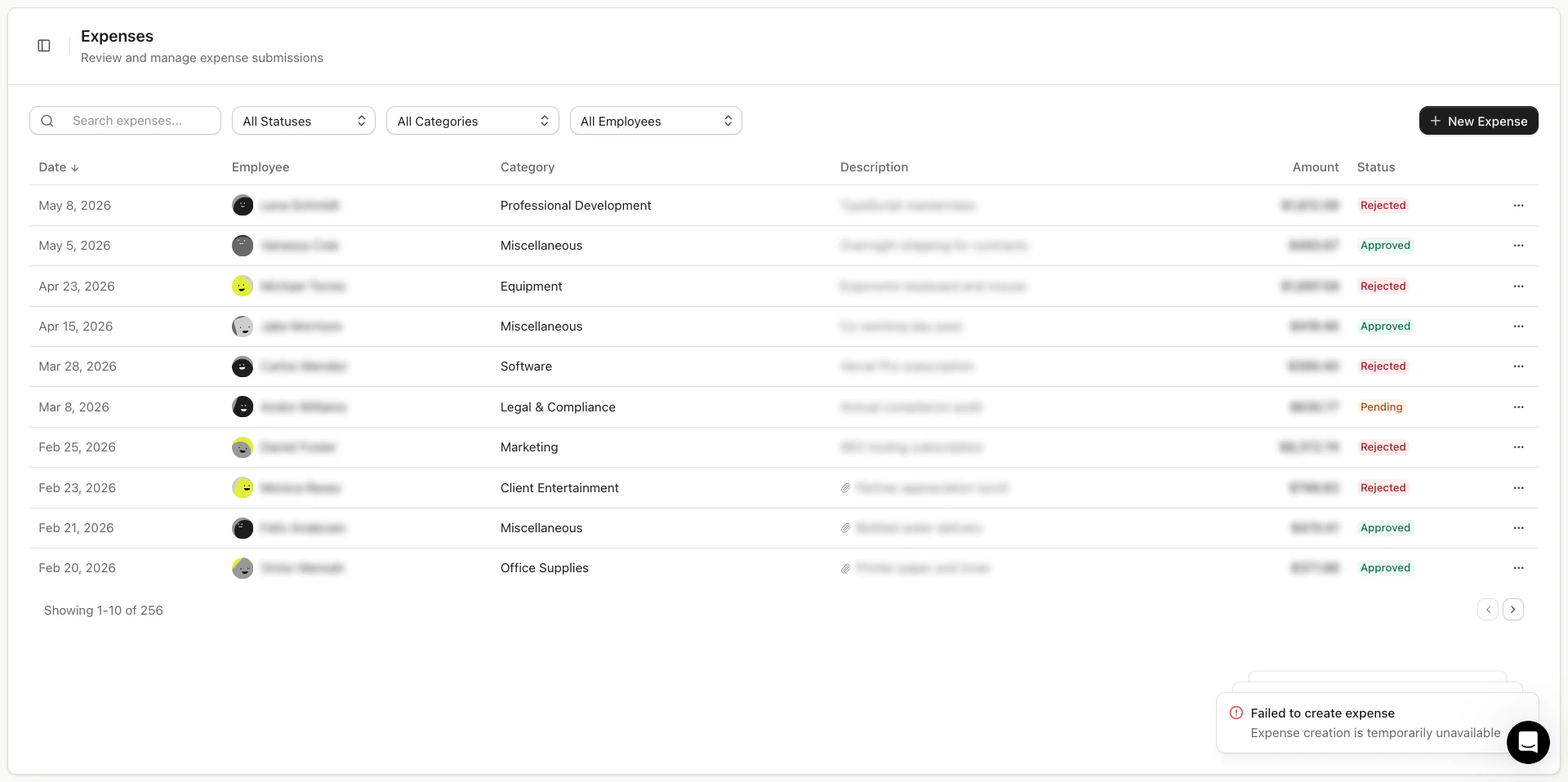
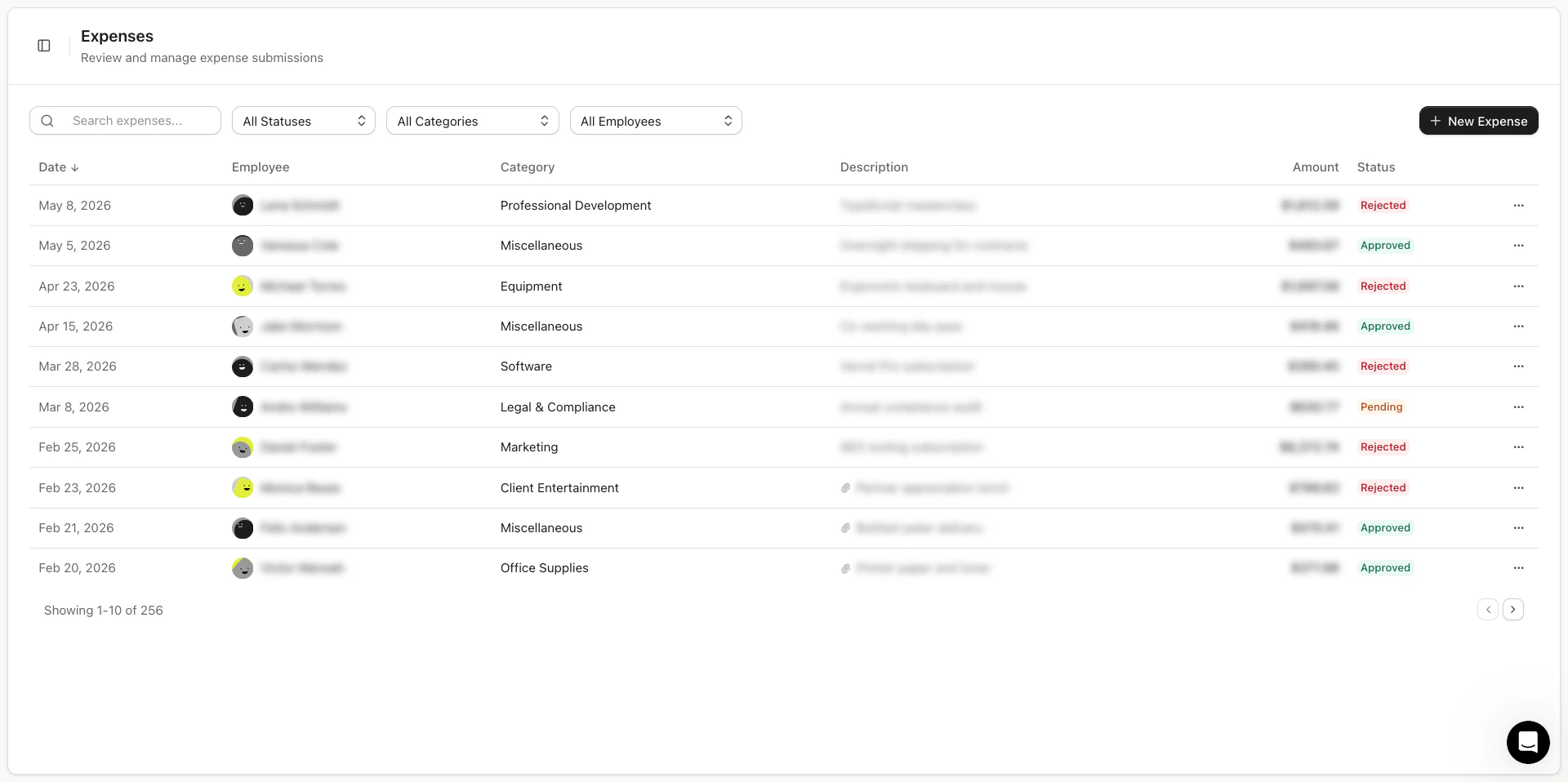
Blurred elements appear with a visual blur effect in the recording — the element's position and size are visible, but the content is unreadable.

<Frame caption="Data blur in action — step 1">
  <img src="https://mintcdn.com/userplane/IKCB4f_KBaL0xsjW/media/recorder/recorder-data-blurr-in-action-part-1.png?fit=max&auto=format&n=IKCB4f_KBaL0xsjW&q=85&s=e5b73417b9bf76c45f7a740a6f60d039" width="1920" height="958" data-path="media/recorder/recorder-data-blurr-in-action-part-1.png" />
</Frame>

<Frame caption="Data blur in action — step 2">
  <img src="https://mintcdn.com/userplane/IKCB4f_KBaL0xsjW/media/recorder/recorder-data-blurr-in-action-part-2.png?fit=max&auto=format&n=IKCB4f_KBaL0xsjW&q=85&s=9fce571fd64b94212d5d3beddc5799b0" width="1920" height="958" data-path="media/recorder/recorder-data-blurr-in-action-part-2.png" />
</Frame>

<Frame caption="Data blur in action — step 3">
  <img src="https://mintcdn.com/userplane/IKCB4f_KBaL0xsjW/media/recorder/recorder-data-blurr-in-action-part-3.png?fit=max&auto=format&n=IKCB4f_KBaL0xsjW&q=85&s=764dff216100a301c1f70420c71196c0" width="1920" height="958" data-path="media/recorder/recorder-data-blurr-in-action-part-3.png" />
</Frame>

<Frame caption="Data blur in action — step 4">
  <img src="https://mintcdn.com/userplane/IKCB4f_KBaL0xsjW/media/recorder/recorder-data-blurr-in-action-part-4.png?fit=max&auto=format&n=IKCB4f_KBaL0xsjW&q=85&s=70c1a5ed3d036404d4c6961927dd4828" width="1920" height="958" data-path="media/recorder/recorder-data-blurr-in-action-part-4.png" />
</Frame>

<Frame caption="Data blur in action — step 5">
  <img src="https://mintcdn.com/userplane/IKCB4f_KBaL0xsjW/media/recorder/recorder-data-blurr-in-action-part-5.png?fit=max&auto=format&n=IKCB4f_KBaL0xsjW&q=85&s=601a5712620768595227020d35ebd598" width="1920" height="958" data-path="media/recorder/recorder-data-blurr-in-action-part-5.png" />
</Frame>

## Related articles

* [Sensitive Data Redaction](/recording-links/sensitive-data-redaction) — overview of blur and privacy for support teams.
* [Web SDK](/developer/web-sdk) — SDK integration and setup.
* [Domain Recording Preferences](/recording-links/domain-preferences) — configure blur and capture settings per domain.