> ## Documentation Index
> Fetch the complete documentation index at: https://docs.userplane.io/llms.txt
> Use this file to discover all available pages before exploring further.
# React Integration
> Install Userplane in a React (Vite) application using a provider component and useEffect
This guide covers how to install Userplane in a React application built with Vite.
## Adding the script
The fastest way to add Userplane is the CDN embed. Add these two tags to the `` of your `index.html`:
```html theme={null}
```
You can copy the snippet with your workspace ID pre-filled from **Workspace Settings > Domains** in the Userplane dashboard.
## npm SDK
Use the npm SDK when you need programmatic control — triggering recordings from a button, attaching user metadata, or reading recording state.
### Installation
```bash npm theme={null}
npm install @userplane/sdk
```
```bash yarn theme={null}
yarn add @userplane/sdk
```
```bash pnpm theme={null}
pnpm add @userplane/sdk
```
```bash bun theme={null}
bun add @userplane/sdk
```
### Initialization
Create a `UserplaneProvider` component and wrap your app with it in `main.tsx`.
```tsx theme={null}
// src/providers/UserplaneProvider.tsx
import { useEffect } from 'react';
import { initialize } from '@userplane/sdk';
export function UserplaneProvider({ children }: { children: React.ReactNode }) {
useEffect(() => {
initialize({
workspaceId: import.meta.env.VITE_USERPLANE_WORKSPACE_ID,
});
}, []);
return <>{children};
}
```
```tsx theme={null}
// src/main.tsx
import { StrictMode } from 'react';
import { createRoot } from 'react-dom/client';
import { UserplaneProvider } from './providers/UserplaneProvider';
import App from './App';
createRoot(document.getElementById('root')!).render(
);
```
Because Vite React apps are pure client-side rendered, you can use a static import at the top of
the file — no dynamic `import()` or SSR guards are needed. `useEffect` ensures `initialize()` runs
once after mount.
### URL parameters
When a customer opens a recording link, Userplane appends `userplane-token` and `userplane-action` to the URL. If your app uses a router that strips unknown search parameters (e.g. a protected route redirect), carry the `userplane-` prefixed params through:
```typescript theme={null}
// Example: preserve params through a login redirect
const url = new URL(window.location.href);
const loginUrl = new URL('/login', window.location.origin);
for (const [key, value] of url.searchParams) {
if (key.startsWith('userplane-')) {
loginUrl.searchParams.set(key, value);
}
}
window.location.href = loginUrl.toString();
```
See [Installation](/developer/installation) for the full list of parameters.
## Sensitive data
Add `data-userplane-blur` to any element you want blurred in recordings. See [Sensitive Data Redaction](/developer/sensitive-data-redaction) for the full reference.
## Metadata
Call `set()` after `initialize()` to attach user context to recordings:
```tsx theme={null}
import { useEffect } from 'react';
import { initialize, set } from '@userplane/sdk';
export function UserplaneProvider({ children }: { children: React.ReactNode }) {
useEffect(() => {
initialize({ workspaceId: import.meta.env.VITE_USERPLANE_WORKSPACE_ID });
set('environment', 'production');
}, []);
return <>{children};
}
```
See [Metadata SDK](/developer/metadata-sdk) for the full API.
## Example app
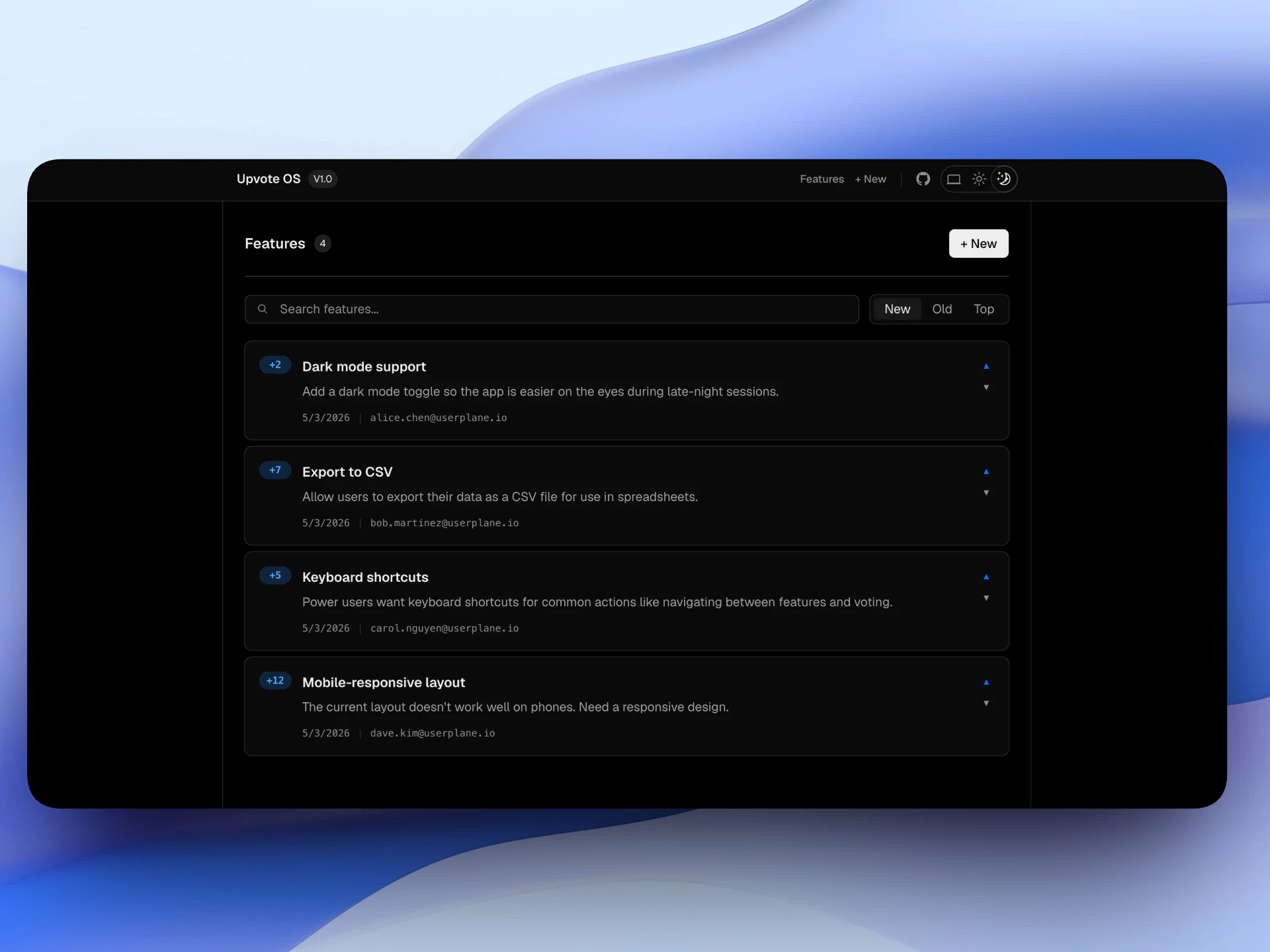
A complete React example is available at [github.com/userplanehq/userplane-sdk-examples/tree/main/examples/react](https://github.com/userplanehq/userplane-sdk-examples/tree/main/examples/react).
 | Variable | Description |
| ----------------------------- | --------------------------- |
| `VITE_USERPLANE_WORKSPACE_ID` | Your Userplane workspace ID |
```bash theme={null}
cd examples/react && npm install && npm run dev
```
## Related articles
* [Installation](/developer/installation) — CDN script placement, CSP, and redirect handling.
* [Web SDK](/developer/web-sdk) — full SDK API reference.
* [Metadata SDK](/developer/metadata-sdk) — attach user context to recordings.
* [Sensitive Data Redaction](/developer/sensitive-data-redaction) — blur sensitive content in recordings.
| Variable | Description |
| ----------------------------- | --------------------------- |
| `VITE_USERPLANE_WORKSPACE_ID` | Your Userplane workspace ID |
```bash theme={null}
cd examples/react && npm install && npm run dev
```
## Related articles
* [Installation](/developer/installation) — CDN script placement, CSP, and redirect handling.
* [Web SDK](/developer/web-sdk) — full SDK API reference.
* [Metadata SDK](/developer/metadata-sdk) — attach user context to recordings.
* [Sensitive Data Redaction](/developer/sensitive-data-redaction) — blur sensitive content in recordings.