> ## Documentation Index
> Fetch the complete documentation index at: https://docs.userplane.io/llms.txt
> Use this file to discover all available pages before exploring further.
# Chrome Extension Shortcuts
> Quick reference for all the ways to access the Chrome extension
The Chrome extension provides several ways to access its features without navigating to the side panel first.
## Access methods
| Method | How | Opens to |
| --------------------- | -------------------------------------------------------------- | --------------------------------------- |
| **Extension icon** | Click the Userplane icon in the toolbar | Links list (home) |
| **Keyboard shortcut** | `Cmd+Shift+Y` (Mac) / `Ctrl+Shift+Y` (Windows/Linux) | Create Link form |
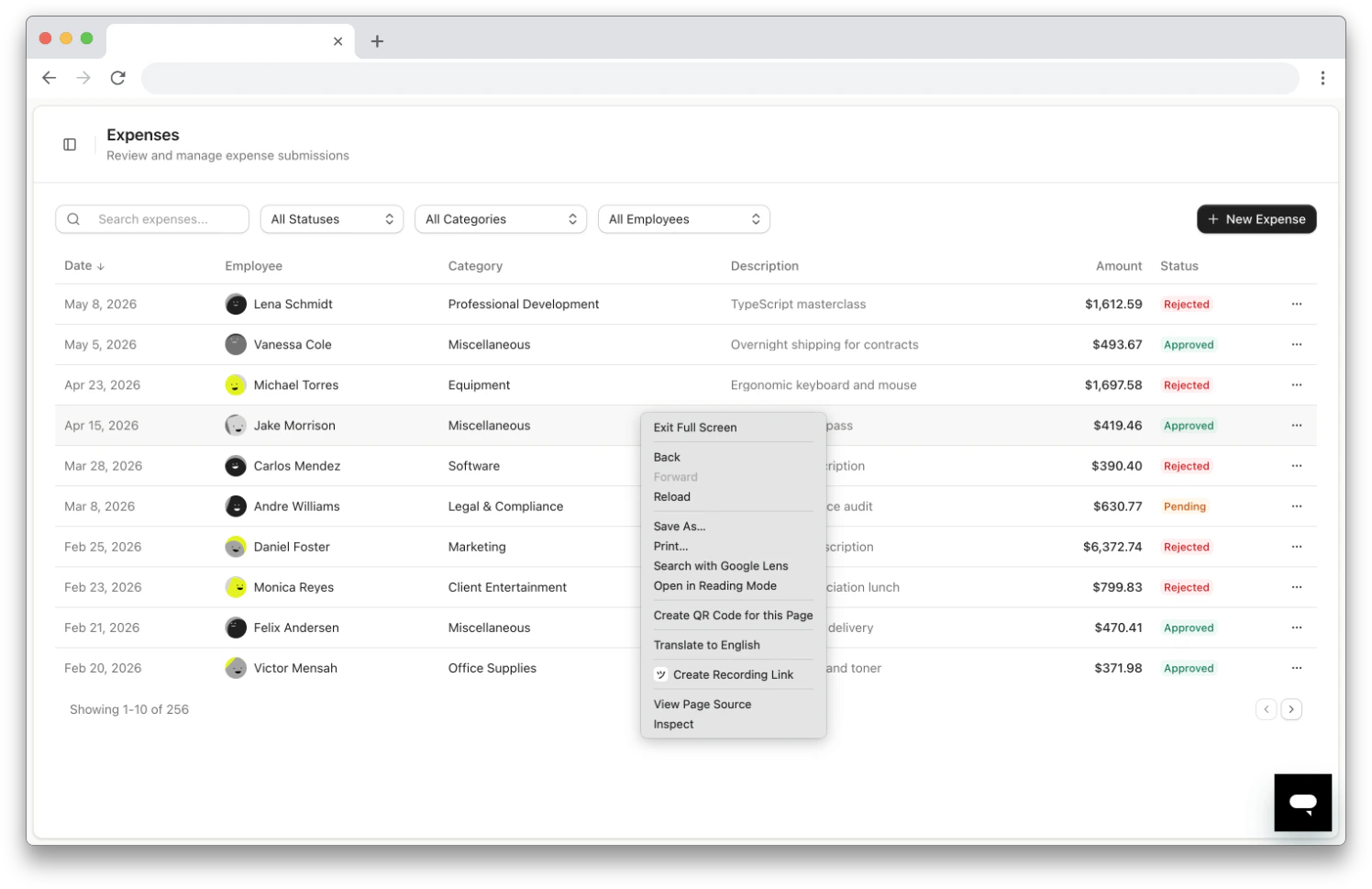
| **Page context menu** | Right-click on any page → **Create Recording Link** | Create Link form |
| **Icon context menu** | Right-click the extension icon → choose a view | Selected view |
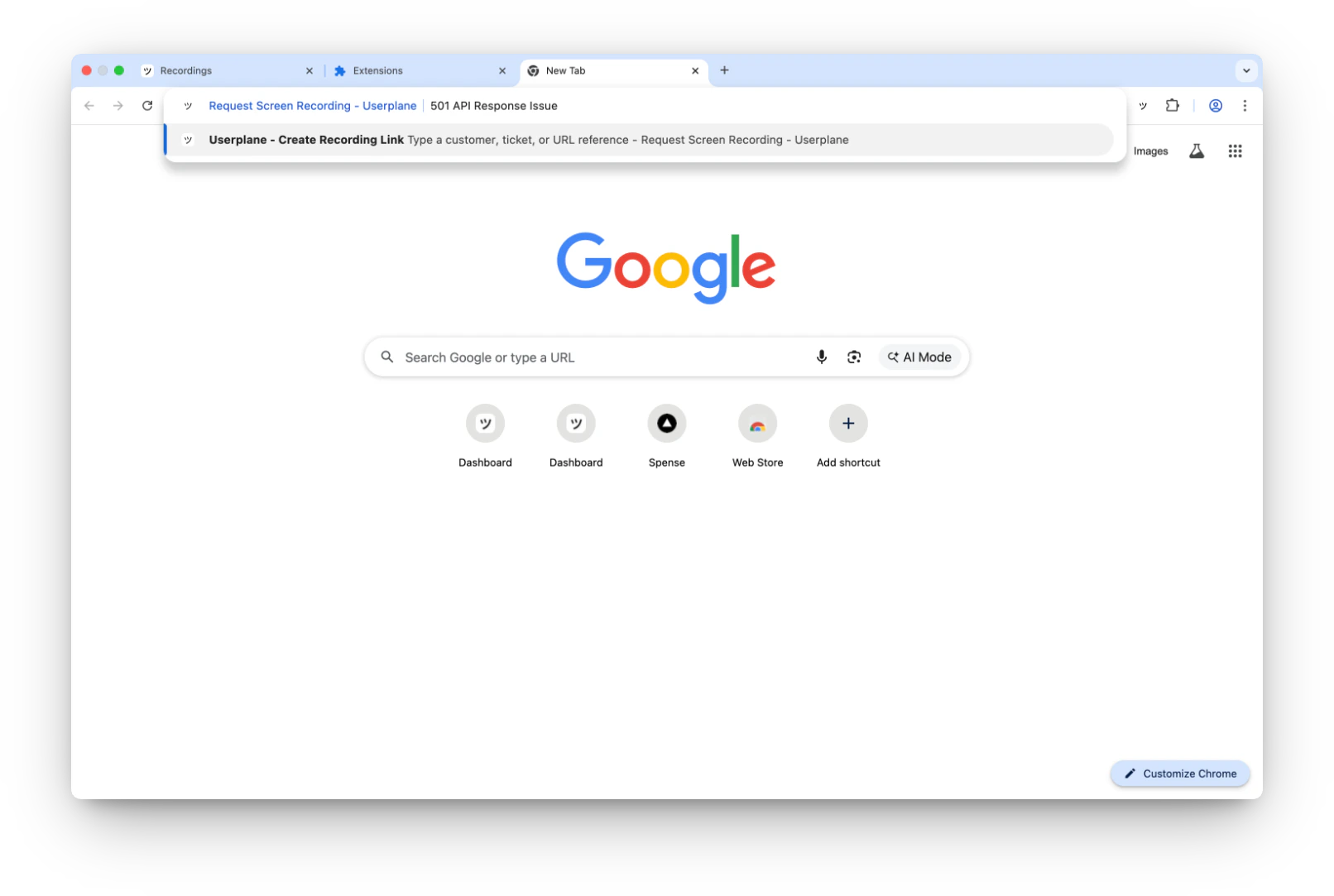
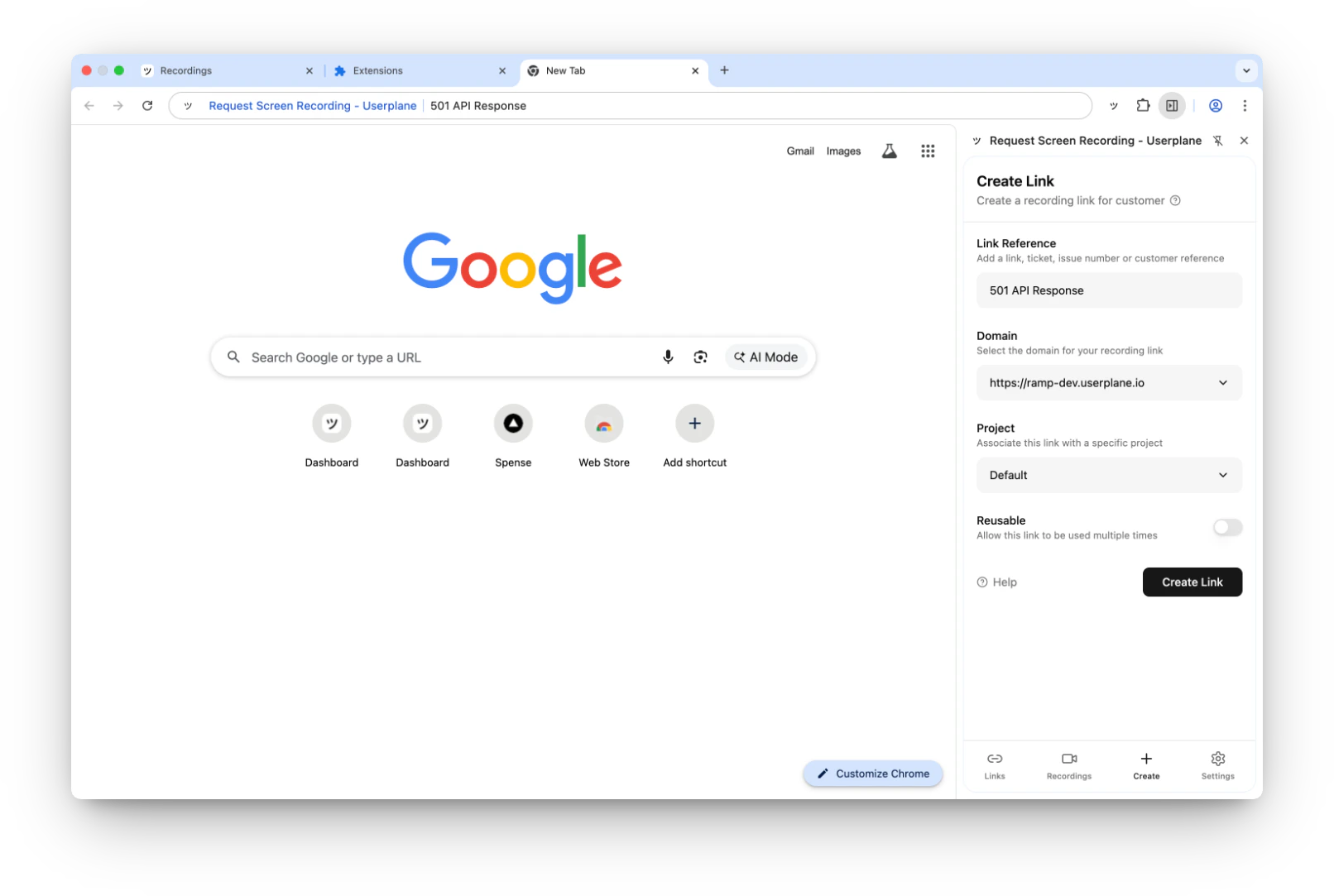
| **Omnibox** | Type `userplane` in address bar → Tab → type reference → Enter | Create Link form (reference pre-filled) |
## Omnibox
Type `userplane` in the Chrome address bar, press **Tab**, type a reference, and press **Enter**. The side panel opens with the Create Link form pre-filled.
 ## Extension icon context menu
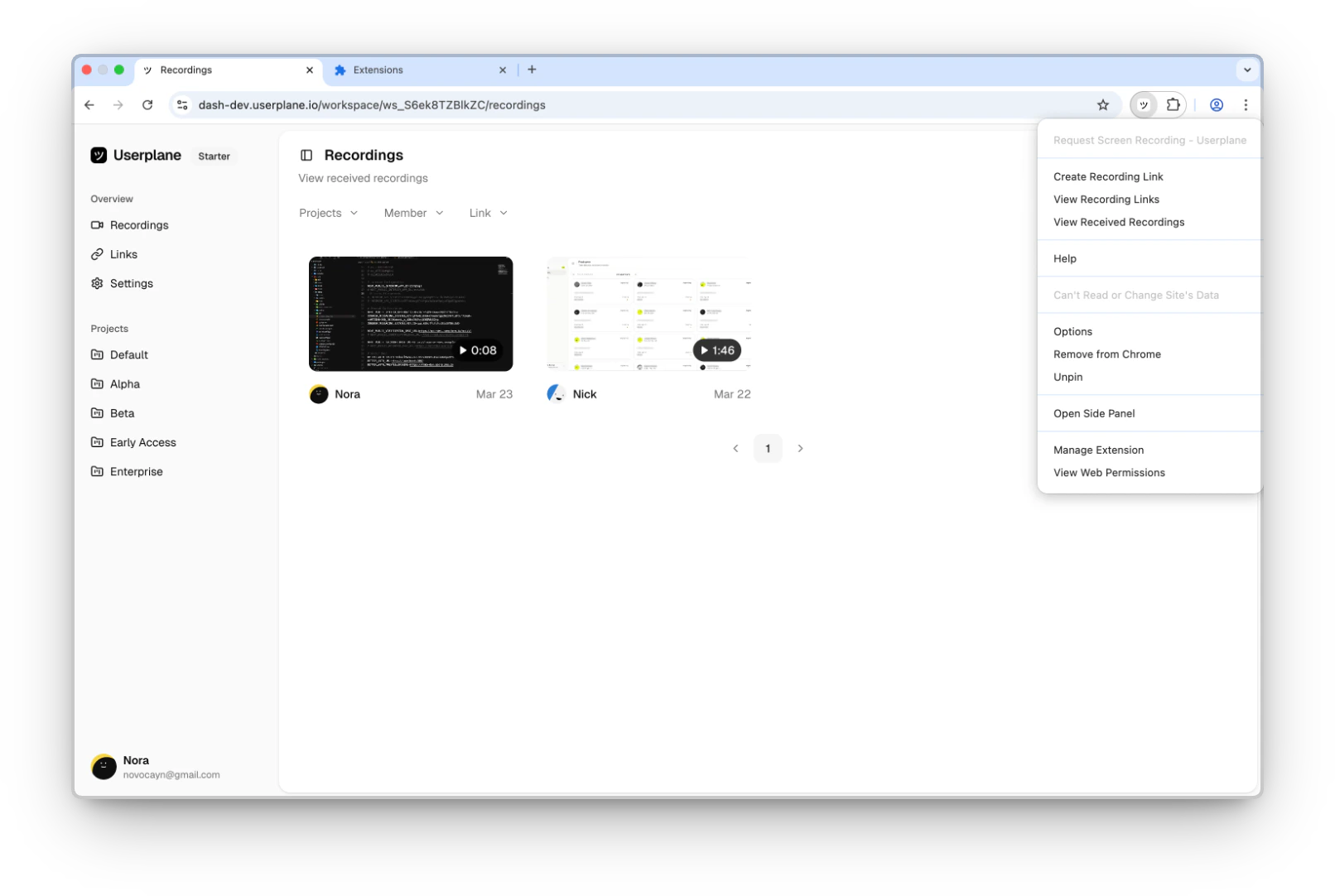
Right-click the Userplane extension icon to access:
* **Create Recording Link** — opens the Create Link form.
* **View Recording Links** — opens the Links tab.
* **View Received Recordings** — opens the Recordings tab.
* **Help** — opens the Userplane documentation.
## Extension icon context menu
Right-click the Userplane extension icon to access:
* **Create Recording Link** — opens the Create Link form.
* **View Recording Links** — opens the Links tab.
* **View Received Recordings** — opens the Recordings tab.
* **Help** — opens the Userplane documentation.
 ## Page context menu
Right-click anywhere on a web page to find the **Create Recording Link** option.
## Page context menu
Right-click anywhere on a web page to find the **Create Recording Link** option.
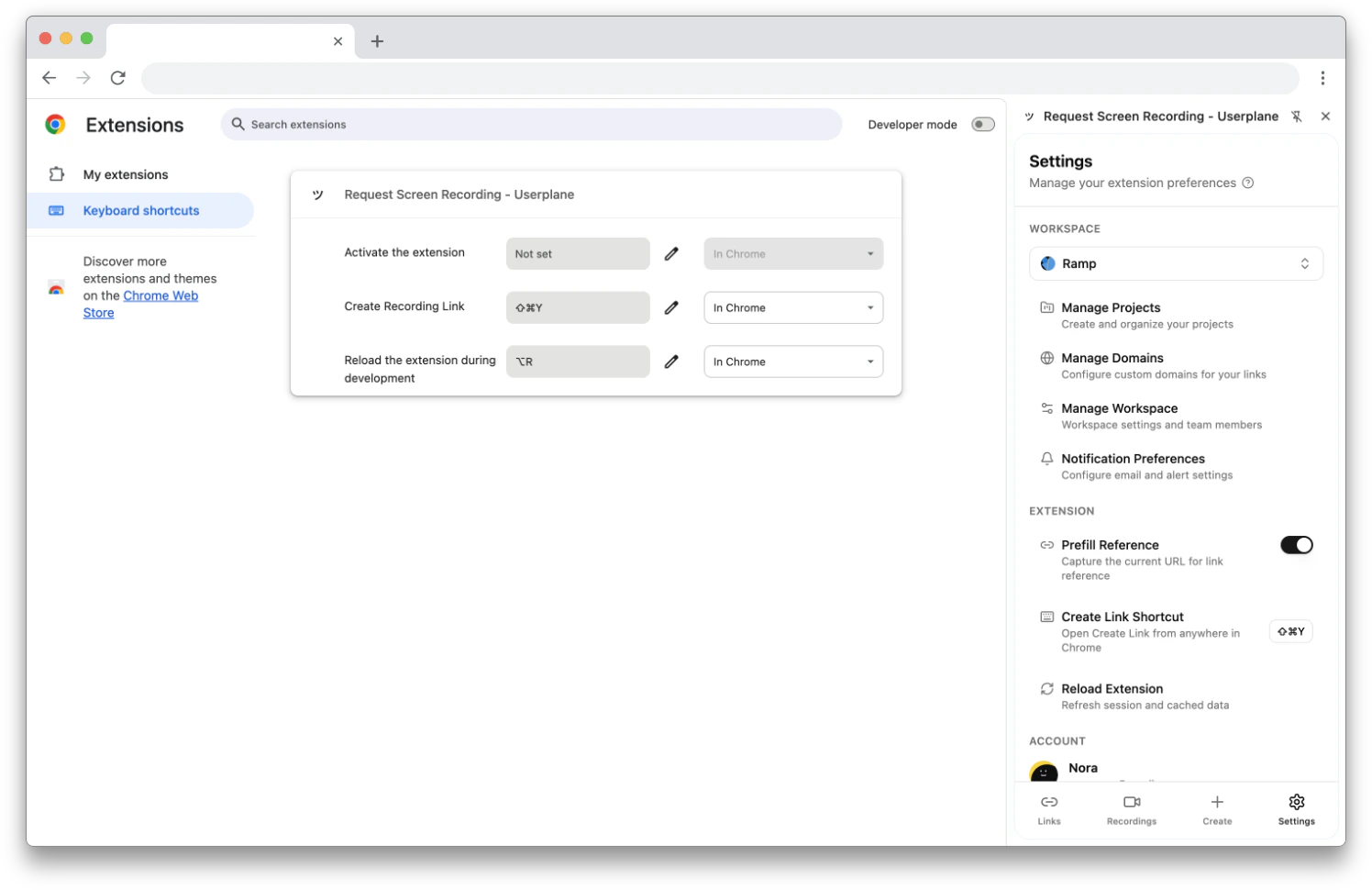
 ## Customizing the keyboard shortcut
The default shortcut is `Cmd+Shift+Y` (Mac) / `Ctrl+Shift+Y` (Windows/Linux). To change it:
1. Go to `chrome://extensions/shortcuts` in your browser.
2. Find the **Userplane** extension.
3. Click the pencil icon next to **Create Recording Link** and press your preferred key combination.
You can also access this from [extension settings](/integrations/chrome-extension-settings) by clicking the shortcut display.
## Customizing the keyboard shortcut
The default shortcut is `Cmd+Shift+Y` (Mac) / `Ctrl+Shift+Y` (Windows/Linux). To change it:
1. Go to `chrome://extensions/shortcuts` in your browser.
2. Find the **Userplane** extension.
3. Click the pencil icon next to **Create Recording Link** and press your preferred key combination.
You can also access this from [extension settings](/integrations/chrome-extension-settings) by clicking the shortcut display.
 ## Related articles
* [Chrome Extension Link Creation](/integrations/chrome-extension-create-links) — detailed guide for each creation method.
* [Chrome Extension Side Panel](/integrations/chrome-extension-side-panel) — overview of the side panel navigation.
* [Chrome Extension Settings](/integrations/chrome-extension-settings) — configure preferences.
## Related articles
* [Chrome Extension Link Creation](/integrations/chrome-extension-create-links) — detailed guide for each creation method.
* [Chrome Extension Side Panel](/integrations/chrome-extension-side-panel) — overview of the side panel navigation.
* [Chrome Extension Settings](/integrations/chrome-extension-settings) — configure preferences.