> ## Documentation Index
> Fetch the complete documentation index at: https://docs.userplane.io/llms.txt
> Use this file to discover all available pages before exploring further.
# Slack Notifications
> Get a direct message in Slack when a customer submits a recording
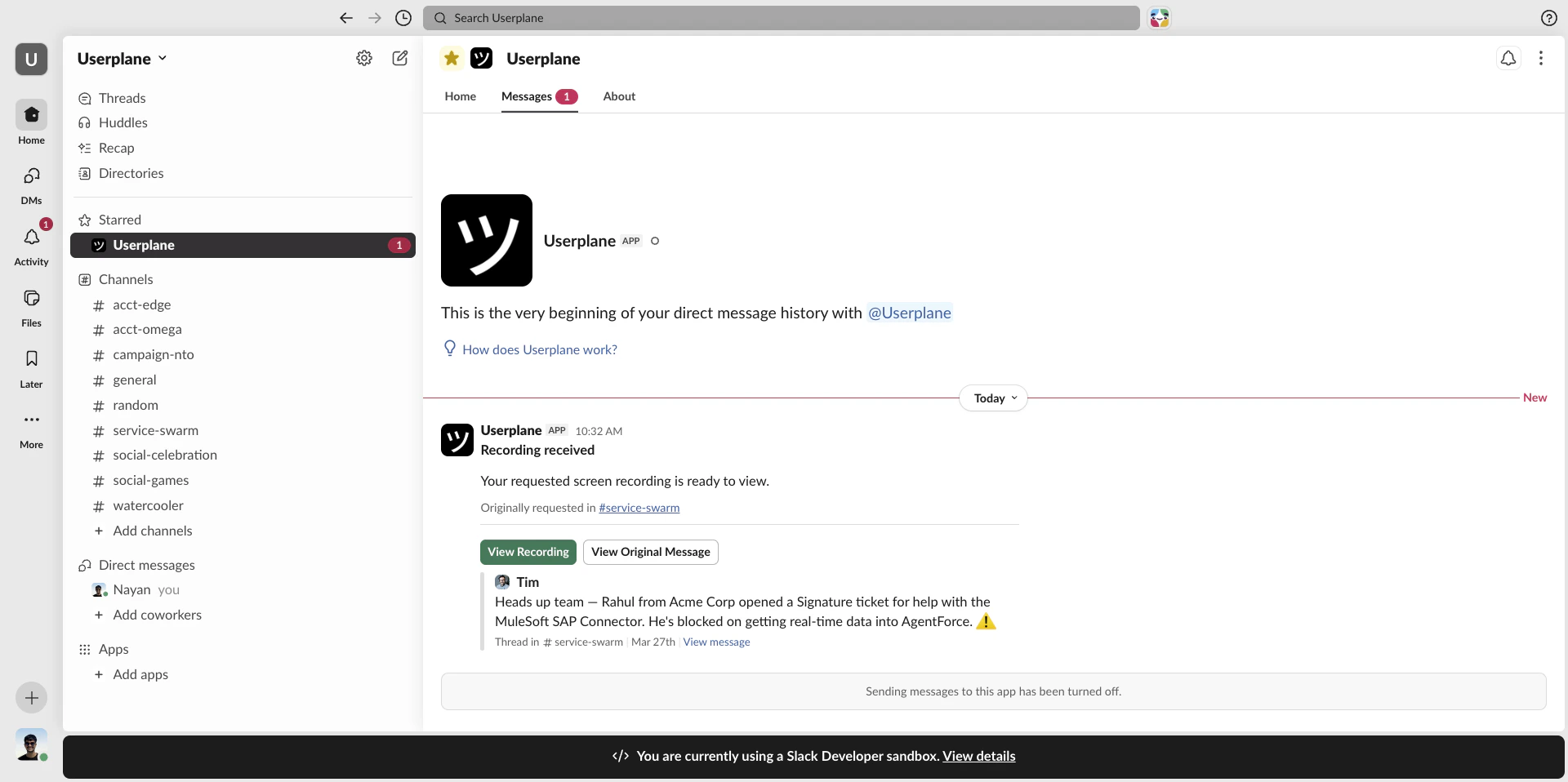
When a customer submits a recording, Userplane sends a DM in Slack to let the relevant agent know. Notifications include a direct link to open the recording in Userplane and, when the link was created from Slack, a link back to the original Slack message.
## What gets sent
The DM includes:
* A "Recording received" message with the link reference.
* A **View Recording** button that opens the recording in Userplane.
* A **View Original Message** button that deep-links back to the Slack channel or thread where the link was created (only present when the link was created via Slack).
 ## How notifications are triggered
There are two ways an agent receives a notification, and they work together:
**Context-tied** — if you created the recording link from Slack (via the slash command or message shortcut), you automatically get a DM when the recording arrives. No additional setup needed.
**Preference-based** — any workspace member can opt in to receive Slack DMs for all recordings, not just ones they created from Slack. This is configured in your notification preferences.
If you created the link from Slack and also have the preference-based notification enabled, you
receive only one DM — not two.
## Enabling Slack notifications
Go to [Account > Notifications](https://dash.userplane.io/_/account?tab=workspaces).
## How notifications are triggered
There are two ways an agent receives a notification, and they work together:
**Context-tied** — if you created the recording link from Slack (via the slash command or message shortcut), you automatically get a DM when the recording arrives. No additional setup needed.
**Preference-based** — any workspace member can opt in to receive Slack DMs for all recordings, not just ones they created from Slack. This is configured in your notification preferences.
If you created the link from Slack and also have the preference-based notification enabled, you
receive only one DM — not two.
## Enabling Slack notifications
Go to [Account > Notifications](https://dash.userplane.io/_/account?tab=workspaces).
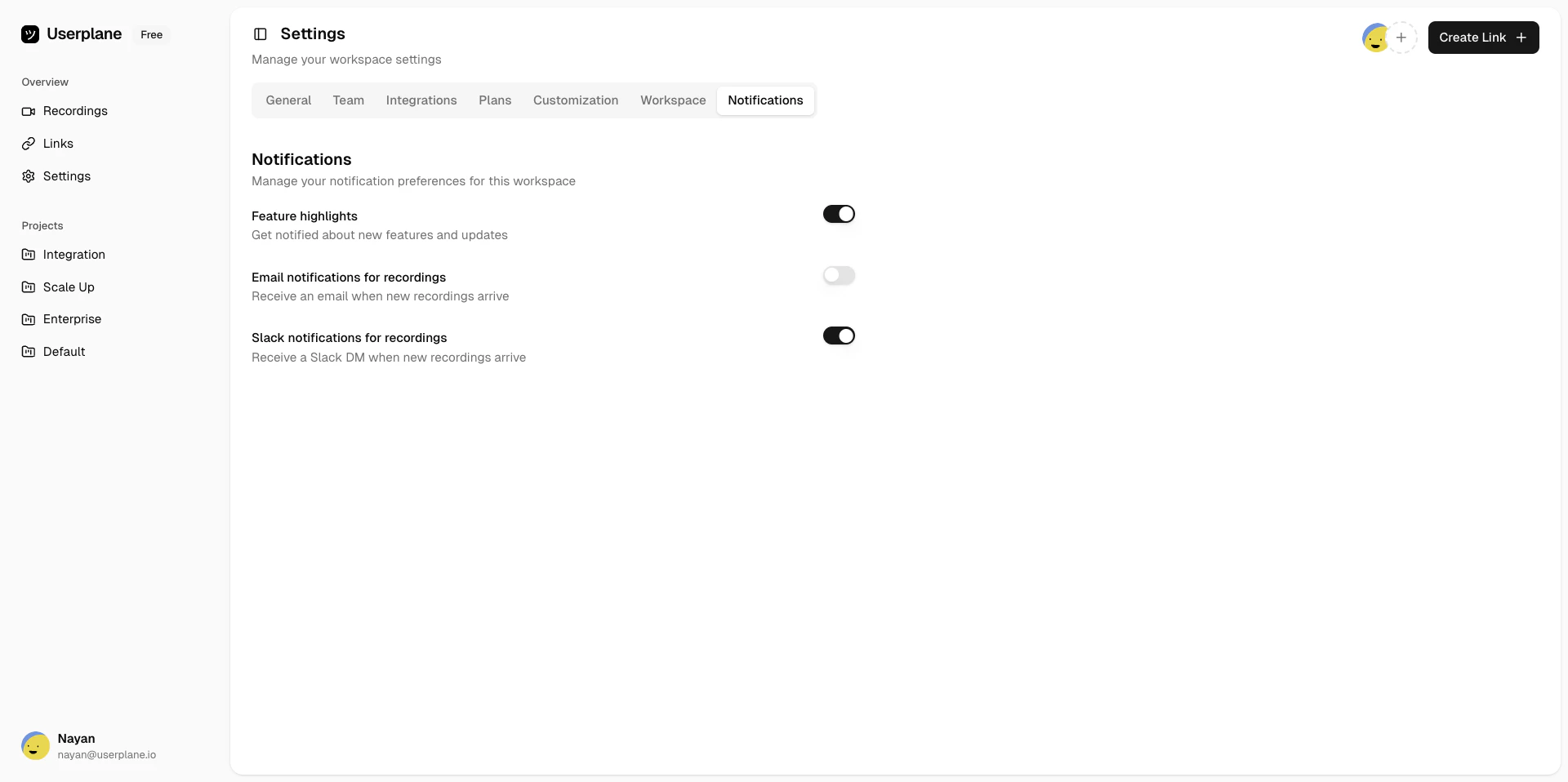
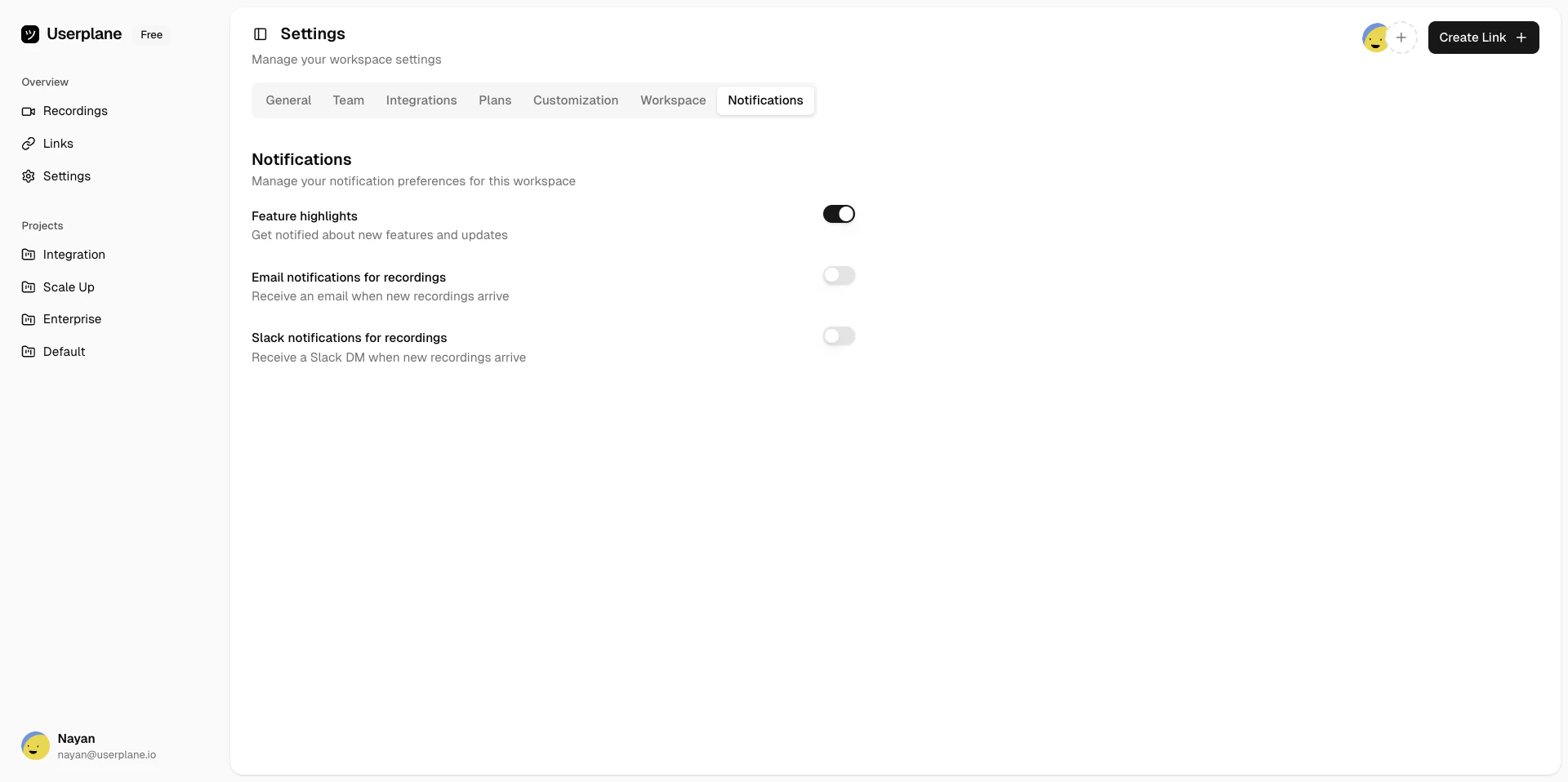 Toggle **Slack** on under Incoming Recordings.
Userplane will match your Userplane account email to your Slack user. If the match succeeds, notifications are active immediately.
Toggle **Slack** on under Incoming Recordings.
Userplane will match your Userplane account email to your Slack user. If the match succeeds, notifications are active immediately.
 Slack notifications are only available when your workspace admin has [connected the Slack
integration](/integrations/slack).
## Disabling Slack notifications
Go to [Account > Notifications](https://dash.userplane.io/_/account?tab=workspaces).
Toggle **Slack** off under Incoming Recordings.
## Requirements
* The Slack integration must be [connected](/integrations/slack) by a workspace owner or admin.
* Your Userplane account email must match your Slack user email for identity resolution to succeed.
## Related articles
* [Slack Integration](/integrations/slack) — overview and connection guide.
* [Slack Slash Command](/integrations/slack-commands) — create recording links from any channel.
* [Slack Message Shortcuts](/integrations/slack-shortcuts) — create links from a message context menu.
* [Notification Channels & Preferences](/account/notifications) — configure all notification types and channels.
Slack notifications are only available when your workspace admin has [connected the Slack
integration](/integrations/slack).
## Disabling Slack notifications
Go to [Account > Notifications](https://dash.userplane.io/_/account?tab=workspaces).
Toggle **Slack** off under Incoming Recordings.
## Requirements
* The Slack integration must be [connected](/integrations/slack) by a workspace owner or admin.
* Your Userplane account email must match your Slack user email for identity resolution to succeed.
## Related articles
* [Slack Integration](/integrations/slack) — overview and connection guide.
* [Slack Slash Command](/integrations/slack-commands) — create recording links from any channel.
* [Slack Message Shortcuts](/integrations/slack-shortcuts) — create links from a message context menu.
* [Notification Channels & Preferences](/account/notifications) — configure all notification types and channels.