> ## Documentation Index
> Fetch the complete documentation index at: https://docs.userplane.io/llms.txt
> Use this file to discover all available pages before exploring further.
# Zendesk Notifications
> Automatic internal notes when customers complete recordings from Zendesk tickets
When a customer completes a recording from a link created in a Zendesk ticket, Userplane automatically posts an internal note to that ticket. This keeps the conversation thread up to date without any manual steps.
## What gets posted
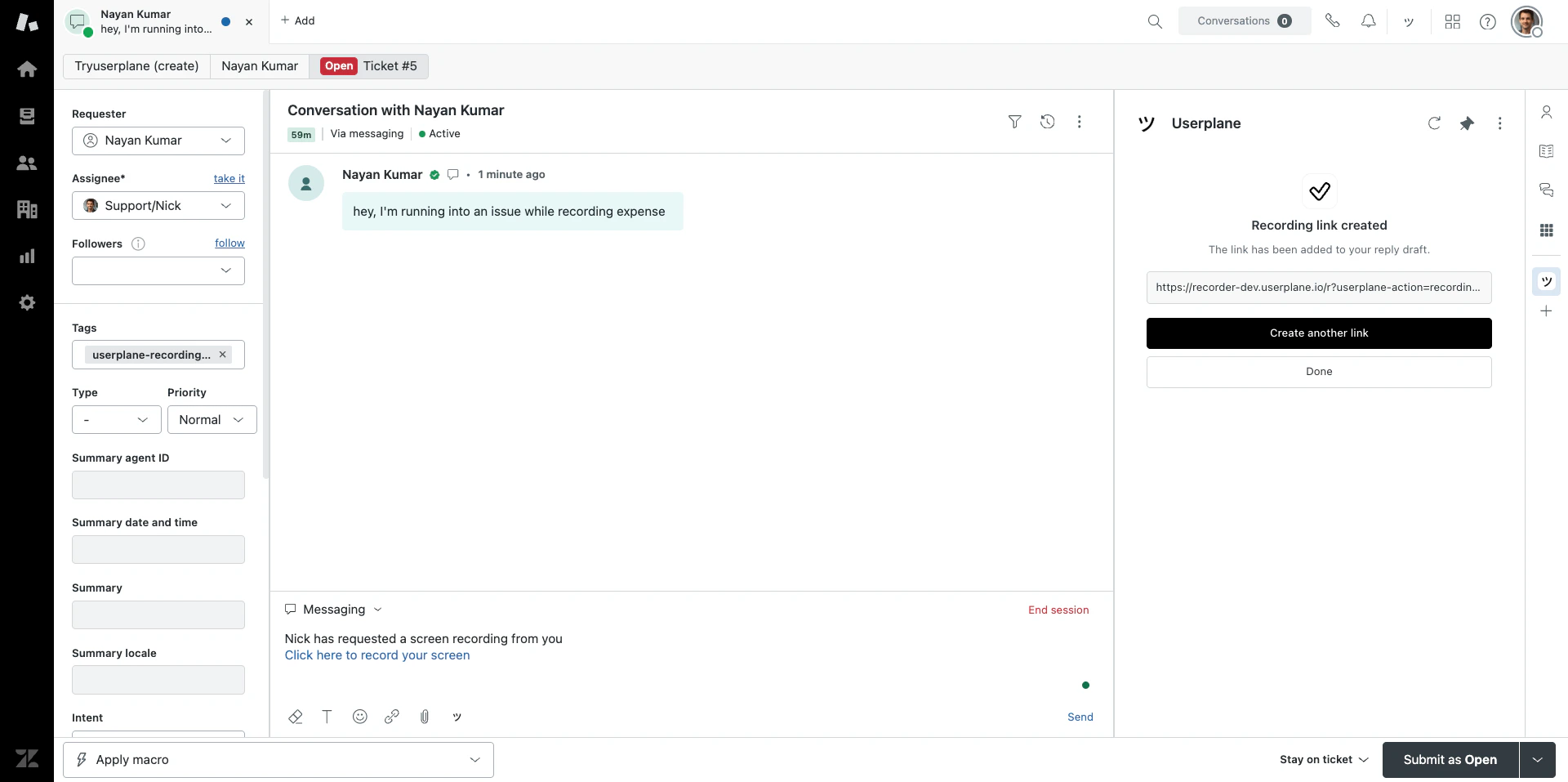
The internal note includes a notification that the recording has been received and a direct link to view it in Userplane. Click the link to open the recording detail view with video playback, console logs, and network data.
 Internal notes are only visible to agents — your customer won't see them.
## Ticket tagging
When a recording link is created from a ticket, Userplane adds the tag `userplane-recording-requested` to the ticket. You can use this tag to:
* Create **Zendesk views** that show tickets with pending recording requests.
* Set up **triggers** to notify agents or escalate tickets when a recording is requested.
* Build **automations** around recording workflows.
## Connection health
Userplane automatically refreshes the Zendesk OAuth token to keep the integration working. If the refresh token is revoked or permanently expired, the integration is automatically disconnected. In that case, reconnect from the Userplane app in Zendesk.
## Requirements
* The Zendesk integration must be [connected](/integrations/zendesk).
* The recording link must have been created from a ticket — links created from the [top bar](/integrations/zendesk-top-bar) are not associated with a ticket and won't trigger internal notes.
## Related articles
* [Zendesk Ticket Sidebar](/integrations/zendesk-ticket-sidebar) — create links from the ticket sidebar.
* [Zendesk Integration](/integrations/zendesk) — overview and connection guide.
* [Reviewing Recordings](/recording/reviewing) — watch and inspect recorded sessions.
* [Notification Channels & Preferences](/account/notifications) — configure all notification types and channels.
Internal notes are only visible to agents — your customer won't see them.
## Ticket tagging
When a recording link is created from a ticket, Userplane adds the tag `userplane-recording-requested` to the ticket. You can use this tag to:
* Create **Zendesk views** that show tickets with pending recording requests.
* Set up **triggers** to notify agents or escalate tickets when a recording is requested.
* Build **automations** around recording workflows.
## Connection health
Userplane automatically refreshes the Zendesk OAuth token to keep the integration working. If the refresh token is revoked or permanently expired, the integration is automatically disconnected. In that case, reconnect from the Userplane app in Zendesk.
## Requirements
* The Zendesk integration must be [connected](/integrations/zendesk).
* The recording link must have been created from a ticket — links created from the [top bar](/integrations/zendesk-top-bar) are not associated with a ticket and won't trigger internal notes.
## Related articles
* [Zendesk Ticket Sidebar](/integrations/zendesk-ticket-sidebar) — create links from the ticket sidebar.
* [Zendesk Integration](/integrations/zendesk) — overview and connection guide.
* [Reviewing Recordings](/recording/reviewing) — watch and inspect recorded sessions.
* [Notification Channels & Preferences](/account/notifications) — configure all notification types and channels.