> ## Documentation Index
> Fetch the complete documentation index at: https://docs.userplane.io/llms.txt
> Use this file to discover all available pages before exploring further.
# Recording Link Metadata
> Attach custom key-value pairs to recording links for tracking and organization
**Link metadata** lets you attach multiple structured key-value properties to a recording link. Unlike the [link reference](/recording/link-reference), which is a single free-form field for a URL, ticket number, or note, metadata gives you up to seven custom fields with named keys — useful for tagging links with customer account details, agent info, team names, or tenant identifiers.
Link metadata is also a no-config alternative to [developer-provided recording metadata](/developer/metadata-sdk). While the Metadata SDK attaches data at recording time and requires developer setup, link metadata is set directly from the dashboard — no code or SDK configuration needed.
## When to use link metadata
* **Customer and account context** — attach customer name, account ID, team, or tenant details so every recording captured through the link carries that context automatically.
* **Reusable links with consistent metadata** — for [reusable links](/recording-links/reusable) shared across help docs, macros, or templates, metadata stays the same across all recordings captured through that link.
* **No developer access needed** — support teams can add structured metadata from the dashboard without waiting for developers to configure the SDK.
* **Metadata before the recording** — link metadata is set when the link is created or edited, before any recording happens. This is useful when you want context attached upfront rather than at runtime.
## Adding metadata to a link
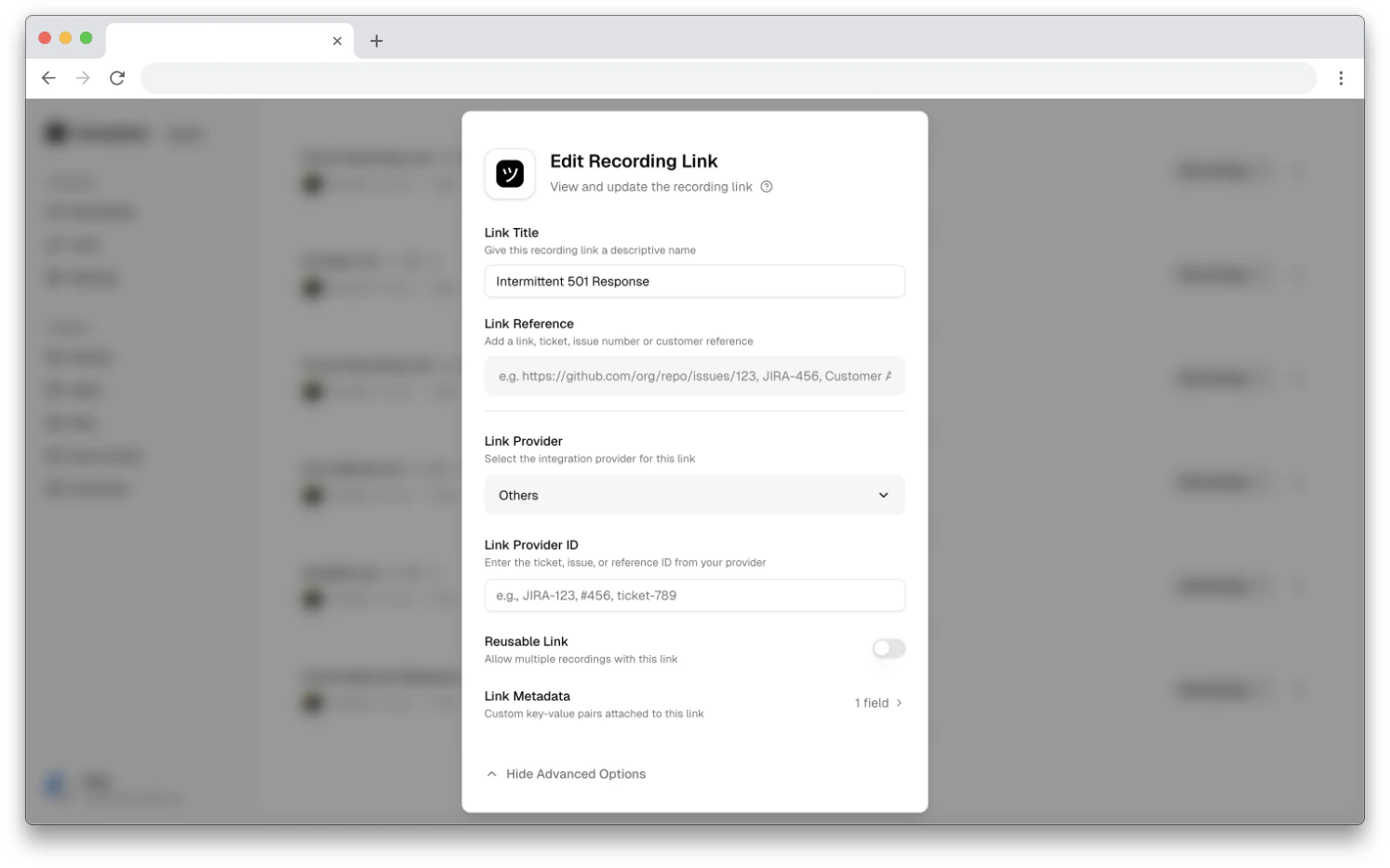
Link metadata is available in the **edit link** flow. To add metadata, first create your link,
then edit it.
From the [Links](https://dash.userplane.io/_/links) page, find the link you want to update and click **Edit**.
Click **Show Advanced Options** at the bottom of the edit modal to reveal additional settings.
Click the **Link Metadata** field. This opens a dedicated view for managing key-value pairs.
 Click **Add field** to add a new entry. Enter a key name and its value. You can add up to 7 pairs per link.
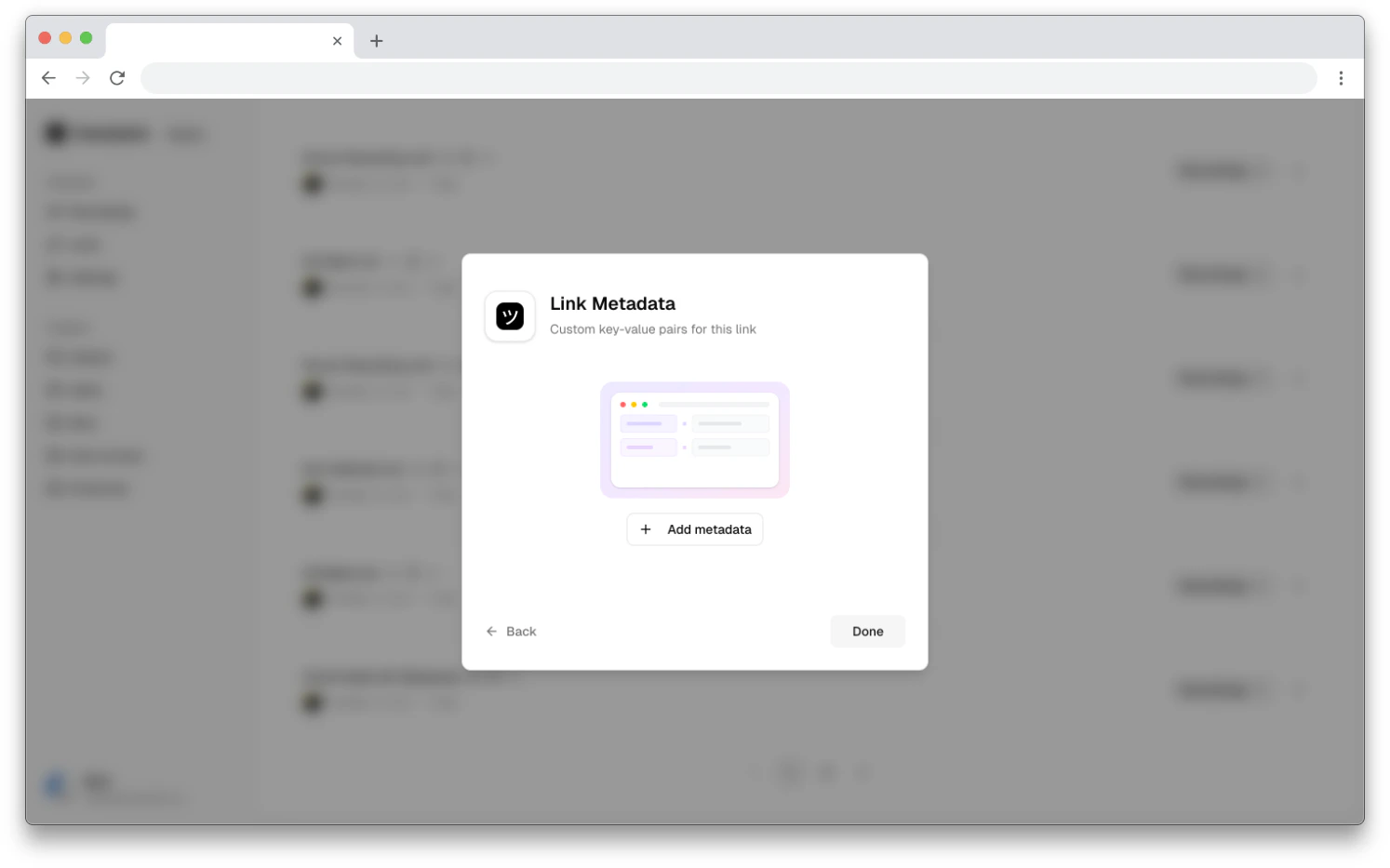 Click **Done** to return to the edit form, then **Save** to persist your changes.
## Constraints
| Constraint | Limit |
| -------------------------------- | ------------------------------------------------------ |
| Maximum key-value pairs per link | 7 |
| Key max length | 256 characters |
| Key allowed characters | Letters, numbers, hyphens, underscores (`a-zA-Z0-9_-`) |
| Value max length | 1,024 characters |
| Value allowed characters | Any text |
## Related articles
* [Link Reference](/recording/link-reference) — attach a single free-form reference to a link.
* [Metadata SDK](/developer/metadata-sdk) — attach metadata to recordings programmatically via the SDK.
* [Managing Recording Links](/recording-links/managing) — browse, filter, and manage links from the dashboard.
* [Reusable Recording Links](/recording-links/reusable) — use reusable links with consistent metadata across recordings.
Click **Done** to return to the edit form, then **Save** to persist your changes.
## Constraints
| Constraint | Limit |
| -------------------------------- | ------------------------------------------------------ |
| Maximum key-value pairs per link | 7 |
| Key max length | 256 characters |
| Key allowed characters | Letters, numbers, hyphens, underscores (`a-zA-Z0-9_-`) |
| Value max length | 1,024 characters |
| Value allowed characters | Any text |
## Related articles
* [Link Reference](/recording/link-reference) — attach a single free-form reference to a link.
* [Metadata SDK](/developer/metadata-sdk) — attach metadata to recordings programmatically via the SDK.
* [Managing Recording Links](/recording-links/managing) — browse, filter, and manage links from the dashboard.
* [Reusable Recording Links](/recording-links/reusable) — use reusable links with consistent metadata across recordings.