> ## Documentation Index
> Fetch the complete documentation index at: https://docs.userplane.io/llms.txt
> Use this file to discover all available pages before exploring further.

# Domains

> Add and verify domains for first-party branded recording links

Domains in Userplane represent the websites where your customers will use recording links. Adding and verifying a domain enables first-party branded links and unlocks per-domain recording preferences.

## Why add a domain

* **First-party branding** — recording links appear to come from your own domain rather than a generic Userplane URL.
* **Per-domain preferences** — configure what data is captured (console logs, network activity, client actions) for each domain. See [Domain Recording Preferences](/recording-links/domain-preferences).
* **Trust** — customers are more likely to engage with a recording link that matches your brand.

## Domain statuses

| Status       | Meaning                                                                                                                                           |
| ------------ | ------------------------------------------------------------------------------------------------------------------------------------------------- |
| **Pending**  | The domain has been added but verification is not complete. You cannot create branded links or configure preferences until verification succeeds. |
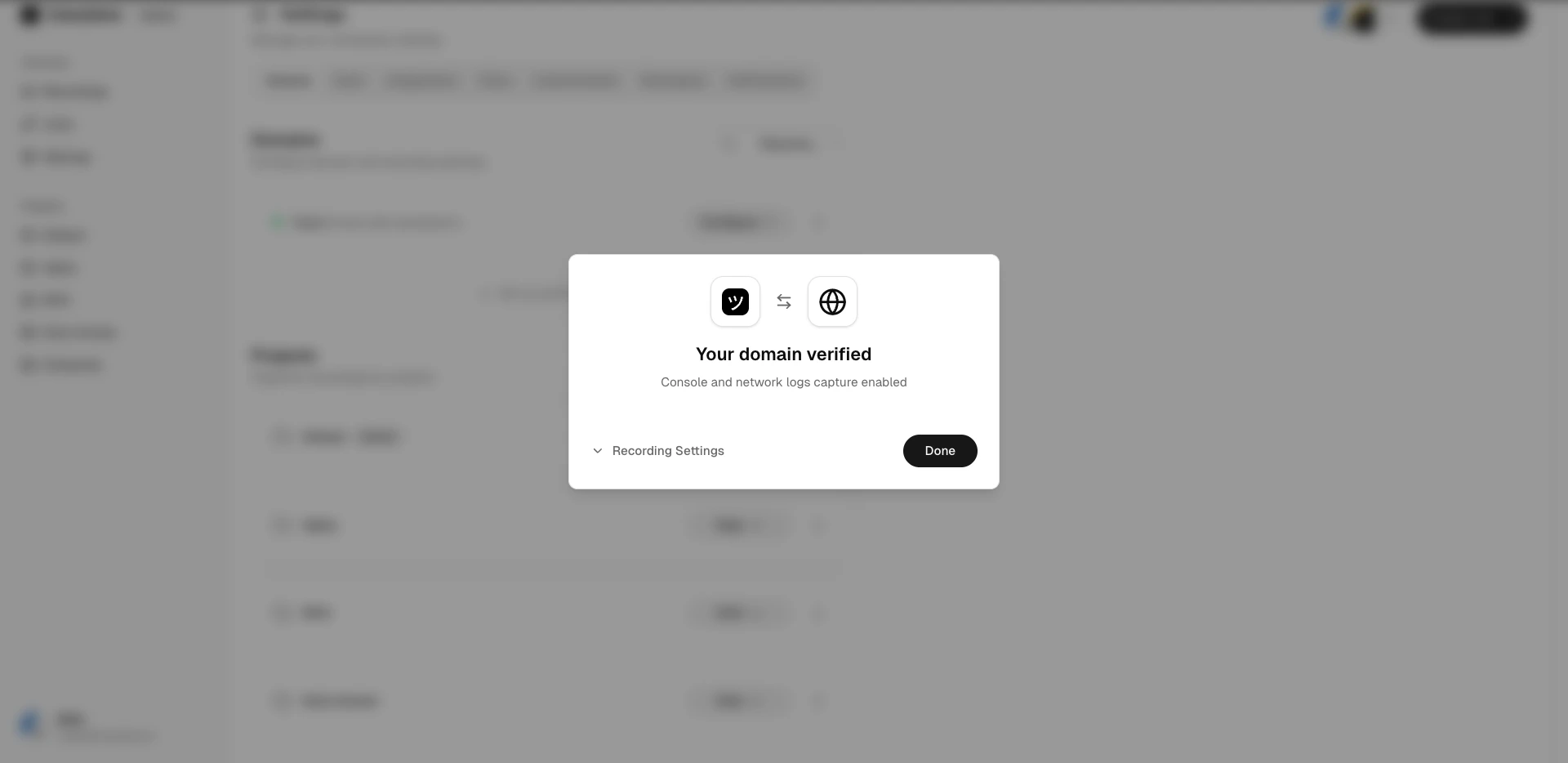
| **Verified** | Domain ownership is confirmed. Branded links and per-domain recording preferences are active.                                                     |
| **Revoked**  | Verification was revoked. The domain must be re-verified to use it.                                                                               |

## Viewing domains

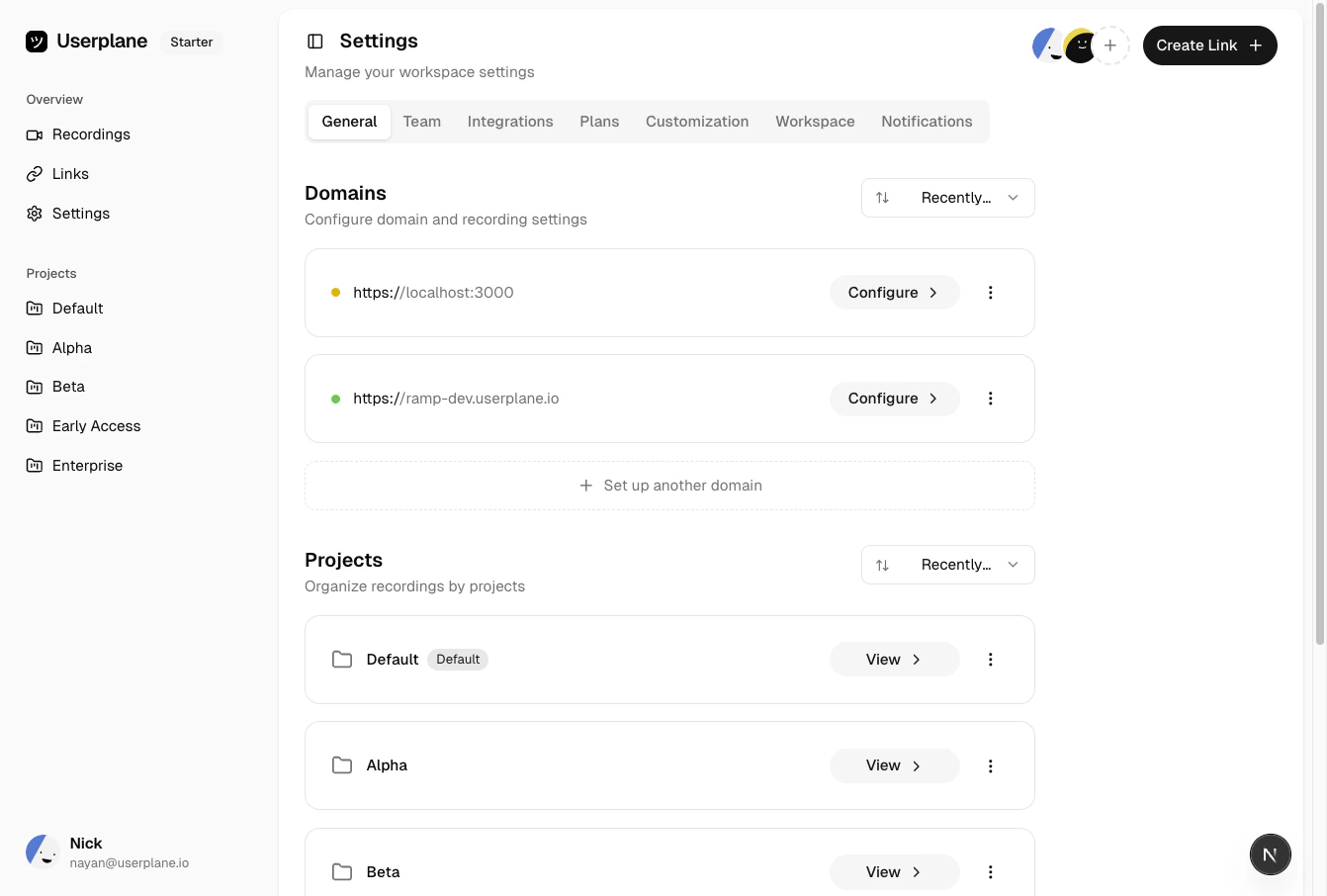
Go to [Workspace Settings > Domains](https://dash.userplane.io/_/settings?tab=general) to see all domains. Each domain shows its name, status, and creation date.
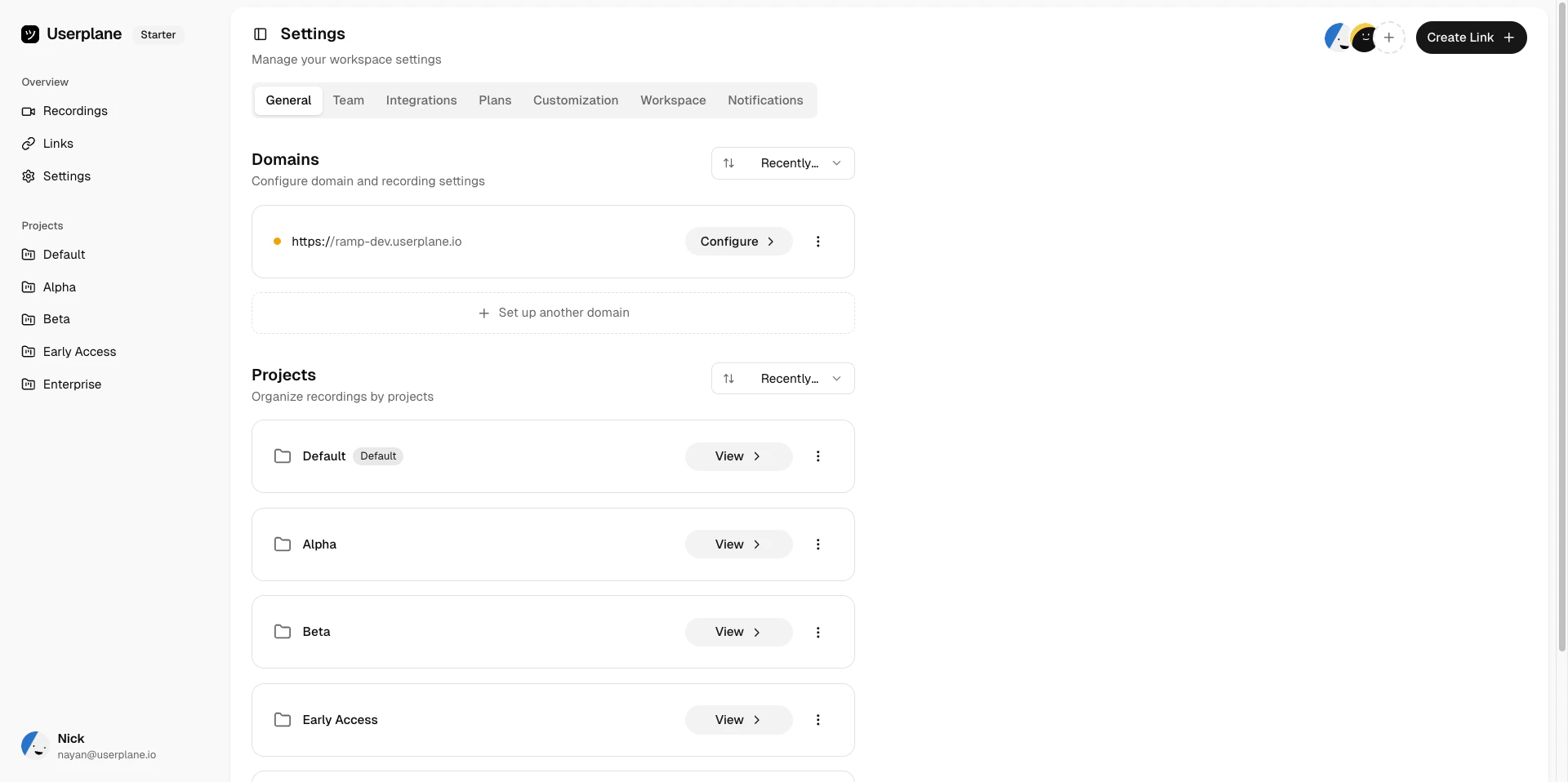
<Frame caption="Domain list">
  <img src="https://mintcdn.com/userplane/IKCB4f_KBaL0xsjW/media/workspace/domain/view-domains/list-domains.png?fit=max&auto=format&n=IKCB4f_KBaL0xsjW&q=85&s=b240304c23e0fdba1ea0ecb15778b8e4" width="1920" height="958" data-path="media/workspace/domain/view-domains/list-domains.png" />
</Frame>

<Frame caption="Domain list">
  <img src="https://mintcdn.com/userplane/IKCB4f_KBaL0xsjW/media/workspace/domain/domain-list.png?fit=max&auto=format&n=IKCB4f_KBaL0xsjW&q=85&s=1d2532d7a44deb07b20eadb6e2949405" width="1342" height="906" data-path="media/workspace/domain/domain-list.png" />
</Frame>

## Adding a domain

<Steps>
  <Step title="Open Domain settings">
    Go to [Workspace Settings > Domains](https://dash.userplane.io/_/settings?tab=general).

    <Frame caption="Domain list">
      <img src="https://mintcdn.com/userplane/IKCB4f_KBaL0xsjW/media/workspace/domain/domain-list.png?fit=max&auto=format&n=IKCB4f_KBaL0xsjW&q=85&s=1d2532d7a44deb07b20eadb6e2949405" width="1342" height="906" data-path="media/workspace/domain/domain-list.png" />
    </Frame>
  </Step>

  <Step title="Click Add Domain">
    Click **Add Domain** and enter your domain (e.g. `app.example.com`).
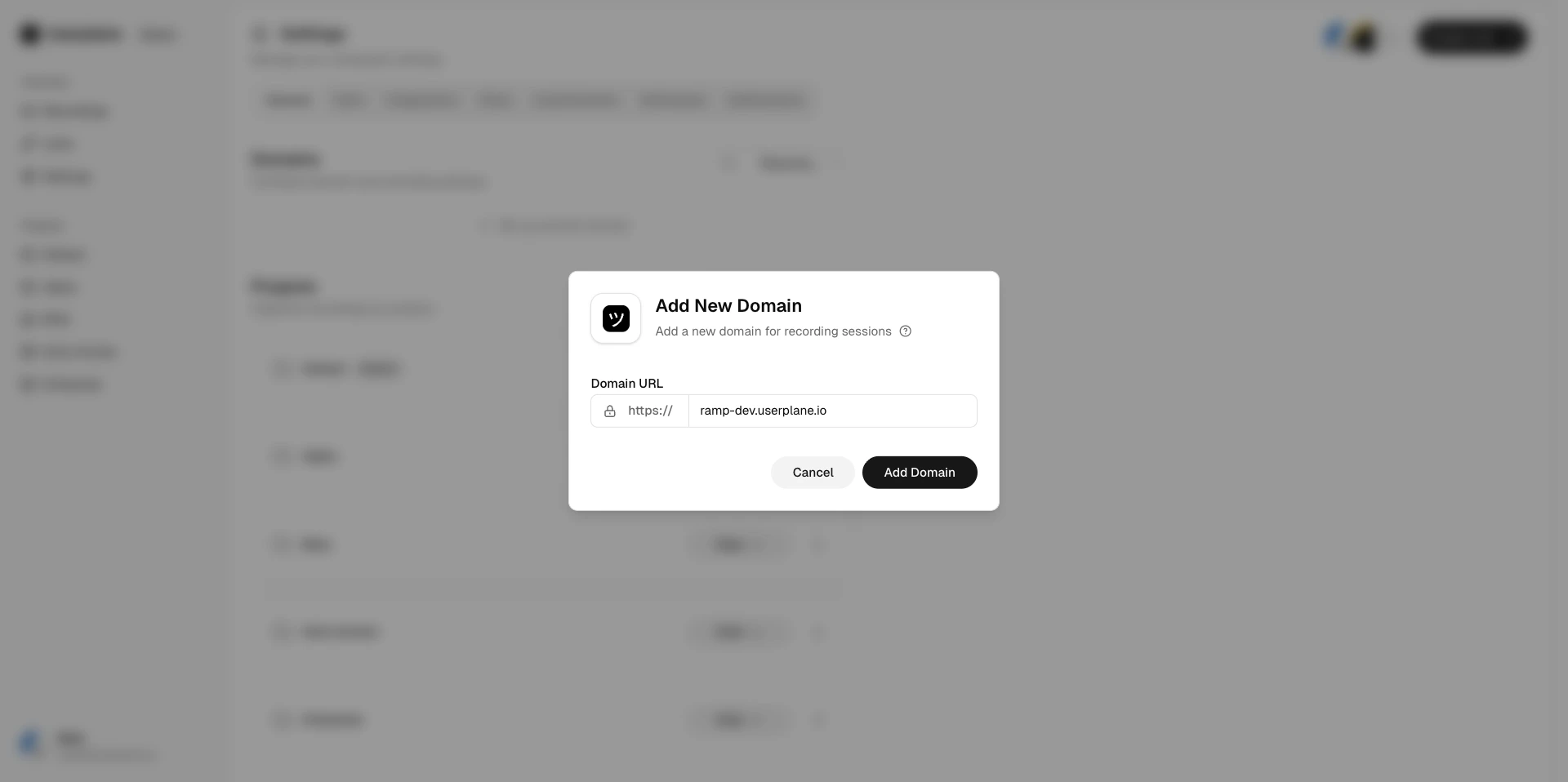
    <Frame caption="Add domain dialog">
      <img src="https://mintcdn.com/userplane/IKCB4f_KBaL0xsjW/media/workspace/domain/add-domain/add-new-domain-modal.png?fit=max&auto=format&n=IKCB4f_KBaL0xsjW&q=85&s=c695da7e14213f01b2c3db8747051416" width="1920" height="958" data-path="media/workspace/domain/add-domain/add-new-domain-modal.png" />
    </Frame>
  </Step>

  <Step title="Configure the domain">
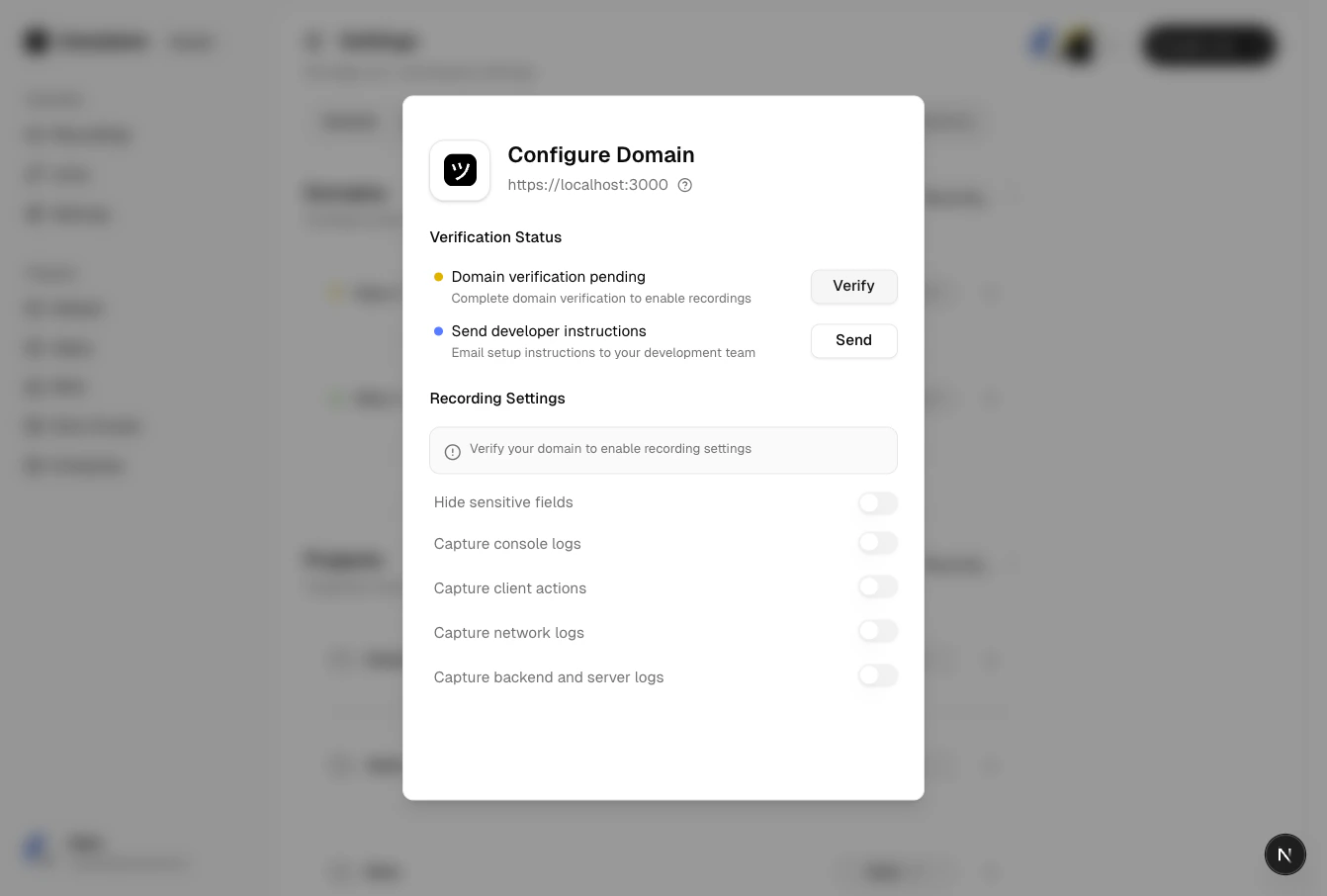
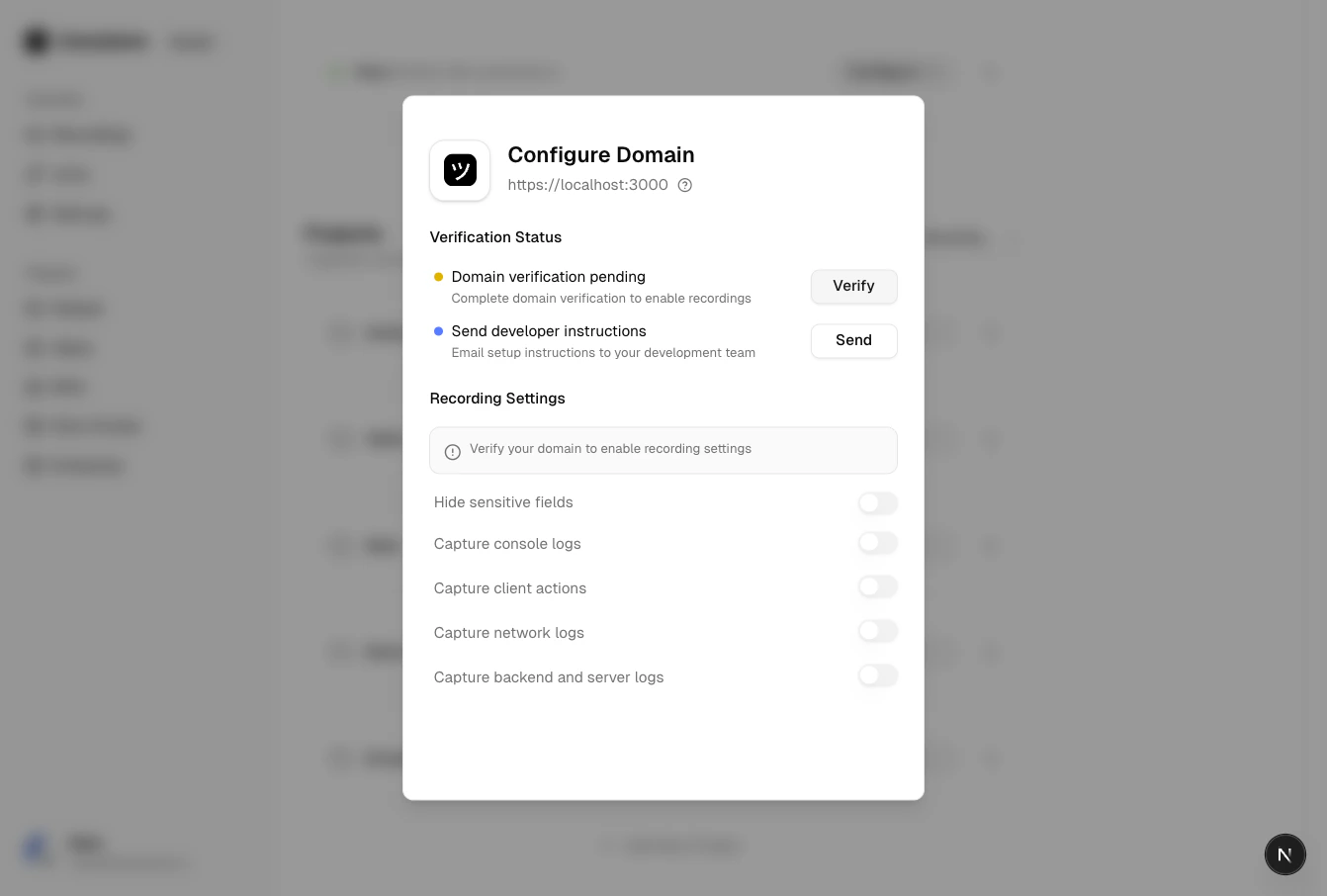
    After adding, the domain appears in a **Pending** state. You can review its configuration before proceeding to verification.
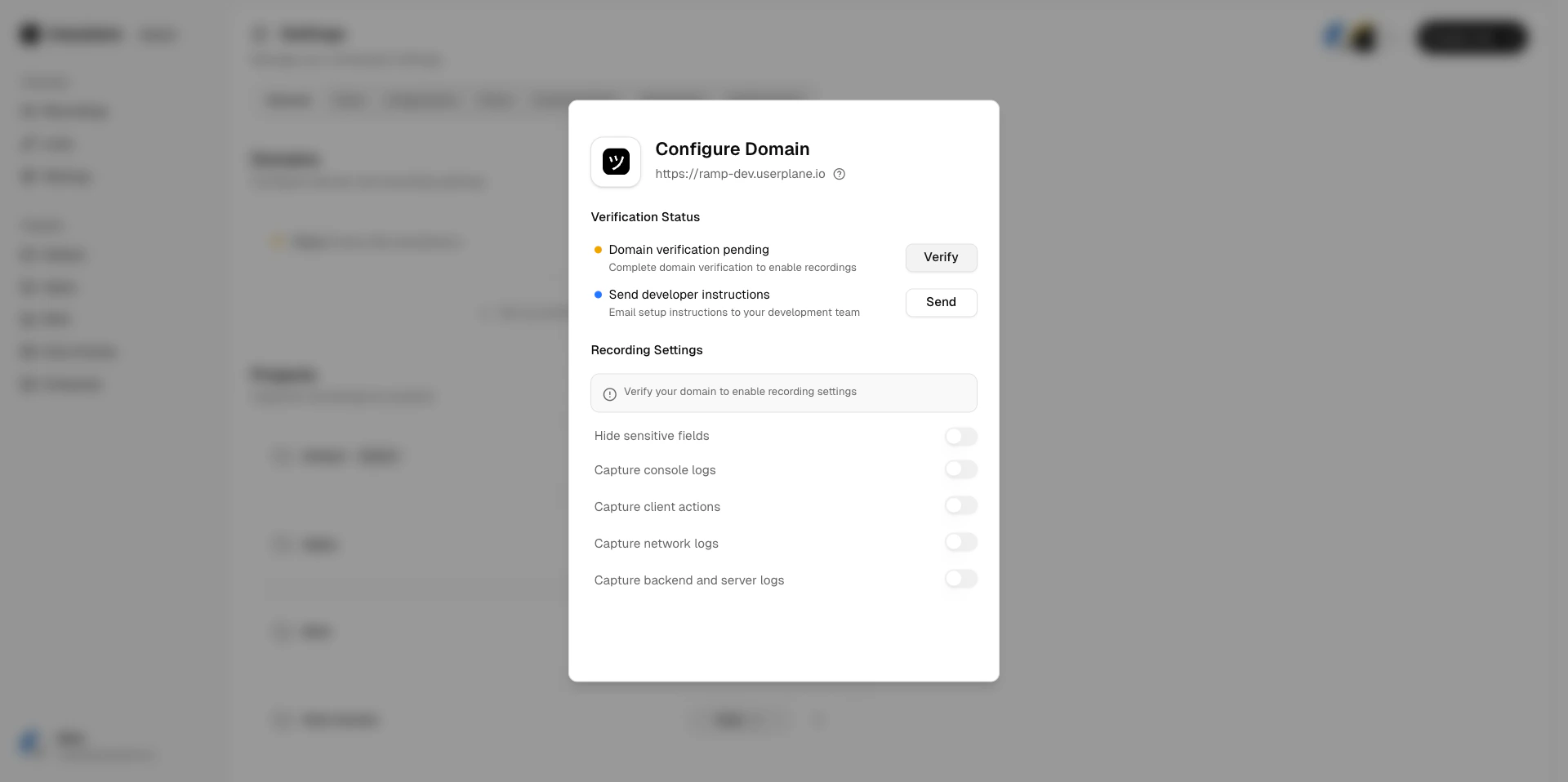
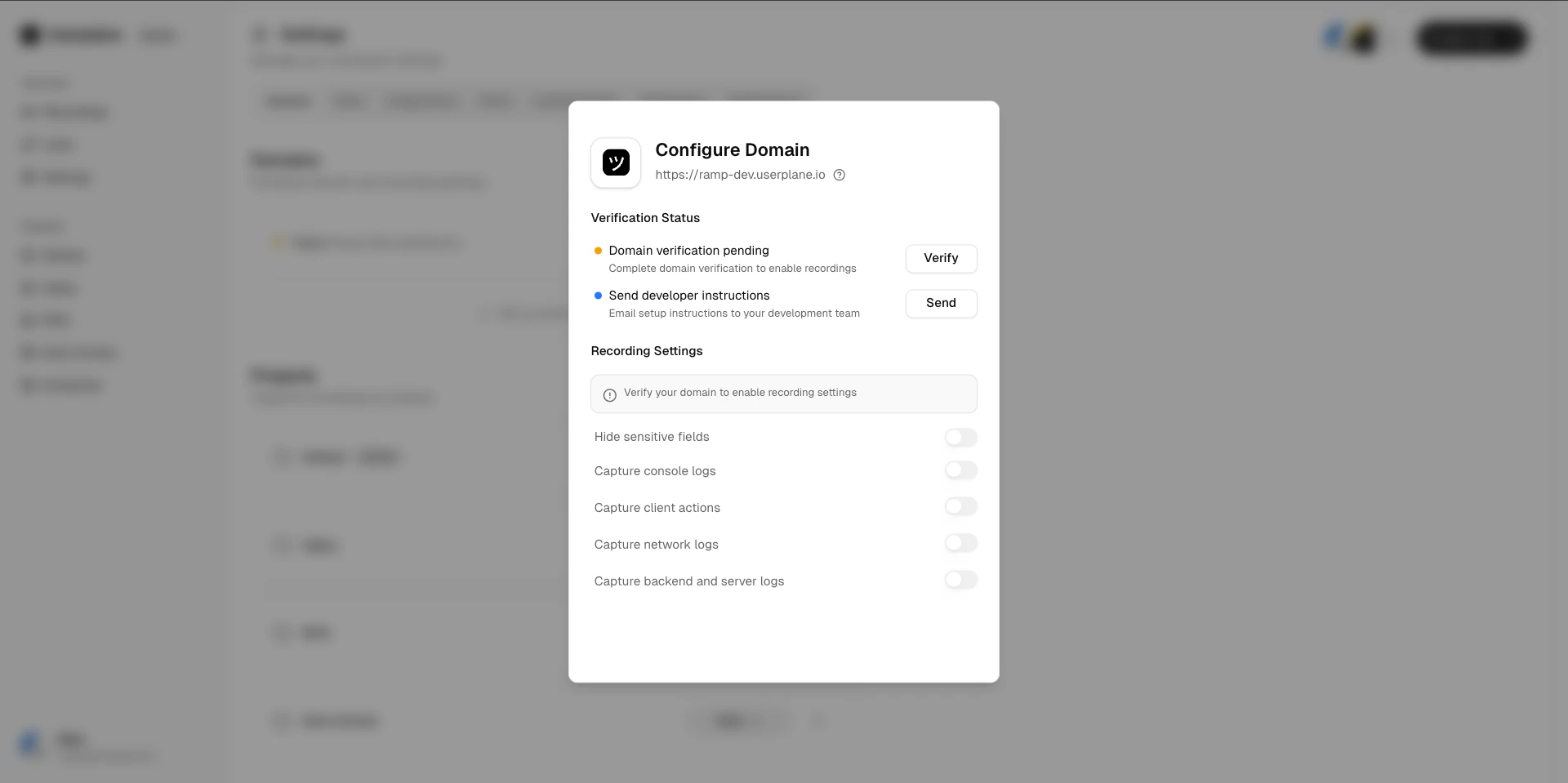
    <Frame caption="Configure added domain">
      <img src="https://mintcdn.com/userplane/IKCB4f_KBaL0xsjW/media/workspace/domain/add-domain/configure-added-domain.png?fit=max&auto=format&n=IKCB4f_KBaL0xsjW&q=85&s=3182c654261d442fca041eedfe1e6a25" width="1920" height="958" data-path="media/workspace/domain/add-domain/configure-added-domain.png" />
    </Frame>

    <Frame caption="Domain pending verification">
      <img src="https://mintcdn.com/userplane/IKCB4f_KBaL0xsjW/media/workspace/domain/verify-domain/domain-configure-pending.png?fit=max&auto=format&n=IKCB4f_KBaL0xsjW&q=85&s=7661e5497f8db24c27f5b5d0181d31ef" width="1920" height="959" data-path="media/workspace/domain/verify-domain/domain-configure-pending.png" />
    </Frame>
  </Step>

  <Step title="Verify ownership">
    Follow the [domain verification](/workspace/domain-verification) process to confirm ownership and unlock branded links and recording preferences.
  </Step>
</Steps>

## Verifying a domain

Userplane uses a **token-based verification** process. See [Domain Verification](/workspace/domain-verification) for the full walkthrough.

<Steps>
  <Step title="Start verification">
    Select the pending domain and click **Verify**. You can also send the instructions to a developer via email.
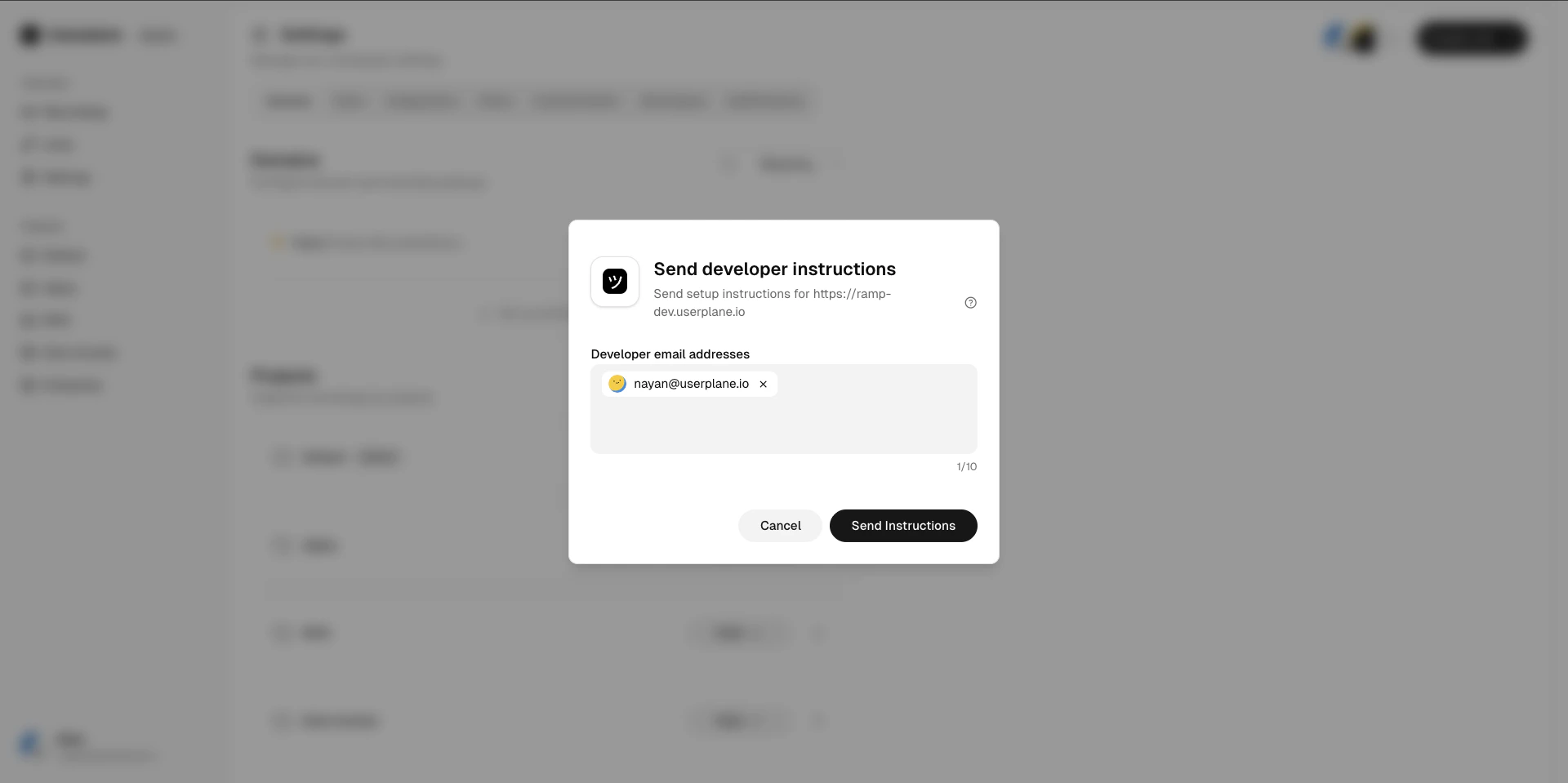
    <Frame caption="Send verification instructions">
      <img src="https://mintcdn.com/userplane/IKCB4f_KBaL0xsjW/media/workspace/domain/verify-domain/domain-send-instructions.png?fit=max&auto=format&n=IKCB4f_KBaL0xsjW&q=85&s=82431d25e974325433cbd46f8aeda333" width="1920" height="959" data-path="media/workspace/domain/verify-domain/domain-send-instructions.png" />
    </Frame>
  </Step>

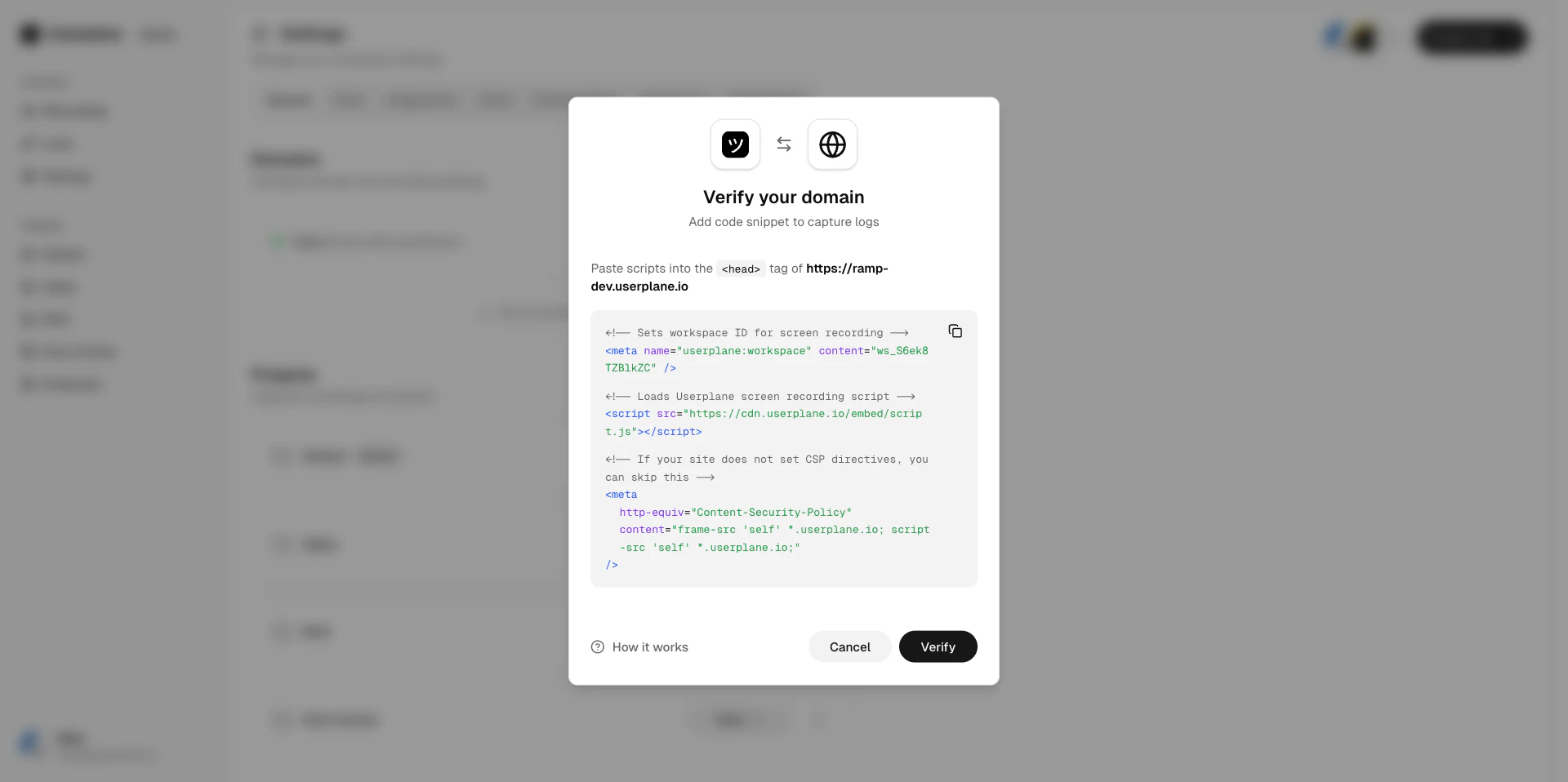
  <Step title="Add the script to your site">
    Copy the provided script tag and add it to your website's HTML.
    <Frame caption="Verification code">
      <img src="https://mintcdn.com/userplane/IKCB4f_KBaL0xsjW/media/workspace/domain/verify-domain/domain-verification-code.png?fit=max&auto=format&n=IKCB4f_KBaL0xsjW&q=85&s=d6f73f8996a92dbd21afc99a7fb6e999" width="1920" height="958" data-path="media/workspace/domain/verify-domain/domain-verification-code.png" />
    </Frame>

    <Frame caption="Verification code">
      <img src="https://mintcdn.com/userplane/IKCB4f_KBaL0xsjW/media/workspace/domain/domain-verification-code.png?fit=max&auto=format&n=IKCB4f_KBaL0xsjW&q=85&s=a328f645154c12854c821699bb212c40" width="1342" height="906" data-path="media/workspace/domain/domain-verification-code.png" />
    </Frame>
  </Step>

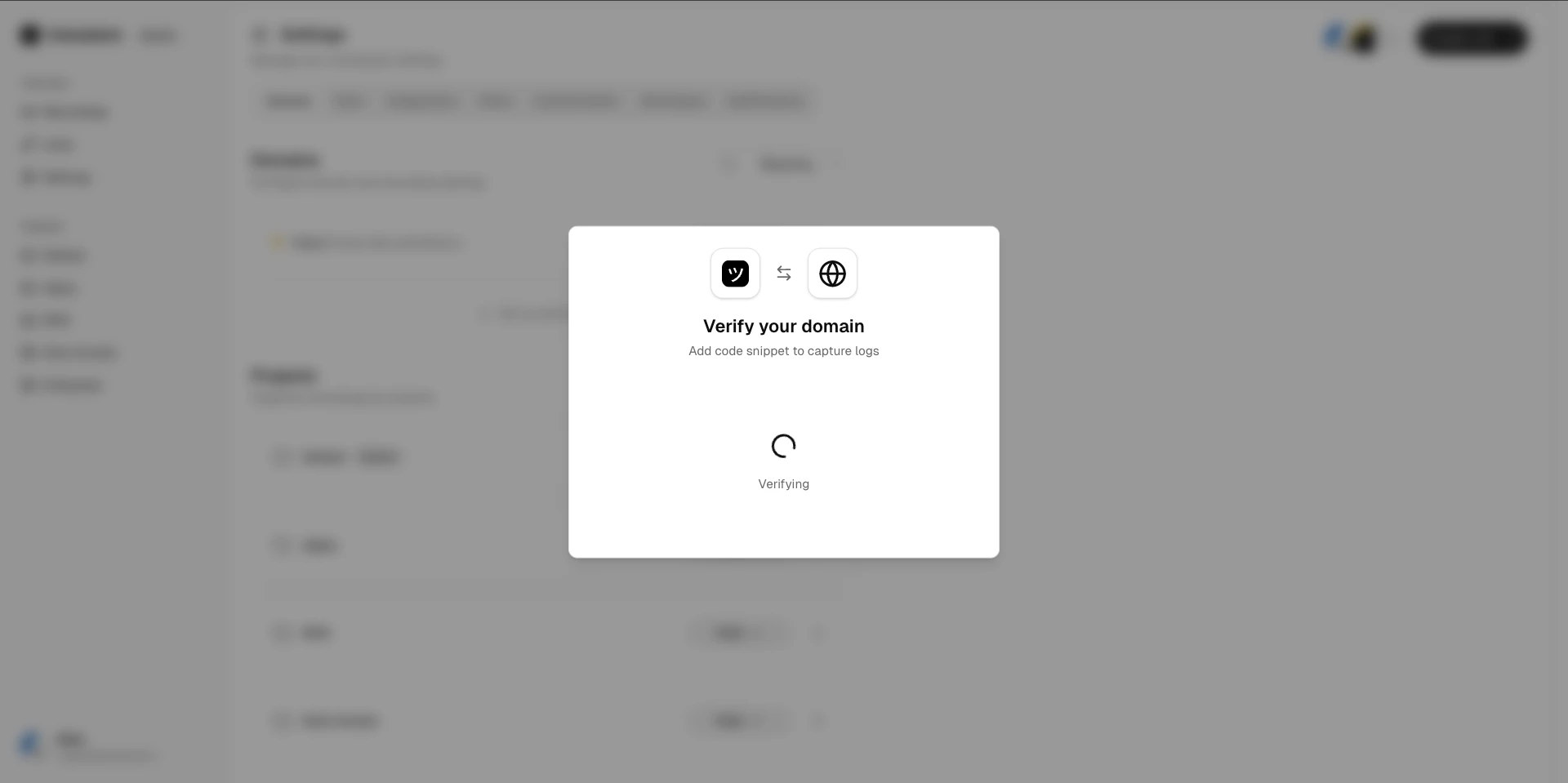
  <Step title="Trigger the check">
    Click **Verify** in Userplane to trigger the check. The verification token expires after **5 minutes**.
    <Frame caption="Verification in progress">
      <img src="https://mintcdn.com/userplane/IKCB4f_KBaL0xsjW/media/workspace/domain/verify-domain/domain-verification-in-progress.png?fit=max&auto=format&n=IKCB4f_KBaL0xsjW&q=85&s=853e6f6b805c5d7e15c4e138eb44c94d" width="1920" height="959" data-path="media/workspace/domain/verify-domain/domain-verification-in-progress.png" />
    </Frame>
  </Step>

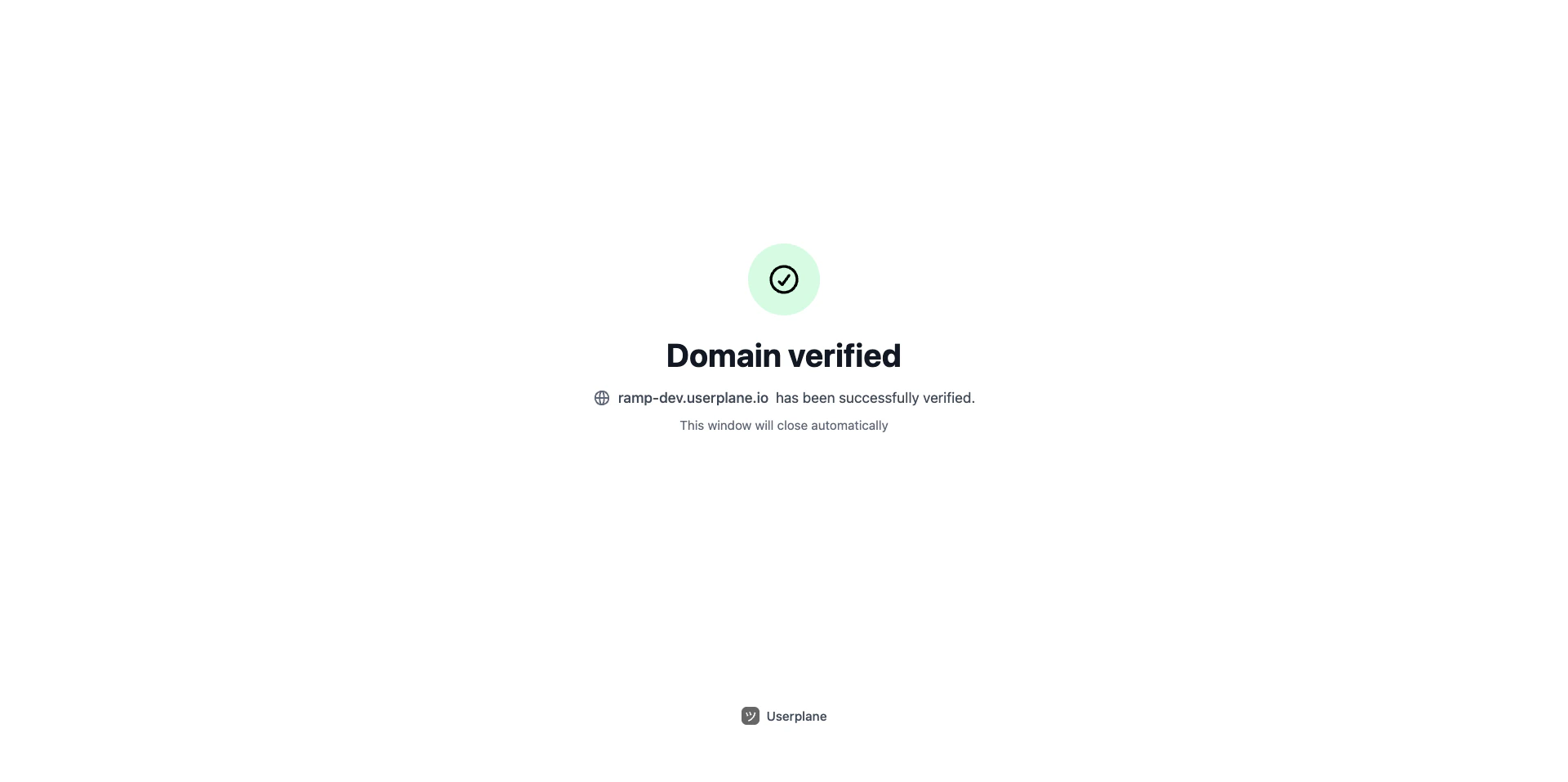
  <Step title="Verification complete">
    Once the token is found and valid, the domain status changes to **Verified**.
    <Frame caption="Verification successful">
      <img src="https://mintcdn.com/userplane/IKCB4f_KBaL0xsjW/media/workspace/domain/verify-domain/domain-verification-confirmation.png?fit=max&auto=format&n=IKCB4f_KBaL0xsjW&q=85&s=962c2db6961d4eab5c548c569b0d2fff" width="1920" height="957" data-path="media/workspace/domain/verify-domain/domain-verification-confirmation.png" />
    </Frame>

    <Frame caption="Post-verification confirmation">
      <img src="https://mintcdn.com/userplane/IKCB4f_KBaL0xsjW/media/workspace/domain/verify-domain/post-verification-confirmation.png?fit=max&auto=format&n=IKCB4f_KBaL0xsjW&q=85&s=86a171643c2f41df0bd4785ff33b7255" width="1920" height="934" data-path="media/workspace/domain/verify-domain/post-verification-confirmation.png" />
    </Frame>
  </Step>
</Steps>

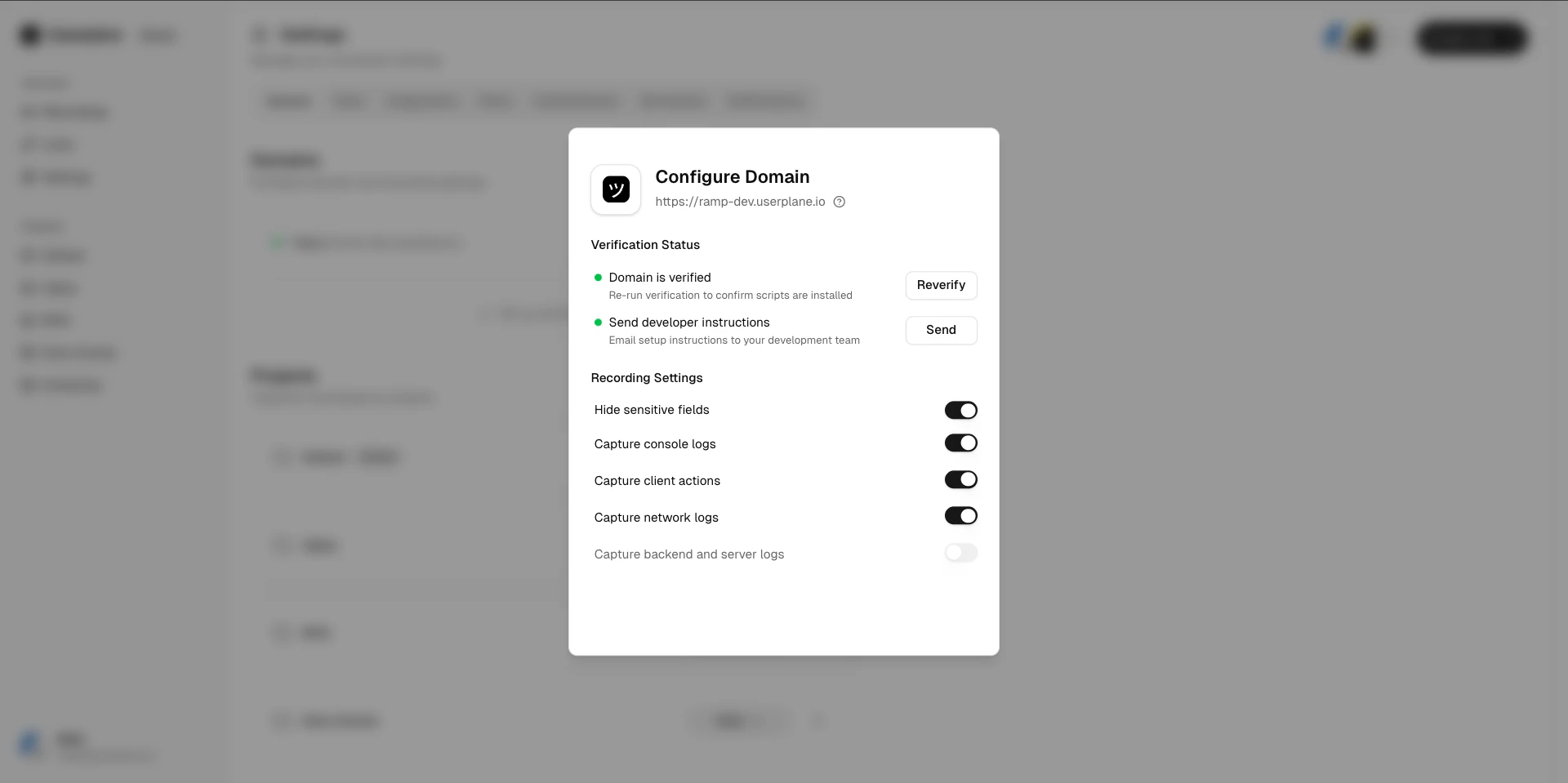
## After verification

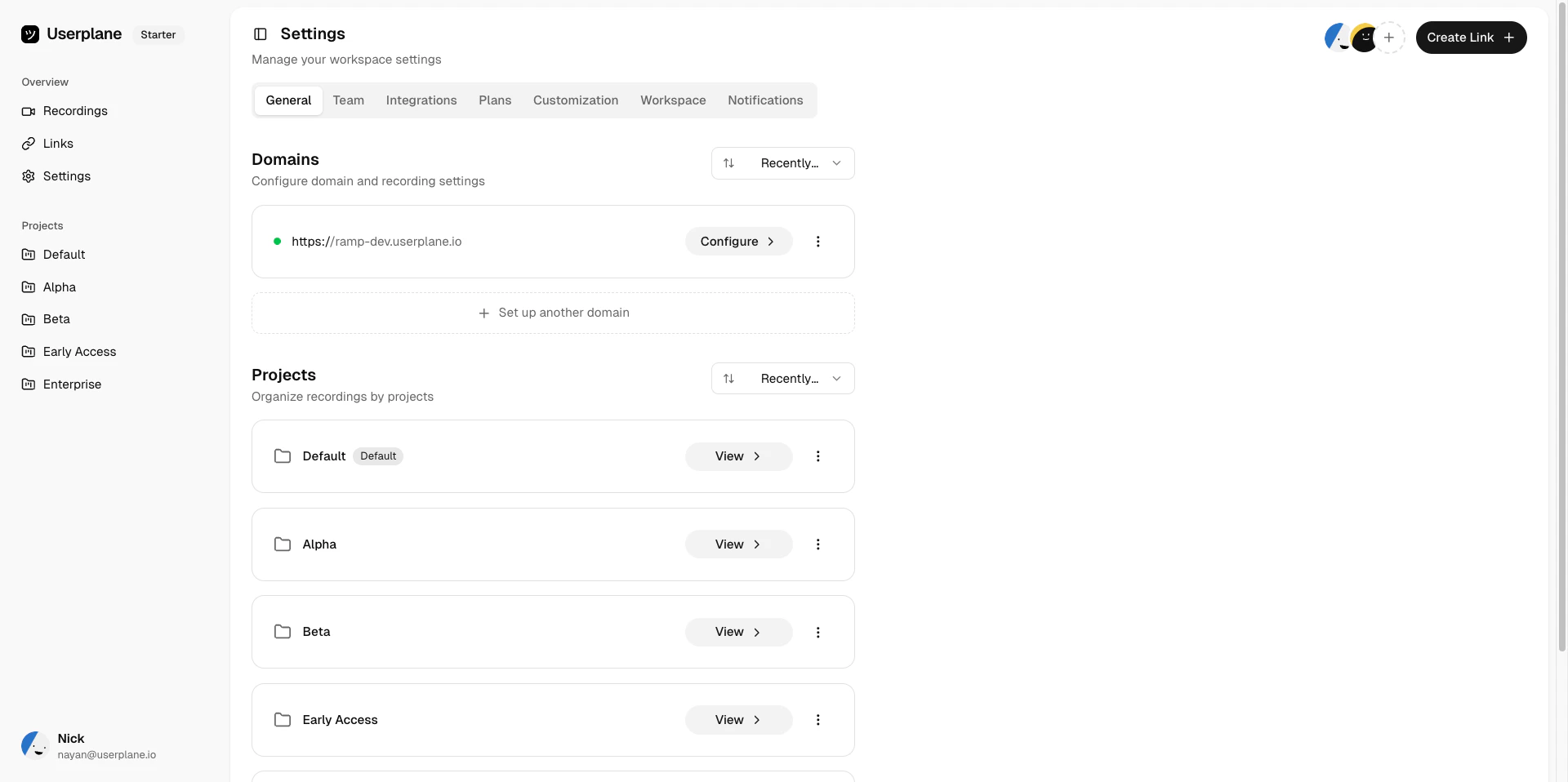
Once a domain is verified:

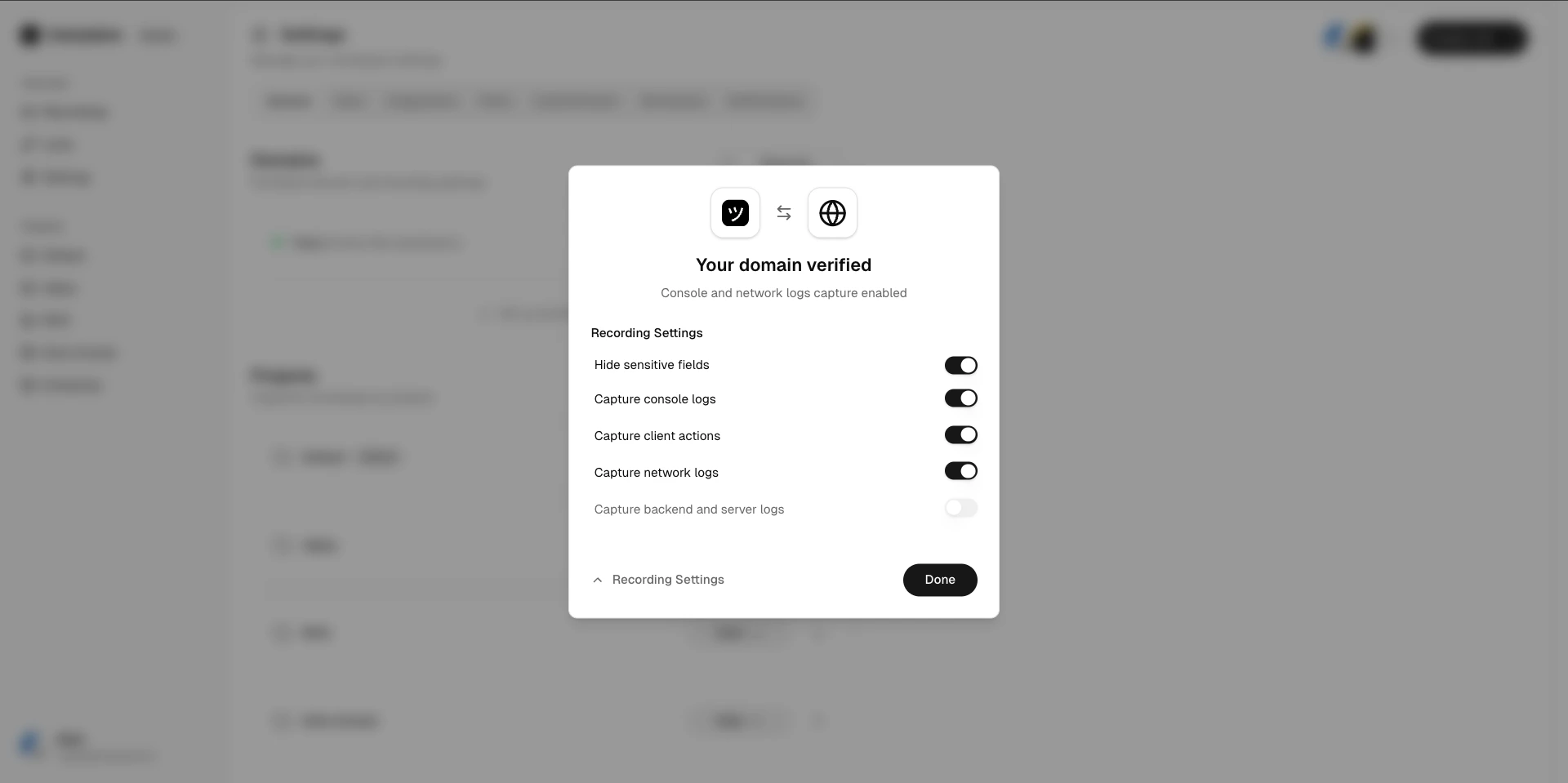
* You can create branded recording links using this domain.
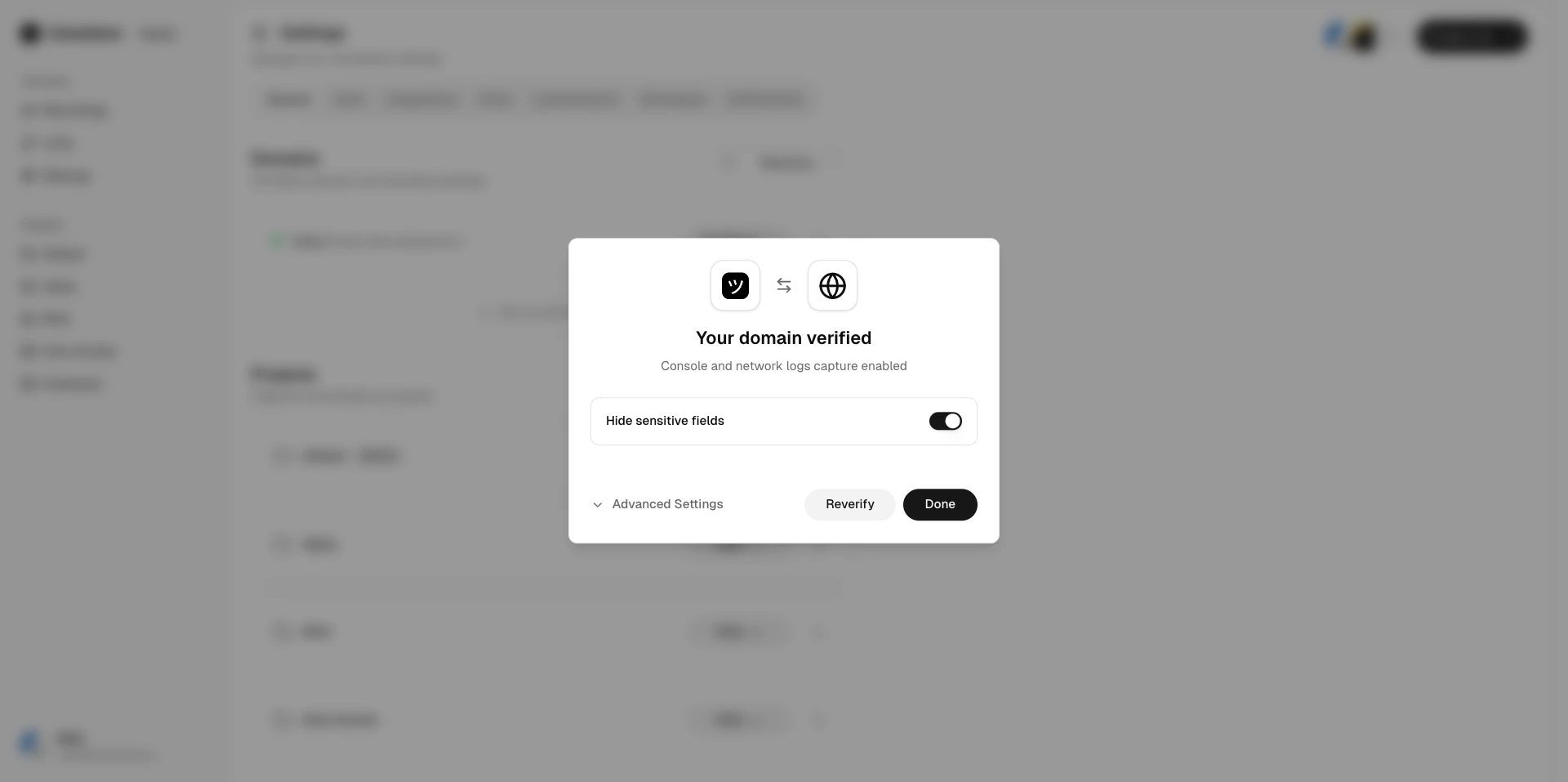
* [Domain recording preferences](/recording-links/domain-preferences) become active.
* You can remove the verification script tag from your website.
<Frame caption="Verified domain list">
  <img src="https://mintcdn.com/userplane/IKCB4f_KBaL0xsjW/media/workspace/domain/verify-domain/domain-verified-list-view.png?fit=max&auto=format&n=IKCB4f_KBaL0xsjW&q=85&s=2db5aa1a674fdd2b821294f07ef39321" width="1920" height="958" data-path="media/workspace/domain/verify-domain/domain-verified-list-view.png" />
</Frame>

<Frame caption="Verified domain configuration">
  <img src="https://mintcdn.com/userplane/IKCB4f_KBaL0xsjW/media/workspace/domain/verify-domain/domain-configure-verified.png?fit=max&auto=format&n=IKCB4f_KBaL0xsjW&q=85&s=7a44f5e3a27f6a5d872fe9084a2fba19" width="1920" height="959" data-path="media/workspace/domain/verify-domain/domain-configure-verified.png" />
</Frame>

<Frame caption="Domain configuration after verification">
  <img src="https://mintcdn.com/userplane/IKCB4f_KBaL0xsjW/media/workspace/domain/verify-domain/post-verification-domain-configuration.png?fit=max&auto=format&n=IKCB4f_KBaL0xsjW&q=85&s=946cdfa913850843489f1fdfcbb19864" width="1920" height="959" data-path="media/workspace/domain/verify-domain/post-verification-domain-configuration.png" />
</Frame>

<Frame caption="Domain recording preferences">
  <img src="https://mintcdn.com/userplane/IKCB4f_KBaL0xsjW/media/workspace/domain/verify-domain/post-verification-domain-preference.png?fit=max&auto=format&n=IKCB4f_KBaL0xsjW&q=85&s=945f4453766fc3b341883a9cd24202d7" width="1920" height="957" data-path="media/workspace/domain/verify-domain/post-verification-domain-preference.png" />
</Frame>

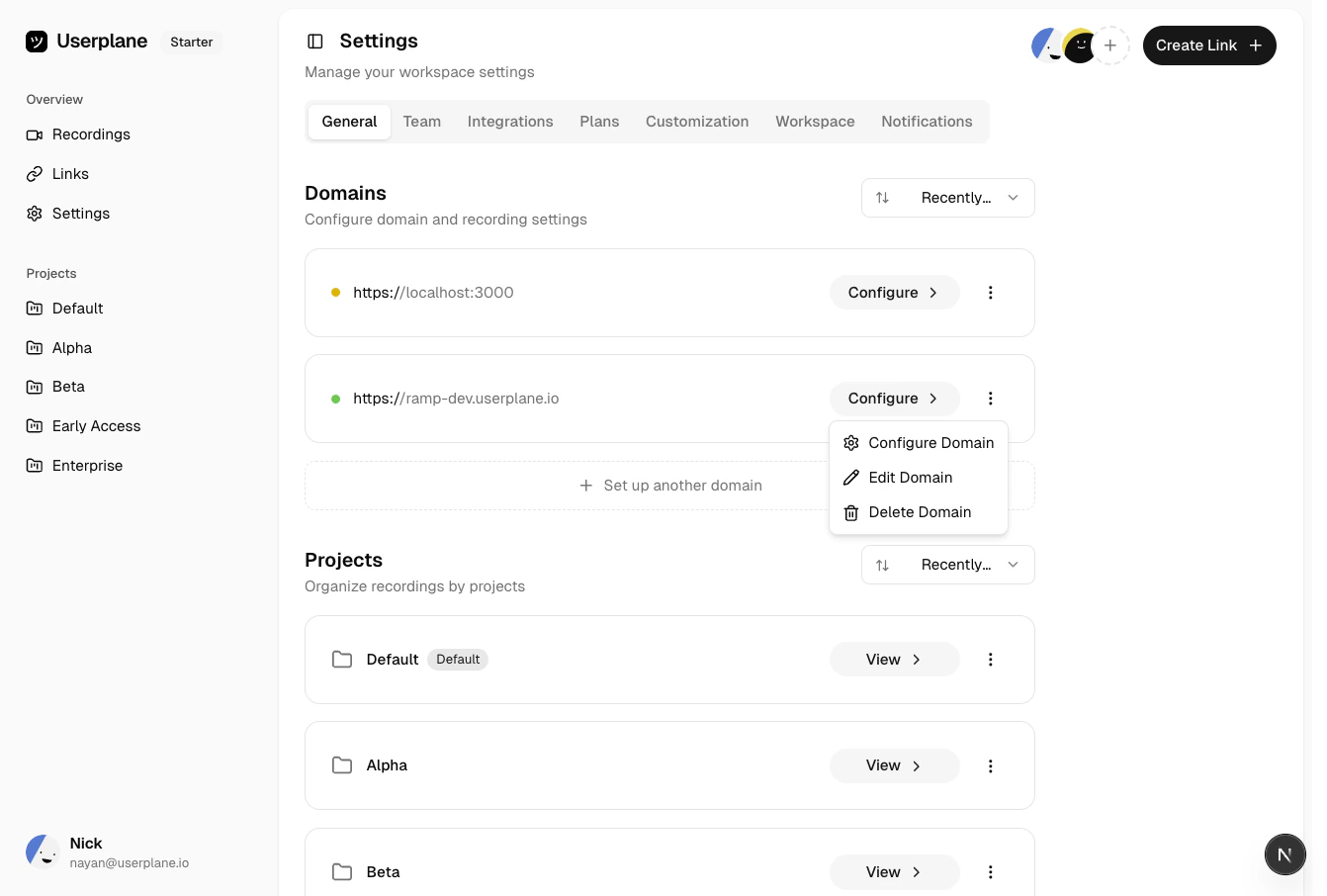
## Managing domains

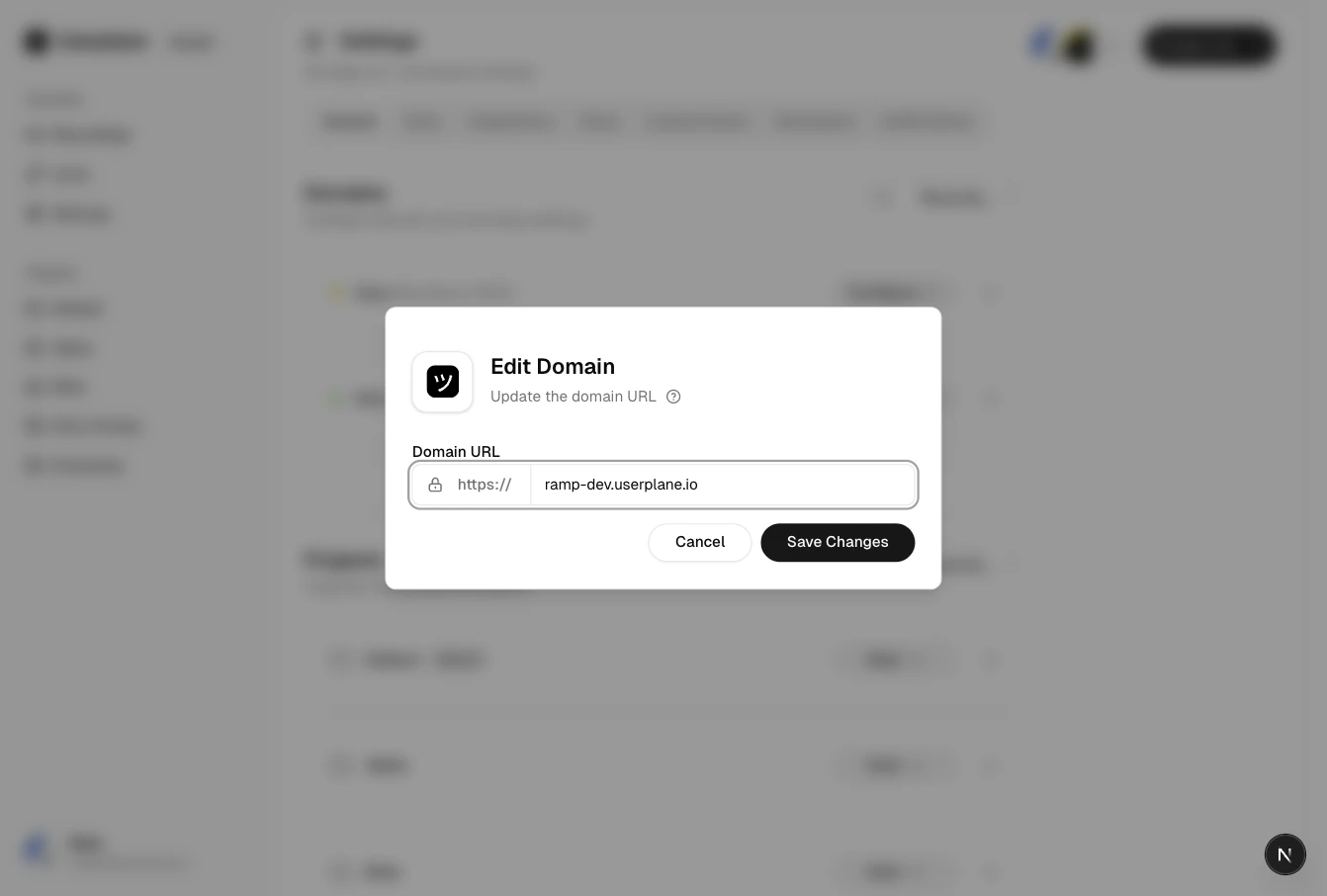
Select a domain to view its details, trigger re-verification, or delete it.
<Frame caption="Domain actions menu">
  <img src="https://mintcdn.com/userplane/IKCB4f_KBaL0xsjW/media/workspace/domain/domain-menu.png?fit=max&auto=format&n=IKCB4f_KBaL0xsjW&q=85&s=7ce547efc5889d2f8cae69b21ae22d18" width="1342" height="906" data-path="media/workspace/domain/domain-menu.png" />
</Frame>

<Frame caption="Edit domain">
  <img src="https://mintcdn.com/userplane/IKCB4f_KBaL0xsjW/media/workspace/domain/edit-domain.png?fit=max&auto=format&n=IKCB4f_KBaL0xsjW&q=85&s=3ec15414a537845f9500fbc06babb192" width="1342" height="906" data-path="media/workspace/domain/edit-domain.png" />
</Frame>

<Frame caption="Verified domain configuration">
  <img src="https://mintcdn.com/userplane/IKCB4f_KBaL0xsjW/media/workspace/domain/domain-verified-config.png?fit=max&auto=format&n=IKCB4f_KBaL0xsjW&q=85&s=60929a563eb053602d1c133cd3d32d9b" width="1342" height="906" data-path="media/workspace/domain/domain-verified-config.png" />
</Frame>

<Warning>
  Deleting a domain removes it from your workspace. Existing recording links that use this domain
  will no longer be branded, but the links and recordings themselves are preserved.
</Warning>

## Related articles

* [Domain Verification](/workspace/domain-verification) — the full verification walkthrough.
* [Domain Verification Guide](/developer/domain-verification) — technical guide for developers implementing the script tag.
* [Managing Domains](/workspace/domain-management) — sort, edit, and delete domains.
* [Domain Recording Preferences](/recording-links/domain-preferences) — configure capture settings per domain.