

1
Open key options
Navigate to Account Settings, find the key you want to revoke, and click the three-dot menu. Select Revoke Key.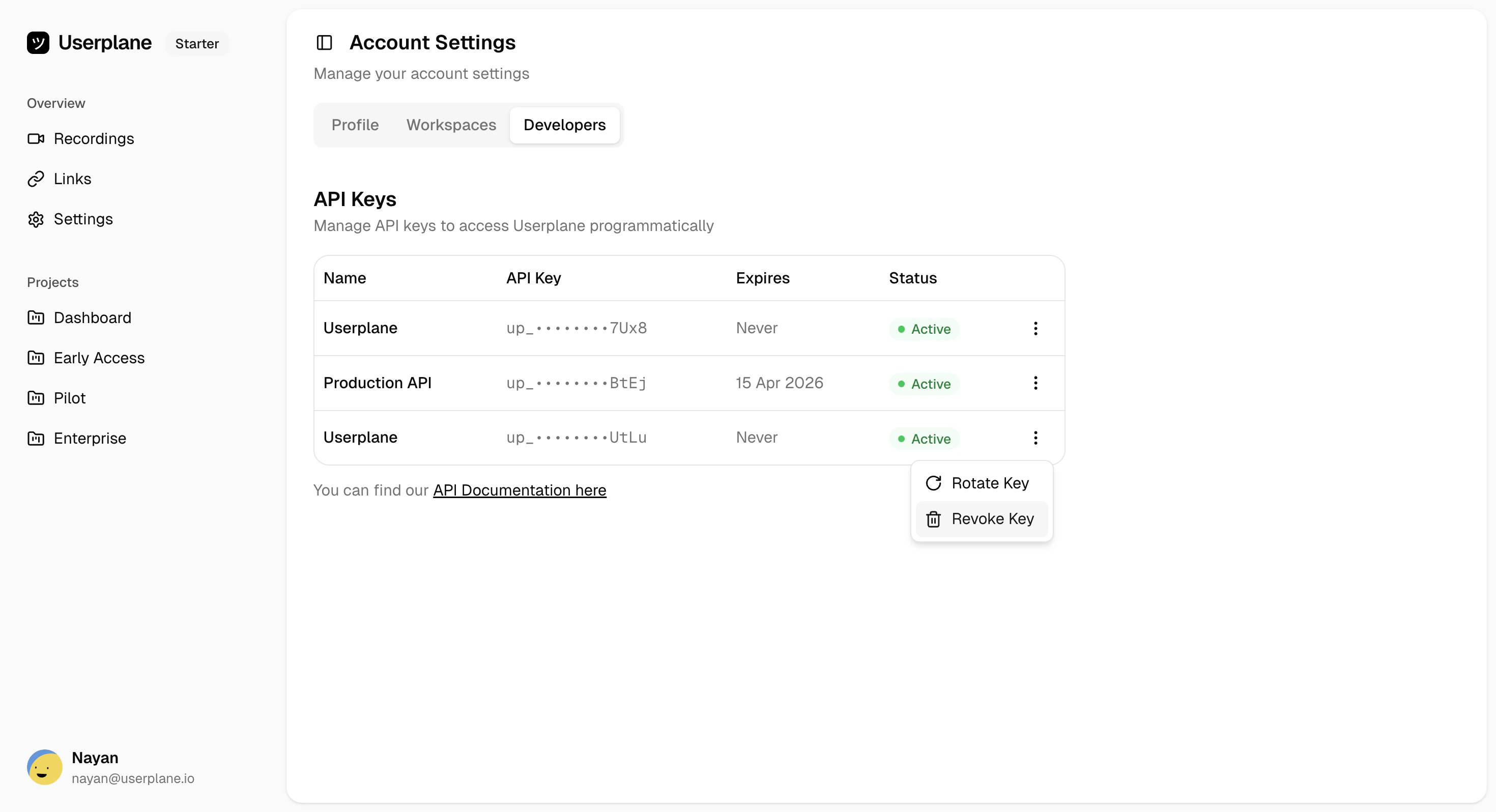
2
Confirm revocation
A confirmation dialog appears. Type REVOKE to confirm, then click Revoke Key.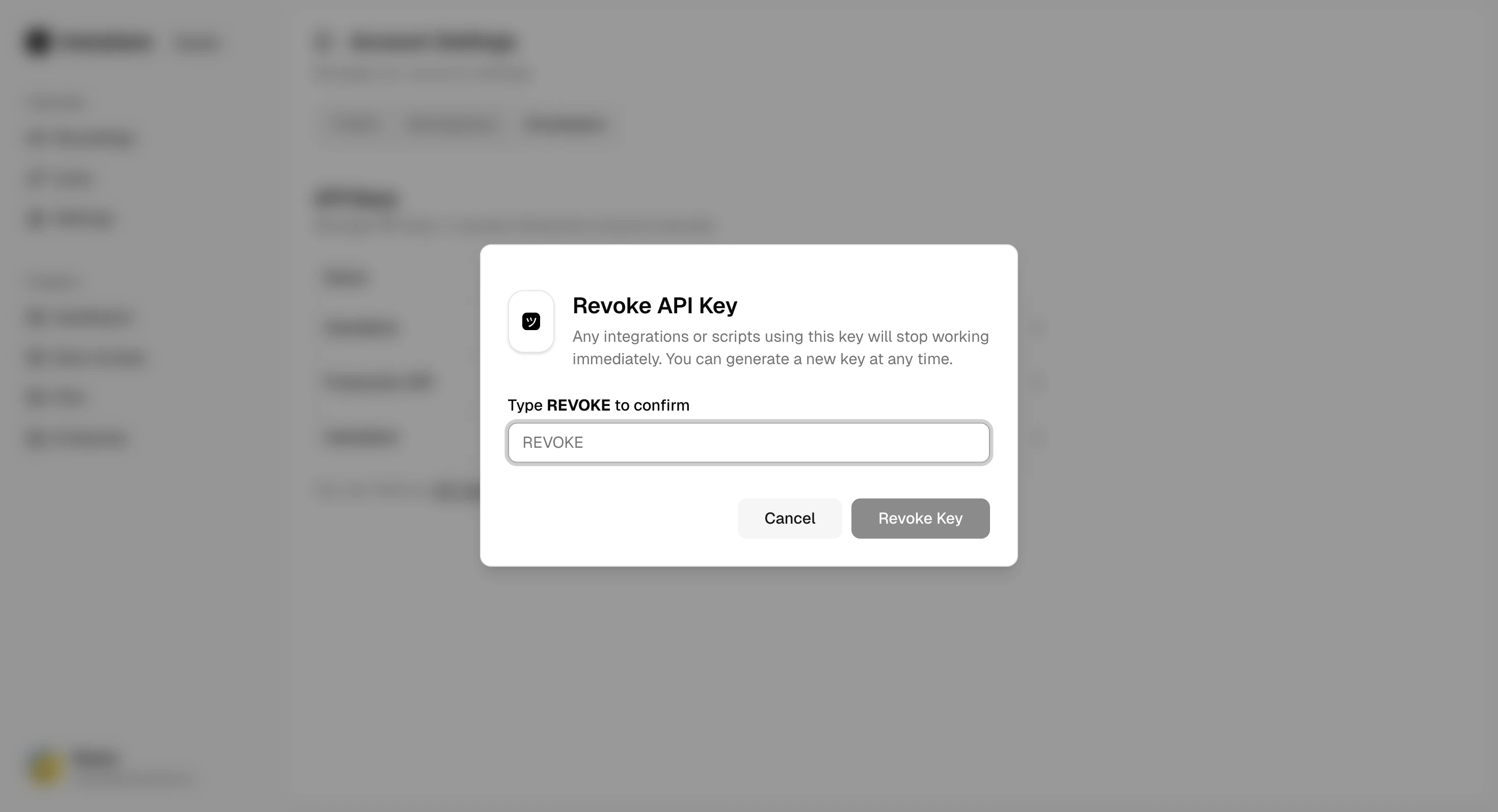
When to revoke a key
- The key has been exposed in a public repository, log, or client-side code
- The key is no longer needed (e.g., decommissioning an integration)
- You want to free up a slot to create a new key (maximum 3 keys per user)
If you need to replace a key rather than just delete it, use Rotate API
Key instead. Rotation revokes the old key and generates a new one
in a single step.
Related
Rotate API Key
Replace a key instead of just deleting it
Create API Key
Generate a new key after revoking
Manage API Keys
View all your keys and their status
Best Practices
Secure key storage and rotation strategies