

This is the workspace MCP server — for debugging recordings and managing Userplane resources
from your AI client. To search Userplane documentation from your AI tool while integrating the
SDK, see Documentation MCP instead.
Server URL
What agents can do
Analyze recordings
Surface console errors, network failures, and user actions from any recording. Identify root
causes through natural language.
Interactive viewers
Video playback, filterable console log viewers, network request inspectors, and user action
timelines — rendered inside your AI client.
Manage recording links
Create, share, and track recording links for customer issues. Attach references, set
reusability, and assign to projects.
Access workspace data
List recordings, browse projects, and check workspace details across your organization.
Quick example
Paste a recording URL from the Userplane dashboard and ask your agent what went wrong: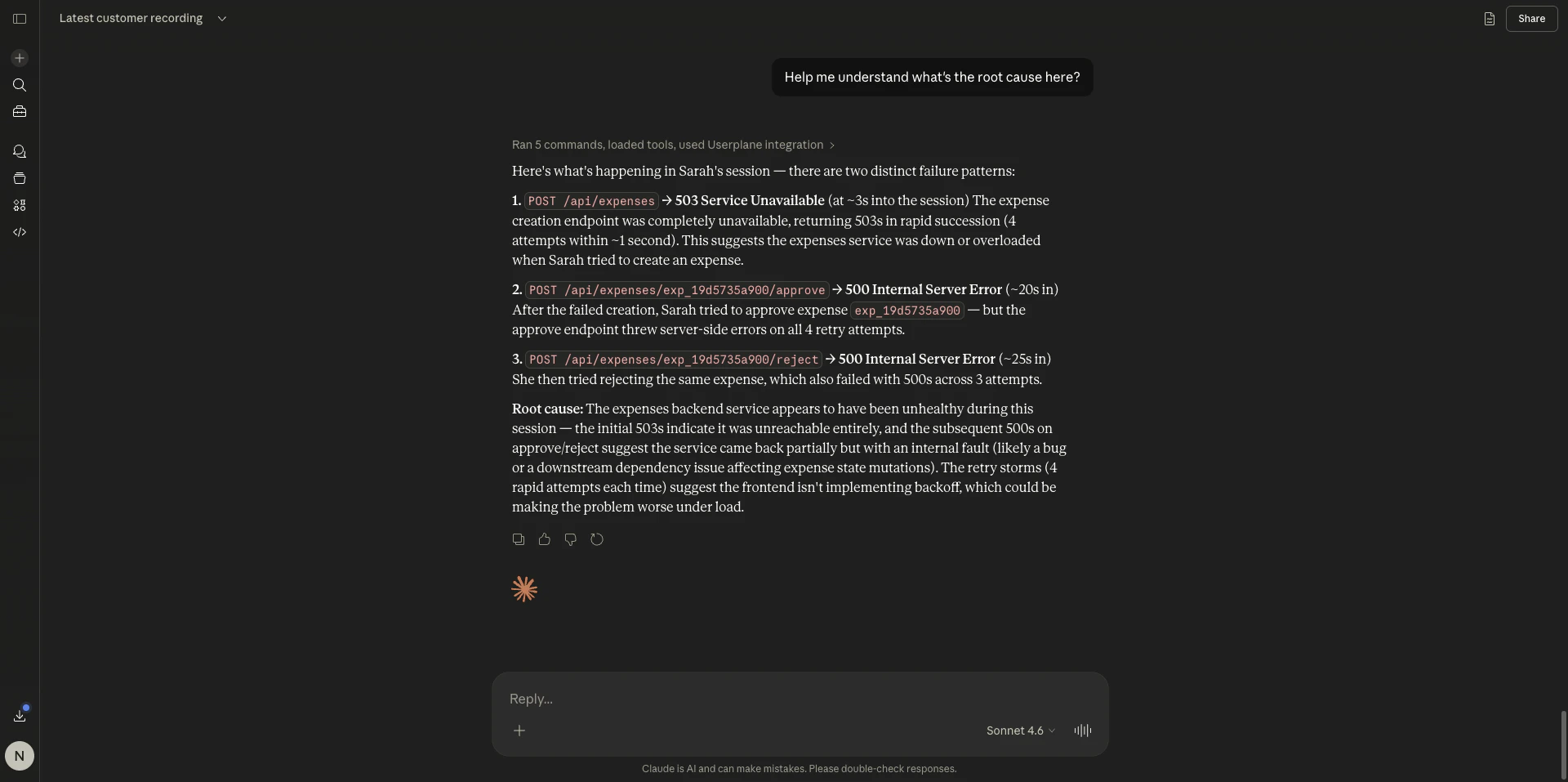
Root cause analysis in Claude
Next steps
Getting started
Connect your AI client and start analyzing recordings
MCP Apps
Rich viewers for recordings, logs, and network data
Recording Tools
Tools for listing, inspecting, and analyzing recordings
Related articles
- Getting Started — connect your AI client and start analyzing recordings.
- Codex Plugin — bundled workspace MCP setup for Codex.
- Cursor Plugin — bundled workspace MCP setup for Cursor.
- Claude Code Plugin — bundled workspace MCP setup for Claude Code.
- Recording Tools — tools for listing, inspecting, and analyzing recordings.
- Interactive Apps — rich viewers for recordings, logs, and network data.
- Authentication — OAuth 2.1 flow and permissions.
- Documentation MCP — search Userplane documentation from your AI tool.