

Browsing links
Links are displayed in a list view. Each link shows:- Title — the link title, or the domain URL if no title exists.
- Creator — name of the person who created the link.
- Domain — the domain the link uses.
- Created — relative time (“2 hours ago”, “yesterday”).
- Project tag — a blue badge showing the associated project, if any.
- Reusable indicator — a green repeat icon for reusable links, or a link icon for single-use links.
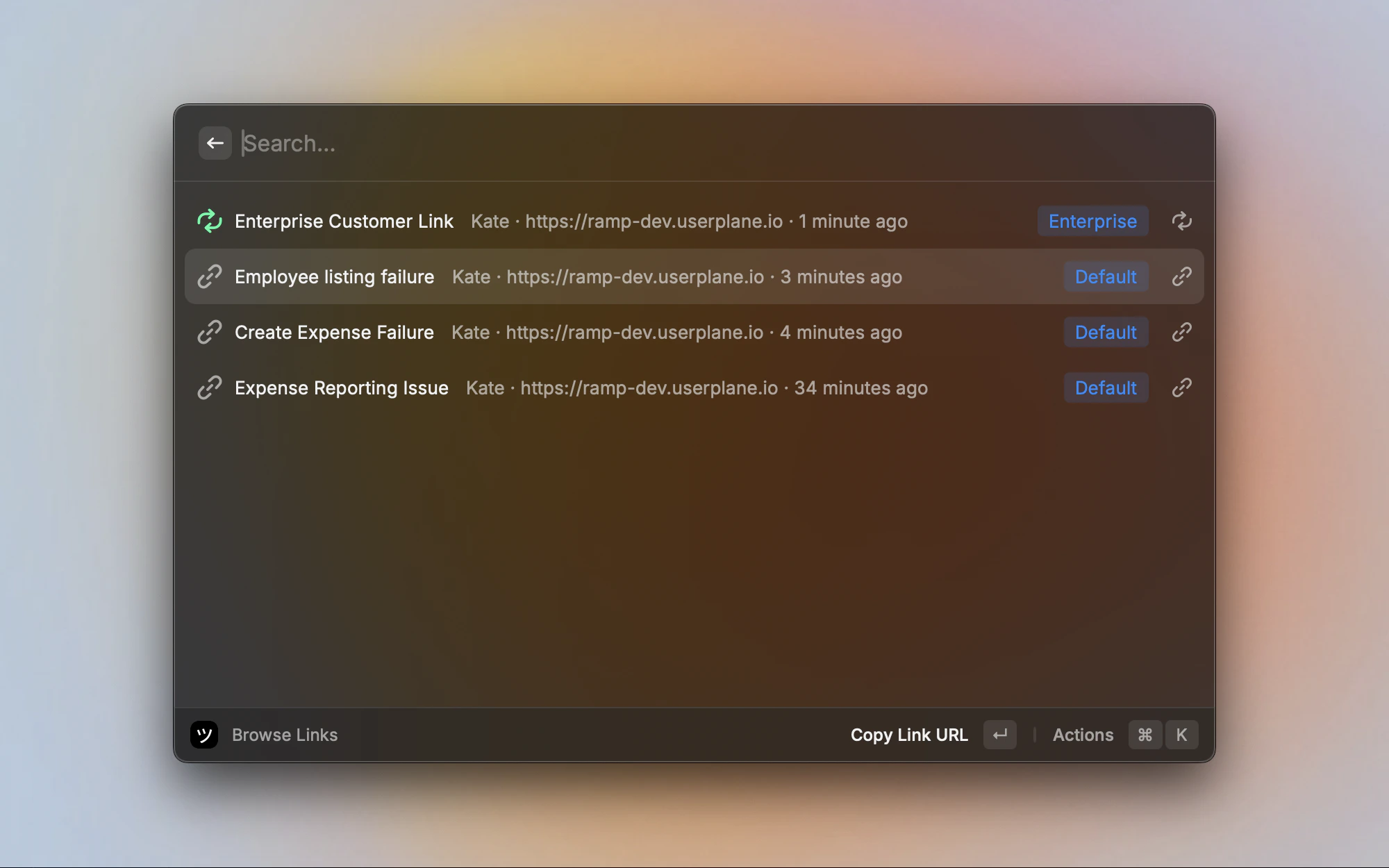
Browse Links list with project tags and reusable indicators
Filtering
Press Cmd+F to open the filter screen. Filters narrow the links list by one or more dimensions:- Creators — show links created by specific team members.
- Projects — show links from one or more projects.
- Domains — show links using specific domains.
Sorting
Sort links using the Sort section in the action panel:Link actions
Select a link and use the action panel:Workspace switching
If you belong to multiple workspaces, open the action panel and select Switch Workspace to change which workspace’s links are displayed. Your selection is remembered for next time.Pagination
The list loads a limited set of links. When more links exist, a View all in Dashboard item appears at the end of the list. Clicking it opens the full links list in the Userplane dashboard.Related articles
- Raycast Extension — installation, setup, and menu bar.
- Raycast Create Recording Links — create and share recording links.
- Raycast Browse Recordings — browse recordings with thumbnails and filters.
- Managing Recording Links — link management in the Userplane dashboard.
- Recording Link Overview — how recording links work.