

- Global branding — set your company logo, name, colors, and text that appear on all recording pages.
- Per-domain recording preferences — control what data is captured (console logs, network activity, client actions) for each verified domain.
Global branding
Branding settings apply to all recording links in your workspace. You can configure:- Company logo and name
- Recording page header and footnote text
- Primary color
- Enable or disable branding entirely
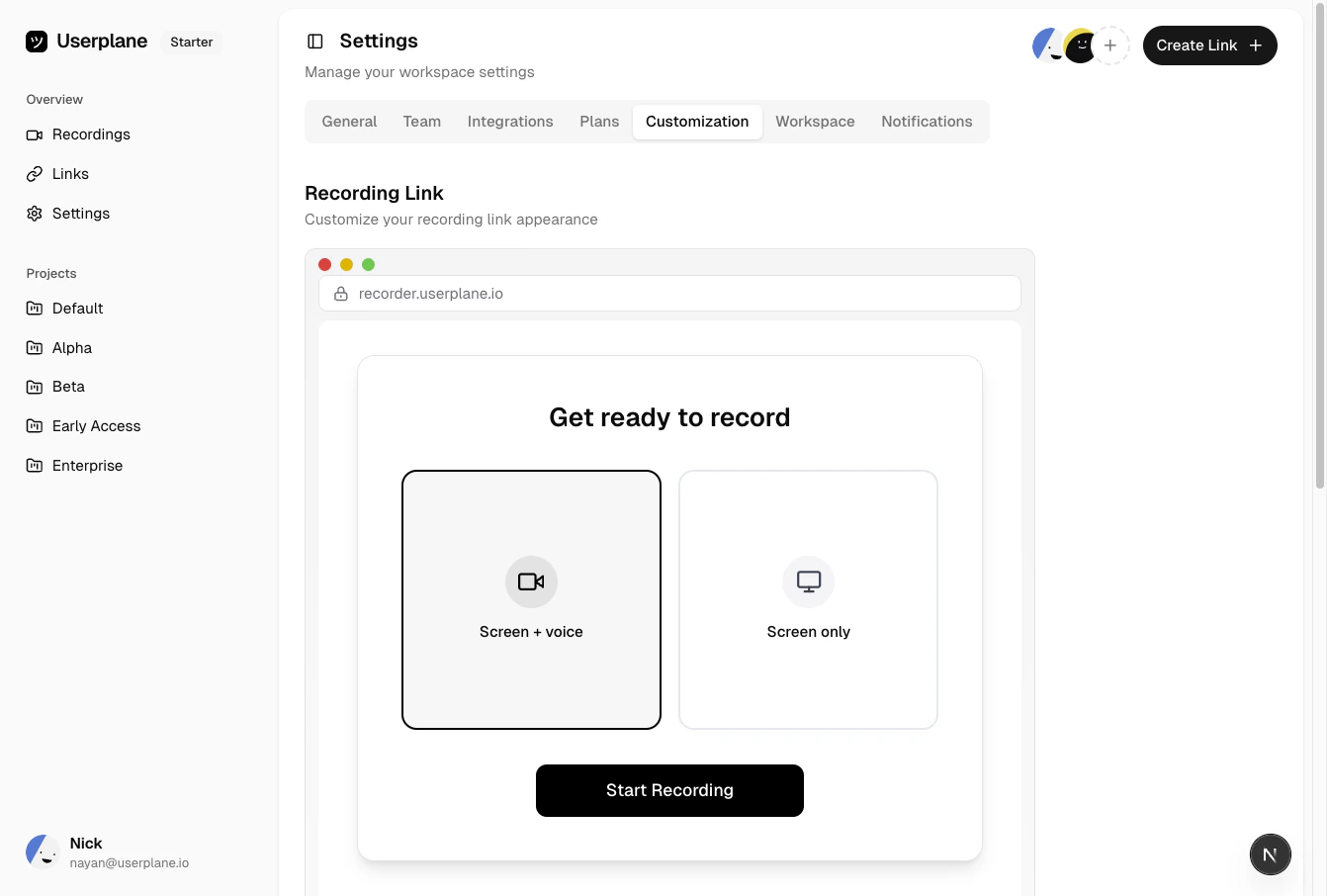
Branding settings
Per-domain recording preferences
Each verified domain can have its own settings for what data is captured alongside the video:- Hide sensitive fields
- Capture console logs
- Capture client actions
- Capture network logs
- Capture backend logs
- Capture voice and device audio
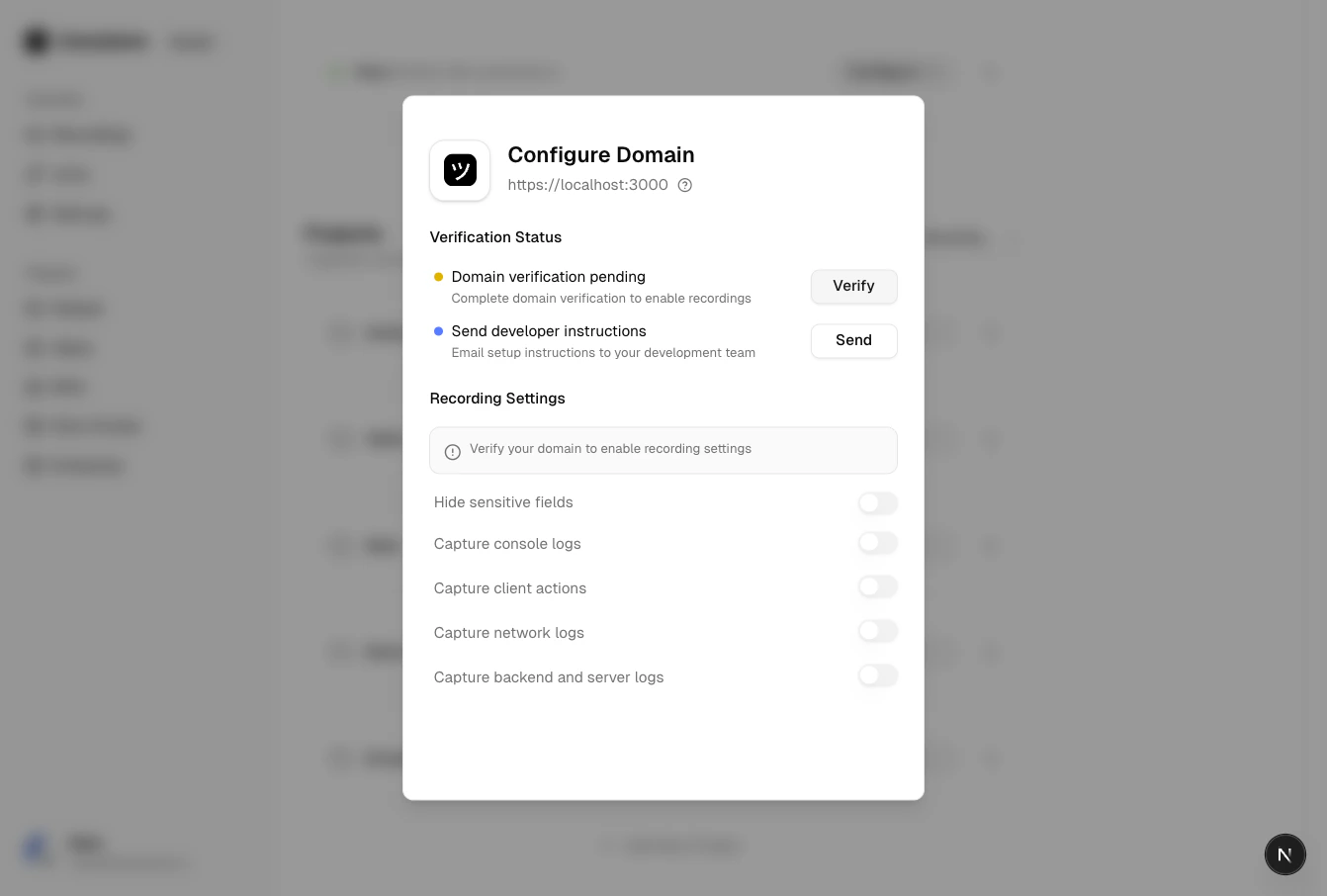
Domain recording preferences
How they work together
Branding controls the look and feel of the recording page. Domain preferences control what data is collected. Both are configured in Workspace Settings and apply automatically to recording links using that domain.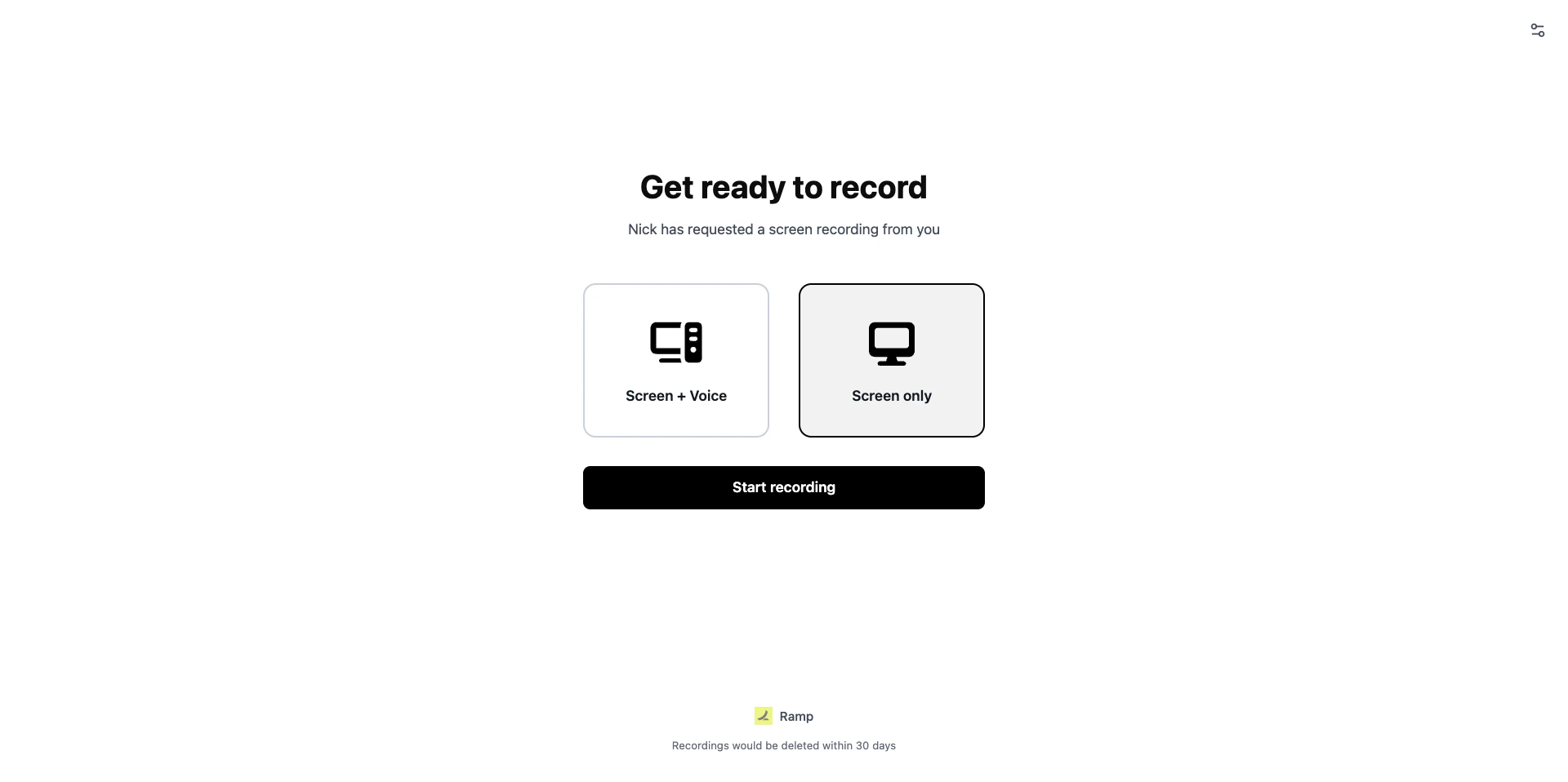
Branded recording page as seen by the customer