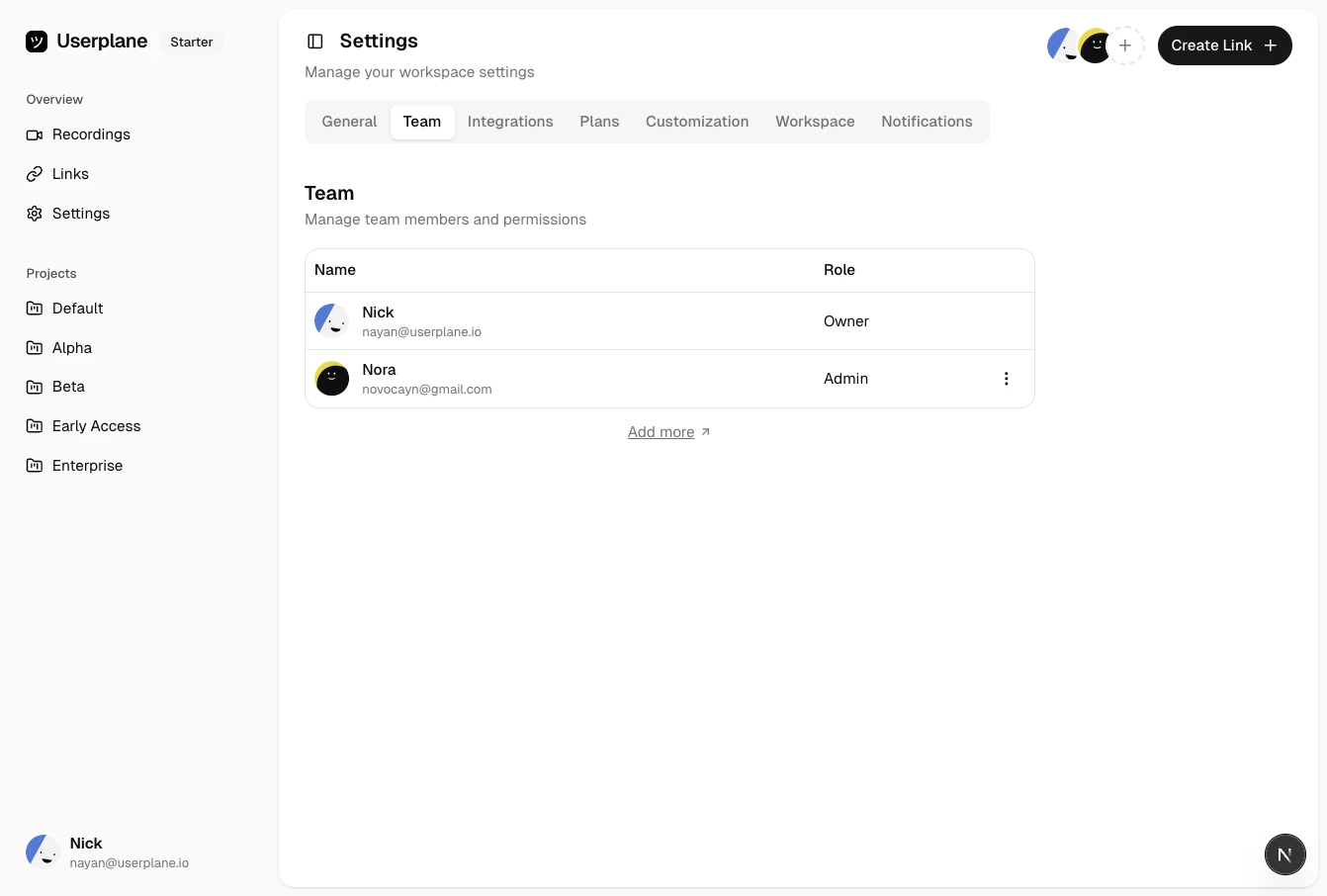
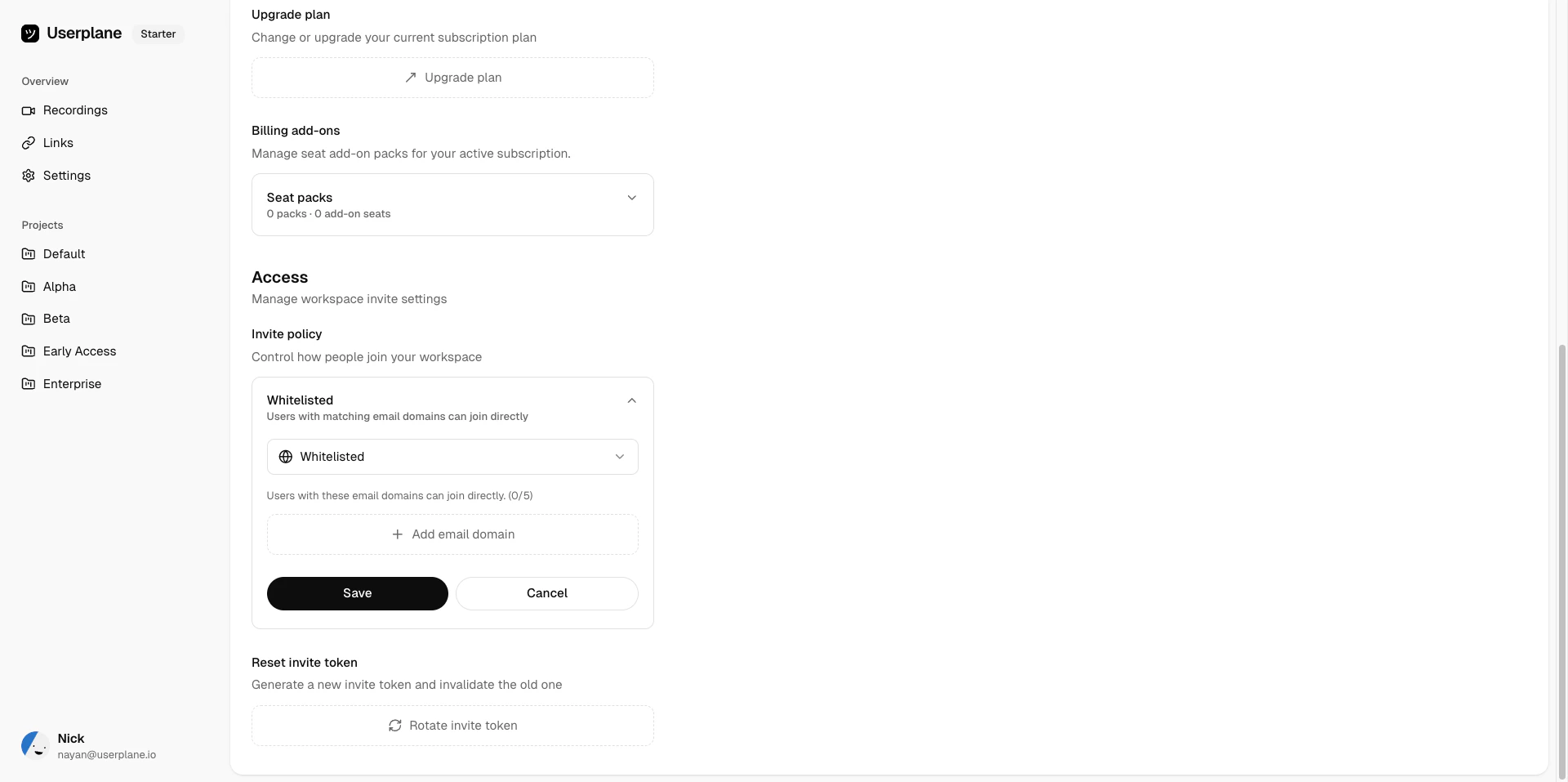
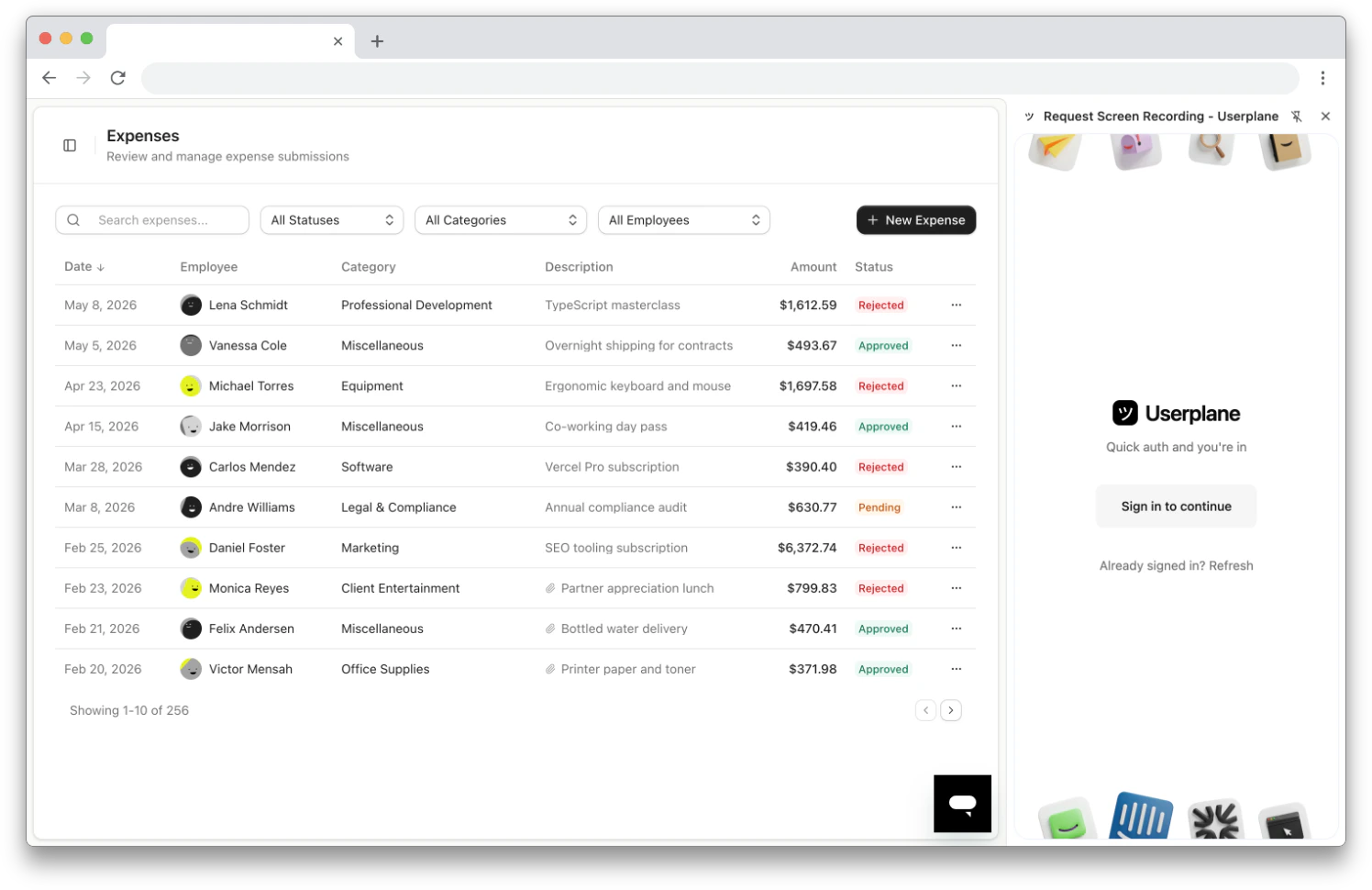
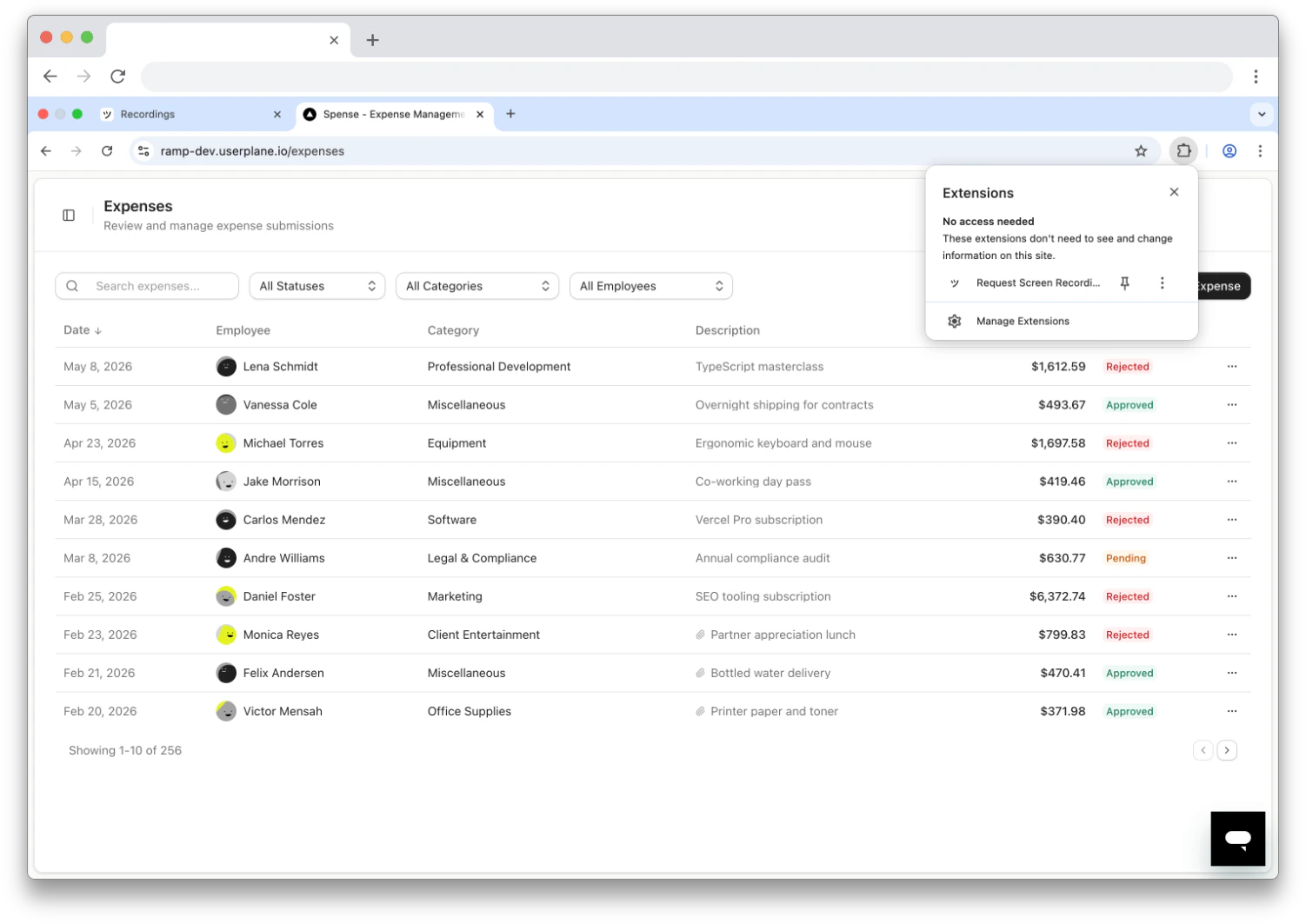
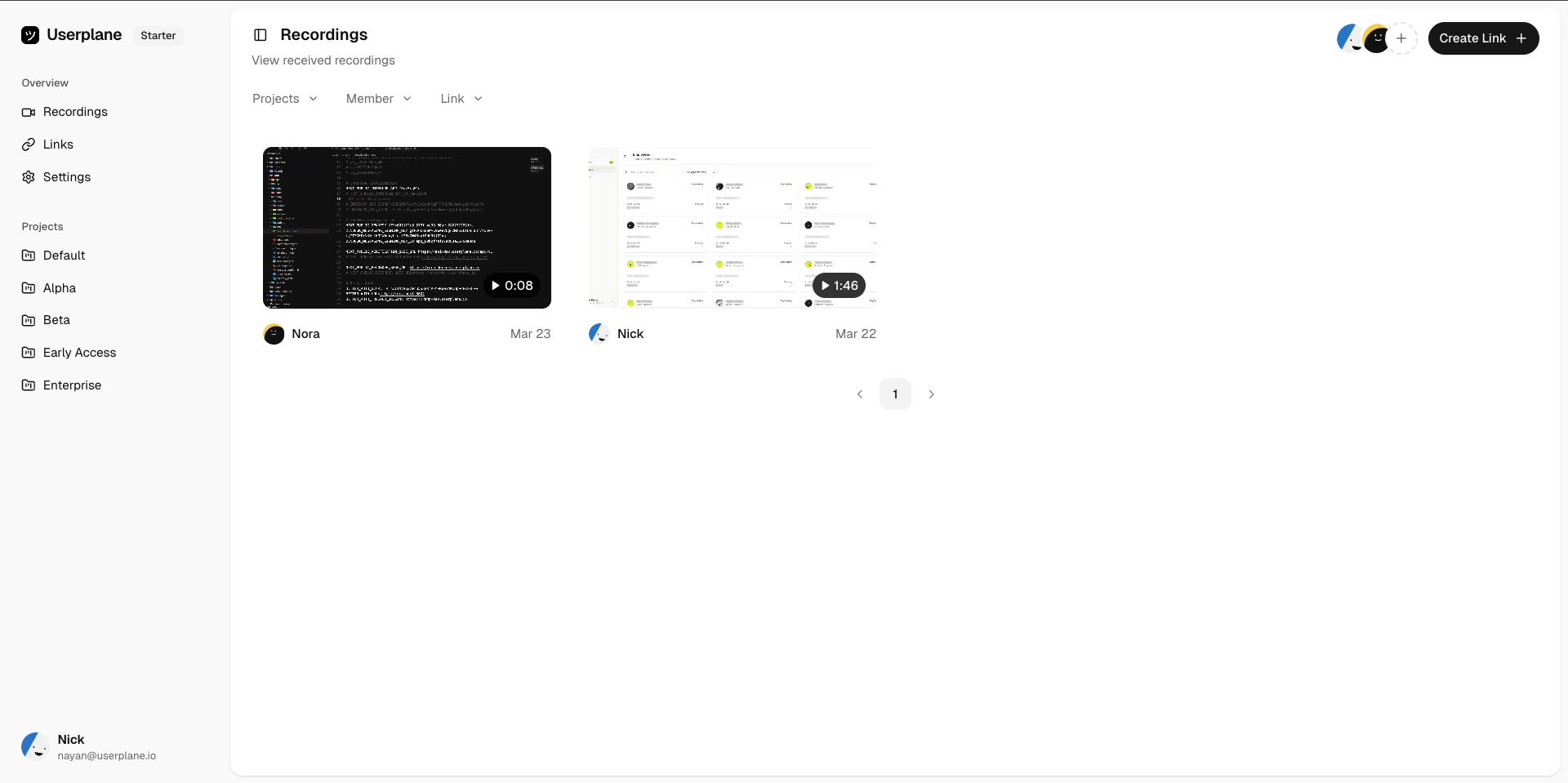
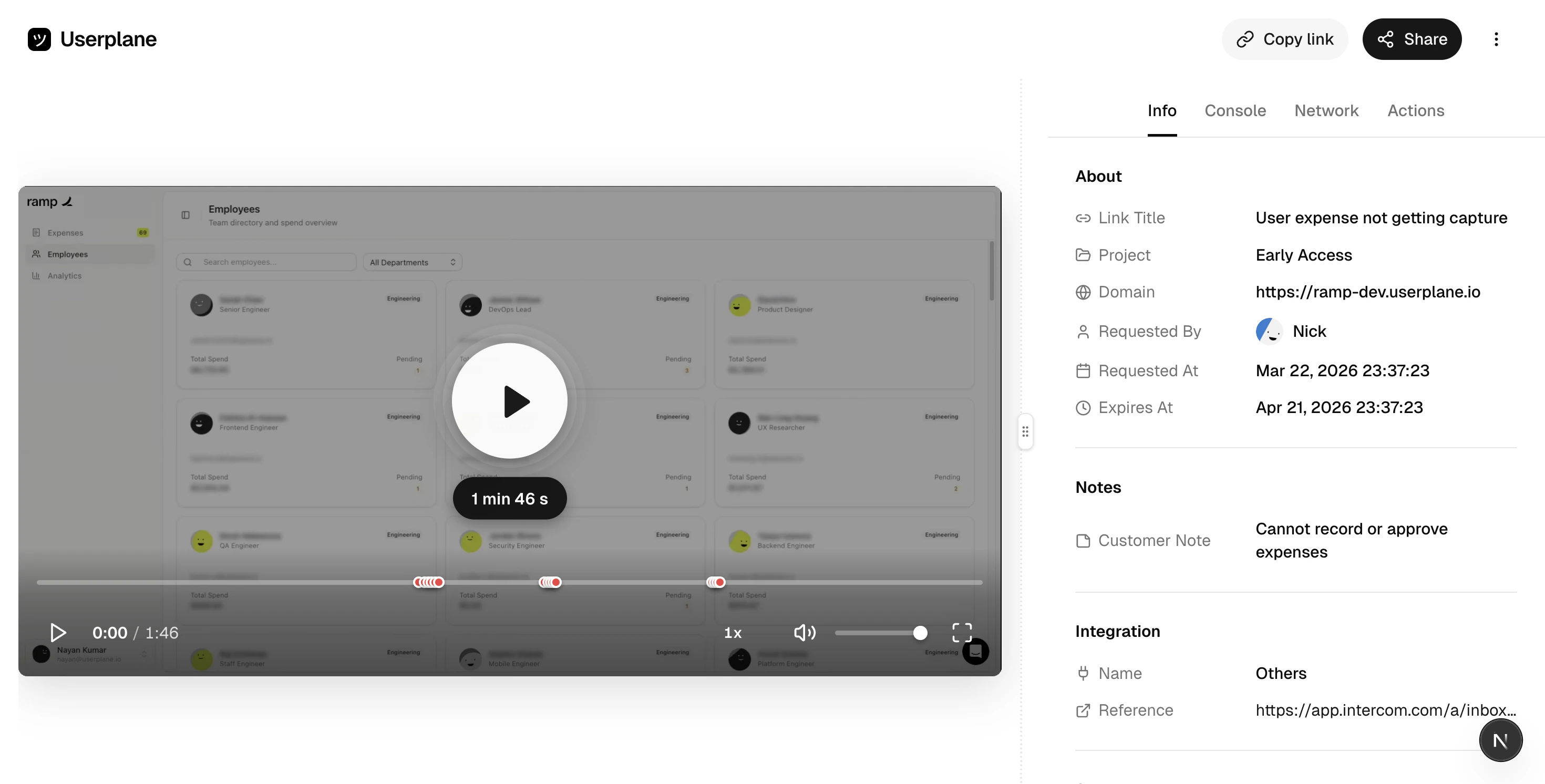
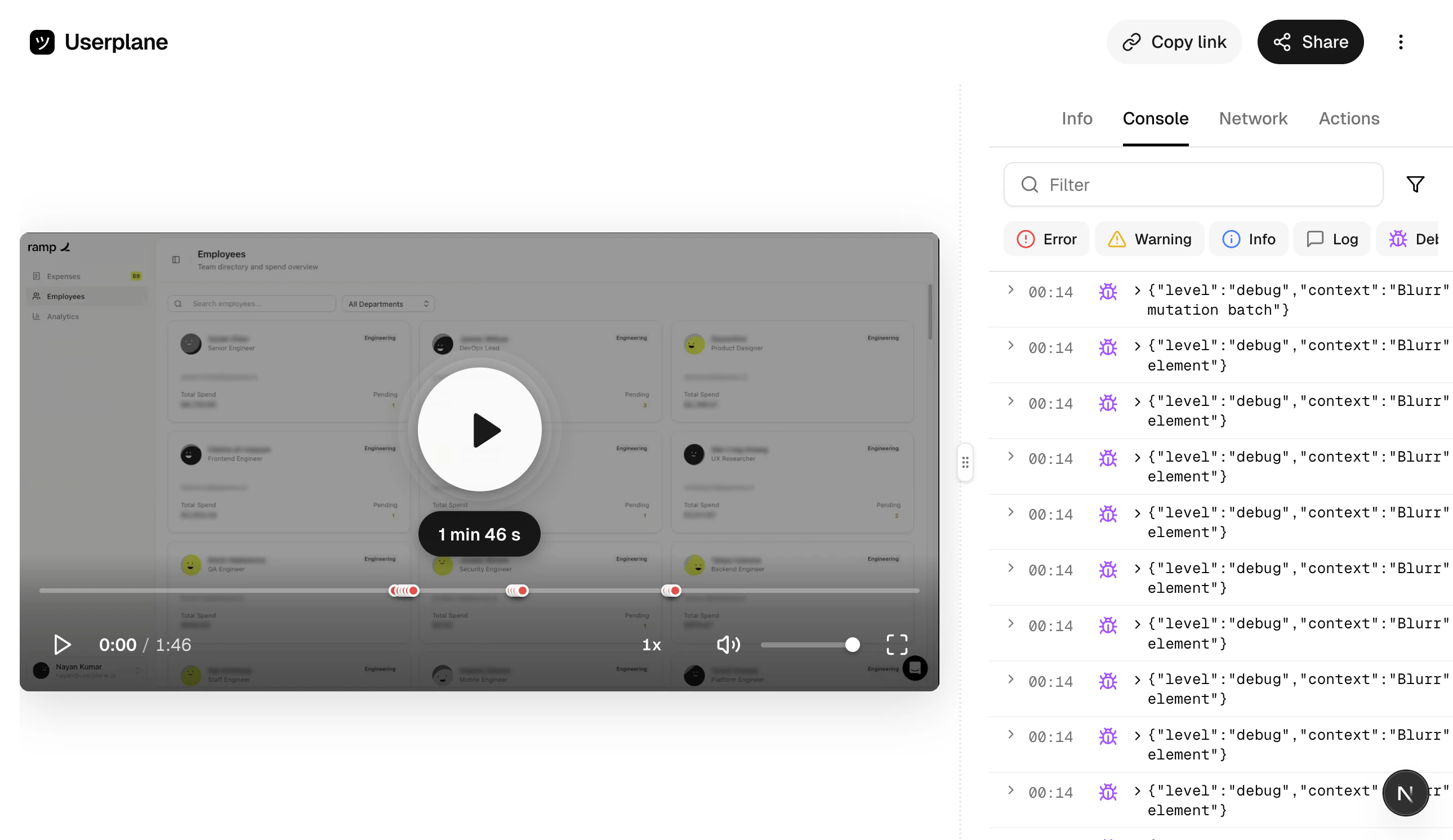
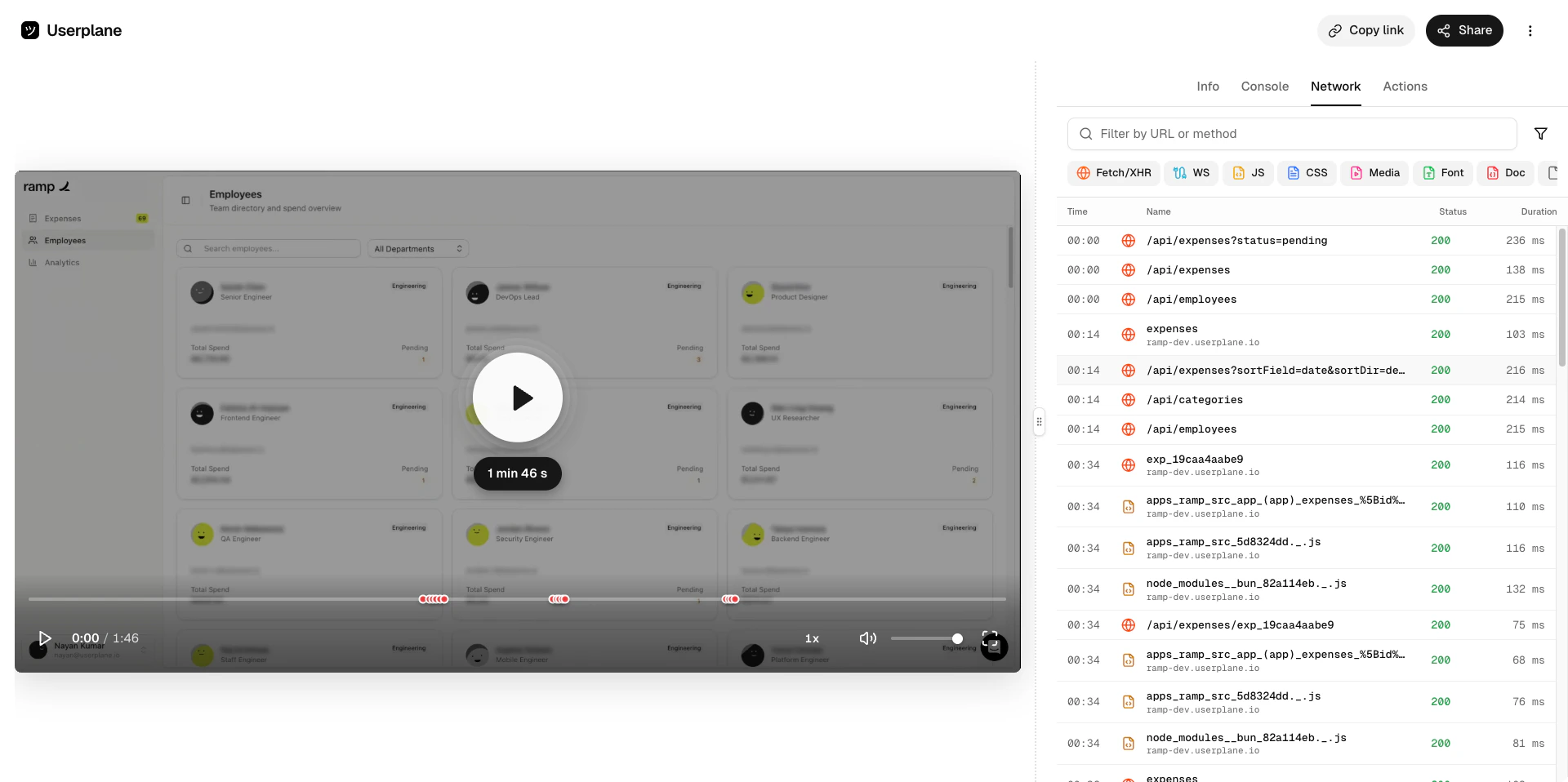
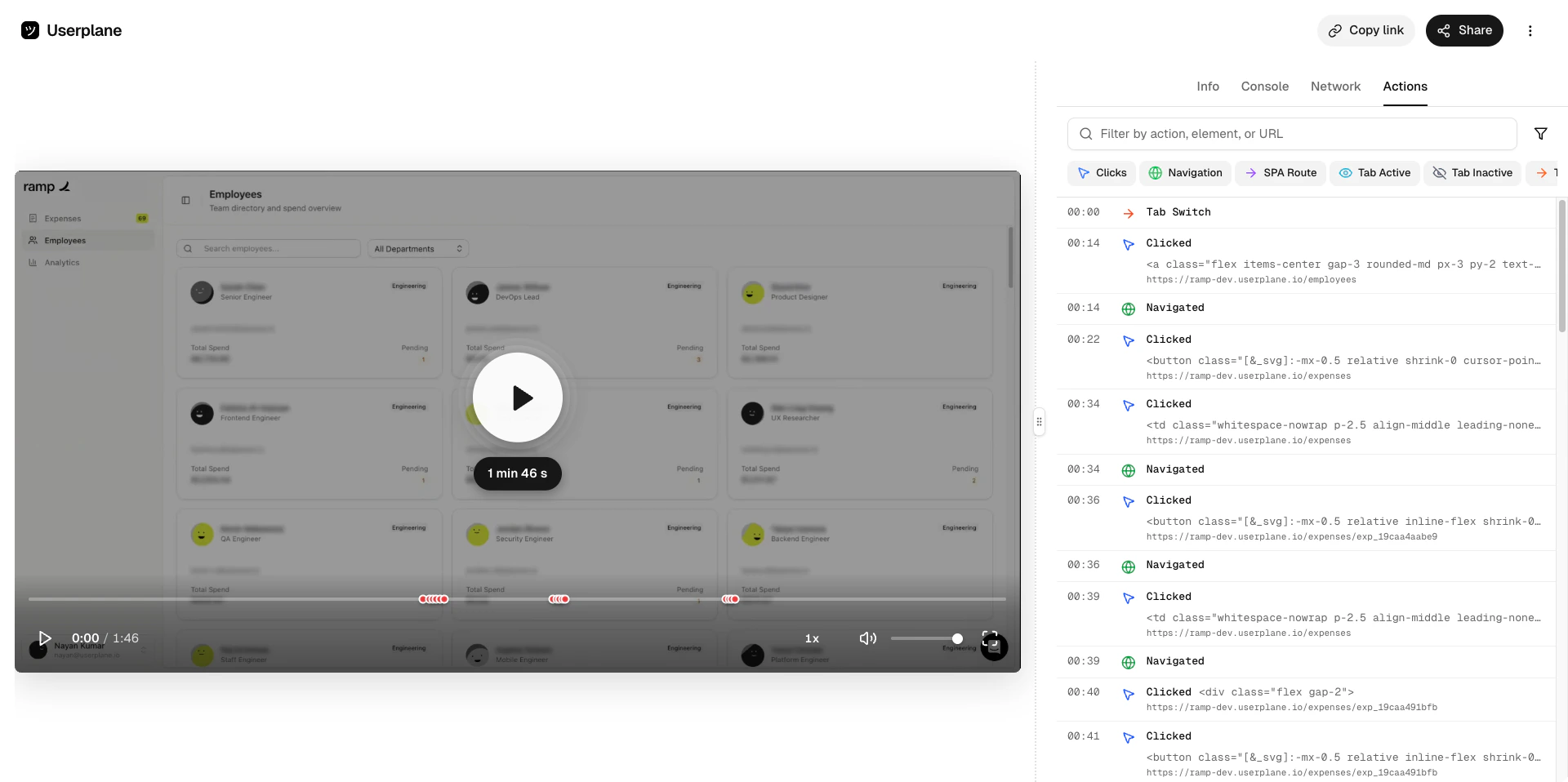
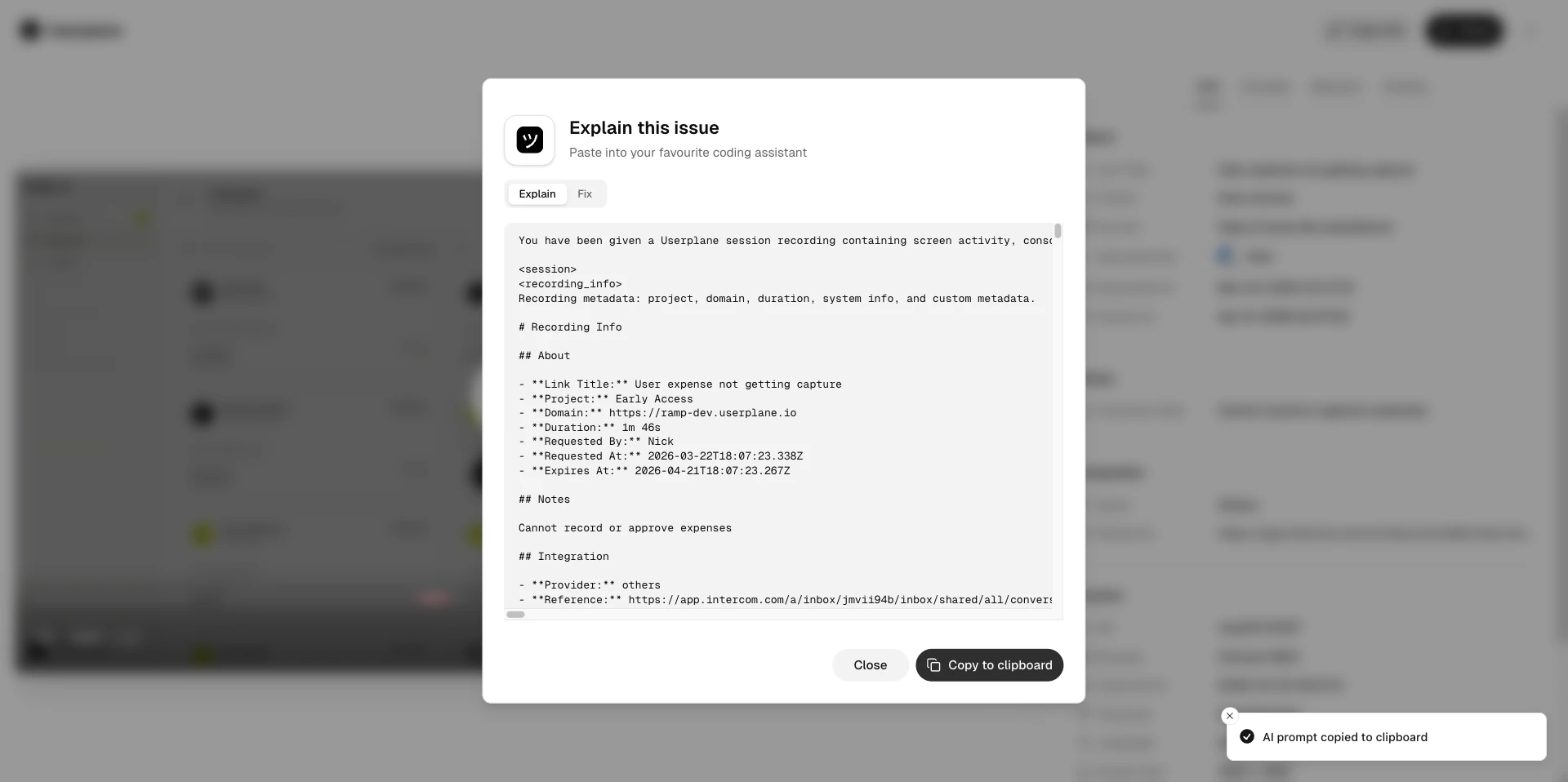
Your workspace admin will send you an invite link via email. Click it to create your account and join the workspace. If you haven’t received an invite, ask your admin to send one from Workspace Settings > Team.
Go to Team settings
If your company has domain whitelisting enabled, you may be able to join directly with your work
email — no invite needed.
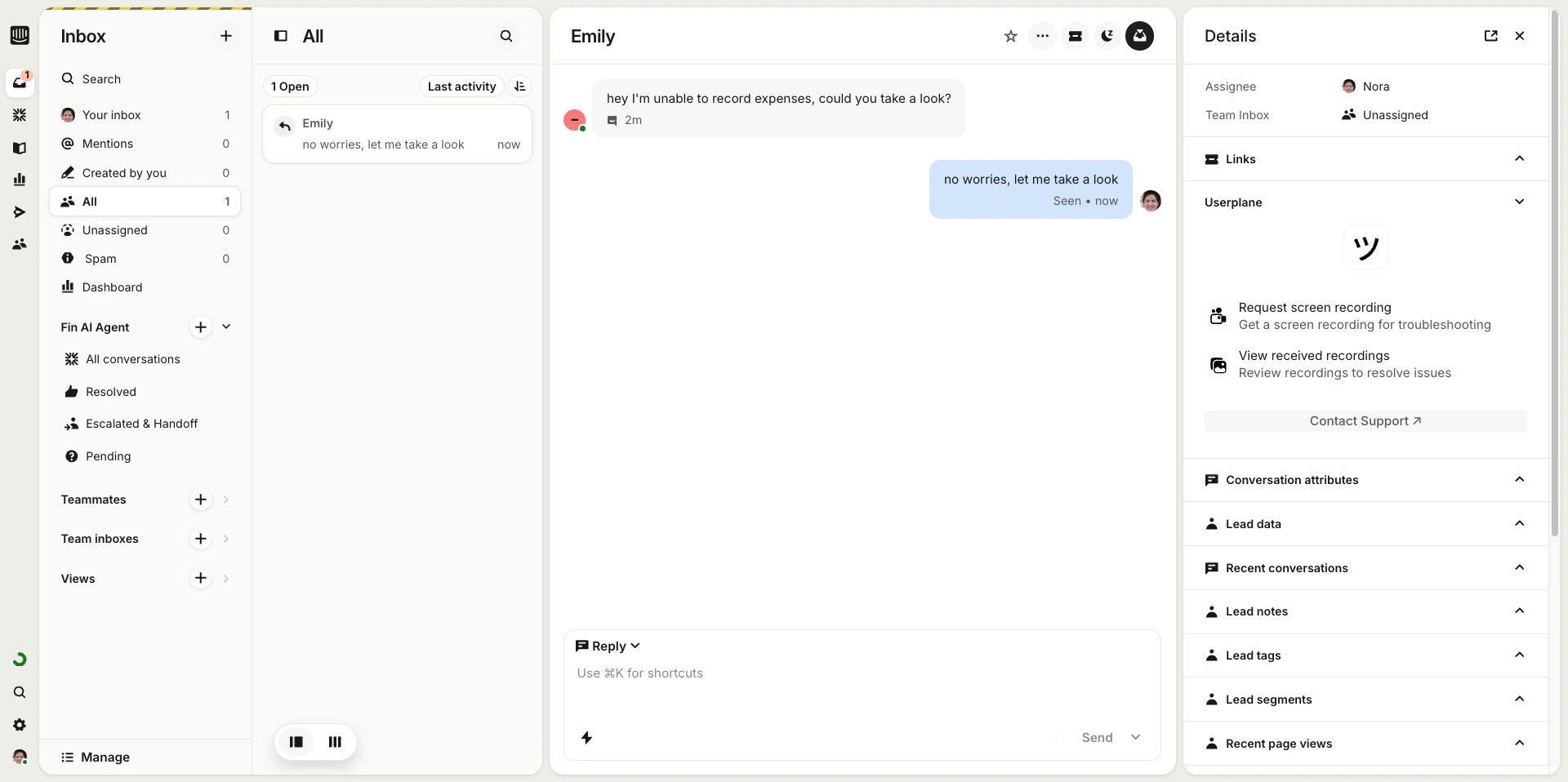
Go to the Intercom conversation where the customer is reporting an issue.
2
Create a recording link
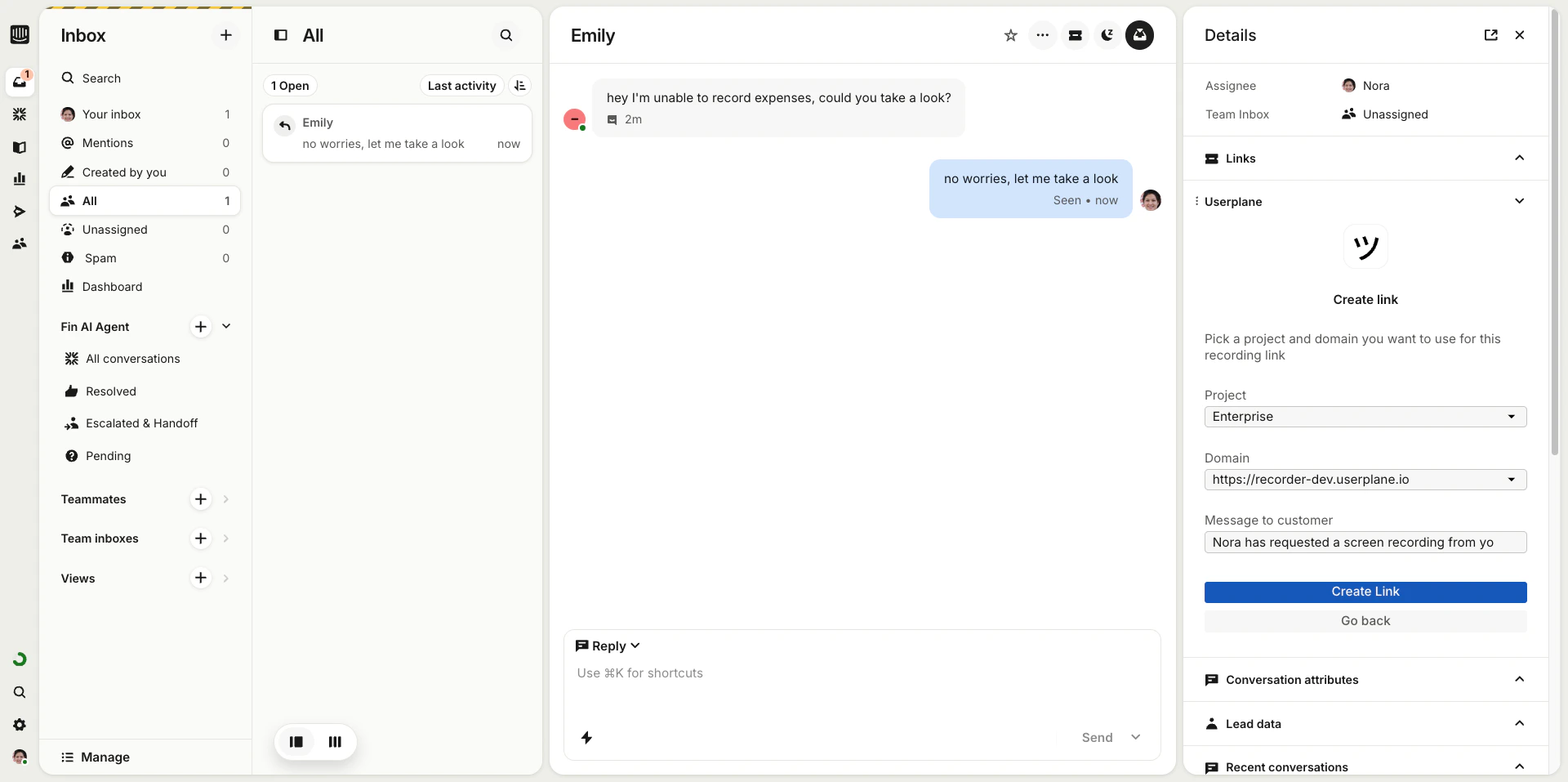
In the Userplane sidebar app, click Create Link. Choose a project, add a reference (like a
ticket number), and click Create.
Create link from Intercom sidebar
3
Send the link
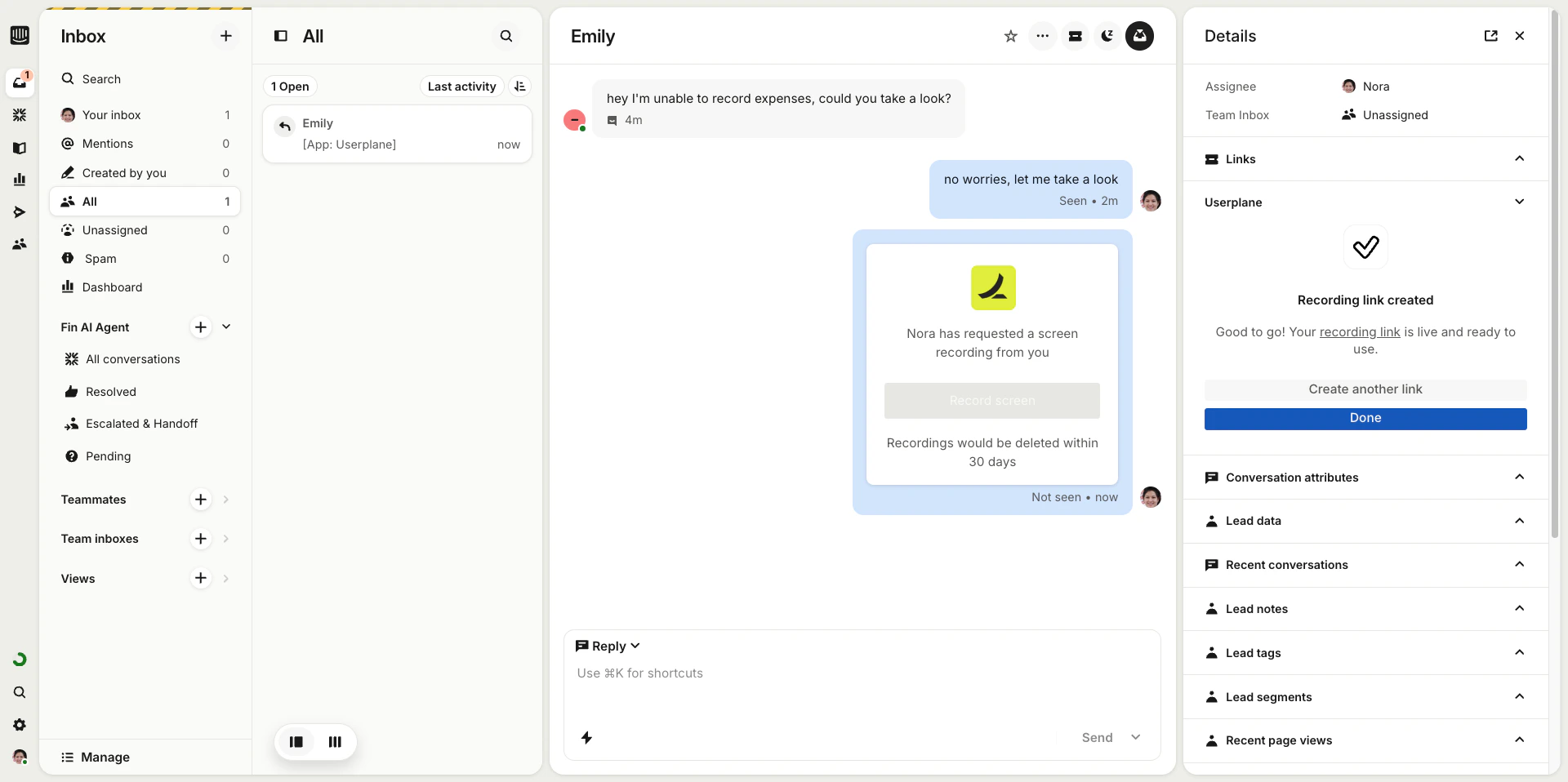
Copy the link and paste it into the conversation — or use an Intercom shortcut to insert it in
one click.
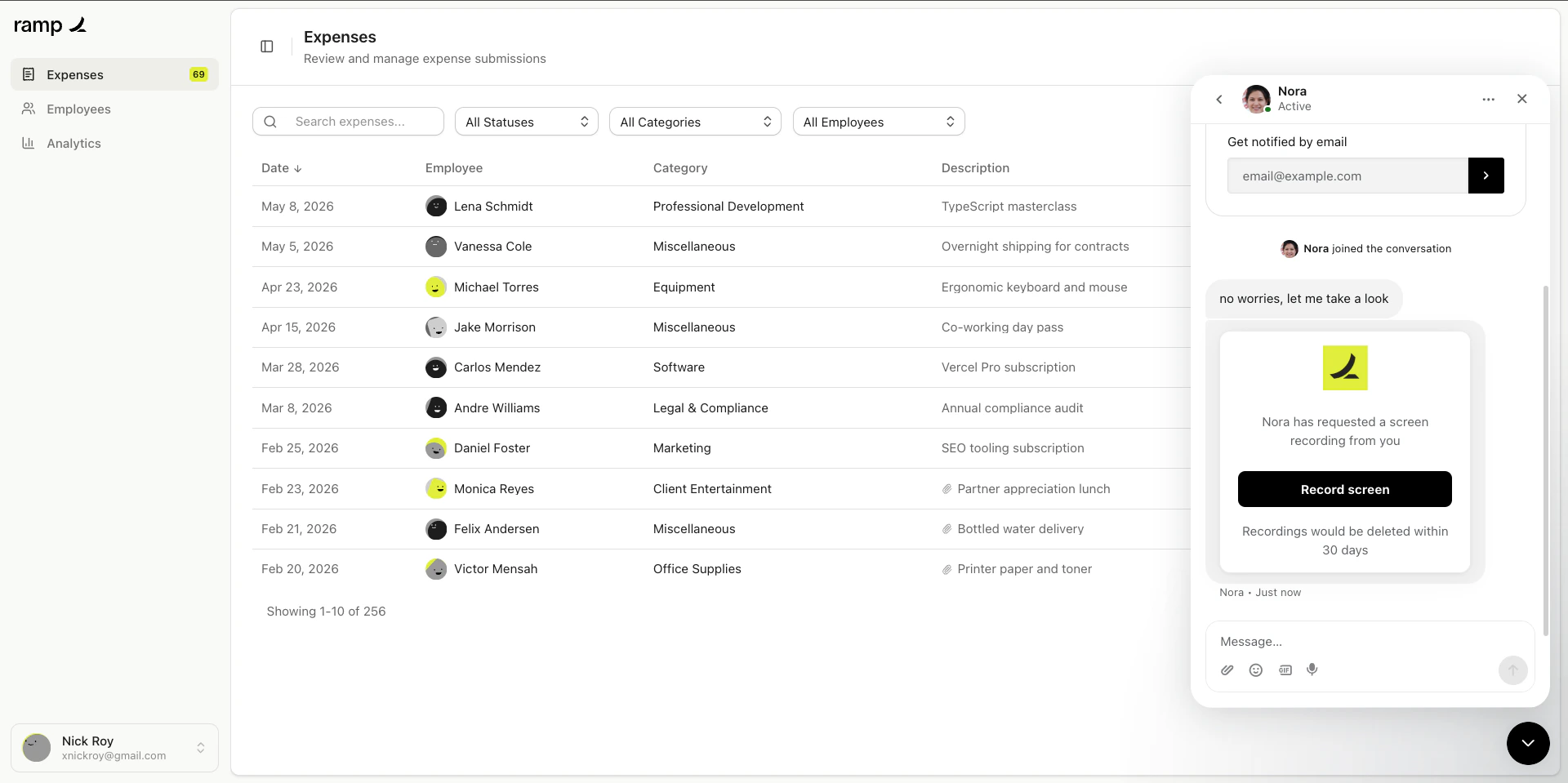
Create link from Intercom sidebar
4
Customer records
The customer clicks the link, records their screen, and submits. No installs required on their
end.
Create link from Intercom sidebar
Use Intercom Shortcuts (Cmd+K / Ctrl+K) to insert a recording link into the conversation
without opening the sidebar. See Intercom Shortcuts for setup.
1
Open a ticket
Go to the Zendesk ticket where the customer is reporting an issue.
2
Create a recording link
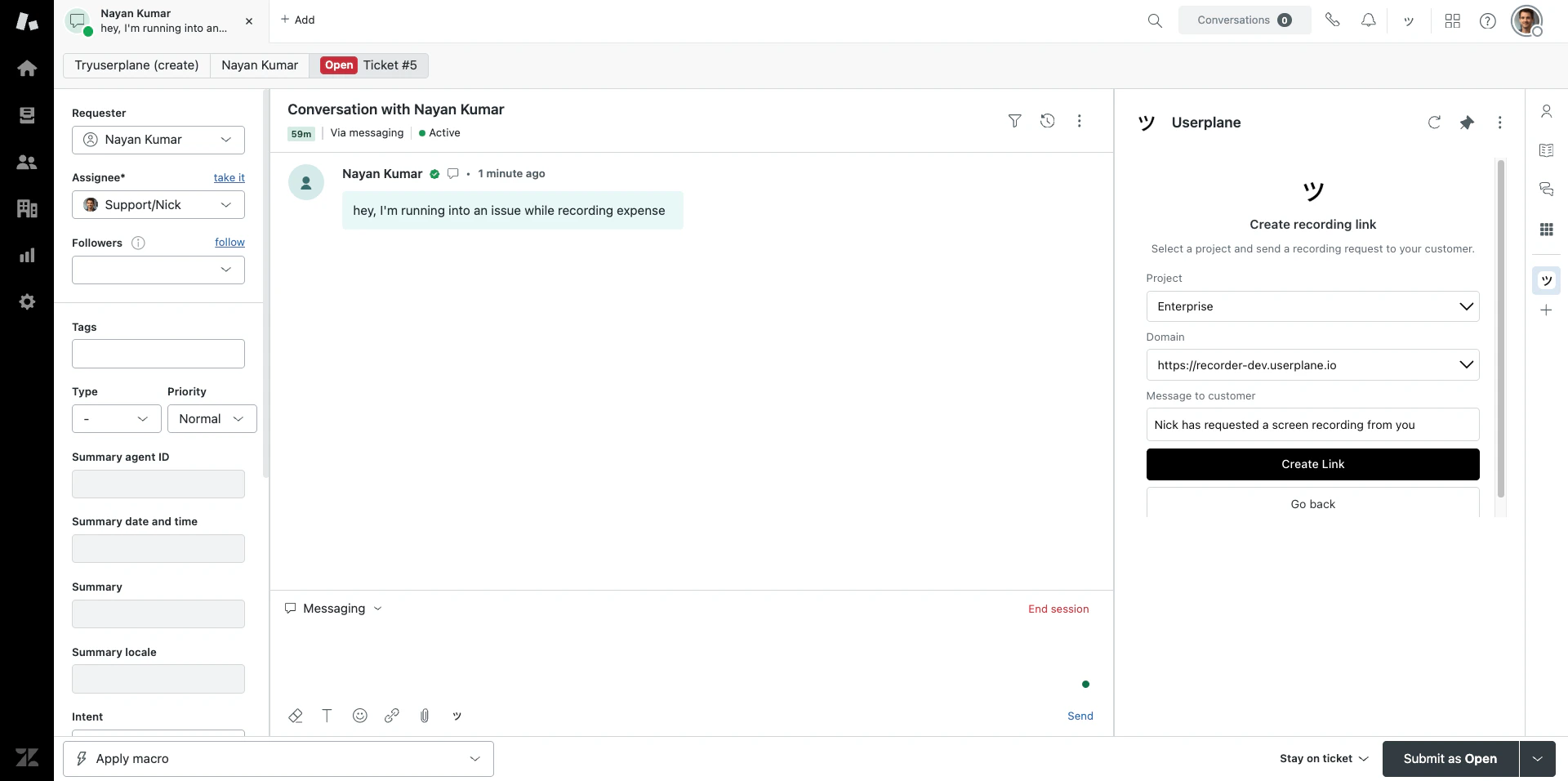
Click Userplane in the ticket sidebar and click Request Recording. Select a project and
domain, then click Create Link.
Create link from Zendesk sidebar
3
Share the link
The recording link is ready to share with the customer. You can also use the ticket editor button to insert a link directly into your reply draft.
4
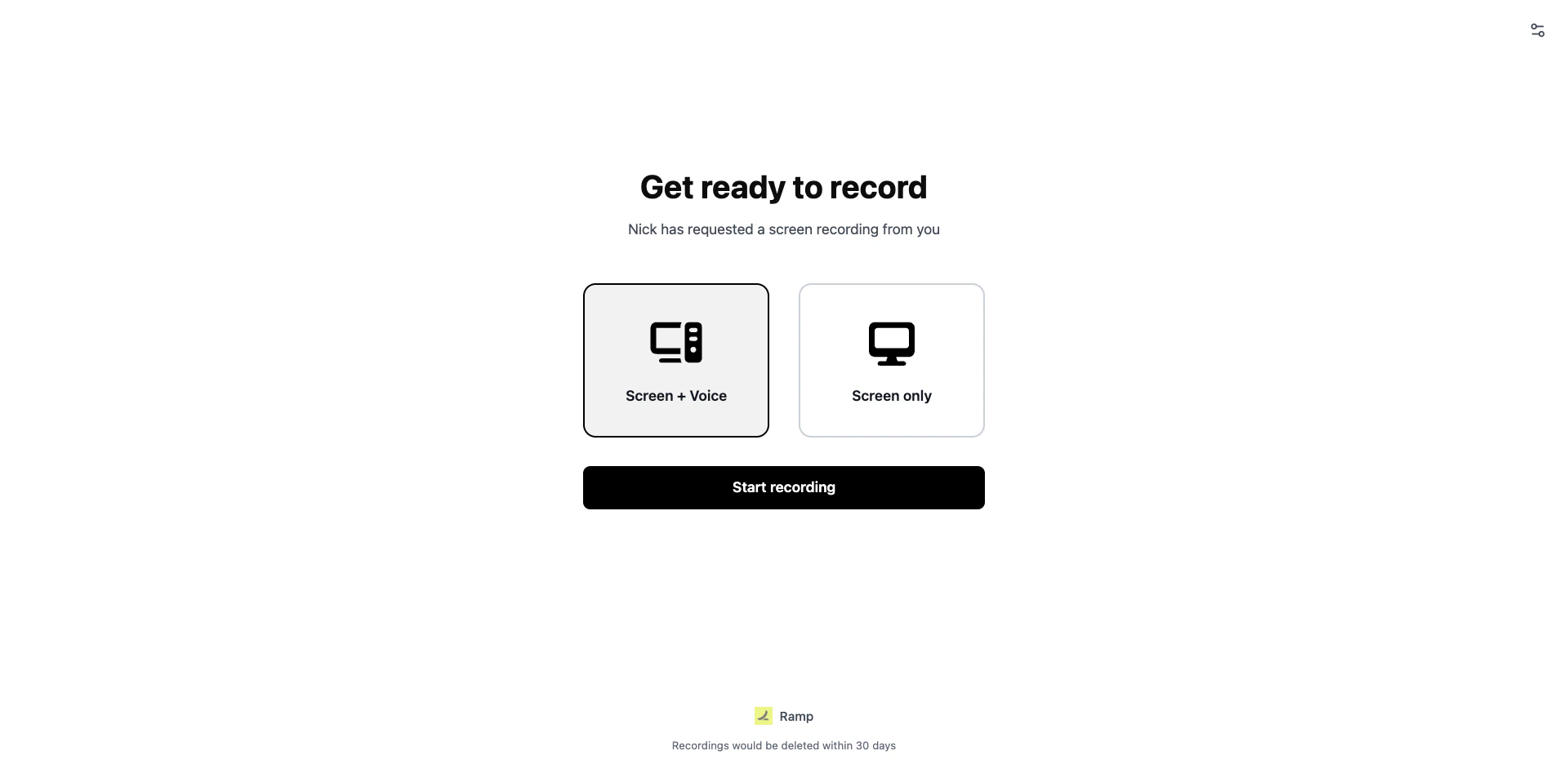
Customer records
The customer clicks the link, records their screen, and submits. No installs required on their
end.
Customer recording page
Use the ticket editor button in the reply toolbar to insert a recording link directly into
your reply — without opening the sidebar. See Zendesk Ticket Editor.
1
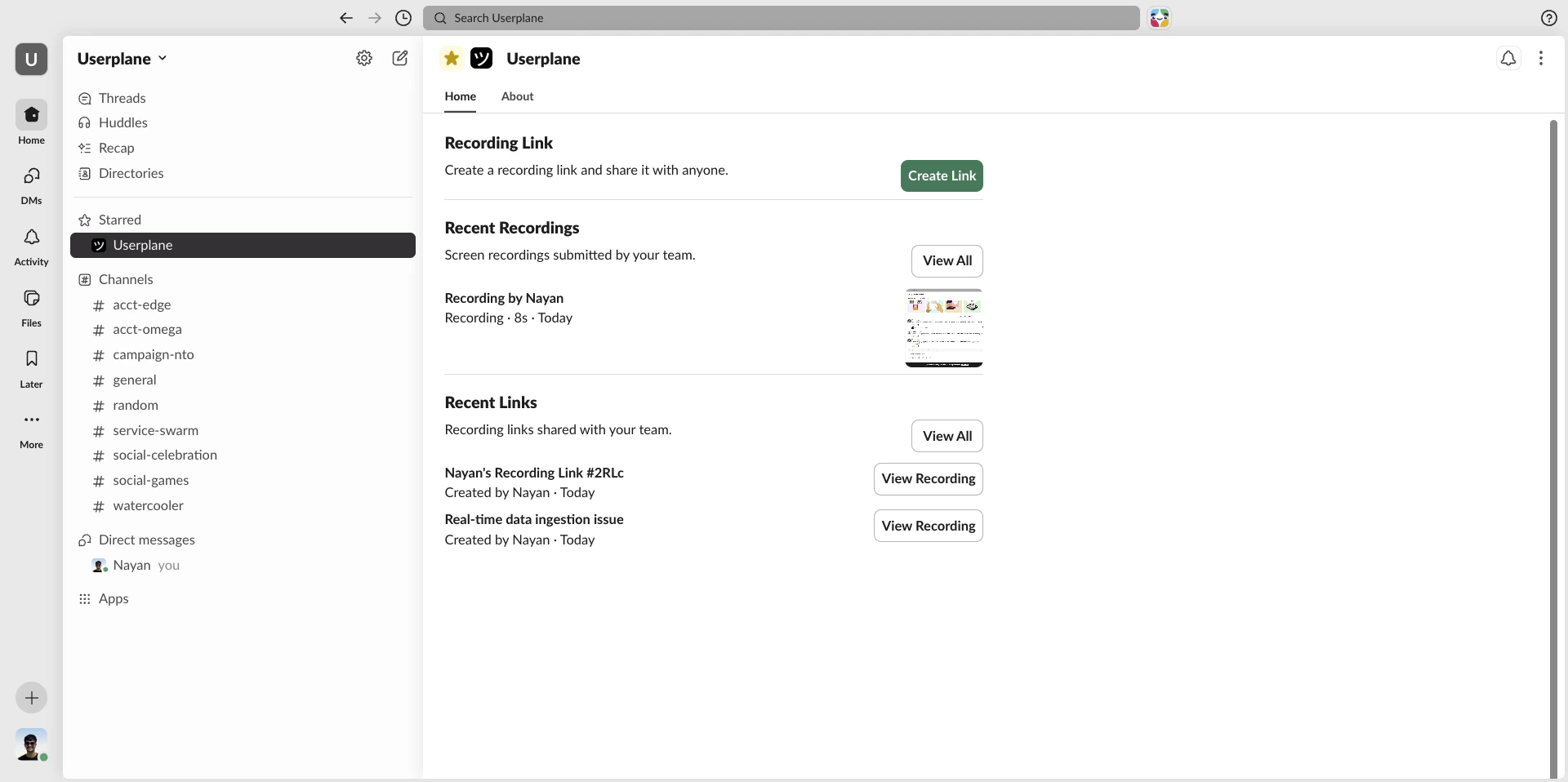
Go to the channel or DM
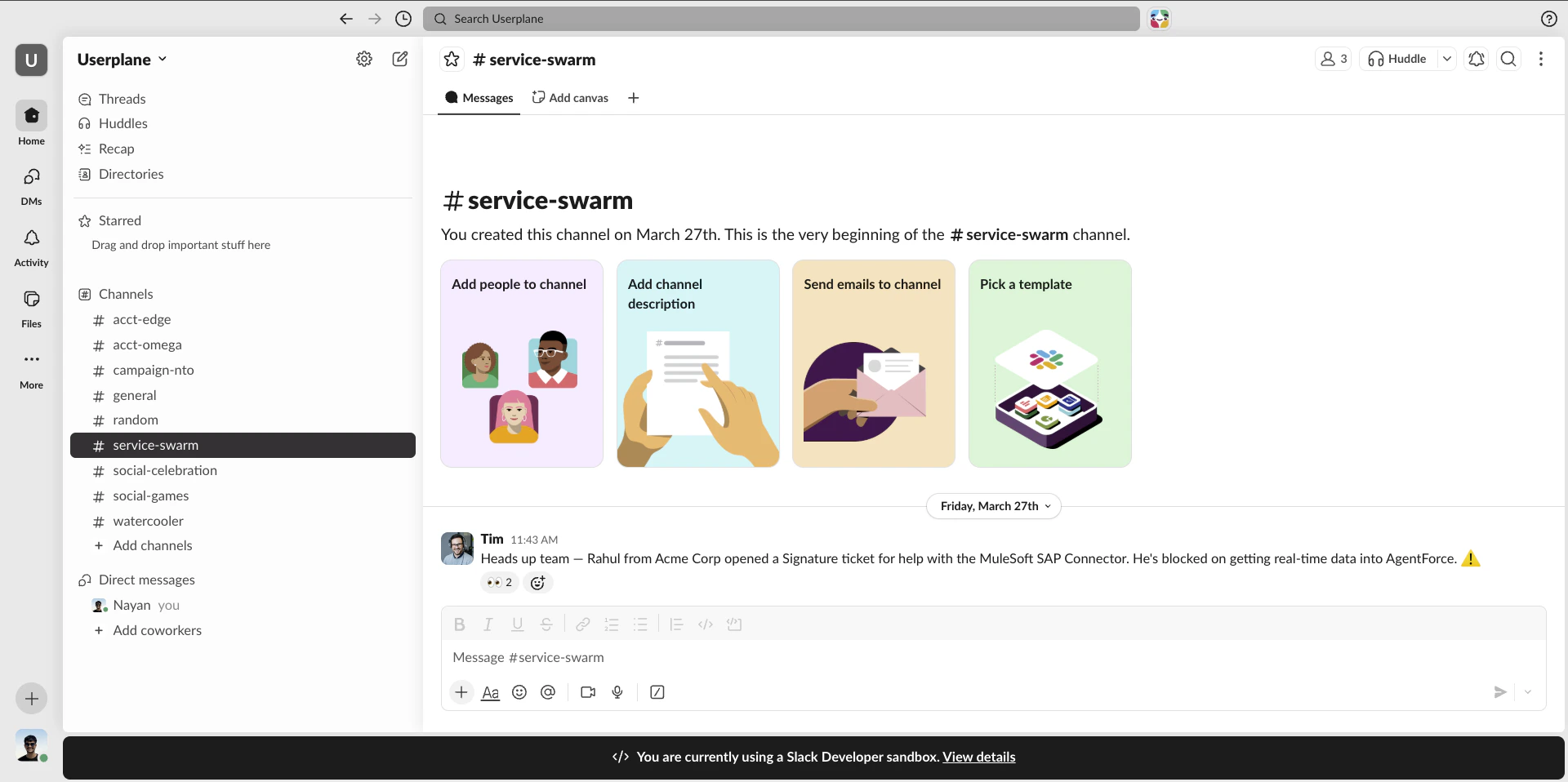
Find the Slack channel or DM where the customer (or an internal teammate relaying the issue) has described the problem.
Slack channel with a customer issue
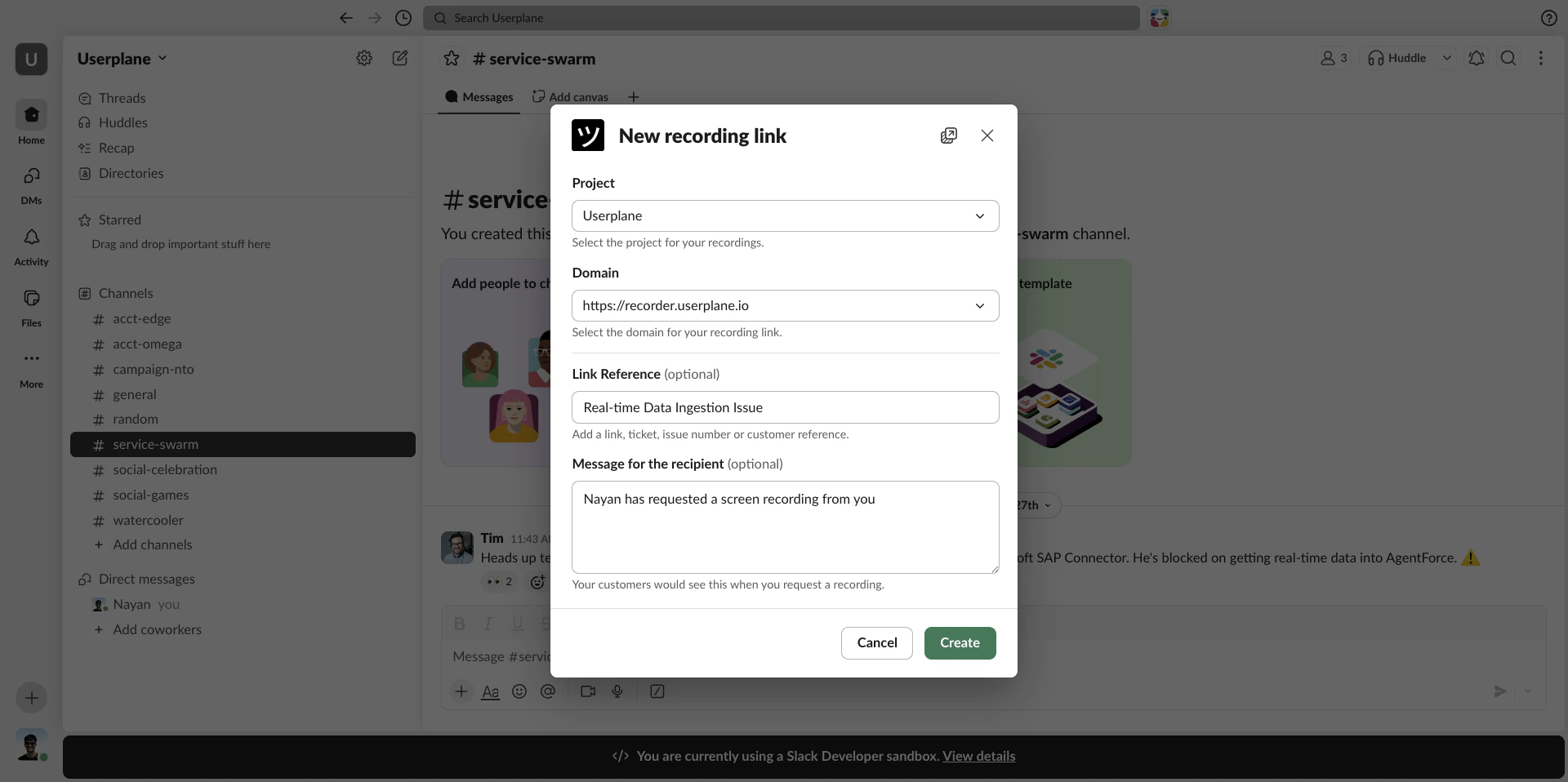
2
Create a recording link
Type /userplane in the channel and press Enter. A modal opens — select a Project and Domain, optionally add a reference, and click Create.
Link creator modal from /userplane
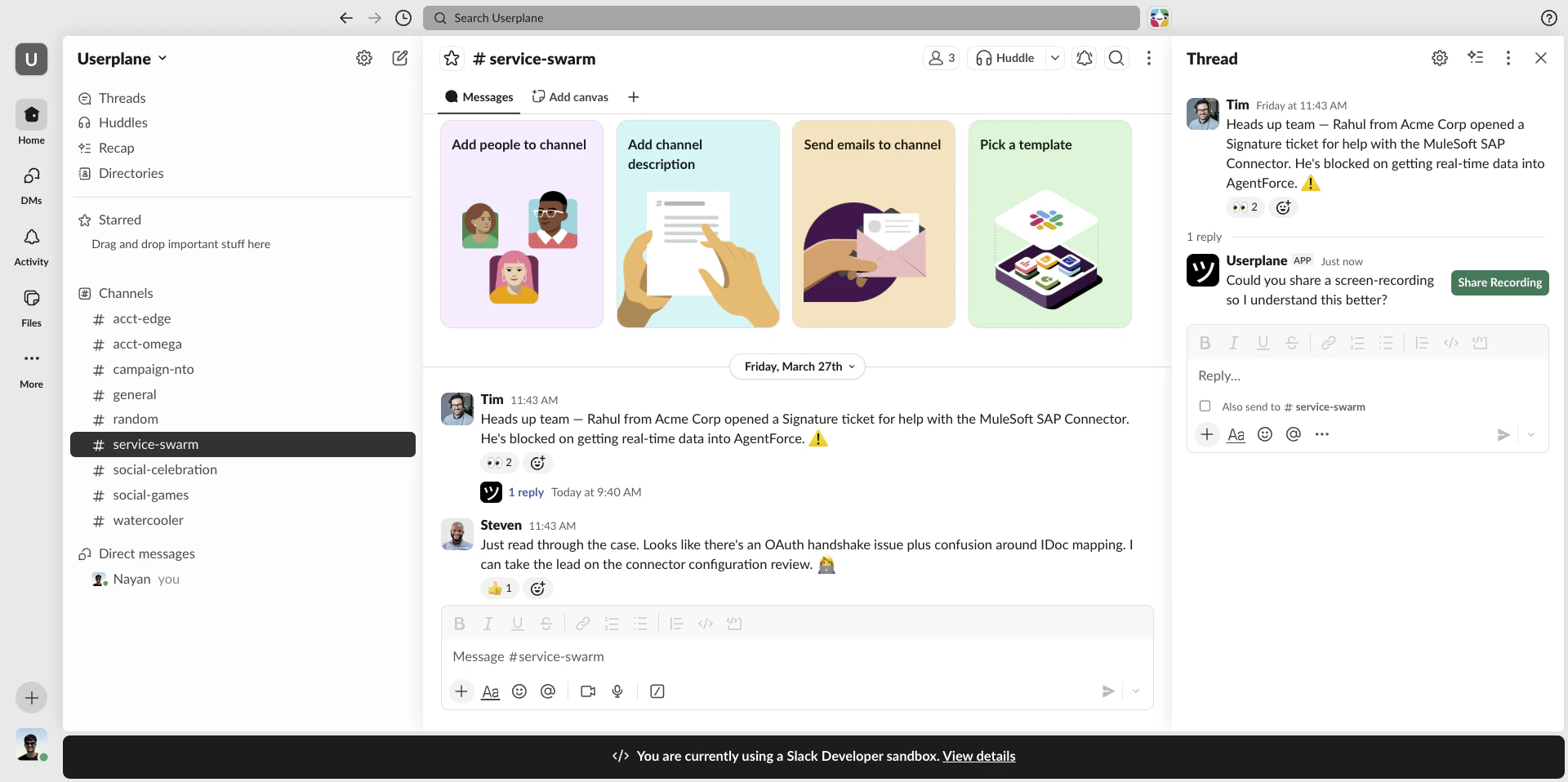
3
Link is posted to the channel
The recording link is posted as a channel message. Share it with the customer directly or copy it to send via another channel.
Recording link posted to channel
4
Customer records
The customer clicks the link, records their screen, and submits. No installs required on their end.
Use the message shortcut instead if you want the recording link posted as a reply to a specific message. Right-click any message and select Create recording link. See Slack Message Shortcuts.
1
Open a ticket
Go to the ticket or conversation in your help desk where the customer is reporting an issue.
2
Open the side panel
Click the Userplane icon in the toolbar or press Cmd+Shift+Y (Mac) / Ctrl+Shift+Y (Windows/Linux).
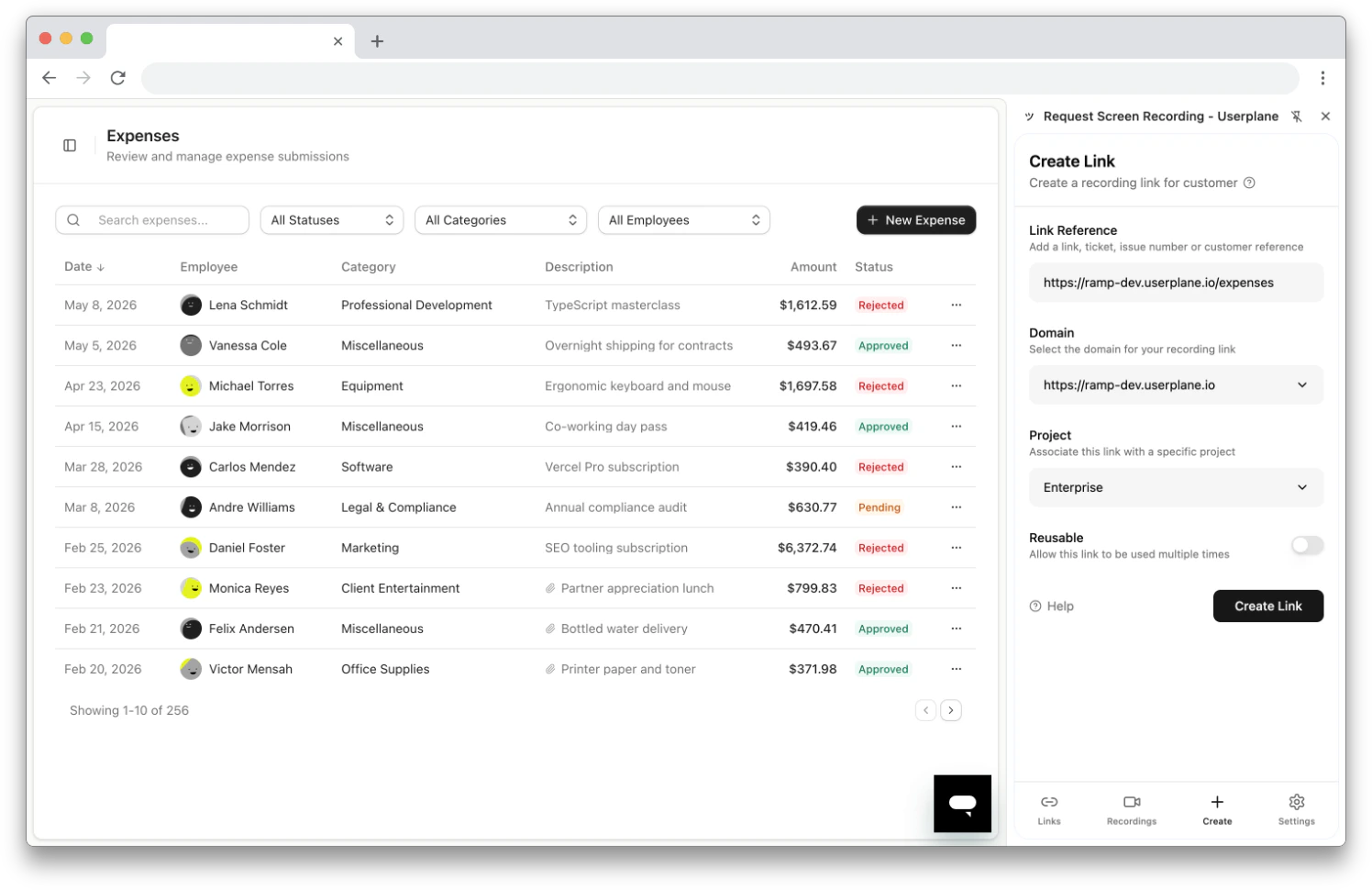
3
Create a recording link
The Link Reference field auto-populates with the current tab URL (your ticket page). Select a domain and project, then click Create Link.
Create Link form with auto-populated reference
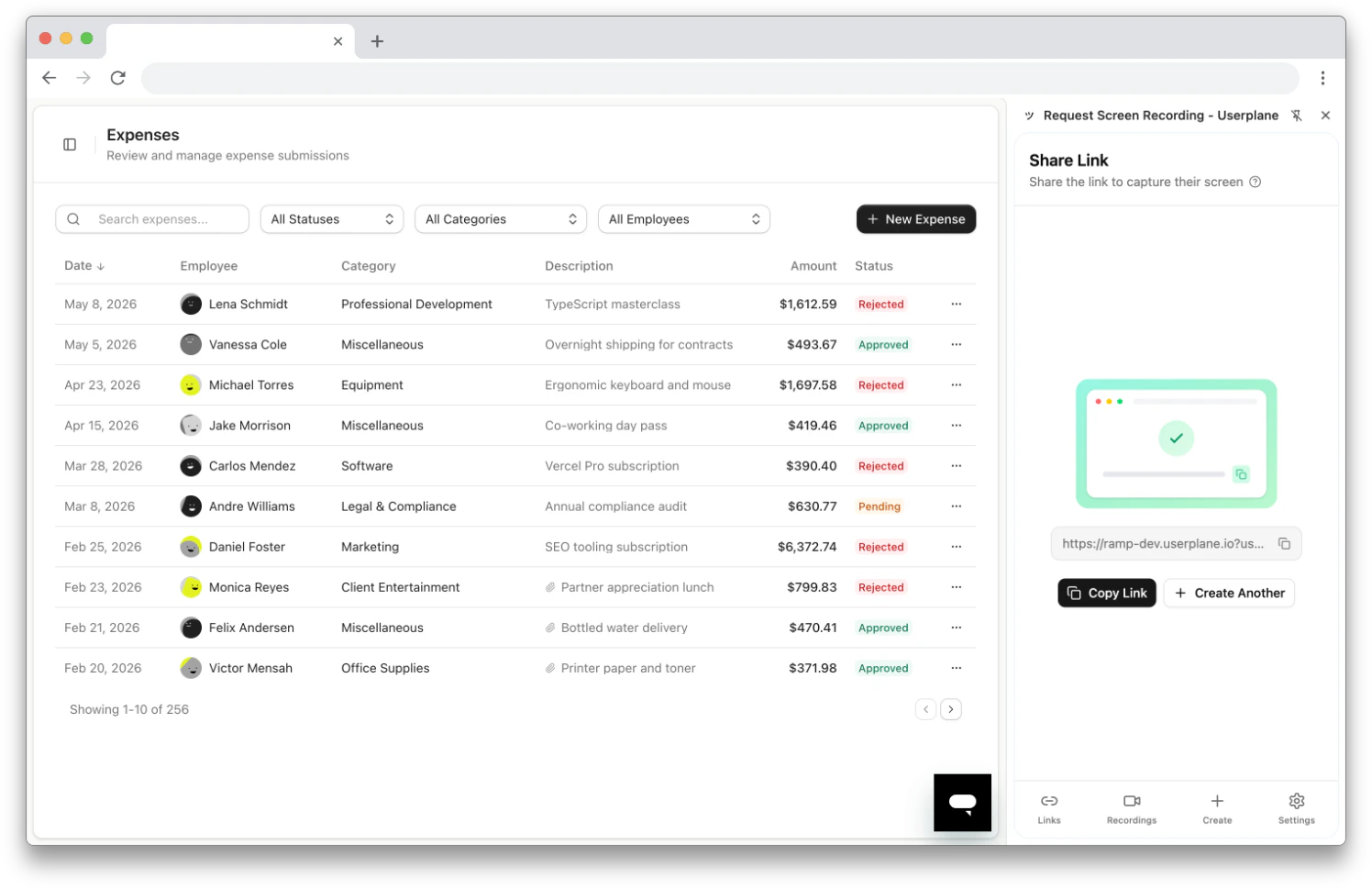
4
Share the link
Copy the link and paste it into your help desk reply.
Share the recording link
5
Customer records
The customer clicks the link, records their screen, and submits. No installs required on their end.
Use the omnibox (type userplane in the address bar, press Tab, then type a reference) or
right-click context menu for even faster access. See Chrome Extension
Shortcuts.
Learn all the tools available in the recording detail view
Sharing Recordings
Share recordings with teammates or export for engineering handoffs
Intercom Integration
Full guide to using Userplane from inside Intercom
Zendesk Integration
Full guide to using Userplane from inside Zendesk
Slack Integration
Full guide to using Userplane from inside Slack
Chrome Extension
Use the side panel alongside any browser-based tool
Issue Analyzer
Automatically surface root causes from session data
{"docsConfig":{"theme":"aspen","$schema":"https://mintlify.com/docs.json","name":"Userplane Docs","colors":{"primary":"#000000","light":"#FAFAFA","dark":"#000000"},"logo":{"light":"https://mintcdn.com/userplane/e34bWffW8FdiqmQz/static/logo-light.svg?fit=max\u0026auto=format\u0026n=e34bWffW8FdiqmQz\u0026q=85\u0026s=b60f979b7800d446f3f5d5274c095cb2","dark":"https://mintcdn.com/userplane/e34bWffW8FdiqmQz/static/logo-dark.svg?fit=max\u0026auto=format\u0026n=e34bWffW8FdiqmQz\u0026q=85\u0026s=f638b932d019423317aaca6685f22ea6"},"favicon":"https://mintcdn.com/userplane/e34bWffW8FdiqmQz/static/favicon.svg?fit=max\u0026auto=format\u0026n=e34bWffW8FdiqmQz\u0026q=85\u0026s=fd9fbcc5e1783343c767381ce1744d03","api":{"playground":{"display":"interactive"}},"appearance":{"default":"light","strict":true},"navbar":{"primary":{"type":"button","label":"Dashboard","href":"https://dash.userplane.io"}},"styling":{"latex":true},"navigation":{"pages":[]}},"deployment":{"deploymentMetadataValue":{"subdomain":"userplane","hasAudioNarration":false,"actualSubdomain":"userplane","customDomains":["docs.userplane.io"],"gitSource":{"type":"github","owner":"0xnyn","repo":"userplane","deployBranch":"main","contentDirectory":"apps/docs","isPrivate":true,"mountPath":"","label":""},"chroma":{"liveDeploymentHistoryId":"6a21eb6f2fb2a99bab92da64","collectionId":"8e53ea74-03f5-4b56-ab3a-aff2a4fe9720","schemaVersion":"v2"},"entitlements":{},"buildId":"6a21eb6f2fb2a99bab92da64:success","clientVersion":"0.0.3908","searchFilterCounts":[{"language":"default","tag":"Integrations","count":62},{"language":"default","tag":"Guide","count":47},{"language":"default","tag":"Extensions \u0026 Plugins","count":34},{"language":"default","tag":"API","count":28},{"language":"default","tag":"Developer","count":24},{"language":"default","tag":"Recordings","count":21},{"language":"default","tag":"Help Desk","count":16},{"language":"default","tag":"Claude Code","count":14},{"language":"default","tag":"Framework Guides","count":13},{"language":"default","tag":"Getting Started","count":12}]},"assistantConfig":{"enableAskAiButton":false,"enableStarterQuestions":false,"enableAskAiSearchBar":true},"hasChatPermissions":false,"hasWebMcpPermissions":false,"toggles":[{"name":"kill-isr","enabled":true,"variant":{"name":"disabled","enabled":false,"feature_enabled":true},"impressionData":false},{"name":"agent-mintlify-slack","enabled":true,"variant":{"name":"disabled","enabled":false,"feature_enabled":true},"impressionData":false},{"name":"editor-v7-file-tree","enabled":true,"variant":{"name":"disabled","enabled":false,"feature_enabled":true},"impressionData":false},{"name":"agent-integrations-settings","enabled":true,"variant":{"name":"disabled","enabled":false,"feature_enabled":true},"impressionData":false},{"name":"automations-pr-grouping","enabled":true,"variant":{"name":"disabled","enabled":false,"feature_enabled":true},"impressionData":false},{"name":"custom-prefix","enabled":true,"variant":{"name":"disabled","enabled":false,"feature_enabled":true},"impressionData":false},{"name":"analytics-v7","enabled":true,"variant":{"name":"disabled","enabled":false,"feature_enabled":true},"impressionData":false},{"name":"user-flows-analytics","enabled":true,"variant":{"name":"disabled","enabled":false,"feature_enabled":true},"impressionData":false},{"name":"no-publish-flow","enabled":true,"variant":{"name":"disabled","enabled":false,"feature_enabled":true},"impressionData":false},{"name":"workos-onboarding","enabled":true,"variant":{"name":"disabled","enabled":false,"feature_enabled":true},"impressionData":false},{"name":"llms-txt-v2","enabled":true,"variant":{"name":"disabled","enabled":false,"feature_enabled":true},"impressionData":false},{"name":"pause-universal-search-reconcile","enabled":true,"variant":{"name":"disabled","enabled":false,"feature_enabled":true},"impressionData":false},{"name":"snapshot-serving-live","enabled":true,"variant":{"name":"disabled","enabled":false,"feature_enabled":true},"impressionData":false},{"name":"stripTemperatureMiddleware","enabled":true,"variant":{"name":"disabled","enabled":false,"feature_enabled":true},"impressionData":false},{"name":"per-site-search-delta","enabled":true,"variant":{"name":"disabled","enabled":false,"feature_enabled":true},"impressionData":false},{"name":"support-platform-pylon-zendesk","enabled":true,"variant":{"name":"disabled","enabled":false,"feature_enabled":true},"impressionData":false},{"name":"editor-branches-v2-autocommit","enabled":true,"variant":{"name":"disabled","enabled":false,"feature_enabled":true},"impressionData":false},{"name":"editor-branches-v2","enabled":true,"variant":{"name":"disabled","enabled":false,"feature_enabled":true},"impressionData":false},{"name":"snapshot-serving","enabled":true,"variant":{"name":"disabled","enabled":false,"feature_enabled":true},"impressionData":false},{"name":"instant-rollback","enabled":true,"variant":{"name":"disabled","enabled":false,"feature_enabled":true},"impressionData":false},{"name":"granular-notifications-server","enabled":true,"variant":{"name":"disabled","enabled":false,"feature_enabled":true},"impressionData":false},{"name":"granular-notifications","enabled":true,"variant":{"name":"disabled","enabled":false,"feature_enabled":true},"impressionData":false},{"name":"editor-private-page-search","enabled":true,"variant":{"name":"disabled","enabled":false,"feature_enabled":true},"impressionData":false},{"name":"automations-fable","enabled":true,"variant":{"name":"disabled","enabled":false,"feature_enabled":true},"impressionData":false},{"name":"fixed-ai-action-pricing","enabled":true,"variant":{"name":"disabled","enabled":false,"feature_enabled":true},"impressionData":false},{"name":"automation-resolve-merge-conflict","enabled":true,"variant":{"name":"disabled","enabled":false,"feature_enabled":true},"impressionData":false},{"name":"scoped-publishing","enabled":true,"variant":{"name":"disabled","enabled":false,"feature_enabled":true},"impressionData":false},{"name":"mintql","enabled":true,"variant":{"name":"disabled","enabled":false,"feature_enabled":true},"impressionData":false},{"name":"page-level-analytics","enabled":true,"variant":{"name":"disabled","enabled":false,"feature_enabled":true},"impressionData":false},{"name":"teamspace","enabled":true,"variant":{"name":"disabled","enabled":false,"feature_enabled":true},"impressionData":false},{"name":"editor-version-history-v2","enabled":true,"variant":{"name":"disabled","enabled":false,"feature_enabled":true},"impressionData":false},{"name":"vite-origin","enabled":true,"variant":{"name":"disabled","enabled":false,"feature_enabled":true},"impressionData":false},{"name":"editor-nav-generations","enabled":true,"variant":{"name":"disabled","enabled":false,"feature_enabled":true},"impressionData":false},{"name":"billing-page-v2","enabled":true,"variant":{"name":"disabled","enabled":false,"feature_enabled":true},"impressionData":false},{"name":"workspace-projects","enabled":true,"variant":{"name":"disabled","enabled":false,"feature_enabled":true},"impressionData":false},{"name":"assistant-v5","enabled":true,"variant":{"name":"disabled","enabled":false,"feature_enabled":true},"impressionData":false},{"name":"byok-sep-25","enabled":true,"variant":{"name":"disabled","enabled":false,"feature_enabled":true},"impressionData":false},{"name":"fork-pr-previews","enabled":true,"variant":{"name":"disabled","enabled":false,"feature_enabled":true},"impressionData":false},{"name":"revalidation-jwt","enabled":true,"variant":{"name":"disabled","enabled":false,"feature_enabled":true},"impressionData":false},{"name":"editor-agent-model-picker","enabled":true,"variant":{"name":"disabled","enabled":false,"feature_enabled":true},"impressionData":false},{"name":"client-snapshot-docs-config","enabled":true,"variant":{"name":"disabled","enabled":false,"feature_enabled":true},"impressionData":false},{"name":"hobby-abuse-scan","enabled":true,"variant":{"name":"disabled","enabled":false,"feature_enabled":true},"impressionData":false},{"name":"dashboard-inbox","enabled":true,"variant":{"name":"disabled","enabled":false,"feature_enabled":true},"impressionData":false}],"isAtlas":false,"googleFontsInlined":false},"customCss":[],"page":{"pagePath":"getting-started/for-support-agents","slug":"/getting-started/for-support-agents","pageMetadata":{"title":"Support Agent Onboarding","description":"Start collecting screen recordings from customers and reviewing sessions inside your help desk","href":"/getting-started/for-support-agents"},"description":{"compiledSource":"\"use strict\";\nconst {jsx: _jsx} = arguments[0];\nconst {useMDXComponents: _provideComponents} = arguments[0];\nfunction _createMdxContent(props) {\n const _components = {\n p: \"p\",\n ..._provideComponents(),\n ...props.components\n };\n return _jsx(_components.p, {\n children: \"Start collecting screen recordings from customers and reviewing sessions inside your help desk\"\n });\n}\nfunction MDXContent(props = {}) {\n const {wrapper: MDXLayout} = {\n ..._provideComponents(),\n ...props.components\n };\n return MDXLayout ? _jsx(MDXLayout, {\n ...props,\n children: _jsx(_createMdxContent, {\n ...props\n })\n }) : _createMdxContent(props);\n}\nreturn {\n default: MDXContent\n};\n","frontmatter":{},"scope":{}},"pageType":"default","mdx":{"mdxSource":{"compiledSource":"\"use strict\";const{Fragment:_Fragment,jsx:_jsx,jsxs:_jsxs}=arguments[0];const{useMDXComponents:_provideComponents}=arguments[0];function _createMdxContent(props){const _components={a:`a`,code:`code`,li:`li`,p:`p`,strong:`strong`,tbody:`tbody`,td:`td`,th:`th`,thead:`thead`,tr:`tr`,ul:`ul`,..._provideComponents(),...props.components},{Card,CardGroup,Frame,Heading,Note,OptimizedImage,Step,Steps,Tab,Table,Tabs,Tip}=_components;if(!Card)_missingMdxReference(`Card`,true);if(!CardGroup)_missingMdxReference(`CardGroup`,true);if(!Frame)_missingMdxReference(`Frame`,true);if(!Heading)_missingMdxReference(`Heading`,true);if(!Note)_missingMdxReference(`Note`,true);if(!OptimizedImage)_missingMdxReference(`OptimizedImage`,true);if(!Step)_missingMdxReference(`Step`,true);if(!Steps)_missingMdxReference(`Steps`,true);if(!Tab)_missingMdxReference(`Tab`,true);if(!Table)_missingMdxReference(`Table`,true);if(!Tabs)_missingMdxReference(`Tabs`,true);if(!Tip)_missingMdxReference(`Tip`,true);return _jsxs(_Fragment,{children:[_jsx(_components.p,{children:`You’re the one talking to customers. This guide gets you from zero to sending your first recording request — without leaving your help desk.`}),`\n`,_jsx(Heading,{level:`2`,id:`what-you’ll-be-able-to-do`,children:`What you’ll be able to do`}),`\n`,_jsxs(_components.ul,{children:[`\n`,_jsx(_components.li,{children:`Send recording links to customers directly from Intercom, Zendesk, Slack, or the Chrome extension`}),`\n`,_jsx(_components.li,{children:`Review screen recordings with console logs and network data alongside the video`}),`\n`,_jsx(_components.li,{children:`Use shortcuts and macros to request recordings in seconds`}),`\n`]}),`\n`,_jsx(Heading,{level:`2`,id:`step-1-join-your-workspace`,children:`Step 1: Join your workspace`}),`\n`,_jsxs(_components.p,{children:[`Your workspace admin will send you an invite link via email. Click it to create your account and join the workspace. If you haven’t received an invite, ask your admin to send one from `,_jsx(_components.a,{href:`https://dash.userplane.io/_/settings?tab=team`,children:`Workspace Settings > Team`}),`.`]}),`\n`,_jsx(Frame,{caption:`Go to Team settings`,children:_jsx(OptimizedImage,{src:`https://mintcdn.com/userplane/IKCB4f_KBaL0xsjW/media/workspace/team/team-list-roles.png?fit=max\u0026auto=format\u0026n=IKCB4f_KBaL0xsjW\u0026q=85\u0026s=cc414af77695cab4bb1c88e261da33f8`,\"data-og-width\":`1342`,width:`1342`,\"data-og-height\":`906`,height:`906`,\"data-path\":`media/workspace/team/team-list-roles.png`,\"data-optimize\":`true`,\"data-opv\":`3`,srcset:`https://mintcdn.com/userplane/IKCB4f_KBaL0xsjW/media/workspace/team/team-list-roles.png?w=280\u0026fit=max\u0026auto=format\u0026n=IKCB4f_KBaL0xsjW\u0026q=85\u0026s=3606e022abbe5a5d701f9bd06cfda83d 280w, https://mintcdn.com/userplane/IKCB4f_KBaL0xsjW/media/workspace/team/team-list-roles.png?w=560\u0026fit=max\u0026auto=format\u0026n=IKCB4f_KBaL0xsjW\u0026q=85\u0026s=e26312794b9d465061a666d039409c67 560w, https://mintcdn.com/userplane/IKCB4f_KBaL0xsjW/media/workspace/team/team-list-roles.png?w=840\u0026fit=max\u0026auto=format\u0026n=IKCB4f_KBaL0xsjW\u0026q=85\u0026s=f0e851e1a430bd21f7b459b5510fedb2 840w, https://mintcdn.com/userplane/IKCB4f_KBaL0xsjW/media/workspace/team/team-list-roles.png?w=1100\u0026fit=max\u0026auto=format\u0026n=IKCB4f_KBaL0xsjW\u0026q=85\u0026s=3677ecd3bc1bb8ef66b1f7705661c002 1100w, https://mintcdn.com/userplane/IKCB4f_KBaL0xsjW/media/workspace/team/team-list-roles.png?w=1650\u0026fit=max\u0026auto=format\u0026n=IKCB4f_KBaL0xsjW\u0026q=85\u0026s=b92da551aac07963f610390a68583ab5 1650w, https://mintcdn.com/userplane/IKCB4f_KBaL0xsjW/media/workspace/team/team-list-roles.png?w=2500\u0026fit=max\u0026auto=format\u0026n=IKCB4f_KBaL0xsjW\u0026q=85\u0026s=564d5178a5c0a7f14521a7bfb2a7fa70 2500w`})}),`\n`,_jsx(Note,{children:_jsx(_components.p,{children:`If your company has domain whitelisting enabled, you may be able to join directly with your work\nemail — no invite needed.`})}),`\n`,_jsx(Frame,{caption:`Domain whitelisting`,children:_jsx(OptimizedImage,{src:`https://mintcdn.com/userplane/IKCB4f_KBaL0xsjW/media/workspace/invite-policy/invite-policy-whitelisted.png?fit=max\u0026auto=format\u0026n=IKCB4f_KBaL0xsjW\u0026q=85\u0026s=28ce83d72b2ca7d403d9e0e08798d416`,\"data-og-width\":`1920`,width:`1920`,\"data-og-height\":`957`,height:`957`,\"data-path\":`media/workspace/invite-policy/invite-policy-whitelisted.png`,\"data-optimize\":`true`,\"data-opv\":`3`,srcset:`https://mintcdn.com/userplane/IKCB4f_KBaL0xsjW/media/workspace/invite-policy/invite-policy-whitelisted.png?w=280\u0026fit=max\u0026auto=format\u0026n=IKCB4f_KBaL0xsjW\u0026q=85\u0026s=08284f72625d85b04029e99b903dfb24 280w, https://mintcdn.com/userplane/IKCB4f_KBaL0xsjW/media/workspace/invite-policy/invite-policy-whitelisted.png?w=560\u0026fit=max\u0026auto=format\u0026n=IKCB4f_KBaL0xsjW\u0026q=85\u0026s=222419740e660d042c51772e39a5080a 560w, https://mintcdn.com/userplane/IKCB4f_KBaL0xsjW/media/workspace/invite-policy/invite-policy-whitelisted.png?w=840\u0026fit=max\u0026auto=format\u0026n=IKCB4f_KBaL0xsjW\u0026q=85\u0026s=65c08025079bdace0cb32781ceb11fc4 840w, https://mintcdn.com/userplane/IKCB4f_KBaL0xsjW/media/workspace/invite-policy/invite-policy-whitelisted.png?w=1100\u0026fit=max\u0026auto=format\u0026n=IKCB4f_KBaL0xsjW\u0026q=85\u0026s=32c85b98460a2667f97c7a452253c752 1100w, https://mintcdn.com/userplane/IKCB4f_KBaL0xsjW/media/workspace/invite-policy/invite-policy-whitelisted.png?w=1650\u0026fit=max\u0026auto=format\u0026n=IKCB4f_KBaL0xsjW\u0026q=85\u0026s=e89edfb7674063b661945e11663c94c8 1650w, https://mintcdn.com/userplane/IKCB4f_KBaL0xsjW/media/workspace/invite-policy/invite-policy-whitelisted.png?w=2500\u0026fit=max\u0026auto=format\u0026n=IKCB4f_KBaL0xsjW\u0026q=85\u0026s=33475f21e7b007682a5a6143e9d0b9e8 2500w`})}),`\n`,_jsx(Heading,{level:`2`,id:`step-2-find-userplane-in-your-help-desk`,children:`Step 2: Find Userplane in your help desk`}),`\n`,_jsxs(Tabs,{children:[_jsxs(Tab,{title:`Intercom`,id:`intercom`,children:[_jsx(_components.p,{children:`Userplane lives in your Intercom inbox as a sidebar app. To pin it:`}),_jsxs(Steps,{children:[_jsx(Step,{title:`Open any conversation in Intercom`,children:_jsx(_components.p,{children:`Go to your Intercom inbox and open a customer conversation.`})}),_jsx(Step,{title:`Open the Apps panel`,children:_jsxs(_components.p,{children:[`Click `,_jsx(_components.strong,{children:`Edit app`}),` in the right sidebar to see available apps.`]})}),_jsx(Step,{title:`Pin Userplane`,children:_jsx(_components.p,{children:`Find Userplane in the list and pin it so it’s always visible in the sidebar.`})})]}),_jsx(Frame,{caption:`Userplane sidebar in Intercom`,children:_jsx(OptimizedImage,{src:`https://mintcdn.com/userplane/iHJrxtyvOmNXmfMS/media/intercom/intercom-inbox/sidebar/intercom-sidebar.png?fit=max\u0026auto=format\u0026n=iHJrxtyvOmNXmfMS\u0026q=85\u0026s=126e55f4c8d577fd3ec08571c27599c0`,\"data-og-width\":`1920`,width:`1920`,\"data-og-height\":`958`,height:`958`,\"data-path\":`media/intercom/intercom-inbox/sidebar/intercom-sidebar.png`,\"data-optimize\":`true`,\"data-opv\":`3`,srcset:`https://mintcdn.com/userplane/iHJrxtyvOmNXmfMS/media/intercom/intercom-inbox/sidebar/intercom-sidebar.png?w=280\u0026fit=max\u0026auto=format\u0026n=iHJrxtyvOmNXmfMS\u0026q=85\u0026s=7861ad49eb405e96894829e6a031f009 280w, https://mintcdn.com/userplane/iHJrxtyvOmNXmfMS/media/intercom/intercom-inbox/sidebar/intercom-sidebar.png?w=560\u0026fit=max\u0026auto=format\u0026n=iHJrxtyvOmNXmfMS\u0026q=85\u0026s=566c02fc82cac4c761c2c109f9b27a24 560w, https://mintcdn.com/userplane/iHJrxtyvOmNXmfMS/media/intercom/intercom-inbox/sidebar/intercom-sidebar.png?w=840\u0026fit=max\u0026auto=format\u0026n=iHJrxtyvOmNXmfMS\u0026q=85\u0026s=90d60142f54d1b26bb3b317f8d5e66f5 840w, https://mintcdn.com/userplane/iHJrxtyvOmNXmfMS/media/intercom/intercom-inbox/sidebar/intercom-sidebar.png?w=1100\u0026fit=max\u0026auto=format\u0026n=iHJrxtyvOmNXmfMS\u0026q=85\u0026s=43ac9c8743c6889e8db904df189377e4 1100w, https://mintcdn.com/userplane/iHJrxtyvOmNXmfMS/media/intercom/intercom-inbox/sidebar/intercom-sidebar.png?w=1650\u0026fit=max\u0026auto=format\u0026n=iHJrxtyvOmNXmfMS\u0026q=85\u0026s=bd41c0fb1e5fa63e1866d4cf5eb44323 1650w, https://mintcdn.com/userplane/iHJrxtyvOmNXmfMS/media/intercom/intercom-inbox/sidebar/intercom-sidebar.png?w=2500\u0026fit=max\u0026auto=format\u0026n=iHJrxtyvOmNXmfMS\u0026q=85\u0026s=e9d9b5157d89188b07756c5d021a3761 2500w`})})]}),_jsx(Tab,{title:`Zendesk`,id:`zendesk`,children:_jsxs(_components.p,{children:[`Userplane appears automatically in every Zendesk ticket — as a `,_jsx(_components.strong,{children:`sidebar app`}),`, a `,_jsx(_components.strong,{children:`button in the reply editor`}),`, and in the `,_jsx(_components.strong,{children:`top bar`}),`. No pinning required.`]})}),_jsxs(Tab,{title:`Slack`,id:`slack`,children:[_jsx(_components.p,{children:`Userplane lives in Slack as a slash command, a message shortcut, and an App Home tab.`}),_jsxs(Steps,{children:[_jsxs(Step,{title:`Open the Userplane app in Slack`,children:[_jsxs(_components.p,{children:[`In your Slack sidebar, go to `,_jsx(_components.strong,{children:`Apps`}),` and open `,_jsx(_components.strong,{children:`Userplane`}),`. The Home tab shows your recent recordings and links.`]}),_jsx(Frame,{caption:`Userplane App Home in Slack`,children:_jsx(OptimizedImage,{src:`https://mintcdn.com/userplane/oYgz4qon42ADp_DE/media/slack/home/home-connected.png?fit=max\u0026auto=format\u0026n=oYgz4qon42ADp_DE\u0026q=85\u0026s=9bf75d8f3b7ce86b2726a649268f962a`,\"data-og-width\":`1920`,width:`1920`,\"data-og-height\":`958`,height:`958`,\"data-path\":`media/slack/home/home-connected.png`,\"data-optimize\":`true`,\"data-opv\":`3`,srcset:`https://mintcdn.com/userplane/oYgz4qon42ADp_DE/media/slack/home/home-connected.png?w=280\u0026fit=max\u0026auto=format\u0026n=oYgz4qon42ADp_DE\u0026q=85\u0026s=a6ff22c95ac9bb430301a014393537b9 280w, https://mintcdn.com/userplane/oYgz4qon42ADp_DE/media/slack/home/home-connected.png?w=560\u0026fit=max\u0026auto=format\u0026n=oYgz4qon42ADp_DE\u0026q=85\u0026s=6d639bf7a741b8eabd838b63e489e1fb 560w, https://mintcdn.com/userplane/oYgz4qon42ADp_DE/media/slack/home/home-connected.png?w=840\u0026fit=max\u0026auto=format\u0026n=oYgz4qon42ADp_DE\u0026q=85\u0026s=509cb5ddd869d81e1aeca340f4c0ca82 840w, https://mintcdn.com/userplane/oYgz4qon42ADp_DE/media/slack/home/home-connected.png?w=1100\u0026fit=max\u0026auto=format\u0026n=oYgz4qon42ADp_DE\u0026q=85\u0026s=5963655e0c45f9a036b0998df2307fff 1100w, https://mintcdn.com/userplane/oYgz4qon42ADp_DE/media/slack/home/home-connected.png?w=1650\u0026fit=max\u0026auto=format\u0026n=oYgz4qon42ADp_DE\u0026q=85\u0026s=606c31972332fdad5b2270f2b0ccfff2 1650w, https://mintcdn.com/userplane/oYgz4qon42ADp_DE/media/slack/home/home-connected.png?w=2500\u0026fit=max\u0026auto=format\u0026n=oYgz4qon42ADp_DE\u0026q=85\u0026s=80d69813bf25175c5fef08a3050c8ab8 2500w`})})]}),_jsx(Step,{title:`Try the slash command`,children:_jsxs(_components.p,{children:[`In any channel, type `,_jsx(_components.code,{children:`/userplane`}),` and press `,_jsx(_components.strong,{children:`Enter`}),` to open the link creator.`]})})]})]}),_jsxs(Tab,{title:`Chrome Extension`,id:`chrome-extension`,children:[_jsx(_components.p,{children:`Userplane opens as a Chrome side panel alongside whatever tab you’re working in.`}),_jsxs(Steps,{children:[_jsx(Step,{title:`Click the Userplane icon`,children:_jsxs(_components.p,{children:[`Click the `,_jsx(_components.strong,{children:`Userplane`}),` extension icon in your Chrome toolbar — or press `,_jsx(_components.strong,{children:`Cmd+Shift+Y`}),` (Mac) / `,_jsx(_components.strong,{children:`Ctrl+Shift+Y`}),` (Windows/Linux).`]})}),_jsxs(Step,{title:`Sign in if needed`,children:[_jsxs(_components.p,{children:[`The first time, click `,_jsx(_components.strong,{children:`Sign in to continue`}),` and authenticate via the Userplane dashboard. After that, the side panel opens automatically.`]}),_jsx(Frame,{caption:`Extension sign-in prompt`,children:_jsx(OptimizedImage,{src:`https://mintcdn.com/userplane/8_FOZno9A0XwGdNH/media/extension/extension-sign-in-continue.png?fit=max\u0026auto=format\u0026n=8_FOZno9A0XwGdNH\u0026q=85\u0026s=ab00fac138567aa81d6673c1837aa602`,\"data-og-width\":`1496`,width:`1496`,\"data-og-height\":`970`,height:`970`,\"data-path\":`media/extension/extension-sign-in-continue.png`,\"data-optimize\":`true`,\"data-opv\":`3`,srcset:`https://mintcdn.com/userplane/8_FOZno9A0XwGdNH/media/extension/extension-sign-in-continue.png?w=280\u0026fit=max\u0026auto=format\u0026n=8_FOZno9A0XwGdNH\u0026q=85\u0026s=95e8d216898fb6119763851e758f3b94 280w, https://mintcdn.com/userplane/8_FOZno9A0XwGdNH/media/extension/extension-sign-in-continue.png?w=560\u0026fit=max\u0026auto=format\u0026n=8_FOZno9A0XwGdNH\u0026q=85\u0026s=615e349bc5c2c19b08c3b75fc3f59fdc 560w, https://mintcdn.com/userplane/8_FOZno9A0XwGdNH/media/extension/extension-sign-in-continue.png?w=840\u0026fit=max\u0026auto=format\u0026n=8_FOZno9A0XwGdNH\u0026q=85\u0026s=98c7ec91bec5a3e45f240667294e2606 840w, https://mintcdn.com/userplane/8_FOZno9A0XwGdNH/media/extension/extension-sign-in-continue.png?w=1100\u0026fit=max\u0026auto=format\u0026n=8_FOZno9A0XwGdNH\u0026q=85\u0026s=89d7ecc34fabeeb7a74e4dbd5b8a84fe 1100w, https://mintcdn.com/userplane/8_FOZno9A0XwGdNH/media/extension/extension-sign-in-continue.png?w=1650\u0026fit=max\u0026auto=format\u0026n=8_FOZno9A0XwGdNH\u0026q=85\u0026s=0123385832b3e78c34e339090bf0acbb 1650w, https://mintcdn.com/userplane/8_FOZno9A0XwGdNH/media/extension/extension-sign-in-continue.png?w=2500\u0026fit=max\u0026auto=format\u0026n=8_FOZno9A0XwGdNH\u0026q=85\u0026s=e1d1bfa4689fa97bdbe0a11ca74f0804 2500w`})})]})]}),_jsx(Tip,{children:_jsxs(_components.p,{children:[`Pin the extension to your toolbar so the icon is always visible. Click the puzzle piece icon in\nChrome and pin `,_jsx(_components.strong,{children:`Userplane`}),`.`]})}),_jsx(Frame,{caption:`Pin the Userplane extension`,children:_jsx(OptimizedImage,{src:`https://mintcdn.com/userplane/8_FOZno9A0XwGdNH/media/extension/extension-pin-chrome-extension.png?fit=max\u0026auto=format\u0026n=8_FOZno9A0XwGdNH\u0026q=85\u0026s=e8c401b32dbf23071495dcd9a46c2f00`,\"data-og-width\":`1502`,width:`1502`,\"data-og-height\":`1063`,height:`1063`,\"data-path\":`media/extension/extension-pin-chrome-extension.png`,\"data-optimize\":`true`,\"data-opv\":`3`,srcset:`https://mintcdn.com/userplane/8_FOZno9A0XwGdNH/media/extension/extension-pin-chrome-extension.png?w=280\u0026fit=max\u0026auto=format\u0026n=8_FOZno9A0XwGdNH\u0026q=85\u0026s=9209c7dca68c89349e813fd0be7db9dd 280w, https://mintcdn.com/userplane/8_FOZno9A0XwGdNH/media/extension/extension-pin-chrome-extension.png?w=560\u0026fit=max\u0026auto=format\u0026n=8_FOZno9A0XwGdNH\u0026q=85\u0026s=c0139d4934d6d07aec48d857deeae1db 560w, https://mintcdn.com/userplane/8_FOZno9A0XwGdNH/media/extension/extension-pin-chrome-extension.png?w=840\u0026fit=max\u0026auto=format\u0026n=8_FOZno9A0XwGdNH\u0026q=85\u0026s=7c627a90fac93263cd48caaf25dd82f4 840w, https://mintcdn.com/userplane/8_FOZno9A0XwGdNH/media/extension/extension-pin-chrome-extension.png?w=1100\u0026fit=max\u0026auto=format\u0026n=8_FOZno9A0XwGdNH\u0026q=85\u0026s=37374ab13487fce766e1d7cb4a7fc6de 1100w, https://mintcdn.com/userplane/8_FOZno9A0XwGdNH/media/extension/extension-pin-chrome-extension.png?w=1650\u0026fit=max\u0026auto=format\u0026n=8_FOZno9A0XwGdNH\u0026q=85\u0026s=1b8fe185796dba9d1b9ab9a61a01c795 1650w, https://mintcdn.com/userplane/8_FOZno9A0XwGdNH/media/extension/extension-pin-chrome-extension.png?w=2500\u0026fit=max\u0026auto=format\u0026n=8_FOZno9A0XwGdNH\u0026q=85\u0026s=768e80d9dc8dab352082f7b56b003f21 2500w`})})]})]}),`\n`,_jsx(Heading,{level:`2`,id:`step-3-request-a-recording-from-a-customer`,children:`Step 3: Request a recording from a customer`}),`\n`,_jsxs(Tabs,{children:[_jsxs(Tab,{title:`Intercom`,id:`intercom-2`,children:[_jsxs(Steps,{children:[_jsx(Step,{title:`Open a conversation`,children:_jsx(_components.p,{children:`Go to the Intercom conversation where the customer is reporting an issue.`})}),_jsxs(Step,{title:`Create a recording link`,children:[_jsxs(_components.p,{children:[`In the Userplane sidebar app, click `,_jsx(_components.strong,{children:`Create Link`}),`. Choose a project, add a reference (like a\nticket number), and click `,_jsx(_components.strong,{children:`Create`}),`.`]}),_jsx(Frame,{caption:`Create link from Intercom sidebar`,children:_jsx(OptimizedImage,{src:`https://mintcdn.com/userplane/iHJrxtyvOmNXmfMS/media/intercom/intercom-inbox/sidebar/intercom-create-link-form-sidebar.png?fit=max\u0026auto=format\u0026n=iHJrxtyvOmNXmfMS\u0026q=85\u0026s=cf77d3b1a9fa69146c6f2600b001246a`,\"data-og-width\":`1920`,width:`1920`,\"data-og-height\":`957`,height:`957`,\"data-path\":`media/intercom/intercom-inbox/sidebar/intercom-create-link-form-sidebar.png`,\"data-optimize\":`true`,\"data-opv\":`3`,srcset:`https://mintcdn.com/userplane/iHJrxtyvOmNXmfMS/media/intercom/intercom-inbox/sidebar/intercom-create-link-form-sidebar.png?w=280\u0026fit=max\u0026auto=format\u0026n=iHJrxtyvOmNXmfMS\u0026q=85\u0026s=de7e97a70bcce1d8fc091b3446c1cef4 280w, https://mintcdn.com/userplane/iHJrxtyvOmNXmfMS/media/intercom/intercom-inbox/sidebar/intercom-create-link-form-sidebar.png?w=560\u0026fit=max\u0026auto=format\u0026n=iHJrxtyvOmNXmfMS\u0026q=85\u0026s=0203986caaf307bf559db1a9e5f23355 560w, https://mintcdn.com/userplane/iHJrxtyvOmNXmfMS/media/intercom/intercom-inbox/sidebar/intercom-create-link-form-sidebar.png?w=840\u0026fit=max\u0026auto=format\u0026n=iHJrxtyvOmNXmfMS\u0026q=85\u0026s=b32f169106e5b2ff8ec40de545260bf9 840w, https://mintcdn.com/userplane/iHJrxtyvOmNXmfMS/media/intercom/intercom-inbox/sidebar/intercom-create-link-form-sidebar.png?w=1100\u0026fit=max\u0026auto=format\u0026n=iHJrxtyvOmNXmfMS\u0026q=85\u0026s=6a1f0d8704d2b6f48429b9d9772738b1 1100w, https://mintcdn.com/userplane/iHJrxtyvOmNXmfMS/media/intercom/intercom-inbox/sidebar/intercom-create-link-form-sidebar.png?w=1650\u0026fit=max\u0026auto=format\u0026n=iHJrxtyvOmNXmfMS\u0026q=85\u0026s=5bde777a3b5bcd94c4bc1dee6b67309d 1650w, https://mintcdn.com/userplane/iHJrxtyvOmNXmfMS/media/intercom/intercom-inbox/sidebar/intercom-create-link-form-sidebar.png?w=2500\u0026fit=max\u0026auto=format\u0026n=iHJrxtyvOmNXmfMS\u0026q=85\u0026s=3dcc7bef7213532bd233813063498ccf 2500w`})})]}),_jsxs(Step,{title:`Send the link`,children:[_jsx(_components.p,{children:`Copy the link and paste it into the conversation — or use an Intercom shortcut to insert it in\none click.`}),_jsx(Frame,{caption:`Create link from Intercom sidebar`,children:_jsx(OptimizedImage,{src:`https://mintcdn.com/userplane/iHJrxtyvOmNXmfMS/media/intercom/intercom-inbox/intercom-recording-link-sent.png?fit=max\u0026auto=format\u0026n=iHJrxtyvOmNXmfMS\u0026q=85\u0026s=3ee1b3264b4ce53c4565e27ab3f79d27`,\"data-og-width\":`1920`,width:`1920`,\"data-og-height\":`958`,height:`958`,\"data-path\":`media/intercom/intercom-inbox/intercom-recording-link-sent.png`,\"data-optimize\":`true`,\"data-opv\":`3`,srcset:`https://mintcdn.com/userplane/iHJrxtyvOmNXmfMS/media/intercom/intercom-inbox/intercom-recording-link-sent.png?w=280\u0026fit=max\u0026auto=format\u0026n=iHJrxtyvOmNXmfMS\u0026q=85\u0026s=5f0732813c5abaecc8b737827ff9200c 280w, https://mintcdn.com/userplane/iHJrxtyvOmNXmfMS/media/intercom/intercom-inbox/intercom-recording-link-sent.png?w=560\u0026fit=max\u0026auto=format\u0026n=iHJrxtyvOmNXmfMS\u0026q=85\u0026s=cec62b8aaf4e6c6347b92198980b544f 560w, https://mintcdn.com/userplane/iHJrxtyvOmNXmfMS/media/intercom/intercom-inbox/intercom-recording-link-sent.png?w=840\u0026fit=max\u0026auto=format\u0026n=iHJrxtyvOmNXmfMS\u0026q=85\u0026s=b3fb5b2f536b489f8bf61165d99f702d 840w, https://mintcdn.com/userplane/iHJrxtyvOmNXmfMS/media/intercom/intercom-inbox/intercom-recording-link-sent.png?w=1100\u0026fit=max\u0026auto=format\u0026n=iHJrxtyvOmNXmfMS\u0026q=85\u0026s=708add8cabe3c7f72015c25a444c54e8 1100w, https://mintcdn.com/userplane/iHJrxtyvOmNXmfMS/media/intercom/intercom-inbox/intercom-recording-link-sent.png?w=1650\u0026fit=max\u0026auto=format\u0026n=iHJrxtyvOmNXmfMS\u0026q=85\u0026s=074e6e0a48d96a4a0b0e9241319d87dc 1650w, https://mintcdn.com/userplane/iHJrxtyvOmNXmfMS/media/intercom/intercom-inbox/intercom-recording-link-sent.png?w=2500\u0026fit=max\u0026auto=format\u0026n=iHJrxtyvOmNXmfMS\u0026q=85\u0026s=9981215a4f738b901e87e5ce8ec34425 2500w`})})]}),_jsxs(Step,{title:`Customer records`,children:[_jsx(_components.p,{children:`The customer clicks the link, records their screen, and submits. No installs required on their\nend.`}),_jsx(Frame,{caption:`Create link from Intercom sidebar`,children:_jsx(OptimizedImage,{src:`https://mintcdn.com/userplane/iHJrxtyvOmNXmfMS/media/intercom/intercom-inbox/intercom-recording-link-received.png?fit=max\u0026auto=format\u0026n=iHJrxtyvOmNXmfMS\u0026q=85\u0026s=b565f79ce7873108442140fa5ca75b84`,\"data-og-width\":`1920`,width:`1920`,\"data-og-height\":`959`,height:`959`,\"data-path\":`media/intercom/intercom-inbox/intercom-recording-link-received.png`,\"data-optimize\":`true`,\"data-opv\":`3`,srcset:`https://mintcdn.com/userplane/iHJrxtyvOmNXmfMS/media/intercom/intercom-inbox/intercom-recording-link-received.png?w=280\u0026fit=max\u0026auto=format\u0026n=iHJrxtyvOmNXmfMS\u0026q=85\u0026s=62c649687832c1725f31cc4d11c91237 280w, https://mintcdn.com/userplane/iHJrxtyvOmNXmfMS/media/intercom/intercom-inbox/intercom-recording-link-received.png?w=560\u0026fit=max\u0026auto=format\u0026n=iHJrxtyvOmNXmfMS\u0026q=85\u0026s=ee845796c59aba4ac1e580f5a4da11db 560w, https://mintcdn.com/userplane/iHJrxtyvOmNXmfMS/media/intercom/intercom-inbox/intercom-recording-link-received.png?w=840\u0026fit=max\u0026auto=format\u0026n=iHJrxtyvOmNXmfMS\u0026q=85\u0026s=ff18cb2f9312c5b4619661bc40096516 840w, https://mintcdn.com/userplane/iHJrxtyvOmNXmfMS/media/intercom/intercom-inbox/intercom-recording-link-received.png?w=1100\u0026fit=max\u0026auto=format\u0026n=iHJrxtyvOmNXmfMS\u0026q=85\u0026s=7723472c85ff299dec57065d86576b39 1100w, https://mintcdn.com/userplane/iHJrxtyvOmNXmfMS/media/intercom/intercom-inbox/intercom-recording-link-received.png?w=1650\u0026fit=max\u0026auto=format\u0026n=iHJrxtyvOmNXmfMS\u0026q=85\u0026s=2f6dd0155dfe4b52e29911a2e4f72543 1650w, https://mintcdn.com/userplane/iHJrxtyvOmNXmfMS/media/intercom/intercom-inbox/intercom-recording-link-received.png?w=2500\u0026fit=max\u0026auto=format\u0026n=iHJrxtyvOmNXmfMS\u0026q=85\u0026s=fe30c05c3a85cd9ab2a2bc5b92b599e9 2500w`})})]})]}),_jsx(Tip,{children:_jsxs(_components.p,{children:[`Use `,_jsx(_components.strong,{children:`Intercom Shortcuts`}),` (`,_jsx(_components.code,{children:`Cmd+K`}),` / `,_jsx(_components.code,{children:`Ctrl+K`}),`) to insert a recording link into the conversation\nwithout opening the sidebar. See `,_jsx(_components.a,{href:`/integrations/intercom-shortcuts`,children:`Intercom Shortcuts`}),` for setup.`]})})]}),_jsxs(Tab,{title:`Zendesk`,id:`zendesk-2`,children:[_jsxs(Steps,{children:[_jsx(Step,{title:`Open a ticket`,children:_jsx(_components.p,{children:`Go to the Zendesk ticket where the customer is reporting an issue.`})}),_jsxs(Step,{title:`Create a recording link`,children:[_jsxs(_components.p,{children:[`Click `,_jsx(_components.strong,{children:`Userplane`}),` in the ticket sidebar and click `,_jsx(_components.strong,{children:`Request Recording`}),`. Select a project and\ndomain, then click `,_jsx(_components.strong,{children:`Create Link`}),`.`]}),_jsx(Frame,{caption:`Create link from Zendesk sidebar`,children:_jsx(OptimizedImage,{src:`https://mintcdn.com/userplane/egKmOMA4so9foWLy/media/zendesk/zendesk-app/sidebar/create-link-form.png?fit=max\u0026auto=format\u0026n=egKmOMA4so9foWLy\u0026q=85\u0026s=9d191afbcda23d0ff911398d50d6cb95`,\"data-og-width\":`1920`,width:`1920`,\"data-og-height\":`956`,height:`956`,\"data-path\":`media/zendesk/zendesk-app/sidebar/create-link-form.png`,\"data-optimize\":`true`,\"data-opv\":`3`,srcset:`https://mintcdn.com/userplane/egKmOMA4so9foWLy/media/zendesk/zendesk-app/sidebar/create-link-form.png?w=280\u0026fit=max\u0026auto=format\u0026n=egKmOMA4so9foWLy\u0026q=85\u0026s=dd407e3fd4fc57d00e84da6c96a92e05 280w, https://mintcdn.com/userplane/egKmOMA4so9foWLy/media/zendesk/zendesk-app/sidebar/create-link-form.png?w=560\u0026fit=max\u0026auto=format\u0026n=egKmOMA4so9foWLy\u0026q=85\u0026s=3b8db6e95351ad7f8e749d565bb38362 560w, https://mintcdn.com/userplane/egKmOMA4so9foWLy/media/zendesk/zendesk-app/sidebar/create-link-form.png?w=840\u0026fit=max\u0026auto=format\u0026n=egKmOMA4so9foWLy\u0026q=85\u0026s=ed191308c16289bca8195cb34685944e 840w, https://mintcdn.com/userplane/egKmOMA4so9foWLy/media/zendesk/zendesk-app/sidebar/create-link-form.png?w=1100\u0026fit=max\u0026auto=format\u0026n=egKmOMA4so9foWLy\u0026q=85\u0026s=72413b7394b3502c617972e9b2e6dd38 1100w, https://mintcdn.com/userplane/egKmOMA4so9foWLy/media/zendesk/zendesk-app/sidebar/create-link-form.png?w=1650\u0026fit=max\u0026auto=format\u0026n=egKmOMA4so9foWLy\u0026q=85\u0026s=5f5fb6245096a9b633fb4a26ca277e1f 1650w, https://mintcdn.com/userplane/egKmOMA4so9foWLy/media/zendesk/zendesk-app/sidebar/create-link-form.png?w=2500\u0026fit=max\u0026auto=format\u0026n=egKmOMA4so9foWLy\u0026q=85\u0026s=2cb765771d4b4351cada5e20e24c9404 2500w`})})]}),_jsx(Step,{title:`Share the link`,children:_jsxs(_components.p,{children:[`The recording link is ready to share with the customer. You can also use the `,_jsx(_components.strong,{children:`ticket editor button`}),` to insert a link directly into your reply draft.`]})}),_jsxs(Step,{title:`Customer records`,children:[_jsx(_components.p,{children:`The customer clicks the link, records their screen, and submits. No installs required on their\nend.`}),_jsx(Frame,{caption:`Customer recording page`,children:_jsx(OptimizedImage,{src:`https://mintcdn.com/userplane/IKCB4f_KBaL0xsjW/media/recorder/recorder-get-started.png?fit=max\u0026auto=format\u0026n=IKCB4f_KBaL0xsjW\u0026q=85\u0026s=065a233464d5d8fadfa01b17a8701d17`,\"data-og-width\":`1920`,width:`1920`,\"data-og-height\":`958`,height:`958`,\"data-path\":`media/recorder/recorder-get-started.png`,\"data-optimize\":`true`,\"data-opv\":`3`,srcset:`https://mintcdn.com/userplane/IKCB4f_KBaL0xsjW/media/recorder/recorder-get-started.png?w=280\u0026fit=max\u0026auto=format\u0026n=IKCB4f_KBaL0xsjW\u0026q=85\u0026s=fe7e67b2555e109966a8d5e5b44af00c 280w, https://mintcdn.com/userplane/IKCB4f_KBaL0xsjW/media/recorder/recorder-get-started.png?w=560\u0026fit=max\u0026auto=format\u0026n=IKCB4f_KBaL0xsjW\u0026q=85\u0026s=ff99c7e0ee945d8592f0b2f9e852f67e 560w, https://mintcdn.com/userplane/IKCB4f_KBaL0xsjW/media/recorder/recorder-get-started.png?w=840\u0026fit=max\u0026auto=format\u0026n=IKCB4f_KBaL0xsjW\u0026q=85\u0026s=f7a7a8158ec2df35090ebdf1589604e3 840w, https://mintcdn.com/userplane/IKCB4f_KBaL0xsjW/media/recorder/recorder-get-started.png?w=1100\u0026fit=max\u0026auto=format\u0026n=IKCB4f_KBaL0xsjW\u0026q=85\u0026s=39cb23b0cd65021f4129e5ca2835a898 1100w, https://mintcdn.com/userplane/IKCB4f_KBaL0xsjW/media/recorder/recorder-get-started.png?w=1650\u0026fit=max\u0026auto=format\u0026n=IKCB4f_KBaL0xsjW\u0026q=85\u0026s=e667535f25209f1a40f1a9ded8f9c9f0 1650w, https://mintcdn.com/userplane/IKCB4f_KBaL0xsjW/media/recorder/recorder-get-started.png?w=2500\u0026fit=max\u0026auto=format\u0026n=IKCB4f_KBaL0xsjW\u0026q=85\u0026s=69896282a43e89216efed4f4d508bac6 2500w`})})]})]}),_jsx(Tip,{children:_jsxs(_components.p,{children:[`Use the `,_jsx(_components.strong,{children:`ticket editor button`}),` in the reply toolbar to insert a recording link directly into\nyour reply — without opening the sidebar. See `,_jsx(_components.a,{href:`/integrations/zendesk-ticket-editor`,children:`Zendesk Ticket Editor`}),`.`]})})]}),_jsxs(Tab,{title:`Slack`,id:`slack-2`,children:[_jsxs(Steps,{children:[_jsxs(Step,{title:`Go to the channel or DM`,children:[_jsx(_components.p,{children:`Find the Slack channel or DM where the customer (or an internal teammate relaying the issue) has described the problem.`}),_jsx(Frame,{caption:`Slack channel with a customer issue`,children:_jsx(OptimizedImage,{src:`https://mintcdn.com/userplane/oYgz4qon42ADp_DE/media/slack/commands/slack-channel-context.png?fit=max\u0026auto=format\u0026n=oYgz4qon42ADp_DE\u0026q=85\u0026s=d037fb2dcfbc4e356c6688c09ceccd38`,\"data-og-width\":`1920`,width:`1920`,\"data-og-height\":`958`,height:`958`,\"data-path\":`media/slack/commands/slack-channel-context.png`,\"data-optimize\":`true`,\"data-opv\":`3`,srcset:`https://mintcdn.com/userplane/oYgz4qon42ADp_DE/media/slack/commands/slack-channel-context.png?w=280\u0026fit=max\u0026auto=format\u0026n=oYgz4qon42ADp_DE\u0026q=85\u0026s=c0f773b8380bfbd37d4d80452f1a1a96 280w, https://mintcdn.com/userplane/oYgz4qon42ADp_DE/media/slack/commands/slack-channel-context.png?w=560\u0026fit=max\u0026auto=format\u0026n=oYgz4qon42ADp_DE\u0026q=85\u0026s=1825fa60cd9c62fa6447475aa96793c5 560w, https://mintcdn.com/userplane/oYgz4qon42ADp_DE/media/slack/commands/slack-channel-context.png?w=840\u0026fit=max\u0026auto=format\u0026n=oYgz4qon42ADp_DE\u0026q=85\u0026s=962e89ce0ee06f69e32c54004947e738 840w, https://mintcdn.com/userplane/oYgz4qon42ADp_DE/media/slack/commands/slack-channel-context.png?w=1100\u0026fit=max\u0026auto=format\u0026n=oYgz4qon42ADp_DE\u0026q=85\u0026s=0866655b4923bd2b6382184973204d20 1100w, https://mintcdn.com/userplane/oYgz4qon42ADp_DE/media/slack/commands/slack-channel-context.png?w=1650\u0026fit=max\u0026auto=format\u0026n=oYgz4qon42ADp_DE\u0026q=85\u0026s=dfc524f271a69096383e6f9cb12e78c0 1650w, https://mintcdn.com/userplane/oYgz4qon42ADp_DE/media/slack/commands/slack-channel-context.png?w=2500\u0026fit=max\u0026auto=format\u0026n=oYgz4qon42ADp_DE\u0026q=85\u0026s=594d37f483542fb675311c5500f523bd 2500w`})})]}),_jsxs(Step,{title:`Create a recording link`,children:[_jsxs(_components.p,{children:[`Type `,_jsx(_components.code,{children:`/userplane`}),` in the channel and press `,_jsx(_components.strong,{children:`Enter`}),`. A modal opens — select a `,_jsx(_components.strong,{children:`Project`}),` and `,_jsx(_components.strong,{children:`Domain`}),`, optionally add a reference, and click `,_jsx(_components.strong,{children:`Create`}),`.`]}),_jsx(Frame,{caption:`Link creator modal from /userplane`,children:_jsx(OptimizedImage,{src:`https://mintcdn.com/userplane/oYgz4qon42ADp_DE/media/slack/commands/slash-command-modal.png?fit=max\u0026auto=format\u0026n=oYgz4qon42ADp_DE\u0026q=85\u0026s=b981a7f2808743a1565e0a882f72c55a`,\"data-og-width\":`1920`,width:`1920`,\"data-og-height\":`958`,height:`958`,\"data-path\":`media/slack/commands/slash-command-modal.png`,\"data-optimize\":`true`,\"data-opv\":`3`,srcset:`https://mintcdn.com/userplane/oYgz4qon42ADp_DE/media/slack/commands/slash-command-modal.png?w=280\u0026fit=max\u0026auto=format\u0026n=oYgz4qon42ADp_DE\u0026q=85\u0026s=56833a6456ea42a262db6d06ccaa1945 280w, https://mintcdn.com/userplane/oYgz4qon42ADp_DE/media/slack/commands/slash-command-modal.png?w=560\u0026fit=max\u0026auto=format\u0026n=oYgz4qon42ADp_DE\u0026q=85\u0026s=65f10f01c8e06ec9066ad23ee4b7dab9 560w, https://mintcdn.com/userplane/oYgz4qon42ADp_DE/media/slack/commands/slash-command-modal.png?w=840\u0026fit=max\u0026auto=format\u0026n=oYgz4qon42ADp_DE\u0026q=85\u0026s=68ed1404cf2ac1cfec276e9aff5e0bf9 840w, https://mintcdn.com/userplane/oYgz4qon42ADp_DE/media/slack/commands/slash-command-modal.png?w=1100\u0026fit=max\u0026auto=format\u0026n=oYgz4qon42ADp_DE\u0026q=85\u0026s=27096b7e367927c9706005694d4ede01 1100w, https://mintcdn.com/userplane/oYgz4qon42ADp_DE/media/slack/commands/slash-command-modal.png?w=1650\u0026fit=max\u0026auto=format\u0026n=oYgz4qon42ADp_DE\u0026q=85\u0026s=be06fd83afdd514ca3080d96034fe36a 1650w, https://mintcdn.com/userplane/oYgz4qon42ADp_DE/media/slack/commands/slash-command-modal.png?w=2500\u0026fit=max\u0026auto=format\u0026n=oYgz4qon42ADp_DE\u0026q=85\u0026s=8ba932c36d169a6468d846a666734519 2500w`})})]}),_jsxs(Step,{title:`Link is posted to the channel`,children:[_jsx(_components.p,{children:`The recording link is posted as a channel message. Share it with the customer directly or copy it to send via another channel.`}),_jsx(Frame,{caption:`Recording link posted to channel`,children:_jsx(OptimizedImage,{src:`https://mintcdn.com/userplane/oYgz4qon42ADp_DE/media/slack/commands/slash-command-link-created.png?fit=max\u0026auto=format\u0026n=oYgz4qon42ADp_DE\u0026q=85\u0026s=d9aa45a6c25ad4d7aa6e431b568cc463`,\"data-og-width\":`1920`,width:`1920`,\"data-og-height\":`958`,height:`958`,\"data-path\":`media/slack/commands/slash-command-link-created.png`,\"data-optimize\":`true`,\"data-opv\":`3`,srcset:`https://mintcdn.com/userplane/oYgz4qon42ADp_DE/media/slack/commands/slash-command-link-created.png?w=280\u0026fit=max\u0026auto=format\u0026n=oYgz4qon42ADp_DE\u0026q=85\u0026s=96e3e4ca7140294cc4bd1325ef6003a3 280w, https://mintcdn.com/userplane/oYgz4qon42ADp_DE/media/slack/commands/slash-command-link-created.png?w=560\u0026fit=max\u0026auto=format\u0026n=oYgz4qon42ADp_DE\u0026q=85\u0026s=839049de70f6b8dae059ba18fa458784 560w, https://mintcdn.com/userplane/oYgz4qon42ADp_DE/media/slack/commands/slash-command-link-created.png?w=840\u0026fit=max\u0026auto=format\u0026n=oYgz4qon42ADp_DE\u0026q=85\u0026s=80c9f98131b344d2f6203363ecd13abf 840w, https://mintcdn.com/userplane/oYgz4qon42ADp_DE/media/slack/commands/slash-command-link-created.png?w=1100\u0026fit=max\u0026auto=format\u0026n=oYgz4qon42ADp_DE\u0026q=85\u0026s=d04d5b376eff6ad88da4ece7359dabfb 1100w, https://mintcdn.com/userplane/oYgz4qon42ADp_DE/media/slack/commands/slash-command-link-created.png?w=1650\u0026fit=max\u0026auto=format\u0026n=oYgz4qon42ADp_DE\u0026q=85\u0026s=b09bff9f084f0a5aea883e8c7a25544d 1650w, https://mintcdn.com/userplane/oYgz4qon42ADp_DE/media/slack/commands/slash-command-link-created.png?w=2500\u0026fit=max\u0026auto=format\u0026n=oYgz4qon42ADp_DE\u0026q=85\u0026s=45342b358c728357068b7b6b7e29419b 2500w`})})]}),_jsx(Step,{title:`Customer records`,children:_jsx(_components.p,{children:`The customer clicks the link, records their screen, and submits. No installs required on their end.`})})]}),_jsx(Tip,{children:_jsxs(_components.p,{children:[`Use the `,_jsx(_components.strong,{children:`message shortcut`}),` instead if you want the recording link posted as a reply to a specific message. Right-click any message and select `,_jsx(_components.strong,{children:`Create recording link`}),`. See `,_jsx(_components.a,{href:`/integrations/slack-shortcuts`,children:`Slack Message Shortcuts`}),`.`]})})]}),_jsxs(Tab,{title:`Chrome Extension`,id:`chrome-extension-2`,children:[_jsxs(Steps,{children:[_jsx(Step,{title:`Open a ticket`,children:_jsx(_components.p,{children:`Go to the ticket or conversation in your help desk where the customer is reporting an issue.`})}),_jsx(Step,{title:`Open the side panel`,children:_jsxs(_components.p,{children:[`Click the `,_jsx(_components.strong,{children:`Userplane`}),` icon in the toolbar or press `,_jsx(_components.strong,{children:`Cmd+Shift+Y`}),` (Mac) / `,_jsx(_components.strong,{children:`Ctrl+Shift+Y`}),` (Windows/Linux).`]})}),_jsxs(Step,{title:`Create a recording link`,children:[_jsxs(_components.p,{children:[`The `,_jsx(_components.strong,{children:`Link Reference`}),` field auto-populates with the current tab URL (your ticket page). Select a `,_jsx(_components.strong,{children:`domain`}),` and `,_jsx(_components.strong,{children:`project`}),`, then click `,_jsx(_components.strong,{children:`Create Link`}),`.`]}),_jsx(Frame,{caption:`Create Link form with auto-populated reference`,children:_jsx(OptimizedImage,{src:`https://mintcdn.com/userplane/8_FOZno9A0XwGdNH/media/extension/extension-create-link-prefill-reference.png?fit=max\u0026auto=format\u0026n=8_FOZno9A0XwGdNH\u0026q=85\u0026s=25b0a8aea535b4f4a2df3740ce58d6b9`,\"data-og-width\":`1496`,width:`1496`,\"data-og-height\":`970`,height:`970`,\"data-path\":`media/extension/extension-create-link-prefill-reference.png`,\"data-optimize\":`true`,\"data-opv\":`3`,srcset:`https://mintcdn.com/userplane/8_FOZno9A0XwGdNH/media/extension/extension-create-link-prefill-reference.png?w=280\u0026fit=max\u0026auto=format\u0026n=8_FOZno9A0XwGdNH\u0026q=85\u0026s=f052a200fd74aaecaedfb4a9257e5b0b 280w, https://mintcdn.com/userplane/8_FOZno9A0XwGdNH/media/extension/extension-create-link-prefill-reference.png?w=560\u0026fit=max\u0026auto=format\u0026n=8_FOZno9A0XwGdNH\u0026q=85\u0026s=20a5b047f8e34ca54e315babce42c693 560w, https://mintcdn.com/userplane/8_FOZno9A0XwGdNH/media/extension/extension-create-link-prefill-reference.png?w=840\u0026fit=max\u0026auto=format\u0026n=8_FOZno9A0XwGdNH\u0026q=85\u0026s=98f4c4fc4ca9824da02bb143b89bbfbf 840w, https://mintcdn.com/userplane/8_FOZno9A0XwGdNH/media/extension/extension-create-link-prefill-reference.png?w=1100\u0026fit=max\u0026auto=format\u0026n=8_FOZno9A0XwGdNH\u0026q=85\u0026s=9c04387cbfb78dbcfbb0de3cb010a7f5 1100w, https://mintcdn.com/userplane/8_FOZno9A0XwGdNH/media/extension/extension-create-link-prefill-reference.png?w=1650\u0026fit=max\u0026auto=format\u0026n=8_FOZno9A0XwGdNH\u0026q=85\u0026s=03047f2ff0359cb0770077a4a697d451 1650w, https://mintcdn.com/userplane/8_FOZno9A0XwGdNH/media/extension/extension-create-link-prefill-reference.png?w=2500\u0026fit=max\u0026auto=format\u0026n=8_FOZno9A0XwGdNH\u0026q=85\u0026s=984319990c258f1e56af760c7276b8ba 2500w`})})]}),_jsxs(Step,{title:`Share the link`,children:[_jsx(_components.p,{children:`Copy the link and paste it into your help desk reply.`}),_jsx(Frame,{caption:`Share the recording link`,children:_jsx(OptimizedImage,{src:`https://mintcdn.com/userplane/8_FOZno9A0XwGdNH/media/extension/extension-share-link.png?fit=max\u0026auto=format\u0026n=8_FOZno9A0XwGdNH\u0026q=85\u0026s=5fec0142240a74e0775788ad621b54d5`,\"data-og-width\":`1496`,width:`1496`,\"data-og-height\":`969`,height:`969`,\"data-path\":`media/extension/extension-share-link.png`,\"data-optimize\":`true`,\"data-opv\":`3`,srcset:`https://mintcdn.com/userplane/8_FOZno9A0XwGdNH/media/extension/extension-share-link.png?w=280\u0026fit=max\u0026auto=format\u0026n=8_FOZno9A0XwGdNH\u0026q=85\u0026s=cc11917fbb1137eb8433325f748fb6bc 280w, https://mintcdn.com/userplane/8_FOZno9A0XwGdNH/media/extension/extension-share-link.png?w=560\u0026fit=max\u0026auto=format\u0026n=8_FOZno9A0XwGdNH\u0026q=85\u0026s=fba2dcbddf2ce483ac488fbe006e578d 560w, https://mintcdn.com/userplane/8_FOZno9A0XwGdNH/media/extension/extension-share-link.png?w=840\u0026fit=max\u0026auto=format\u0026n=8_FOZno9A0XwGdNH\u0026q=85\u0026s=a5eccb311c61e26b633f06f7ddd1c2be 840w, https://mintcdn.com/userplane/8_FOZno9A0XwGdNH/media/extension/extension-share-link.png?w=1100\u0026fit=max\u0026auto=format\u0026n=8_FOZno9A0XwGdNH\u0026q=85\u0026s=edb0505cacb13723781773c6222195d4 1100w, https://mintcdn.com/userplane/8_FOZno9A0XwGdNH/media/extension/extension-share-link.png?w=1650\u0026fit=max\u0026auto=format\u0026n=8_FOZno9A0XwGdNH\u0026q=85\u0026s=d7fbab5a061d72207f7d9c1f3cbb06e8 1650w, https://mintcdn.com/userplane/8_FOZno9A0XwGdNH/media/extension/extension-share-link.png?w=2500\u0026fit=max\u0026auto=format\u0026n=8_FOZno9A0XwGdNH\u0026q=85\u0026s=5bb08992f3d9a2b93eaddbb0021229f2 2500w`})})]}),_jsx(Step,{title:`Customer records`,children:_jsx(_components.p,{children:`The customer clicks the link, records their screen, and submits. No installs required on their end.`})})]}),_jsx(Tip,{children:_jsxs(_components.p,{children:[`Use the `,_jsx(_components.strong,{children:`omnibox`}),` (type `,_jsx(_components.code,{children:`userplane`}),` in the address bar, press Tab, then type a reference) or\n`,_jsx(_components.strong,{children:`right-click context menu`}),` for even faster access. See `,_jsx(_components.a,{href:`/integrations/chrome-extension-shortcuts`,children:`Chrome Extension\nShortcuts`}),`.`]})})]})]}),`\n`,_jsx(Heading,{level:`2`,id:`step-4-review-the-recording`,children:`Step 4: Review the recording`}),`\n`,_jsx(_components.p,{children:`Once the customer submits, the recording appears in the Userplane dashboard.`}),`\n`,_jsxs(Steps,{children:[_jsxs(Step,{title:`Open the recording`,children:[_jsxs(_components.p,{children:[`Go to `,_jsx(_components.a,{href:`https://dash.userplane.io/_/recordings`,children:`Recordings`}),` in the dashboard and find the recording.`]}),_jsx(Frame,{caption:`Find the recording`,children:_jsx(OptimizedImage,{src:`https://mintcdn.com/userplane/IKCB4f_KBaL0xsjW/media/recordings/list-recording/list-recordings-view-alt.png?fit=max\u0026auto=format\u0026n=IKCB4f_KBaL0xsjW\u0026q=85\u0026s=3b5b8fb8060f5a258ddf484288f758b0`,\"data-og-width\":`1920`,width:`1920`,\"data-og-height\":`959`,height:`959`,\"data-path\":`media/recordings/list-recording/list-recordings-view-alt.png`,\"data-optimize\":`true`,\"data-opv\":`3`,srcset:`https://mintcdn.com/userplane/IKCB4f_KBaL0xsjW/media/recordings/list-recording/list-recordings-view-alt.png?w=280\u0026fit=max\u0026auto=format\u0026n=IKCB4f_KBaL0xsjW\u0026q=85\u0026s=cd9491db874f0c52b4a31e4dd14eedb7 280w, https://mintcdn.com/userplane/IKCB4f_KBaL0xsjW/media/recordings/list-recording/list-recordings-view-alt.png?w=560\u0026fit=max\u0026auto=format\u0026n=IKCB4f_KBaL0xsjW\u0026q=85\u0026s=ad83f67e5a09746deb4871f7317a6b50 560w, https://mintcdn.com/userplane/IKCB4f_KBaL0xsjW/media/recordings/list-recording/list-recordings-view-alt.png?w=840\u0026fit=max\u0026auto=format\u0026n=IKCB4f_KBaL0xsjW\u0026q=85\u0026s=6981d10d0ab88aaa65c8517f46ec49f1 840w, https://mintcdn.com/userplane/IKCB4f_KBaL0xsjW/media/recordings/list-recording/list-recordings-view-alt.png?w=1100\u0026fit=max\u0026auto=format\u0026n=IKCB4f_KBaL0xsjW\u0026q=85\u0026s=2909462eaab77524ed62bd088bf03d46 1100w, https://mintcdn.com/userplane/IKCB4f_KBaL0xsjW/media/recordings/list-recording/list-recordings-view-alt.png?w=1650\u0026fit=max\u0026auto=format\u0026n=IKCB4f_KBaL0xsjW\u0026q=85\u0026s=e15d1287e161897bbb7170bbc161a408 1650w, https://mintcdn.com/userplane/IKCB4f_KBaL0xsjW/media/recordings/list-recording/list-recordings-view-alt.png?w=2500\u0026fit=max\u0026auto=format\u0026n=IKCB4f_KBaL0xsjW\u0026q=85\u0026s=a5a64a67e0fd7babcc9227c50c5b44cc 2500w`})})]}),_jsxs(Step,{title:`Watch the session`,children:[_jsx(_components.p,{children:`The video plays back exactly what the customer saw. Use the timeline scrubber to jump to specific moments.`}),_jsx(Frame,{caption:`Recording playback`,children:_jsx(OptimizedImage,{src:`https://mintcdn.com/userplane/IKCB4f_KBaL0xsjW/media/recordings/recording-detail.png?fit=max\u0026auto=format\u0026n=IKCB4f_KBaL0xsjW\u0026q=85\u0026s=2397d88b5959cb8c84f86a9c033ea3e0`,\"data-og-width\":`2940`,width:`2940`,\"data-og-height\":`1492`,height:`1492`,\"data-path\":`media/recordings/recording-detail.png`,\"data-optimize\":`true`,\"data-opv\":`3`,srcset:`https://mintcdn.com/userplane/IKCB4f_KBaL0xsjW/media/recordings/recording-detail.png?w=280\u0026fit=max\u0026auto=format\u0026n=IKCB4f_KBaL0xsjW\u0026q=85\u0026s=48e89a6e4ebe7921fd171cf13ec6b843 280w, https://mintcdn.com/userplane/IKCB4f_KBaL0xsjW/media/recordings/recording-detail.png?w=560\u0026fit=max\u0026auto=format\u0026n=IKCB4f_KBaL0xsjW\u0026q=85\u0026s=dbd011344309eb8074db05d83a48c0b4 560w, https://mintcdn.com/userplane/IKCB4f_KBaL0xsjW/media/recordings/recording-detail.png?w=840\u0026fit=max\u0026auto=format\u0026n=IKCB4f_KBaL0xsjW\u0026q=85\u0026s=13a17b352e8d303b16d1a6f788eb05b4 840w, https://mintcdn.com/userplane/IKCB4f_KBaL0xsjW/media/recordings/recording-detail.png?w=1100\u0026fit=max\u0026auto=format\u0026n=IKCB4f_KBaL0xsjW\u0026q=85\u0026s=75debfef55f4dcebb21f5dd0a6dc7e35 1100w, https://mintcdn.com/userplane/IKCB4f_KBaL0xsjW/media/recordings/recording-detail.png?w=1650\u0026fit=max\u0026auto=format\u0026n=IKCB4f_KBaL0xsjW\u0026q=85\u0026s=82e2fe3639dd5d87cc563c2c18160269 1650w, https://mintcdn.com/userplane/IKCB4f_KBaL0xsjW/media/recordings/recording-detail.png?w=2500\u0026fit=max\u0026auto=format\u0026n=IKCB4f_KBaL0xsjW\u0026q=85\u0026s=61b06c5c240da23bc35f7248f2f18c6b 2500w`})})]}),_jsxs(Step,{title:`Inspect the details`,children:[_jsx(_components.p,{children:`Use the tabs on the right to dig deeper:`}),_jsxs(Table,{children:[_jsx(_components.thead,{children:_jsxs(_components.tr,{children:[_jsx(_components.th,{children:`Tab`}),_jsx(_components.th,{children:`What it shows`})]})}),_jsxs(_components.tbody,{children:[_jsxs(_components.tr,{children:[_jsx(_components.td,{children:_jsx(_components.strong,{children:`Info`})}),_jsx(_components.td,{children:`Customer notes, browser, OS, and page URL`})]}),_jsxs(_components.tr,{children:[_jsx(_components.td,{children:_jsx(_components.strong,{children:`Console`})}),_jsx(_components.td,{children:`JavaScript errors and warnings`})]}),_jsxs(_components.tr,{children:[_jsx(_components.td,{children:_jsx(_components.strong,{children:`Network`})}),_jsx(_components.td,{children:`HTTP requests with status codes`})]}),_jsxs(_components.tr,{children:[_jsx(_components.td,{children:_jsx(_components.strong,{children:`Actions`})}),_jsx(_components.td,{children:`Clicks, inputs, and page navigations`})]})]})]}),_jsx(Frame,{caption:`Console logs panel`,children:_jsx(OptimizedImage,{src:`https://mintcdn.com/userplane/IKCB4f_KBaL0xsjW/media/recordings/recording-console-tab.png?fit=max\u0026auto=format\u0026n=IKCB4f_KBaL0xsjW\u0026q=85\u0026s=fbc70251ceaee205cd3f3118239e3946`,\"data-og-width\":`2580`,width:`2580`,\"data-og-height\":`1492`,height:`1492`,\"data-path\":`media/recordings/recording-console-tab.png`,\"data-optimize\":`true`,\"data-opv\":`3`,srcset:`https://mintcdn.com/userplane/IKCB4f_KBaL0xsjW/media/recordings/recording-console-tab.png?w=280\u0026fit=max\u0026auto=format\u0026n=IKCB4f_KBaL0xsjW\u0026q=85\u0026s=75dc1ab7104cf80dbf8d70ee8787c216 280w, https://mintcdn.com/userplane/IKCB4f_KBaL0xsjW/media/recordings/recording-console-tab.png?w=560\u0026fit=max\u0026auto=format\u0026n=IKCB4f_KBaL0xsjW\u0026q=85\u0026s=083b20cbff1dbcebc92e6cba9090c034 560w, https://mintcdn.com/userplane/IKCB4f_KBaL0xsjW/media/recordings/recording-console-tab.png?w=840\u0026fit=max\u0026auto=format\u0026n=IKCB4f_KBaL0xsjW\u0026q=85\u0026s=807b9942c28a3fef0112506345e798d1 840w, https://mintcdn.com/userplane/IKCB4f_KBaL0xsjW/media/recordings/recording-console-tab.png?w=1100\u0026fit=max\u0026auto=format\u0026n=IKCB4f_KBaL0xsjW\u0026q=85\u0026s=ac9775972cb5194a3b248f5feeeca25b 1100w, https://mintcdn.com/userplane/IKCB4f_KBaL0xsjW/media/recordings/recording-console-tab.png?w=1650\u0026fit=max\u0026auto=format\u0026n=IKCB4f_KBaL0xsjW\u0026q=85\u0026s=5a58074fa90df4eef626f317012b7fb9 1650w, https://mintcdn.com/userplane/IKCB4f_KBaL0xsjW/media/recordings/recording-console-tab.png?w=2500\u0026fit=max\u0026auto=format\u0026n=IKCB4f_KBaL0xsjW\u0026q=85\u0026s=a7626755a6e2137ff5ae633d5cd45317 2500w`})}),_jsx(Frame,{caption:`Network logs panel`,children:_jsx(OptimizedImage,{src:`https://mintcdn.com/userplane/iHJrxtyvOmNXmfMS/media/playback/network/network-panel-list-view.png?fit=max\u0026auto=format\u0026n=iHJrxtyvOmNXmfMS\u0026q=85\u0026s=a6f970197afe084739ad82a0996fbd99`,\"data-og-width\":`1920`,width:`1920`,\"data-og-height\":`958`,height:`958`,\"data-path\":`media/playback/network/network-panel-list-view.png`,\"data-optimize\":`true`,\"data-opv\":`3`,srcset:`https://mintcdn.com/userplane/iHJrxtyvOmNXmfMS/media/playback/network/network-panel-list-view.png?w=280\u0026fit=max\u0026auto=format\u0026n=iHJrxtyvOmNXmfMS\u0026q=85\u0026s=a40d4f2aaff4364df7a341d3e2979dee 280w, https://mintcdn.com/userplane/iHJrxtyvOmNXmfMS/media/playback/network/network-panel-list-view.png?w=560\u0026fit=max\u0026auto=format\u0026n=iHJrxtyvOmNXmfMS\u0026q=85\u0026s=60aa8e0cc025782ffbcd1a0764ff2f48 560w, https://mintcdn.com/userplane/iHJrxtyvOmNXmfMS/media/playback/network/network-panel-list-view.png?w=840\u0026fit=max\u0026auto=format\u0026n=iHJrxtyvOmNXmfMS\u0026q=85\u0026s=313845f460c75a50f8197276d762e9cc 840w, https://mintcdn.com/userplane/iHJrxtyvOmNXmfMS/media/playback/network/network-panel-list-view.png?w=1100\u0026fit=max\u0026auto=format\u0026n=iHJrxtyvOmNXmfMS\u0026q=85\u0026s=4c56c73a3d3c7bf9e9bf96515e343a17 1100w, https://mintcdn.com/userplane/iHJrxtyvOmNXmfMS/media/playback/network/network-panel-list-view.png?w=1650\u0026fit=max\u0026auto=format\u0026n=iHJrxtyvOmNXmfMS\u0026q=85\u0026s=7c5e822b3766027e28b5b487249c75d5 1650w, https://mintcdn.com/userplane/iHJrxtyvOmNXmfMS/media/playback/network/network-panel-list-view.png?w=2500\u0026fit=max\u0026auto=format\u0026n=iHJrxtyvOmNXmfMS\u0026q=85\u0026s=1db0ae68374e72e41bacd061cf6139c7 2500w`})}),_jsx(Frame,{caption:`Action logs panel`,children:_jsx(OptimizedImage,{src:`https://mintcdn.com/userplane/iHJrxtyvOmNXmfMS/media/playback/actions/actions-list-view.png?fit=max\u0026auto=format\u0026n=iHJrxtyvOmNXmfMS\u0026q=85\u0026s=648d0c27d24049f06610735f8bbfe212`,\"data-og-width\":`1920`,width:`1920`,\"data-og-height\":`958`,height:`958`,\"data-path\":`media/playback/actions/actions-list-view.png`,\"data-optimize\":`true`,\"data-opv\":`3`,srcset:`https://mintcdn.com/userplane/iHJrxtyvOmNXmfMS/media/playback/actions/actions-list-view.png?w=280\u0026fit=max\u0026auto=format\u0026n=iHJrxtyvOmNXmfMS\u0026q=85\u0026s=e2f479893e26ed958e4af7ae2fce4306 280w, https://mintcdn.com/userplane/iHJrxtyvOmNXmfMS/media/playback/actions/actions-list-view.png?w=560\u0026fit=max\u0026auto=format\u0026n=iHJrxtyvOmNXmfMS\u0026q=85\u0026s=6bcfd126a5153538c3afa4524521d468 560w, https://mintcdn.com/userplane/iHJrxtyvOmNXmfMS/media/playback/actions/actions-list-view.png?w=840\u0026fit=max\u0026auto=format\u0026n=iHJrxtyvOmNXmfMS\u0026q=85\u0026s=a6834d84a32b48fbe634e31e21a5d035 840w, https://mintcdn.com/userplane/iHJrxtyvOmNXmfMS/media/playback/actions/actions-list-view.png?w=1100\u0026fit=max\u0026auto=format\u0026n=iHJrxtyvOmNXmfMS\u0026q=85\u0026s=006369b6a72cc0b41fc3d15614b402a8 1100w, https://mintcdn.com/userplane/iHJrxtyvOmNXmfMS/media/playback/actions/actions-list-view.png?w=1650\u0026fit=max\u0026auto=format\u0026n=iHJrxtyvOmNXmfMS\u0026q=85\u0026s=3843928f1852cdcf0581420060804efc 1650w, https://mintcdn.com/userplane/iHJrxtyvOmNXmfMS/media/playback/actions/actions-list-view.png?w=2500\u0026fit=max\u0026auto=format\u0026n=iHJrxtyvOmNXmfMS\u0026q=85\u0026s=59a1923f3a5441b2f6e7b23d9adcd8e6 2500w`})})]}),_jsxs(Step,{title:`Use Issue Analyzer`,children:[_jsxs(_components.p,{children:[`Click `,_jsx(_components.strong,{children:`Analyze`}),` to automatically surface the most likely root cause from the session data — useful for handing off to your engineering team.`]}),_jsx(Frame,{caption:`Issue Analyzer`,children:_jsx(OptimizedImage,{src:`https://mintcdn.com/userplane/IKCB4f_KBaL0xsjW/media/recordings/ai-analyzer/explain-issue.png?fit=max\u0026auto=format\u0026n=IKCB4f_KBaL0xsjW\u0026q=85\u0026s=f83d165dd4e1231c82ce4f66d4d15f42`,\"data-og-width\":`1920`,width:`1920`,\"data-og-height\":`958`,height:`958`,\"data-path\":`media/recordings/ai-analyzer/explain-issue.png`,\"data-optimize\":`true`,\"data-opv\":`3`,srcset:`https://mintcdn.com/userplane/IKCB4f_KBaL0xsjW/media/recordings/ai-analyzer/explain-issue.png?w=280\u0026fit=max\u0026auto=format\u0026n=IKCB4f_KBaL0xsjW\u0026q=85\u0026s=f21cc3f7c86f59b9a264cc8751cba0b7 280w, https://mintcdn.com/userplane/IKCB4f_KBaL0xsjW/media/recordings/ai-analyzer/explain-issue.png?w=560\u0026fit=max\u0026auto=format\u0026n=IKCB4f_KBaL0xsjW\u0026q=85\u0026s=20628d0db2747adea652c229954b3b64 560w, https://mintcdn.com/userplane/IKCB4f_KBaL0xsjW/media/recordings/ai-analyzer/explain-issue.png?w=840\u0026fit=max\u0026auto=format\u0026n=IKCB4f_KBaL0xsjW\u0026q=85\u0026s=248b2bf24e95df05aae9af8f46585ae9 840w, https://mintcdn.com/userplane/IKCB4f_KBaL0xsjW/media/recordings/ai-analyzer/explain-issue.png?w=1100\u0026fit=max\u0026auto=format\u0026n=IKCB4f_KBaL0xsjW\u0026q=85\u0026s=d814639518f0901c1c2364e3b6a5425f 1100w, https://mintcdn.com/userplane/IKCB4f_KBaL0xsjW/media/recordings/ai-analyzer/explain-issue.png?w=1650\u0026fit=max\u0026auto=format\u0026n=IKCB4f_KBaL0xsjW\u0026q=85\u0026s=37103699c22ae16931c6f49e411f0378 1650w, https://mintcdn.com/userplane/IKCB4f_KBaL0xsjW/media/recordings/ai-analyzer/explain-issue.png?w=2500\u0026fit=max\u0026auto=format\u0026n=IKCB4f_KBaL0xsjW\u0026q=85\u0026s=279fd58772441b57dbb163933e1fa978 2500w`})})]})]}),`\n`,_jsx(Heading,{level:`2`,id:`speed-up-your-workflow`,children:`Speed up your workflow`}),`\n`,_jsxs(_components.ul,{children:[`\n`,_jsxs(_components.li,{children:[_jsx(_components.strong,{children:`Intercom Macros`}),` — embed reusable recording links in Intercom macros so you can request recordings with one click. See `,_jsx(_components.a,{href:`/integrations/intercom-macros`,children:`Intercom Macros`}),`.`]}),`\n`,_jsxs(_components.li,{children:[_jsx(_components.strong,{children:`Intercom Shortcuts`}),` — use `,_jsx(_components.code,{children:`Cmd+K`}),` inside a conversation to insert a link instantly. See `,_jsx(_components.a,{href:`/integrations/intercom-shortcuts`,children:`Intercom Shortcuts`}),`.`]}),`\n`,_jsxs(_components.li,{children:[_jsx(_components.strong,{children:`Zendesk locations`}),` — use the ticket sidebar, editor button, or top bar to create links from anywhere in Zendesk. See `,_jsx(_components.a,{href:`/integrations/zendesk-ticket-sidebar`,children:`Zendesk Ticket Sidebar`}),`.`]}),`\n`,_jsxs(_components.li,{children:[_jsx(_components.strong,{children:`Slack Slash Command`}),` — type `,_jsx(_components.code,{children:`/userplane TICKET-ID`}),` to open the link creator with the reference pre-filled. See `,_jsx(_components.a,{href:`/integrations/slack-commands`,children:`Slack Slash Command`}),`.`]}),`\n`,_jsxs(_components.li,{children:[_jsx(_components.strong,{children:`Slack Message Shortcuts`}),` — right-click any message in Slack to create a recording link tied to that thread. See `,_jsx(_components.a,{href:`/integrations/slack-shortcuts`,children:`Slack Message Shortcuts`}),`.`]}),`\n`,_jsxs(_components.li,{children:[_jsx(_components.strong,{children:`Chrome Extension Shortcuts`}),` — use `,_jsx(_components.code,{children:`Cmd+Shift+Y`}),`, context menus, or the omnibox for fast link creation from any tab. See `,_jsx(_components.a,{href:`/integrations/chrome-extension-shortcuts`,children:`Chrome Extension Shortcuts`}),`.`]}),`\n`,_jsxs(_components.li,{children:[_jsx(_components.strong,{children:`Projects`}),` — organize recordings by product area, customer tier, or issue type. See `,_jsx(_components.a,{href:`/recording/projects`,children:`Projects`}),`.`]}),`\n`]}),`\n`,_jsx(Heading,{level:`2`,id:`next-steps`,children:`Next steps`}),`\n`,_jsxs(CardGroup,{cols:2,children:[_jsx(Card,{title:`Reviewing Recordings`,icon:`play`,href:`/recording/reviewing`,children:_jsx(_components.p,{children:`Learn all the tools available in the recording detail view`})}),_jsx(Card,{title:`Sharing Recordings`,icon:`share`,href:`/recording/sharing`,children:_jsx(_components.p,{children:`Share recordings with teammates or export for engineering handoffs`})}),_jsx(Card,{title:`Intercom Integration`,icon:`message`,href:`/integrations/intercom-inbox`,children:_jsx(_components.p,{children:`Full guide to using Userplane from inside Intercom`})}),_jsx(Card,{title:`Zendesk Integration`,icon:`ticket`,href:`/integrations/zendesk-ticket-sidebar`,children:_jsx(_components.p,{children:`Full guide to using Userplane from inside Zendesk`})}),_jsx(Card,{title:`Slack Integration`,icon:`slack`,href:`/integrations/slack-commands`,children:_jsx(_components.p,{children:`Full guide to using Userplane from inside Slack`})}),_jsx(Card,{title:`Chrome Extension`,icon:`puzzle-piece`,href:`/integrations/chrome-extension`,children:_jsx(_components.p,{children:`Use the side panel alongside any browser-based tool`})}),_jsx(Card,{title:`Issue Analyzer`,icon:`magnifying-glass`,href:`/recording/issue-analyzer`,children:_jsx(_components.p,{children:`Automatically surface root causes from session data`})})]})]})}function MDXContent(props={}){const{wrapper:MDXLayout}={..._provideComponents(),...props.components};return MDXLayout?_jsx(MDXLayout,{...props,children:_jsx(_createMdxContent,{...props})}):_createMdxContent(props)}return{default:MDXContent};function _missingMdxReference(id,component){throw new Error(`Expected `+(component?`component`:`object`)+\" `\"+id+\"` to be defined: you likely forgot to import, pass, or provide it.\")}","frontmatter":{},"scope":{"config":{},"pageMetadata":{"title":"Support Agent Onboarding","description":"Start collecting screen recordings from customers and reviewing sessions inside your help desk","href":"/getting-started/for-support-agents"}}},"mdxSourceWithNoJs":null},"mdxExtracts":{"tableOfContents":[{"title":"What you’ll be able to do","slug":"what-you’ll-be-able-to-do","depth":2,"children":[]},{"title":"Step 1: Join your workspace","slug":"step-1-join-your-workspace","depth":2,"children":[]},{"title":"Step 2: Find Userplane in your help desk","slug":"step-2-find-userplane-in-your-help-desk","depth":2,"children":[]},{"title":"Step 3: Request a recording from a customer","slug":"step-3-request-a-recording-from-a-customer","depth":2,"children":[]},{"title":"Step 4: Review the recording","slug":"step-4-review-the-recording","depth":2,"children":[]},{"title":"Speed up your workflow","slug":"speed-up-your-workflow","depth":2,"children":[]},{"title":"Next steps","slug":"next-steps","depth":2,"children":[]}],"codeExamples":{}},"jsLinks":["/_mintlify/custom/userplane/95cb985acf23057a/eslint.config.js"],"subdomain":"userplane","siteName":"Userplane Docs","title":"Support Agent Onboarding - Userplane Docs","navMaps":{"firstHrefInVersion":{},"firstHrefInLanguage":{}},"lastModified":"2026-04-02T06:32:51.817Z","originalFileLocation":"getting-started/for-support-agents.mdx"},"headHtml":"\u003cscript data-mint-head>(function(){var d=document.documentElement,p=\"light\";if(!p){try{p=localStorage.getItem(\"isDarkMode\")}catch(e){}if(p==='true')p='dark';else if(p==='false')p='light';if(p!=='light'\u0026\u0026p!=='dark'\u0026\u0026p!=='system')p=\"light\"}var r=p==='system'?(matchMedia(\"(prefers-color-scheme: dark)\").matches?'dark':'light'):p;d.classList.remove(r==='dark'?'light':'dark');d.classList.add(r);d.setAttribute(\"data-theme-preference\",p)})();\u003c/script>\u003cmeta data-mint-head name=\"description\" content=\"Start collecting screen recordings from customers and reviewing sessions inside your help desk\">\u003cmeta data-mint-head name=\"application-name\" content=\"Userplane Docs\">\u003cmeta data-mint-head name=\"generator\" content=\"Mintlify\">\u003clink data-mint-head rel=\"icon\" type=\"image/png\" sizes=\"192x192\" href=\"/mintlify-assets/_mintlify/favicons/userplane/fDBjjV0nXQ3P7r2U/_generated/favicon/android-chrome-192x192.png\" media=\"(prefers-color-scheme: light)\">\u003clink data-mint-head rel=\"apple-touch-icon\" type=\"image/png\" sizes=\"180x180\" href=\"/mintlify-assets/_mintlify/favicons/userplane/fDBjjV0nXQ3P7r2U/_generated/favicon/apple-touch-icon.png\">\u003clink data-mint-head rel=\"icon\" type=\"image/png\" sizes=\"16x16\" href=\"/mintlify-assets/_mintlify/favicons/userplane/fDBjjV0nXQ3P7r2U/_generated/favicon/favicon-16x16.png\" media=\"(prefers-color-scheme: light)\">\u003clink data-mint-head rel=\"icon\" type=\"image/png\" sizes=\"32x32\" href=\"/mintlify-assets/_mintlify/favicons/userplane/fDBjjV0nXQ3P7r2U/_generated/favicon/favicon-32x32.png\" media=\"(prefers-color-scheme: light)\">\u003clink data-mint-head rel=\"shortcut icon\" type=\"image/x-icon\" href=\"/mintlify-assets/_mintlify/favicons/userplane/fDBjjV0nXQ3P7r2U/_generated/favicon/favicon.ico\" media=\"(prefers-color-scheme: light)\">\u003clink data-mint-head rel=\"icon\" type=\"image/png\" sizes=\"192x192\" href=\"/mintlify-assets/_mintlify/favicons/userplane/fDBjjV0nXQ3P7r2U/_generated/favicon-dark/android-chrome-192x192.png\" media=\"(prefers-color-scheme: dark)\">\u003clink data-mint-head rel=\"icon\" type=\"image/png\" sizes=\"16x16\" href=\"/mintlify-assets/_mintlify/favicons/userplane/fDBjjV0nXQ3P7r2U/_generated/favicon-dark/favicon-16x16.png\" media=\"(prefers-color-scheme: dark)\">\u003clink data-mint-head rel=\"icon\" type=\"image/png\" sizes=\"32x32\" href=\"/mintlify-assets/_mintlify/favicons/userplane/fDBjjV0nXQ3P7r2U/_generated/favicon-dark/favicon-32x32.png\" media=\"(prefers-color-scheme: dark)\">\u003clink data-mint-head rel=\"shortcut icon\" type=\"image/x-icon\" href=\"/mintlify-assets/_mintlify/favicons/userplane/fDBjjV0nXQ3P7r2U/_generated/favicon-dark/favicon.ico\" media=\"(prefers-color-scheme: dark)\">\u003cmeta data-mint-head property=\"og:title\" content=\"Support Agent Onboarding - Userplane Docs\">\u003cmeta data-mint-head property=\"og:description\" content=\"Start collecting screen recordings from customers and reviewing sessions inside your help desk\">\u003cmeta data-mint-head property=\"og:site_name\" content=\"Userplane Docs\">\u003cmeta data-mint-head property=\"og:url\" content=\"https://docs.userplane.io/getting-started/for-support-agents\">\u003cmeta data-mint-head property=\"og:type\" content=\"website\">\u003cmeta data-mint-head name=\"twitter:card\" content=\"summary_large_image\">\u003cmeta data-mint-head name=\"twitter:title\" content=\"Support Agent Onboarding - Userplane Docs\">\u003cmeta data-mint-head name=\"twitter:description\" content=\"Start collecting screen recordings from customers and reviewing sessions inside your help desk\">\u003cmeta data-mint-head name=\"msapplication-config\" content=\"/mintlify-assets/_mintlify/favicons/userplane/fDBjjV0nXQ3P7r2U/_generated/favicon/browserconfig.xml\">\u003cmeta data-mint-head name=\"apple-mobile-web-app-title\" content=\"Userplane Docs\">\u003cmeta data-mint-head name=\"msapplication-TileColor\" content=\"#000000\">\u003clink data-mint-head rel=\"canonical\" href=\"https://docs.userplane.io/getting-started/for-support-agents\">\u003clink data-mint-head rel=\"alternate\" type=\"application/xml\" href=\"/sitemap.xml\">\u003clink data-mint-head rel=\"alternate\" type=\"text/markdown\" href=\"/getting-started/for-support-agents.md\">\u003cscript data-mint-head type=\"application/ld+json\">{\"@context\":\"https://schema.org\",\"@graph\":[{\"@type\":\"Organization\",\"@id\":\"https://docs.userplane.io/#organization\",\"name\":\"Userplane Docs\",\"url\":\"https://docs.userplane.io\",\"logo\":{\"@type\":\"ImageObject\",\"url\":\"https://mintcdn.com/userplane/e34bWffW8FdiqmQz/static/logo-light.svg?fit=max\u0026auto=format\u0026n=e34bWffW8FdiqmQz\u0026q=85\u0026s=b60f979b7800d446f3f5d5274c095cb2\"}},{\"@type\":\"WebSite\",\"@id\":\"https://docs.userplane.io#website\",\"name\":\"Userplane Docs\",\"url\":\"https://docs.userplane.io\",\"publisher\":{\"@id\":\"https://docs.userplane.io/#organization\"}},{\"@type\":\"WebPage\",\"@id\":\"https://docs.userplane.io/getting-started/for-support-agents#webpage\",\"url\":\"https://docs.userplane.io/getting-started/for-support-agents\",\"name\":\"Support Agent Onboarding\",\"description\":\"Start collecting screen recordings from customers and reviewing sessions inside your help desk\",\"dateModified\":\"2026-04-02T06:32:51.817Z\",\"isPartOf\":{\"@id\":\"https://docs.userplane.io#website\"},\"breadcrumb\":{\"@id\":\"https://docs.userplane.io/getting-started/for-support-agents#breadcrumb\"}},{\"@type\":\"BreadcrumbList\",\"@id\":\"https://docs.userplane.io/getting-started/for-support-agents#breadcrumb\",\"itemListElement\":[{\"@type\":\"ListItem\",\"position\":1,\"name\":\"Setup \u0026 Onboarding\",\"item\":\"https://docs.userplane.io/getting-started/workspace-setup\"},{\"@type\":\"ListItem\",\"position\":2,\"name\":\"Support Agent Onboarding\",\"item\":\"https://docs.userplane.io/getting-started/for-support-agents\"}]},{\"@type\":[\"Article\",\"TechArticle\"],\"@id\":\"https://docs.userplane.io/getting-started/for-support-agents#article\",\"headline\":\"Support Agent Onboarding\",\"name\":\"Support Agent Onboarding\",\"description\":\"Start collecting screen recordings from customers and reviewing sessions inside your help desk\",\"url\":\"https://docs.userplane.io/getting-started/for-support-agents\",\"mainEntityOfPage\":{\"@id\":\"https://docs.userplane.io/getting-started/for-support-agents#webpage\"},\"dateModified\":\"2026-04-02T06:32:51.817Z\",\"publisher\":{\"@id\":\"https://docs.userplane.io/#organization\"},\"isPartOf\":{\"@id\":\"https://docs.userplane.io#website\"}}]}\u003c/script>\u003cscript data-mint-head type=\"application/ld+json\">{\"@context\":\"https://schema.org\",\"@type\":\"WebSite\",\"name\":\"Userplane Docs\",\"creator\":{\"@type\":\"Organization\",\"name\":\"Mintlify\",\"url\":\"https://mintlify.com\"}}\u003c/script>","siteName":"Userplane Docs","nav":{"global":null,"tabs":[{"tab":"Guide","groups":[{"group":"Getting Started","icon":"rocket","pages":[{"title":"Introduction","href":"/introduction"},{"title":"Quickstart","href":"/quickstart"}]},{"group":"Setup \u0026 Onboarding","icon":"wrench","pages":[{"title":"Workspace Setup","href":"/getting-started/workspace-setup"},{"title":"Help Desk Setup","description":"Connect Userplane to Intercom, Zendesk, or any help desk via the Chrome extension so your team can request recordings from inside tickets and conversations","href":"/getting-started/helpdesk-setup"},{"title":"Support Agent Onboarding","href":"/getting-started/for-support-agents"},{"title":"Support Engineer Onboarding","description":"Configure your workspace, set up domains, manage recording link settings, and keep sensitive data secure","href":"/getting-started/for-support-engineers"},{"title":"Developer Onboarding","href":"/getting-started/for-developers"}]},{"group":"Recordings","icon":"video","pages":[{"group":"Capture","pages":[{"title":"Requesting a Recording","href":"/recording/requesting"},{"title":"Reusable Recording Links","href":"/recording-links/reusable"},{"title":"Link Reference","href":"/recording/link-reference"},{"title":"Recording Domains","href":"/recording/domains"}]},{"group":"Review","pages":[{"title":"Reviewing Recordings","href":"/recording/reviewing"},{"title":"Recording Playback","href":"/recording/playback"},{"title":"Issue Analyzer","href":"/recording/issue-analyzer"},{"title":"Sharing Recordings","href":"/recording/sharing"},{"title":"Recording Expiry","href":"/recording/expiry"},{"title":"Recording Projects","href":"/recording/projects"}]},{"group":"Link Settings","pages":[{"title":"Managing Recording Links","href":"/recording-links/managing"},{"title":"Customizing Recording Links","href":"/recording-links/overview"},{"title":"Branding Your Links","href":"/recording-links/branding"},{"title":"Domain Recording Preferences","href":"/recording-links/domain-preferences"},{"title":"Recording Limits \u0026 Duration","href":"/recording-links/limits"},{"title":"Sensitive Data Redaction","href":"/recording-links/sensitive-data-redaction"},{"title":"Recording Link Metadata","href":"/recording-links/link-metadata"}]}]},{"group":"Workspace","icon":"building","pages":[{"group":"Team \u0026 Access","pages":[{"title":"Team Management","href":"/workspace/team-management"},{"title":"Roles \u0026 Permissions","href":"/workspace/roles-permissions"},{"title":"Invite Policies","href":"/workspace/invite-policies"},{"title":"Access Management","href":"/workspace/access-management"}]},{"group":"Projects","pages":[{"title":"Projects","href":"/workspace/projects"},{"title":"Project Lifecycle","href":"/workspace/project-lifecycle"}]},{"group":"Domains","pages":[{"title":"Domains","href":"/workspace/domains"},{"title":"Managing Domains","href":"/workspace/domain-management"},{"title":"Domain Verification","href":"/workspace/domain-verification"}]},{"title":"Workspace Lifecycle","href":"/workspace/workspace-lifecycle"}]},{"group":"Account","icon":"circle-user","pages":[{"title":"Updating Your Profile","href":"/account/profile"},{"title":"Notification Channels \u0026 Preferences","href":"/account/notifications"},{"title":"Connected Apps","href":"/account/connections"},{"title":"Leaving a Workspace","href":"/account/leaving-workspace"}]},{"group":"Billing","icon":"credit-card","pages":[{"title":"Subscription Overview","href":"/billing/overview"},{"title":"Trial Plans","href":"/billing/trial"},{"group":"Plans \u0026 Usage","pages":[{"title":"Understanding Usage Limits","href":"/billing/usage-limits"},{"title":"Monitoring Your Usage","href":"/billing/monitoring-usage"},{"title":"Upgrading Your Plan","href":"/billing/upgrading"},{"title":"Downgrading Your Plan","href":"/billing/downgrading"},{"title":"Seat Add-Ons","href":"/billing/seat-add-ons"}]}]},{"group":"Support","icon":"life-ring","pages":[{"title":"Contact Us","href":"/support/contact"},{"title":"Data \u0026 Governance","href":"/support/data-governance"}]}]},{"tab":"Developer","pages":[{"title":"Developer","href":"/developer/installation"}]},{"tab":"API","pages":[{"title":"API","href":"/api/introduction"}]},{"tab":"Integrations","pages":[{"title":"Integrations","href":"/integrations/intercom"}]}]},"title":"Support Agent Onboarding - Userplane Docs","buildId":"dpl_CUnGQP1HgFUzoxatVC37y4zP83Vx","deploymentId":"dpl_CUnGQP1HgFUzoxatVC37y4zP83Vx","dynamics":["07c022d89b","a74be98ba7"],"chunks":["Frame-BCFzRGe_.js","DynamicMarkdown-BUuAYxJE.js","zoom-image-lightbox-DQ5W4Q2v.js","PlusIcon-jZ8vgk6R.js","lightbox-handle-r17bVUz3.js"]}