

Permission matrix
View full permission matrix
View full permission matrix
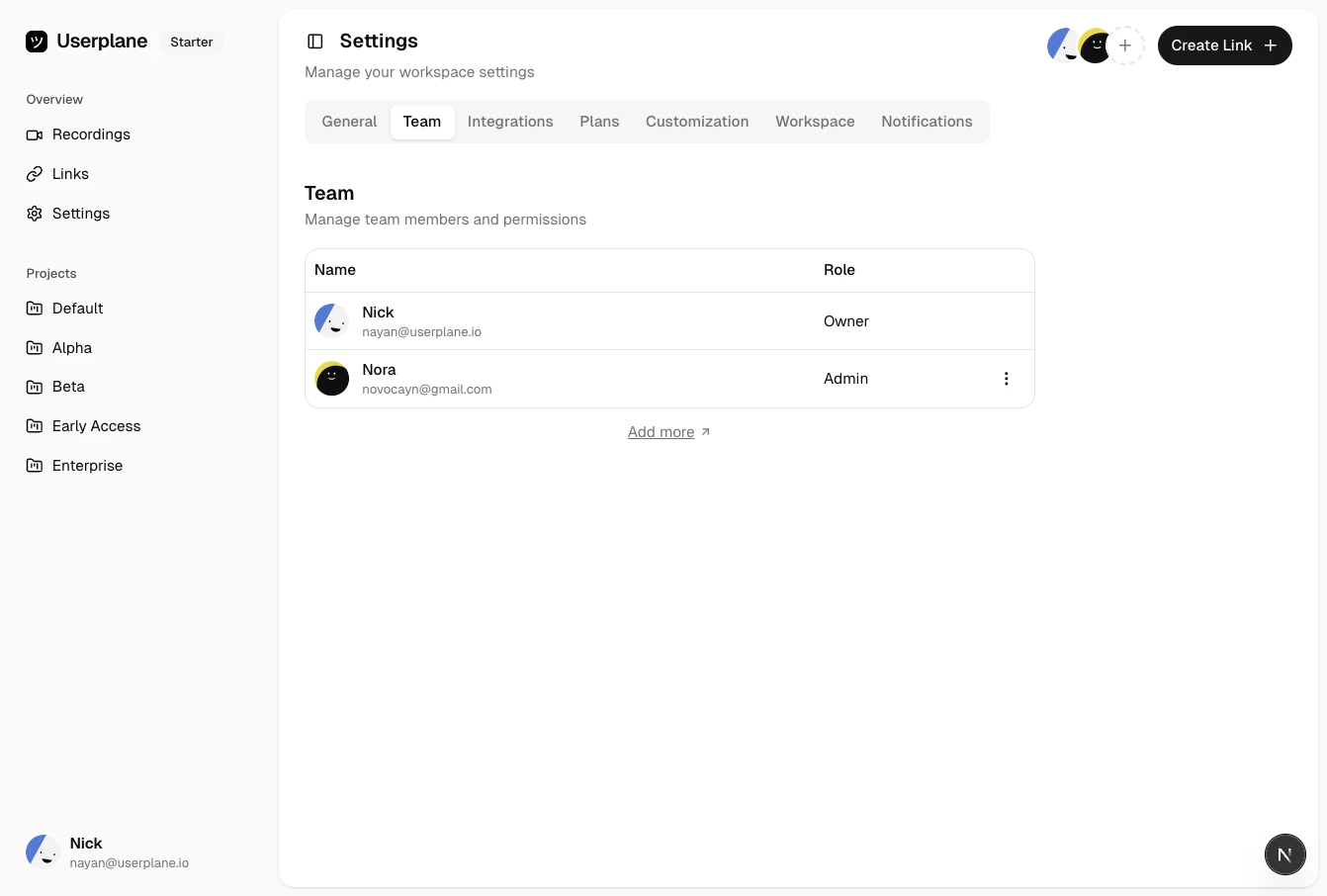
Team member list with roles
Role descriptions
Owner
The workspace creator is the initial owner. Owners have full control over the workspace, including billing, invite policies, access request approvals, and the ability to delete the workspace. There is one owner per workspace.Admin
Admins can manage most workspace resources — projects, domains, integrations, members, and branding. They cannot manage billing, change the invite policy, delete the workspace, or approve access requests.Member
Members can view recordings, create recording links, and manage their own links. They cannot manage workspace settings, invite members, or configure resources. Members can request a plan upgrade, which sends an email notification to workspace owners.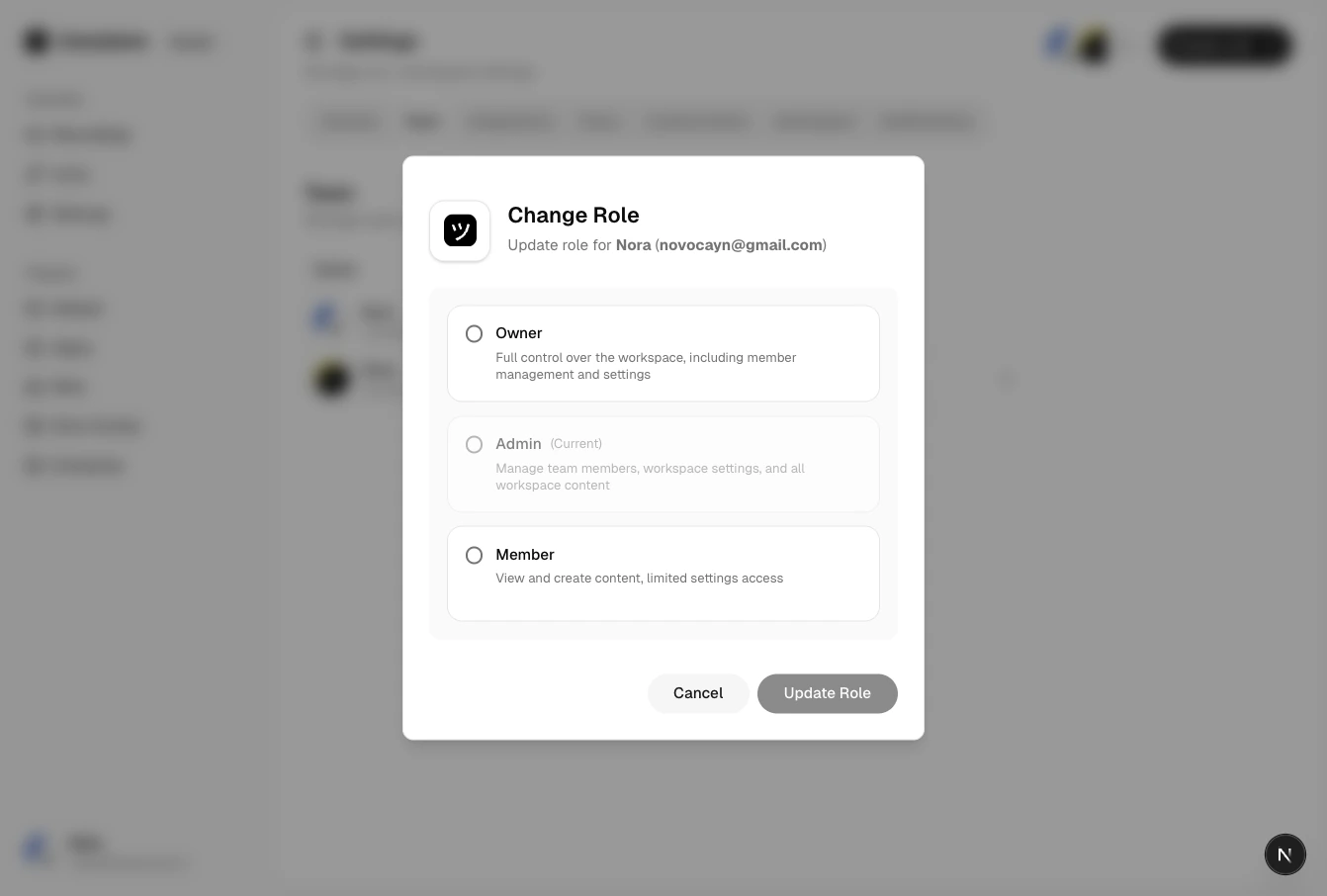
Changing a member role
Notification preferences by role
Some notification preferences are locked or hidden depending on role:- Usage notifications — always on for owners (hidden). Configurable by admins and members.
- Admin notifications — always on for owners (hidden), never available to members (hidden). Only admins can toggle this.
- Feature highlights, incoming recordings — configurable by all roles.
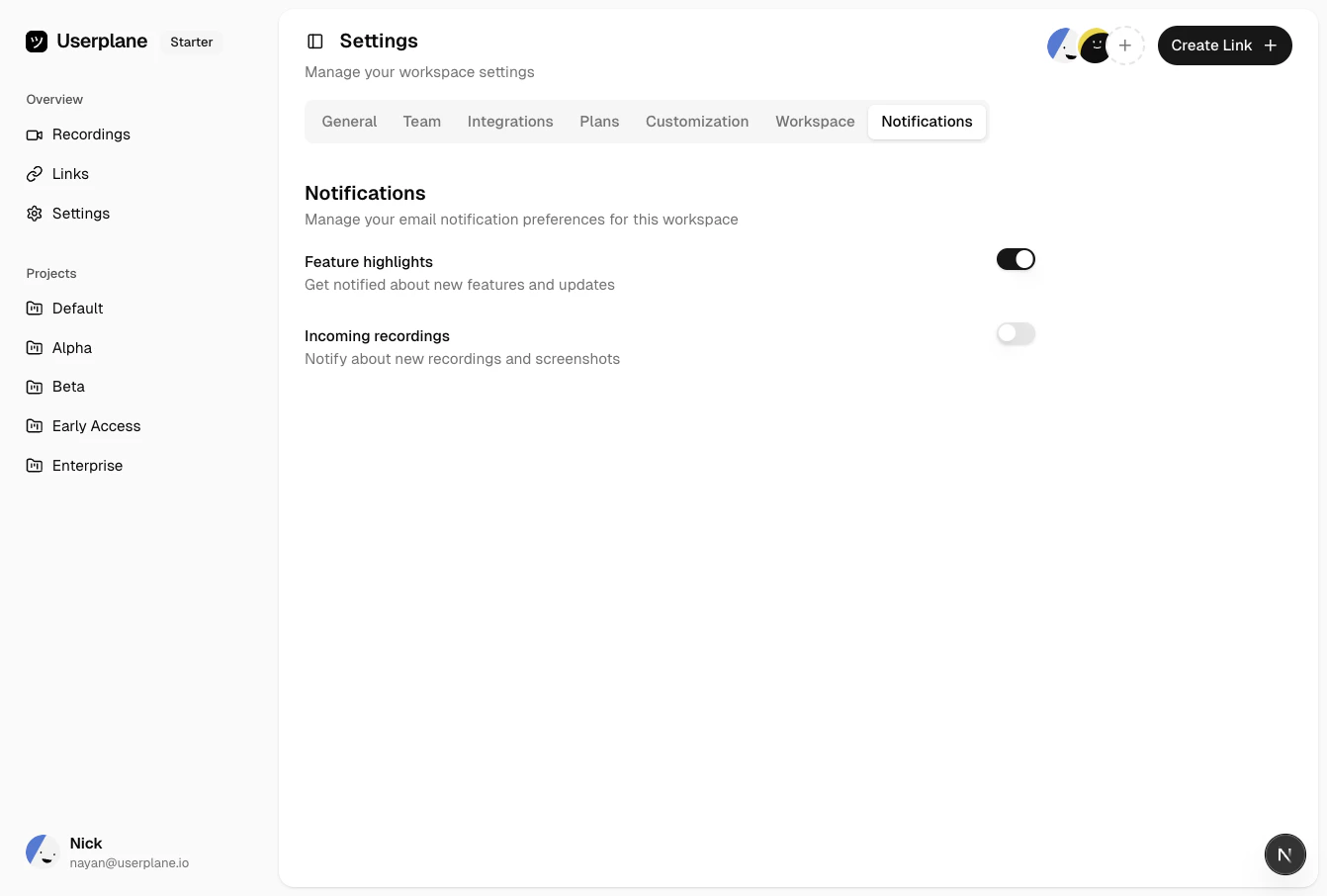
Notification preference toggles
When a member’s role changes, locked preferences are automatically set to the correct value for
the new role.